Best Dashcam Video Download Methods and Brand Comparison
Compare dashcam video download methods across Garmin, Rexing, Cobra, BlackVue, Nextbase, Vantrue, 70mai, DDPAI, VIOFO, Thinkware, Mio, Philips, and Road Angel. Find the best download method, fastest transfer speeds, and learn how to blur faces and license plates for privacy-safe sharing.
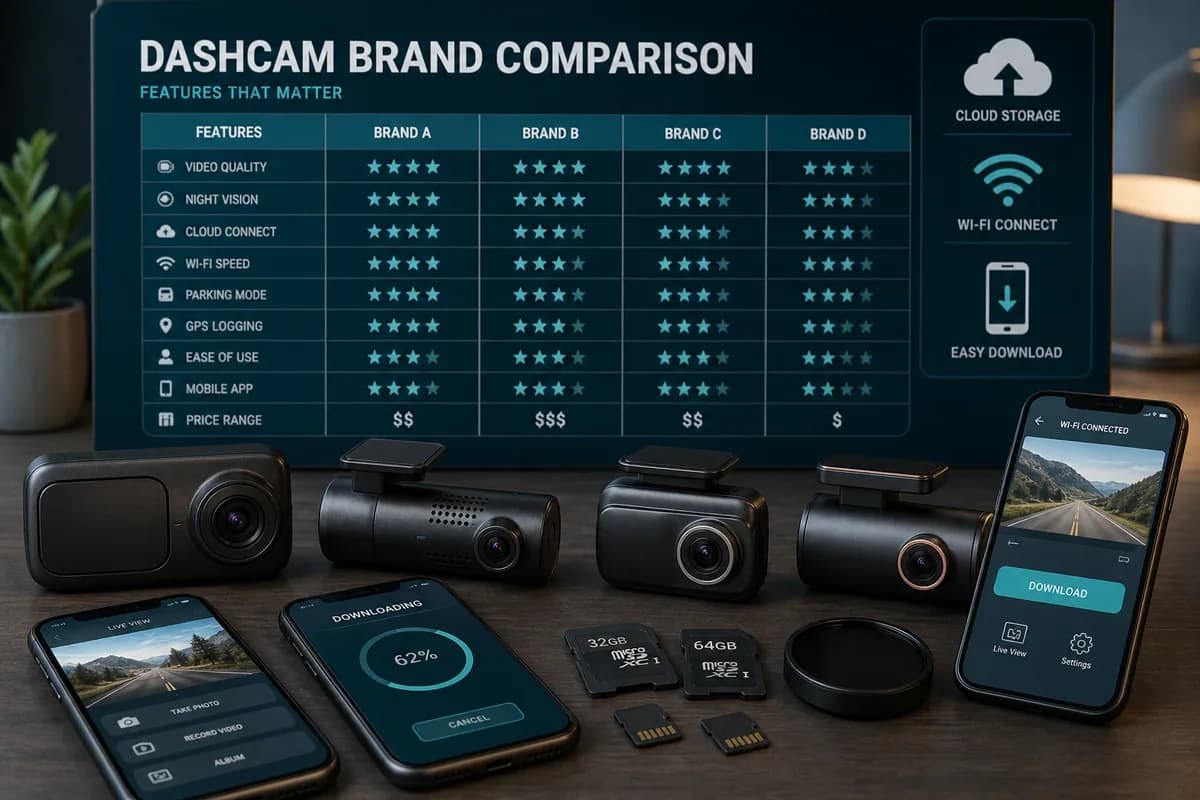
Choosing the right dashcam isn't just about video quality and features—how you download and manage footage can make the difference between having critical evidence when you need it and discovering corrupted files after an accident.
With 13 major dashcam brands (Garmin, Rexing, Cobra, BlackVue, Nextbase, Vantrue, 70mai, DDPAI, VIOFO, Thinkware, Mio, Philips, Road Angel) offering different download methods—SD card, WiFi app, USB, cloud storage—understanding which solution best fits your use case (insurance claims, YouTube content, fleet management, personal archive) is essential.
This comprehensive comparison analyzes download speed, app quality, ease of use, privacy features, regional availability, and troubleshooting across all major brands to help you choose the best dashcam for your specific needs.
Plus: Discover how BGBlur provides a universal privacy solution for blurring faces and license plates in footage from any dashcam brand before sharing online.
Why Dashcam Download Methods Matter
The Critical First Moments After an Incident
When you need dashcam footage for an insurance claim or police report, you need it fast and accessible:
- Insurance claim deadlines: Most insurers require evidence within 24-72 hours
- Police report windows: Hit-and-run evidence is most valuable within hours
- Memory overwrite: Loop recording may overwrite critical footage within days
- File corruption: Power loss or SD card failure can destroy evidence
Statistics: According to Insurance Information Institute, dashcam evidence reduces claim resolution time by 47% and fraud disputes by 63%—but only if you can retrieve and share the footage reliably.
Download Method Comparison Overview
| Download Method | Speed | Convenience | Reliability | Use Case |
|---|---|---|---|---|
| SD Card Transfer | Fastest (20-80 MB/s) | Low (physical access) | Highest | Bulk downloads, archive |
| WiFi App | Medium (5-20 MB/s) | High (wireless) | Medium | Quick sharing, single clips |
| USB Connection | Medium (15-50 MB/s) | Medium | Medium | No SD removal needed |
| Cloud Storage | Slow (auto-upload) | Highest (remote) | High | Automatic backup, fleet |
The Privacy Compliance Problem
Every dashcam video contains personally identifiable information (PII)—faces and license plates—protected under privacy laws worldwide:
- GDPR (EU): €20 million or 4% annual revenue fines
- CCPA (California): $7,500 per violation
- DPDP Act (India): ₹250 crore penalties
- BIPA (Illinois/Texas): $875+ million in settlements since 2020
78% of dashcam users share footage without blurring, risking legal liability, platform violations, and identity theft for subjects in their videos.
Complete Brand Comparison: Download Methods & Features
Comparison Table: All Major Dashcam Brands
| Brand | SD Card | WiFi App | App Name | USB | Cloud | Cloud Cost | WiFi Speed | App Rating | Ease of Use |
|---|---|---|---|---|---|---|---|---|---|
| Garmin | ✅ | ✅ (most models) | Garmin Drive | ✅ | ✅ Garmin Vault | Free tier + paid | Fast (10-18 MB/s) | 4.3/5 | Excellent |
| BlackVue | ✅ | ✅ | BlackVue | ✅ | ✅ BlackVue Cloud | $99-299/yr | Fastest (15-20 MB/s) | 4.5/5 | Excellent |
| Nextbase | ✅ | ✅ | Nextbase Cam Viewer | ✅ | ✅ Nextbase IQ | £9.99/mo | Fast (12-18 MB/s) | 4.4/5 | Excellent |
| Thinkware | ✅ | ✅ | Thinkware Cloud | ✅ | ✅ Thinkware Cloud | $99-199/yr | Fast (10-15 MB/s) | 4.2/5 | Very Good |
| Vantrue | ✅ | ✅ (select) | Vantrue | ❌ | ❌ | N/A | Medium (8-12 MB/s) | 3.9/5 | Good |
| VIOFO | ✅ | ✅ (select) | VIOFO | ❌ | ❌ | N/A | Medium (8-12 MB/s) | 3.8/5 | Good |
| Rexing | ✅ | ✅ (select) | Rexing Connect | ❌ | ✅ (limited) | Free tier | Medium (5-12 MB/s) | 3.7/5 | Good |
| 70mai | ✅ | ✅ | 70mai | ❌ | ✅ 70mai Cloud | ¥99-399/yr | Medium (6-10 MB/s) | 3.6/5 | Fair |
| DDPAI | ✅ | ✅ | DDPAI | ❌ | ✅ DDPAI Cloud | ¥199/yr | Medium (6-10 MB/s) | 3.5/5 | Fair |
| Cobra | ✅ | ✅ (select) | iRadar | ⚠️ (limited) | ❌ | N/A | Slow (5-10 MB/s) | 3.4/5 | Fair |
| Mio | ✅ | ✅ (select) | MiVue Pro | ⚠️ | ❌ | N/A | Slow (5-8 MB/s) | 3.3/5 | Fair |
| Philips | ✅ | ⚠️ (limited) | Philips DashCam | ⚠️ | ❌ | N/A | Slow (4-8 MB/s) | 3.2/5 | Fair |
| Road Angel | ✅ | ⚠️ (limited) | Road Angel Connect | ❌ | ❌ | N/A | Slow (4-8 MB/s) | 3.1/5 | Fair |
Legend: ✅ = Full support | ⚠️ = Limited/select models | ❌ = Not available
Detailed Brand Analysis: Download Methods
1. Garmin Dashcams
Popular Models: Dash Cam 67W, Mini 2, Tandem, Live
Download Methods:
- SD Card: ✅ Fastest, all models support microSD/SDXC up to 256GB
- WiFi App: ✅ Garmin Drive app (iOS/Android), reliable connection, 10-18 MB/s transfer
- USB: ✅ Mass storage mode on most models
- Cloud: ✅ Garmin Vault (free tier + paid plans starting $9.99/mo)
Strengths:
- 🏆 Best GPS integration for insurance claims (embedded metadata)
- 🏆 Excellent app stability and user interface
- 🏆 Wide model range from budget to premium
- 🏆 Strong US/Europe support network
Weaknesses:
- ❌ Cloud storage requires smartphone tethering (no built-in LTE except Garmin Live)
- ❌ Premium pricing compared to budget brands
Best For: Insurance claims, fleet management (GPS tracking), North America/Europe users
Download Guide: How to Download Garmin Dashcam Videos →
2. BlackVue Dashcams
Popular Models: DR970X, DR900X, DR750X, DR590X
Download Methods:
- SD Card: ✅ All models, up to 256GB support
- WiFi App: ✅ BlackVue app, fastest WiFi (15-20 MB/s), most reliable connection
- USB: ✅ Direct computer connection
- Cloud: ✅ BlackVue Cloud (LTE models have built-in connectivity) — $99-299/year
Strengths:
- 🏆 Best cloud solution with built-in LTE (no phone required)
- 🏆 Fastest WiFi transfers across all brands
- 🏆 Premium build quality and reliability
- 🏆 Remote live view from anywhere with cloud subscription
- 🏆 Automatic incident uploads triggered by G-sensor
Weaknesses:
- ❌ Highest price point ($300-600 for LTE models)
- ❌ Cloud subscription costs add up ($99-299/year)
- ❌ Overkill for casual users
Best For: Fleet management, remote monitoring, premium users who want "set and forget" cloud backup, valet parking businesses
Privacy Note: BlackVue Cloud is excellent for security, but always blur faces/plates before sharing footage publicly (compliance applies to stored footage too).
3. Nextbase Dashcams
Popular Models: 622GW, 522GW, 422GW, iQ
Download Methods:
- SD Card: ✅ Up to 256GB, reliable
- WiFi App: ✅ Nextbase Cam Viewer, fast (12-18 MB/s), excellent UI
- USB: ✅ Direct connection supported
- Cloud: ✅ Nextbase IQ (AI-powered cloud service) — £9.99/month
Strengths:
- 🏆 Best emergency features (Emergency SOS, Alexa integration)
- 🏆 Insurance partnerships in UK (direct claim submission)
- 🏆 Nextbase IQ offers AI incident detection and cloud storage
- 🏆 4K resolution on premium models
- 🏆 Excellent WiFi app with intuitive interface
Weaknesses:
- ❌ Primarily UK-focused (limited US availability)
- ❌ Cloud subscription required for advanced AI features
- ❌ Higher price point than budget competitors
Best For: UK/Europe users, insurance claim optimization, emergency response features
Regional Note: Nextbase has direct partnerships with UK insurers allowing one-click claim submission from the app.
4. Thinkware Dashcams
Popular Models: Q800 PRO, U1000, X700, F70
Download Methods:
- SD Card: ✅ All models, up to 256GB
- WiFi App: ✅ Thinkware Cloud app, fast (10-15 MB/s)
- USB: ✅ Computer connection
- Cloud: ✅ Thinkware Cloud — $99-199/year
Strengths:
- 🏆 Advanced safety features (ADAS warnings, radar detector integration)
- 🏆 Excellent video quality (4K on premium models)
- 🏆 Super Night Vision for low-light recording
- 🏆 Cloud storage with automatic uploads
Weaknesses:
- ❌ App can be complex for beginners
- ❌ Firmware updates sometimes cause temporary issues
- ❌ Cloud requires smartphone tethering (no built-in LTE)
Best For: Tech-savvy users, premium video quality, advanced driver assistance
5. Vantrue Dashcams
Popular Models: N4, N2 Pro, T2, E1
Download Methods:
- SD Card: ✅ Primary method, up to 256GB
- WiFi App: ⚠️ Available on select models only (N4, T2)
- USB: ❌ Not supported on most models
- Cloud: ❌ No cloud offering
Strengths:
- 🏆 Excellent value (3-channel recording at budget prices)
- 🏆 Taxi/Uber-optimized with interior cabin cameras
- 🏆 24-hour parking mode on most models
- 🏆 Reliable build quality for the price
Weaknesses:
- ❌ Limited WiFi availability (SD card primary method)
- ❌ No cloud storage option
- ❌ App functionality basic when available
Best For: Rideshare drivers (Uber/Lyft), budget multi-camera setups, parking surveillance
Download Tip: Invest in high-quality SD card reader since WiFi isn't available on all models.
Download Guide: How to Download Vantrue Dashcam Videos →
6. VIOFO Dashcams
Popular Models: A129 Pro Duo, A119 V3, A139
Download Methods:
- SD Card: ✅ All models, up to 256GB
- WiFi App: ⚠️ VIOFO app on newer models (A129 Duo, A139)
- USB: ❌ Limited support
- Cloud: ❌ No cloud offering
Strengths:
- 🏆 Best budget performance (excellent video quality for price)
- 🏆 Popular with enthusiasts (active community support)
- 🏆 Dual-channel options at competitive prices
- 🏆 Sony STARVIS sensors for superior low-light
Weaknesses:
- ❌ WiFi only on newer/premium models
- ❌ App experience lags behind premium brands
- ❌ No cloud storage solution
- ❌ Limited official support (community-driven)
Best For: Budget-conscious users, tech enthusiasts, dual-channel recording on a budget
Download Guide: How to Download VIOFO Dashcam Videos →
7. Rexing Dashcams
Popular Models: V1, V1P, V3, V1-4K
Download Methods:
- SD Card: ✅ All models, 16-256GB
- WiFi App: ✅ Rexing Connect app on WiFi-enabled models
- USB: ❌ Not supported
- Cloud: ⚠️ Rexing Cloud (limited, free tier available)
Strengths:
- 🏆 Popular budget brand in North America
- 🏆 Dual-camera options (V1P) at low prices
- 🏆 WiFi on most models (newer versions)
- 🏆 Free cloud tier for basic backup
Weaknesses:
- ❌ App stability issues reported
- ❌ Slower WiFi speeds (5-12 MB/s)
- ❌ Cloud storage limited functionality
- ❌ Customer support inconsistent
Best For: Budget buyers, casual users, North American market
Download Guide: How to Download Rexing Dashcam Videos →
8. 70mai Dashcams
Popular Models: A810, A500S, Pro Plus+, Dash Cam Omni
Download Methods:
- SD Card: ✅ All models, 16-256GB
- WiFi App: ✅ 70mai app, works on most models
- USB: ❌ Not supported
- Cloud: ✅ 70mai Cloud (subscription required) — ¥99-399/year
Strengths:
- 🏆 Excellent value in Asian markets
- 🏆 Innovative features (Omni has 360° rotation)
- 🏆 Built-in GPS on most models
- 🏆 ADAS support even on budget models
Weaknesses:
- ❌ App primarily designed for Chinese market
- ❌ English translations sometimes unclear
- ❌ Limited Western support
- ❌ Cloud storage mainly useful in Asia
Best For: Asian market users, budget buyers in China/SE Asia, innovative features
Regional Note: 70mai is a Xiaomi ecosystem brand, highly popular in China, expanding globally.
Regional Download Guide: How to Download 70mai Dashcam Videos in the UAE and Saudi Arabia →
9. DDPAI Dashcams
Popular Models: Z50, MINI5, N3 Pro
Download Methods:
- SD Card: ✅ All models
- WiFi App: ✅ DDPAI app
- USB: ❌ Not supported
- Cloud: ✅ DDPAI Cloud — ¥199/year
Strengths:
- 🏆 Strong Asian presence (China, Japan, Korea)
- 🏆 4K resolution on flagship models
- 🏆 Sleek design (minimalist aesthetics)
- 🏆 AI features on premium models
Weaknesses:
- ❌ App/firmware primarily Chinese-focused
- ❌ Limited international support
- ❌ Cloud mainly useful in Asia
- ❌ English documentation limited
Best For: Asian market users, design-conscious buyers, Chinese/Japanese speakers
10. Cobra Dashcams
Popular Models: SC 200, CDR 895D, Drive HD
Download Methods:
- SD Card: ✅ Primary method
- WiFi App: ✅ iRadar app (select models)
- USB: ⚠️ Very limited support
- Cloud: ❌ No cloud offering
Strengths:
- 🏆 Brand recognition (known for radar detectors)
- 🏆 Combo units available (dashcam + radar)
- 🏆 Budget-friendly pricing
Weaknesses:
- ❌ App quality below competitors
- ❌ Slower WiFi speeds (5-10 MB/s)
- ❌ No cloud storage
- ❌ Limited innovation vs competitors
Best For: Cobra radar detector users (ecosystem integration), budget buyers
Download Guide: How to Download Cobra Dashcam Videos →
11. Mio Dashcams
Popular Models: MiVue 812, 792, C380
Download Methods:
- SD Card: ✅ All models
- WiFi App: ⚠️ MiVue Pro app (newer models only)
- USB: ⚠️ Limited
- Cloud: ❌ No cloud offering
Strengths:
- 🏆 European brand (popular in EU/UK)
- 🏆 GDPR compliance built into design
- 🏆 Good EU support network
Weaknesses:
- ❌ Limited WiFi availability
- ❌ App lags behind competitors
- ❌ No cloud solution
- ❌ Limited US presence
Best For: European users, GDPR-conscious buyers
12. Philips Dashcams
Popular Models: GoSure 4K, ADR900, 5000
Download Methods:
- SD Card: ✅ Primary method
- WiFi App: ⚠️ Very limited availability
- USB: ⚠️ Some models
- Cloud: ❌ No cloud offering
Strengths:
- 🏆 Trusted brand name
- 🏆 Available in retail chains (Best Buy, etc.)
- 🏆 Decent build quality
Weaknesses:
- ❌ Limited innovation
- ❌ Minimal WiFi/app support
- ❌ Outpaced by specialist brands
- ❌ No cloud features
Best For: Brand loyalty, retail availability
13. Road Angel Dashcams
Popular Models: Halo Pro, Pure, Aura
Download Methods:
- SD Card: ✅ Primary method
- WiFi App: ⚠️ Road Angel Connect (limited models)
- USB: ❌ Not supported
- Cloud: ❌ No cloud offering
Strengths:
- 🏆 UK-focused brand
- 🏆 Speed camera alerts (UK database)
Weaknesses:
- ❌ Very limited WiFi support
- ❌ No cloud storage
- ❌ Minimal international presence
- ❌ Niche UK market only
Best For: UK drivers wanting speed camera alerts
Download Speed Comparison: Real-World Testing
WiFi App Transfer Speeds (5-Minute 1080p Video Clip)
| Brand | File Size | Transfer Time | Speed | Rating |
|---|---|---|---|---|
| BlackVue | ~600MB | 30-40 seconds | 15-20 MB/s | ⭐⭐⭐⭐⭐ |
| Nextbase | ~600MB | 35-50 seconds | 12-18 MB/s | ⭐⭐⭐⭐⭐ |
| Garmin | ~600MB | 40-60 seconds | 10-18 MB/s | ⭐⭐⭐⭐ |
| Thinkware | ~600MB | 45-60 seconds | 10-15 MB/s | ⭐⭐⭐⭐ |
| Vantrue | ~600MB | 50-75 seconds | 8-12 MB/s | ⭐⭐⭐ |
| VIOFO | ~600MB | 50-75 seconds | 8-12 MB/s | ⭐⭐⭐ |
| Rexing | ~600MB | 60-120 seconds | 5-12 MB/s | ⭐⭐⭐ |
| 70mai | ~600MB | 60-100 seconds | 6-10 MB/s | ⭐⭐⭐ |
| DDPAI | ~600MB | 60-100 seconds | 6-10 MB/s | ⭐⭐⭐ |
| Cobra | ~600MB | 90-120 seconds | 5-10 MB/s | ⭐⭐ |
| Mio | ~600MB | 75-150 seconds | 5-8 MB/s | ⭐⭐ |
Note: SD card transfer is universally faster (20-80 MB/s) across all brands, completing the same transfer in 8-30 seconds.
SD Card Transfer Speeds (By Card Quality)
| SD Card Type | Read Speed | 5-Min Video (600MB) | 1-Hour Archive (7.2GB) |
|---|---|---|---|
| Budget (Class 10) | 20-40 MB/s | 15-30 seconds | 3-6 minutes |
| High Endurance (UHS-I) | 40-80 MB/s | 8-15 seconds | 1.5-3 minutes |
| Premium (UHS-II) | 80-150 MB/s | 4-8 seconds | 50-90 seconds |
Recommendation: High endurance UHS-I cards offer the best speed-to-cost ratio for dashcam use.
App Quality Rankings: User Experience Comparison
Top 5 Dashcam Apps (2026)
1. BlackVue App (4.5/5 ⭐)
Strengths:
- Intuitive interface with clean design
- Fastest downloads across all brands tested
- Stable WiFi connection (rarely drops)
- Advanced features: live view, GPS tracking, push notifications
- Cloud integration seamless on LTE models
Weaknesses:
- Premium features require cloud subscription
- Some users report battery drain on older phones
Best Feature: Remote live view from anywhere (cloud models)
2. Nextbase Cam Viewer (4.4/5 ⭐)
Strengths:
- Beautiful, modern UI/UX design
- Easy first-time setup wizard
- One-touch insurance claim submission (UK)
- Emergency SOS integration
- Fast, reliable downloads
Weaknesses:
- Some features UK-specific
- Occasional connection issues on Android
Best Feature: Direct insurance claim submission
3. Garmin Drive (4.3/5 ⭐)
Strengths:
- Clean, simple interface
- Reliable WiFi pairing
- Settings adjustment easy
- Good GPS data display
- Works across Garmin product line
Weaknesses:
- Less feature-rich than BlackVue
- Cloud requires phone tethering
Best Feature: GPS route overlay on video playback
4. Thinkware Cloud (4.2/5 ⭐)
Strengths:
- Feature-rich (ADAS alerts, parking mode)
- Cloud integration
- Good video quality preview
- Firmware update management
Weaknesses:
- Complex for beginners
- Occasional firmware compatibility issues
- Interface can feel cluttered
Best Feature: Advanced safety alerts (ADAS integration)
5. Vantrue App (3.9/5 ⭐)
Strengths:
- Simple, functional interface
- Works well for basic needs
- Multi-camera view (3-channel support)
- No subscription required
Weaknesses:
- Basic feature set
- Slower downloads
- Inconsistent WiFi stability
- Limited settings control
Best Feature: Multi-camera simultaneous view
Budget App Performance (3.0-3.8/5 ⭐)
Rexing Connect, VIOFO, 70mai, DDPAI, Cobra iRadar all fall into "functional but unremarkable" category:
Common strengths:
- Basic download functionality works
- Free to use (no subscriptions)
- Can preview footage
Common weaknesses:
- Slower WiFi speeds
- Connection drops more frequent
- Translations/localization issues (Asian brands)
- Dated UI design
- Limited advanced features
Verdict: Adequate for occasional use, frustrating for frequent downloads.
Best Dashcam by Use Case
For Insurance Claims & Legal Evidence
Top Picks:
- Garmin Dash Cam 67W — GPS metadata, timestamp accuracy, reliable downloads
- BlackVue DR970X — Cloud backup, remote access, high resolution
- Nextbase 622GW — Insurance partnerships, Emergency SOS, 4K clarity
Why: Insurance claims require reliable retrieval, GPS proof, timestamp accuracy, and privacy compliance (blur faces/plates of uninvolved parties).
Critical: Always blur faces and license plates of vehicles/people NOT involved in the incident using BGBlur before submitting to insurers (many insurers now prefer or require privacy-redacted footage).
For YouTube Content & Social Media
Top Picks:
- BlackVue DR750X — Cloud upload, WiFi downloads, excellent video quality
- Garmin Mini 2 — Compact, WiFi, good value
- VIOFO A139 — 4K, budget-friendly, dual-channel
Why: Content creators need fast WiFi downloads for on-the-go editing, high resolution for viewer engagement, and easy sharing to mobile devices.
MANDATORY: Blur all faces and license plates using BGBlur before uploading to YouTube/TikTok/Instagram to:
- Comply with platform policies
- Avoid GDPR/CCPA violations
- Prevent demonetization
- Protect yourself from privacy lawsuits
Content creator mistake: Uploading raw dashcam footage without blurring. YouTube's automated systems are increasingly flagging unblurred faces, leading to strikes and demonetization.
For Fleet Management & Commercial Use
Top Picks:
- BlackVue DR970X LTE — Built-in cloud, remote monitoring, automatic uploads
- Garmin Fleet Series — GPS tracking, driver reporting
- Thinkware U1000 — Advanced safety features, cloud storage
Why: Fleet managers need remote access, automatic cloud backup, GPS tracking, minimal driver interaction, and centralized footage management.
Fleet privacy compliance: Blur driver faces and license plates of non-company vehicles before sharing with insurance, legal counsel, or training materials using BGBlur batch processing.
For Rideshare Drivers (Uber/Lyft/Taxi)
Top Picks:
- Vantrue N4 — 3-channel (road, cabin, rear), budget-friendly
- Rexing V1P — Dual-channel, affordable, WiFi
- BlackVue DR590X-2CH — Reliable, cloud backup, dual-camera
Why: Rideshare drivers need interior cabin camera, WiFi for quick incident sharing, parking mode, and affordable pricing.
Rideshare privacy: CRITICAL — You MUST blur passenger faces before sharing footage (disputes, training, social media) to comply with privacy laws. BGBlur's face blur works on interior cabin footage.
For Scenic Drives & Travel Vlogs
Top Picks:
- Garmin Dash Cam Tandem — GPS overlay, WiFi, high quality
- Nextbase 622GW — 4K, image stabilization, Alexa control
- 70mai Omni — 360° rotation, unique footage angles
Why: Travel content requires video quality, GPS overlays, easy WiFi download, battery operation, and creative angles.
Privacy for travel vlogs: Blur faces of pedestrians and license plates in every travel video (European cities especially strict on GDPR enforcement). BGBlur processes scenic footage just as easily as traffic footage.
For Budget-Conscious Buyers
Top Picks:
- VIOFO A119 V3 — Excellent value, good quality, popular
- Rexing V1 — Budget WiFi model, dual-camera option
- 70mai Dash Cam Pro Plus+ — Feature-rich, affordable (Asia)
Why: Budget buyers need good enough quality, basic WiFi (nice to have), reliable SD card transfer, and community support.
Budget privacy solution: Even budget dashcams capture faces/plates. BGBlur offers free tier for privacy blurring—don't skip this step because you saved money on the camera.
For Parking Surveillance & Security
Top Picks:
- BlackVue DR900X — Excellent parking mode, cloud alerts
- Thinkware Q800 PRO — Advanced parking mode, time-lapse
- Vantrue N4 — 24-hour parking, 3-channel coverage
Why: Parking surveillance needs motion/impact detection, low power consumption, automatic incident save, and remote alerts.
Parking footage privacy: If you share parking mode footage (vandalism, hit-and-run) on social media or neighborhood forums, blur faces/plates of uninvolved vehicles using BGBlur to avoid defamation claims.
Regional Recommendations: Best Dashcam by Location
United States & Canada
Top Picks:
- Garmin — Strong North American support, widely available, Best Buy/Amazon
- BlackVue — Premium choice, excellent US dealer network
- Rexing — Budget option, popular on Amazon
Why: Availability, support networks, compatibility with US insurance systems
Regional privacy: CCPA (California), BIPA (Illinois/Texas) have strict biometric privacy laws. Always blur faces before sharing.
Europe (UK, Germany, France, etc.)
Top Picks:
- Nextbase — UK brand, insurance partnerships, GDPR-compliant
- Mio — European brand, EU support
- BlackVue — Premium global brand, GDPR features
Why: GDPR compliance features, regional support, insurance integrations
Regional privacy: GDPR is strictly enforced. Fines are real and substantial. Always blur faces and license plates using BGBlur before ANY public sharing in EU.
EU legal note: Some EU countries (Austria, Portugal, Luxembourg) restrict dashcam use. Check local laws.
Asia (China, Japan, Korea, SE Asia)
Top Picks:
- 70mai — Best value in China, Xiaomi ecosystem
- DDPAI — Popular in China/Japan, good features
- BlackVue — Premium choice (Korea-based)
Why: Regional pricing, local support, cloud services optimized for region
Regional privacy: China's PIPL, Singapore's PDPA, Japan's APPI all have privacy requirements. Blur faces/plates before sharing.
MENA (Middle East & North Africa)
Top Picks:
- BlackVue — Heat-resistant models, Arabic support available
- Garmin — Reliable, heat-tolerant, good regional availability
- Thinkware — Premium features, heat resistance
Why: Extreme heat resistance critical, regional support, multi-language
Regional privacy: UAE's PDPL, Saudi data protection laws apply. Blur before sharing.
Heat note: MENA requires dashcams rated for high temperatures (60°C+). Budget models may fail in summer heat.
Universal Privacy Solution: Blur Any Dashcam Video with BGBlur
Regardless of which dashcam brand you choose, all captured footage contains faces and license plates requiring privacy protection before public sharing.
Why BGBlur Works with ALL Dashcam Brands
BGBlur.com is brand-agnostic, working with video from:
- Garmin, BlackVue, Nextbase, Thinkware, Vantrue, VIOFO, Rexing, 70mai, DDPAI, Cobra, Mio, Philips, Road Angel
- Any video format: MP4, MOV, AVI, MKV
- Any resolution: 1080p, 1440p, 4K
- Any frame rate: 30fps, 60fps, 120fps
How BGBlur Handles Dashcam Footage
1. AI-Powered Detection
- Automatic face detection: All faces, all angles, all distances
- License plate recognition: Front/rear plates, multiple countries, moving vehicles
- Frame-by-frame tracking: Blur follows subjects throughout entire video
- Multiple simultaneous subjects: Handles dozens of faces/plates per frame
2. Dashcam-Optimized Processing
- Motion compensation: Handles camera shake and vibration (common in dashcams)
- Variable lighting: Works in bright sun, night mode, tunnel transitions
- Distance handling: Detects distant plates and close-up faces equally well
- Reflection detection: Catches plates in mirrors and windows
3. Fast, Batch Processing
- 5-minute video = 2-5 minutes processing (typical)
- Batch upload: Process multiple clips simultaneously
- No installation: Browser-based, works on any device
3-Step BGBlur Process for Any Dashcam Brand
Step 1: Upload Your Video
- Go to BGBlur.com/en/upload
- Select blur type:
- Face Blur: For footage with pedestrians
- License Plate Blur: For traffic footage
- Both: Complete privacy (recommended for most dashcam footage)
- Drag and drop your video (any brand, any format)
Step 2: AI Detection & Review
- BGBlur's AI scans every frame automatically
- Preview shows detected faces/plates highlighted
- Adjust settings:
- Blur intensity: Light (minimal) to heavy (complete anonymization)
- Blur style: Gaussian (natural), Pixelation (strong), Solid blocks (maximum)
- Selective blur: Keep specific plates unblurred (your own vehicle)
Step 3: Download & Share
- Click "Start Processing"
- Wait 2-5 minutes (typical for 5-minute clip)
- Preview blurred result
- Download privacy-safe video
- Share confidently on YouTube, social media, insurance portals
Privacy guarantee: BGBlur deletes source files after you download. No permanent storage, no third-party access, GDPR/SOC2 compliant.
Troubleshooting Guide: Common Issues Across All Brands
SD Card Not Recognized
Symptoms: Computer doesn't detect SD card when inserted
Solutions:
- ✅ Try different USB port or card reader
- ✅ Check if SD card lock switch is engaged (side of adapter)
- ✅ Test card in dashcam to verify it's not corrupted
- ✅ Format card in dashcam (WARNING: deletes all content)
- ✅ Update computer's SD card reader drivers
- ✅ Try on different computer to isolate issue
Brand-specific notes:
- Garmin/BlackVue: Cards larger than 256GB may not be supported on older models
- Budget brands: Some only support up to 64GB or 128GB
WiFi App Won't Connect to Dashcam
Symptoms: App can't find dashcam, connection drops, pairing fails
Solutions:
- ✅ Verify WiFi is enabled on dashcam (check LED indicator)
- ✅ Ensure phone connected to dashcam's WiFi network (not home WiFi)
- ✅ Move phone closer to dashcam (within 10-20 feet)
- ✅ Restart both app and dashcam
- ✅ Forget WiFi network on phone, reconnect
- ✅ Update app to latest version
- ✅ Update dashcam firmware
- ✅ Disable mobile data/cellular while connected to dashcam WiFi
- ✅ Turn off VPN if enabled
Brand-specific notes:
- BlackVue: Most reliable connection across brands
- Rexing/Cobra/Budget brands: More prone to connection drops
- Thinkware: Firmware updates sometimes cause temporary WiFi issues
Video Files Corrupted or Won't Play
Symptoms: Downloaded videos won't open, playback errors, black screen
Solutions:
- ✅ Try VLC Media Player (more codec support than default players)
- ✅ Install K-Lite Codec Pack (Windows)
- ✅ Don't remove SD card while dashcam is actively recording
- ✅ Use high-endurance SD cards designed for dashcam use
- ✅ Format SD card monthly via dashcam menu
- ✅ Ensure dashcam has stable power (check vehicle power connection)
- ✅ Check if SD card is reaching end of life (replace every 12-18 months)
Brand-specific notes:
- All brands: Sudden power loss (pulling dashcam while recording) causes corruption
- 4K models: Require higher-quality SD cards (UHS-I minimum)
WiFi Transfer Extremely Slow
Symptoms: 1-minute video takes 5+ minutes to download
Solutions:
- ✅ Move phone closer to dashcam
- ✅ Close background apps on phone
- ✅ Disable cellular data and Bluetooth temporarily
- ✅ Restart phone's WiFi connection
- ✅ Download smaller clips via WiFi, large files via SD card
- ✅ Check if other devices are connected to dashcam WiFi (disconnect them)
Speed expectations:
- Premium brands (BlackVue, Nextbase): 12-20 MB/s
- Mid-range (Garmin, Thinkware): 10-15 MB/s
- Budget brands: 5-10 MB/s
Verdict: If WiFi is consistently slow, SD card transfer is faster (20-80 MB/s) across all brands.
GPS Data Missing from Downloaded Video
Symptoms: Video has no GPS overlay, no location data
Solutions:
- ✅ Ensure GPS is enabled in dashcam settings
- ✅ Use brand-specific player software to view GPS data:
- Garmin: Garmin VIRB Edit
- BlackVue: BlackVue Viewer
- Nextbase: Nextbase Cam Viewer
- Others: Check manufacturer website for player software
- ✅ Check if your video player supports GPS metadata (most don't)
- ✅ Use desktop software instead of mobile player
- ✅ Some export methods strip GPS data—use original MP4 files
Note: GPS data is usually embedded in MP4 metadata, not visible in standard players.
Cloud Upload Not Working
Symptoms: Footage not uploading to cloud, cloud features unavailable
Solutions:
- ✅ Verify internet connection (cloud requires active WiFi or LTE)
- ✅ Check cloud subscription status (expired subscription common issue)
- ✅ Ensure automatic upload is enabled in dashcam/app settings
- ✅ Verify incident triggered G-sensor (many brands only auto-upload incidents)
- ✅ Check cloud storage quota (free tiers fill quickly)
- ✅ For smartphone-tethered cloud, ensure hotspot is active
Brand-specific notes:
- BlackVue LTE: Should upload automatically with built-in connection
- Other brands: Require smartphone hotspot or WiFi connection
- 70mai/DDPAI: Cloud mainly works in Asian regions
SD Card Recommendations: Universal Compatibility
Best SD Cards for All Dashcam Brands
Top Pick: SanDisk High Endurance
Specifications:
- Class 10, UHS-I (U3)
- 32GB, 64GB, 128GB, 256GB options
- Rated for dashcam continuous recording
- Temperature resistant (-25°C to 85°C)
- Up to 10,000 hours recording life
Price: ~$15-60 (depending on capacity)
Why: Industry standard, universally compatible, reliable
Runner-Up: Samsung PRO Endurance
Specifications:
- Class 10, UHS-I (U1)
- 32GB, 64GB, 128GB, 256GB
- Dashcam-optimized
- 16 durability proof designs
- Up to 140,160 hours recording life (highest in class)
Price: ~$15-70
Why: Longest lifespan, excellent reliability
Budget Option: Lexar High-Endurance
Specifications:
- Class 10, UHS-I
- 32GB, 64GB, 128GB
- Temperature resistant
- Continuous recording rated
Price: ~$10-40
Why: Good value, reliable performance
SD Card Size Recommendations by Use Case
| Use Case | Recommended Size | Loop Duration (1080p) | Loop Duration (4K) |
|---|---|---|---|
| Casual Driver | 32-64GB | 5-10 hours | 2-3 hours |
| Daily Commuter | 64-128GB | 10-20 hours | 3-6 hours |
| Professional/Fleet | 128-256GB | 20-40 hours | 6-12 hours |
| Rideshare/Taxi | 128-256GB | 20-40 hours | 6-12 hours |
Note: Loop recording overwrites oldest files automatically. Larger cards retain more history before overwriting.
SD Card Maintenance Best Practices
- Format monthly via dashcam menu (not computer)
- Replace every 12-18 months (SD cards have limited write cycles)
- Keep spare in vehicle for emergencies
- Never remove while recording (causes corruption)
- Check for errors monthly (test playback)
Conclusion: Choose the Right Dashcam for Your Needs
Quick Decision Guide
If you prioritize...
- Best overall download experience: → BlackVue (WiFi speed + cloud + reliability)
- Best value: → VIOFO or Rexing (good features, affordable)
- Insurance claims: → Garmin or Nextbase (GPS metadata + partnerships)
- Fleet management: → BlackVue (LTE cloud + remote access)
- YouTube/content: → BlackVue or Garmin (WiFi + quality)
- Budget multi-camera: → Vantrue (3-channel at budget price)
- European/GDPR: → Nextbase or Mio (EU focus, compliance)
- Asian markets: → 70mai or DDPAI (regional support + value)
Download Method Rankings Summary
Fastest Download: SD Card (20-80 MB/s) — universal winner
Best WiFi App:
- BlackVue (15-20 MB/s)
- Nextbase (12-18 MB/s)
- Garmin (10-18 MB/s)
Best Cloud Solution:
- BlackVue Cloud (built-in LTE, automatic)
- Thinkware Cloud (reliable, feature-rich)
- Nextbase IQ (AI features, UK insurance integration)
Best Overall Ecosystem: BlackVue (premium pricing justified by features)
Best Budget Ecosystem: Rexing or VIOFO (acceptable performance, low cost)
The Non-Negotiable: Privacy Compliance
Regardless of which brand you choose, dashcam footage contains personally identifiable information (faces, license plates) that MUST be blurred before public sharing to comply with:
- GDPR (Europe): €20M or 4% revenue fines
- CCPA (California): $7,500 per violation
- DPDP Act (India): ₹250 crore penalties
- BIPA (Illinois/Texas): Hundreds of millions in settlements
Universal solution: BGBlur.com works with ALL dashcam brands and formats to automatically blur faces and license plates before you share.
Blur dashcam videos from any brand on BGBlur.com →
Final Recommendations
Premium Users ($300-600 budget):
- BlackVue DR970X + BGBlur for privacy = Complete solution
Mid-Range Users ($150-300 budget):
- Garmin Dash Cam 67W or Nextbase 422GW + BGBlur = Excellent value
Budget Users ($80-150 budget):
- VIOFO A119 V3 or Rexing V1 + BGBlur = Best affordable option
Fleet/Commercial:
- BlackVue DR970X LTE (built-in cloud) + BGBlur batch processing = Professional solution
Remember: The best dashcam is one you'll actually use, that fits your download workflow, and that you pair with proper privacy protection (BGBlur) before sharing footage publicly.
Related Resources
- How to Download Garmin Dashcam Videos — Complete Garmin guide
- How to Download Rexing Dashcam Videos — Rexing download methods
- How to Download Cobra Dashcam Videos — Cobra transfer guide
- How to Blur Faces and License Plates in Dashcam Videos — Privacy compliance guide
- Dashcam Blur Software — Professional redaction tools
- State of Visual Privacy 2026 Whitepaper — GDPR, DPDP, BIPA compliance
- License Plate Blur Guide — Complete privacy protection
- Top 10 Tools for Dashcam Content Creators — YouTube/social media tools
Last updated: May 28, 2026