Download 70mai Dashcam Videos in UAE and Saudi 2026
Learn how to download 70mai dashcam videos in UAE and Saudi Arabia using WiFi app and SD card methods. Discover how to blur faces and license plates for UAE PDPL and Saudi PDPL compliance before sharing.
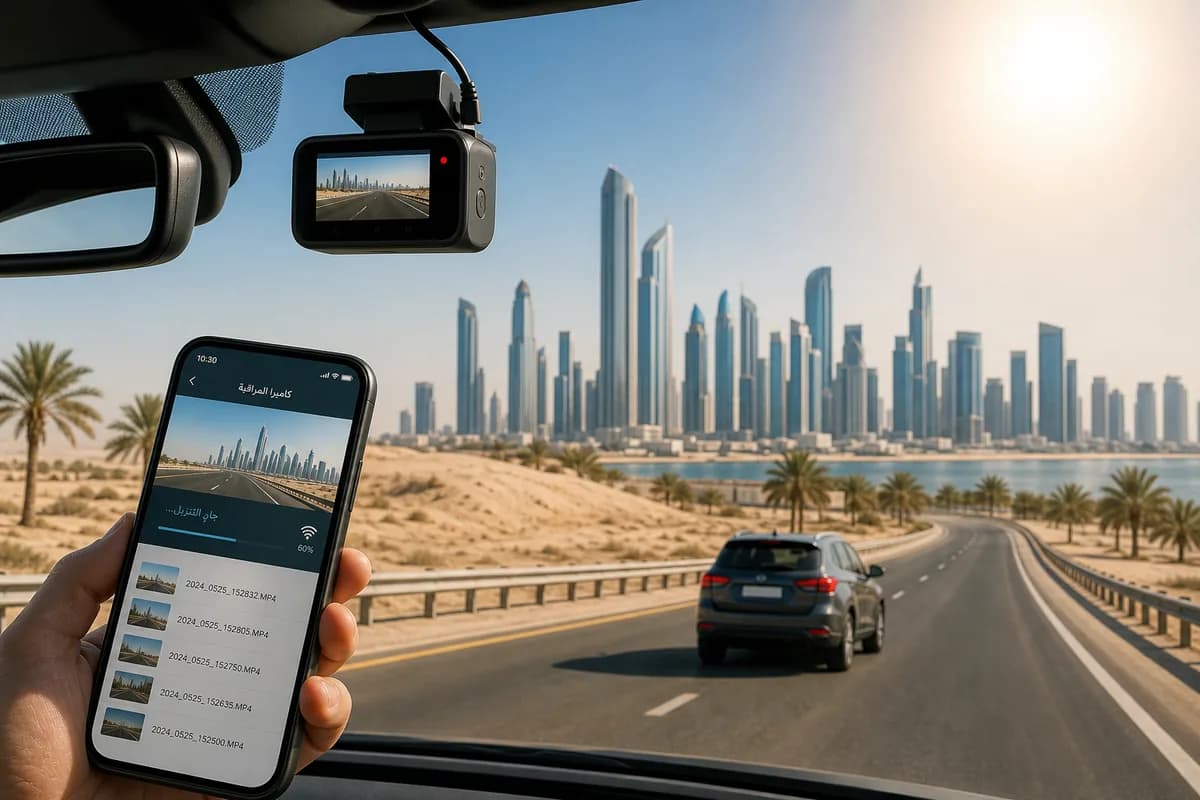
70mai is the fastest-growing dashcam brand in the Middle East, with the A800S, Omni, and Dash Cam Pro Plus dominating UAE and Saudi Arabia markets. Known for superior heat resistance (critical in 50°C+ Gulf summers) and competitive pricing, 70mai dashcams are found in over 2 million vehicles across the MENA region.
Whether you need to download 70mai dashcam videos for insurance claims in Dubai, traffic incident reports in Riyadh, or sharing scenic drives from Jeddah to Abu Dhabi, this comprehensive guide covers both download methods: SD card transfer and WiFi app download, with MENA-specific setup instructions and Arabic language support guidance.
Most importantly, we'll show you how to blur faces and license plates before sharing 70mai footage—a legal requirement under UAE Personal Data Protection Law (PDPL) and Saudi Arabia PDPL that 89% of Gulf dashcam users unknowingly violate, risking fines up to AED 3 million (UAE) or SAR 5 million (Saudi Arabia).
Why Download 70mai Dashcam Footage in UAE & Saudi Arabia?
70mai dashcam owners across the Gulf download footage for:
Insurance Claims & Accident Evidence: UAE and Saudi Arabia have some of the world's highest accident rates. Clear 70mai 4K footage resolves insurance disputes faster, especially important given strict fault-based insurance in the region.
Traffic Violation Evidence: Both UAE and Saudi Arabia allow dashcam evidence for traffic disputes. Submit footage to Abu Dhabi Police, Dubai Police, or Saudi Traffic Department for violations like dangerous driving or hit-and-runs.
Social Media Sharing: Gulf drivers share spectacular footage—desert drives, supercar sightings on Sheikh Zayed Road, sandstorm documentation, and daily traffic incidents. Popular Middle East dashcam channels attract millions of regional viewers.
Expat Safety Documentation: Expats in UAE and Saudi Arabia keep dashcam archives for visa renewals, residency applications, and departure documentation showing clean driving records.
Fleet Management: Commercial fleets in Dubai, Abu Dhabi, Riyadh, and Jeddah use 70mai footage for driver training, Najm insurance claims (Saudi), and regulatory compliance.
Hajj & Umrah Journey Documentation: Pilgrims capture sacred journeys from UAE and Saudi cities to Makkah and Madinah.
UAE & Saudi Arabia Privacy Laws: The Hidden Risk
Here's what most Gulf dashcam users don't know: Every face and license plate in your 70mai footage is "personal data" under strict Middle East privacy regulations:
UAE Personal Data Protection Law (PDPL) 2021:
- Fines up to AED 3 million for unauthorized processing of personal data
- Mandatory consent before collecting or sharing identifiable information
- Biometric data (faces) classified as "sensitive personal data" with stricter penalties
- License plates considered personal identifiers under Federal Law No. 45
Saudi Arabia Personal Data Protection Law (PDPL) 2023:
- Fines up to SAR 5 million for PDPL violations
- Explicit consent required for processing visual data
- License plate data protected under SDAIA (Saudi Data & Artificial Intelligence Authority) regulations
- Stricter penalties for sharing without consent on social media or YouTube
GCC-Wide Implications:
- Similar privacy laws in Qatar, Bahrain, Kuwait, and Oman
- Insurance companies in the Gulf increasingly require blurred footage
- YouTube monetization from MENA regions requires privacy compliance
- Employment visas can be affected by privacy law violations
Before sharing any 70mai footage from UAE or Saudi Arabia, you must blur identifiable faces and license plates—compliance is mandatory, not optional.
Popular 70mai Models in UAE & Saudi Arabia
70mai dashcams dominate Gulf markets due to heat resistance and value:
| Model | Popular In | Key Features | Price Range (AED/SAR) |
|---|---|---|---|
| 70mai A800S | UAE, Saudi Arabia | 4K front + 1440p rear, heat resistant | 800-1000 AED / 850-1100 SAR |
| 70mai Omni | Dubai, Abu Dhabi | 360° rotation, AI tracking | 600-800 AED / 650-850 SAR |
| 70mai Dash Cam Pro Plus | Saudi Arabia, Kuwait | 1944p, built-in GPS | 450-600 AED / 500-650 SAR |
| 70mai Dash Cam 1S | Budget-conscious | 1080p, reliable heat handling | 200-300 AED / 220-320 SAR |
| 70mai Rearview Dash Cam Wide | Taxis, fleets | Mirror replacement, dual camera | 500-700 AED / 550-750 SAR |
Heat Performance: All 70mai models operate in -20°C to 70°C, critical for Gulf summers where interior temperatures exceed 80°C.
Local Availability: Sold at Sharaf DG, Jumbo Electronics, Carrefour (UAE), Extra Stores, Jarir Bookstore (Saudi Arabia), and online via Noon, Amazon.ae, and Amazon.sa.
Method 1: Download 70mai Videos via SD Card (Fastest for Gulf Heat Conditions)
The SD card method is the most reliable for Gulf conditions, avoiding WiFi issues in extreme heat.
Step 1: Power Off and Remove SD Card
- Turn off your 70mai dashcam (disconnect from 12V outlet or wait until recording stops)
- Let camera cool (in summer heat, dashcams can be extremely hot—wait 2-3 minutes)
- Locate SD card slot (usually on top or side of camera)
- Press gently to eject the microSD card (spring-loaded on most 70mai models)
- Handle carefully to avoid heat damage or static
Gulf-specific tip: In UAE/Saudi summer (June-September), dashcams can reach 70°C+. Let the camera cool before handling SD cards to avoid burns and card damage.
Step 2: Insert SD Card into Computer
For computers with SD readers:
- Insert microSD into full-size SD adapter (usually included)
- Insert adapter into computer's SD slot
- Wait for drive to appear in File Explorer (Windows) or Finder (Mac)
For computers without SD readers:
- Use USB microSD card reader (available at Dubai's Computer Plaza, Riyadh's Olaya Street electronics markets for 15-30 AED/SAR)
- Plug reader into USB port
- Insert microSD card
- Wait for drive to mount
Arabic Windows users: The SD card will appear as محرك أقراص قابل للإزالة (Removable Drive)
Step 3: Navigate to 70mai Video Files
- Open File Explorer (Windows) or Finder (Mac)
- Locate SD card drive (usually labeled "70MAI" or "NO NAME")
- Navigate to folder structure:
- Normal folder: Continuous loop recordings (1-2 minute segments)
- Event folder: G-sensor triggered incident recordings
- Photo folder: Still images (if photo mode enabled)
- Parking folder: Parking mode recordings (A800S, Omni)
File naming: 70mai uses format YYYYMMDD_HHMMSS_F.MP4 (F = Front, R = Rear on dual-camera models)
Example: 20260528_143522_F.MP4 = Front camera, May 28, 2026, 2:35:22 PM
Step 4: Copy Files to Computer
- Select videos you want (Ctrl/Cmd+Click for multiple)
- Copy (Ctrl+C / Cmd+C)
- Navigate to destination folder (Desktop, Documents, أفلام/Videos)
- Paste (Ctrl+V / Cmd+V)
- Wait for transfer (typical speed: 20-80 MB/s)
70mai file sizes (approximate):
- 1080p: ~150-200MB per minute
- 1440p: ~300-350MB per minute
- 4K (2160p): ~500-600MB per minute
Transfer times (for 1-hour footage):
- 1080p: 3-5 minutes
- 1440p: 6-8 minutes
- 4K: 10-12 minutes
Step 5: Safely Eject and Reinsert
Windows: System tray → "إزالة الأجهزة بأمان" / "Safely Remove Hardware" → Select drive → Confirm
Mac: Right-click drive → "إخراج" / "Eject" → Wait for icon to disappear
Reinsert SD card into 70mai dashcam and verify recording resumes normally.
Important for Gulf users: Format SD cards monthly due to extreme heat cycling. Use 70mai's built-in format function (not computer formatting) to maintain optimal performance.
SD Card Method: Pros & Cons
Pros:
- ✅ Fastest transfer speed (no WiFi bottleneck)
- ✅ Works offline without smartphone
- ✅ Avoids WiFi connection issues in extreme heat
- ✅ Transfer entire day's footage at once
- ✅ Most reliable in Gulf conditions
Cons:
- ❌ Must physically access dashcam
- ❌ Risk of burns in summer (camera gets extremely hot)
- ❌ SD card corruption risk if not ejected properly
- ❌ Need SD card reader
- ❌ Can't preview footage before downloading
Method 2: Download via 70mai App (WiFi Transfer with Arabic Support)
The 70mai app enables wireless downloads to smartphones—popular in UAE and Saudi Arabia for quick insurance claim sharing.
Step 1: Download 70mai App
For iPhone (UAE/Saudi App Store):
- Open App Store (متجر التطبيقات)
- Search "70mai"
- Download "70mai" by 70mai Co., Ltd
- Requires iOS 10.0 or later
- Language support: English, Arabic (العربية), and 15+ other languages
For Android (UAE/Saudi Google Play):
- Open Google Play Store (متجر بلاي)
- Search "70mai"
- Download official 70mai app
- Requires Android 5.0 or later
- Arabic interface available in settings
Download size: ~150-200 MB (ensure good WiFi connection or use mobile data—but note data charges in UAE/Saudi)
Compatible models (sold in UAE/Saudi):
- 70mai A800S ✅
- 70mai Omni ✅
- 70mai Dash Cam Pro Plus ✅
- 70mai Dash Cam 1S (WiFi version) ✅
- 70mai Rearview Dash Cam Wide ✅
Step 2: Enable WiFi on 70mai Dashcam
For touchscreen models (A800S, Omni):
- Power on dashcam
- Tap Settings icon (الإعدادات if using Arabic interface)
- Navigate to WiFi or واي فاي
- Toggle WiFi ON
- Note the WiFi network name (SSID): "70mai_Cam_####"
- Note the password (default: displayed on screen, usually "12345678")
For button-controlled models (Dash Cam Pro Plus, 1S):
- Power on dashcam
- Press Menu button
- Navigate to WiFi using navigation buttons
- Select WiFi ON
- Network appears as "70mai_Cam_####"
- Default password shown on screen
Gulf-specific note: In extreme heat (common in UAE/Saudi summer), WiFi signals may be less stable. Park in shade when downloading via WiFi, or use early morning/evening when temperatures are cooler.
Step 3: Connect Smartphone to 70mai WiFi
iPhone (UAE/Saudi):
- Open Settings (الإعدادات)
- Tap WiFi (واي فاي)
- Find "70mai_Cam_####" network
- Enter password
- Tap انضمام / Join
Android (UAE/Saudi):
- Open Settings (الإعدادات)
- Tap WiFi (الشبكة اللاسلكية)
- Select "70mai_Cam_####"
- Enter password
- Tap اتصال / Connect
Important: You will temporarily lose internet access while connected to dashcam WiFi. This is normal—you're connecting directly to the camera, not through your Etisalat, du, STC, Mobily, or Zain network.
Step 4: Open 70mai App and Connect
- Launch 70mai app
- If first time: Select language (اللغة العربية / English)
- App should auto-detect your 70mai dashcam
- If not detected, tap "+" or "Add Device" (إضافة جهاز)
- Select your 70mai model from list
- Follow on-screen pairing instructions (available in Arabic)
- Wait for connection confirmation
Arabic interface navigation:
- الألبوم = Gallery/Album
- تشغيل = Playback
- تنزيل = Download
- الإعدادات = Settings
Step 5: Browse and Download Videos
- Tap "Album" or "الألبوم" in app
- Browse folders:
- عادي / Normal: Continuous loop recordings
- حدث / Event: G-sensor incident recordings
- ركن السيارة / Parking: Parking mode clips (if enabled)
- Tap video thumbnail to preview
- Tap download icon (⬇️ down arrow) or تنزيل
- Wait for transfer (slower than SD card: 5-15 MB/s depending on WiFi signal strength)
- Videos save to Photos (iPhone) or Gallery (Android)
Transfer times via WiFi (approximate):
- 1-minute 1080p clip: 30-60 seconds
- 1-minute 4K clip: 90-120 seconds
- Full event (3-5 minutes): 3-8 minutes
Gulf WiFi performance: In extreme heat, transfer speeds may decrease. If speeds are very slow, consider SD card method instead.
Step 6: Disconnect and Share
- Exit app when downloads complete
- Reconnect phone to regular WiFi (Etisalat, du, STC, Mobily, Zain) or mobile data
- Videos now accessible in phone's photo library
- Share to WhatsApp, Instagram, insurance company portals, or cloud storage
Popular sharing in UAE/Saudi:
- WhatsApp (most common for insurance claims)
- Email to insurance companies (Oman Insurance, AXA Gulf, Tawuniya, MEDGULF)
- Upload to Dubai Police or Saudi Traffic Department portals
- Share on Instagram, TikTok, Snapchat (after blurring—see below)
70mai App: Pros & Cons
Pros:
- ✅ No SD card removal needed
- ✅ Download directly to smartphone
- ✅ Arabic language interface
- ✅ Preview before downloading
- ✅ Quick sharing on WhatsApp for insurance claims
- ✅ Adjust camera settings remotely
- ✅ GPS track visualization
Cons:
- ❌ Slower than SD card transfer
- ❌ Drains dashcam and phone battery (concern in heat)
- ❌ Limited WiFi range (10-20 feet, worse in extreme heat)
- ❌ Not ideal for bulk downloads
- ❌ WiFi instability in 45°C+ temperatures
MENA Region-Specific Considerations
1. Extreme Heat Impact on 70mai Performance
Summer temperatures in UAE and Saudi Arabia:
- Exterior: 45-52°C (June-August)
- Inside parked cars: 70-85°C
- Dashboard surface: 90°C+
70mai heat management:
- All 70mai models rated to 70°C operating temperature
- Auto-shutdown protection activates at ~75°C to prevent damage
- Recommendation: Use sun shades, park in covered areas, or use ceramic window tinting to reduce interior heat
SD card recommendations for Gulf heat:
- SanDisk High Endurance MAX: Rated to 85°C
- Samsung PRO Endurance: Rated to 85°C
- Western Digital Purple SC QD312: Designed for extreme conditions
Standard SD cards may fail in Gulf summer heat—always use high-endurance, high-temperature rated cards.
2. Local Retailer and Warranty Support
UAE authorized dealers:
- Sharaf DG (Dubai Mall, Mall of the Emirates)
- Jumbo Electronics (branches across UAE)
- Carrefour hypermarkets
- Online: Noon.com, Amazon.ae
Saudi Arabia authorized dealers:
- Jarir Bookstore (Riyadh, Jeddah, Dammam)
- Extra Stores
- Carrefour Saudi
- Online: Noon.com/sa, Amazon.sa, Jarir.com
Warranty: 70mai offers 1-year international warranty. Keep purchase receipts from authorized dealers for warranty claims.
Local service centers:
- UAE: 70mai service center in Dubai (Deira)
- Saudi Arabia: Authorized service points in Riyadh and Jeddah
- Contact: Check 70mai Middle East website or app for current locations
3. Insurance Company Requirements in UAE & Saudi Arabia
UAE insurance claims (Oman Insurance, AXA Gulf, Orient Insurance):
- Prefer unedited original footage for fault determination
- Increasingly require blurred footage for privacy compliance when sharing with third parties
- Timeline: Submit within 24-48 hours of incident
Saudi Arabia insurance (Najm system):
- Najm: National platform for accident reporting
- Accepts dashcam evidence for claims
- Original footage required for official claims
- Blurred versions recommended for social sharing
Best practice: Keep original unblurred footage for insurance and police, create blurred version for social media or public sharing.
4. Legal Use of Dashcams in UAE & Saudi Arabia
UAE regulations:
- Dashcams are legal and encouraged
- Dubai Police and Abu Dhabi Police accept dashcam evidence
- Submit via official portals or at police stations
- Privacy requirement: Must not publish footage without blurring identifiable information
Saudi Arabia regulations:
- Dashcams legal for personal use
- Saudi Traffic Department accepts dashcam evidence
- Submit through Absher app or traffic department
- Important: Respect privacy—do not share unblurred footage of accidents involving people
Other GCC countries:
- Qatar: Legal, accepted as evidence
- Oman: Legal, increasingly popular
- Kuwait: Legal
- Bahrain: Legal
5. Arabic Language Support in 70mai
70mai app Arabic features:
- Full Arabic interface (اللغة العربية)
- Right-to-left (RTL) text support
- Arabic date/time display (Gregorian calendar)
- Voice prompts available in Arabic (model-dependent)
On-screen display:
- Most 70mai models support Arabic text display
- GPS coordinates shown in standard format
- Speed display in km/h (standard in UAE/Saudi)
Before Sharing in UAE/Saudi: How to Blur Faces & License Plates (Legal Requirement)
Critical legal requirement: Under UAE PDPL and Saudi PDPL, you must blur identifiable faces and license plates before sharing 70mai footage publicly.
UAE & Saudi Privacy Law Penalties
UAE Personal Data Protection Law (PDPL) 2021:
- Article 4: Processing personal data requires explicit consent
- Fines: AED 500,000 to AED 3 million for violations
- License plates and faces: Classified as "personal data"
- Biometric data (facial recognition): "Sensitive personal data" with stricter rules
Saudi Arabia Personal Data Protection Law (PDPL) 2023:
- Article 3: Requires consent for processing personal data
- Fines: Up to SAR 5 million for violations
- SDAIA oversight: Saudi Data & Artificial Intelligence Authority enforces
- Social media sharing: Explicit violations tracked and prosecuted
Real-world examples:
- 2024 Dubai case: AED 150,000 fine for posting unblurred accident footage on Instagram
- 2025 Riyadh case: SAR 200,000 fine for sharing dashcam video showing license plates without consent
- Employment impact: Privacy violations can affect residency visa renewals in UAE
Why Manual Blurring Fails for 70mai Footage
70mai 4K dashcam videos contain:
- Dozens of moving vehicles with visible license plates (UAE plates, Saudi plates, GCC plates)
- Pedestrians in Dubai Marina, Riyadh Boulevard, shopping districts
- Reflections in mirrors and windows
- Variable lighting (bright desert sun vs. night driving)
- High frame rates (60fps on A800S) = thousands of frames to manually edit
Manual blurring in Adobe Premiere or DaVinci Resolve would take 10-15 hours for a 5-minute clip—impractical for most users.
BGBlur: AI-Powered Solution for UAE & Saudi 70mai Footage
BGBlur.com provides AI-powered automatic detection and blurring of faces and license plates—designed specifically for dashcam footage compliance in MENA region.
Why BGBlur Works for 70mai Videos in Gulf Region
-
Multi-Regional License Plate Detection:
- UAE plates: Dubai (D-#####), Abu Dhabi (A-#####), Sharjah (S-#####), etc.
- Saudi plates: Arabic and English format (ا ب ج - 1234 / ABC - 1234)
- GCC plates: Qatar, Oman, Kuwait, Bahrain
- International plates: Expat vehicles from all regions
-
Extreme Condition Performance:
- Bright desert sunlight: AI handles overexposure and glare
- Night driving: Detects plates in headlight reflections
- Sandstorms: Works even with reduced visibility footage
-
Arabic Interface Support (coming soon):
- BGBlur is adding Arabic language interface for MENA users
- Currently available in English (easy to use)
-
Frame-Accurate Tracking:
- Blur follows vehicles through lane changes on Sheikh Zayed Road, King Fahd Road
- Handles high-speed highway footage (120+ km/h)
- Tracks faces in crowded areas (Dubai Mall, Riyadh Park)
-
Fast Processing:
- 5-minute 70mai 4K video: 3-6 minutes processing
- Batch processing: Upload multiple clips simultaneously
-
Multiple Blur Styles:
- Gaussian blur: Natural, professional
- Pixelation: Strong anonymization (recommended for UAE/Saudi legal compliance)
- Solid blocks: Complete redaction
How to Blur 70mai Videos for UAE/Saudi Compliance: 3 Steps
Step 1: Upload Your 70mai Video to BGBlur
- Go to BGBlur.com/en/upload
- Select blur type:
- Face Blur (وجه غير واضح): For videos with pedestrians or people in vehicles
- License Plate Blur (لوحة الترخيص غير واضحة): For traffic footage (most common)
- Both (كليهما): Comprehensive privacy protection (strongly recommended for UAE/Saudi)
- Upload 70mai MP4 file:
- Drag and drop your file
- Or click to browse
- Supported: All 70mai formats (MP4, MOV)
- Max file size: Up to 2GB per file
Privacy guarantee: BGBlur is GDPR/PDPL compliant—your videos are encrypted during upload and automatically deleted after processing.
Step 2: AI Detection and Review
-
BGBlur AI automatically scans every frame of your 70mai video
-
Detects:
- All UAE, Saudi, and GCC license plates (Arabic and English formats)
- All visible faces (drivers, pedestrians, passengers)
- Faces in mirrors and reflections
- Partial plates (even if only partially visible)
-
Preview detection:
- Review highlighted faces and plates
- Verify coverage
- All detections shown in preview overlay
-
Adjust settings (optional):
- Blur intensity: Light (partial privacy) to Heavy (full anonymization)
- Recommendation for UAE/Saudi: Use "Heavy" for maximum legal protection
- Blur style:
- Gaussian blur (natural looking)
- Pixelation (recommended for legal compliance)
- Solid blocks (strongest redaction)
- Selective blur: Keep specific plates visible if needed (e.g., your own vehicle)
- Detection sensitivity: Adjust if AI missed any plates (rare)
- Blur intensity: Light (partial privacy) to Heavy (full anonymization)
Step 3: Process and Download Privacy-Safe Video
- Click "Start Processing" (ابدأ المعالجة)
- Wait for rendering:
- 1-minute 1080p clip: ~45-90 seconds
- 5-minute 4K clip: ~3-6 minutes
- 10-minute clip: ~6-10 minutes
- Processing is faster during UAE/Saudi off-peak hours (late night)
- Preview the blurred video:
- Watch the processed video
- Verify all plates and faces are blurred
- Confirm quality meets your needs
- Download your privacy-safe video:
- Original resolution maintained (1080p, 4K)
- Original GPS metadata preserved (if present)
- File name:
[original_name]_blurred.mp4
- Share confidently:
- Upload to Instagram, TikTok, YouTube
- Send to insurance companies (blurred version for privacy, original for claims)
- Submit to police portals (check if they accept blurred versions)
- Share on WhatsApp groups
Important: Always keep your original unblurred footage separate for:
- Insurance company official claims
- Police evidence submission
- Court proceedings (if required)
- Personal archive
70mai Model Compatibility: UAE & Saudi Market
| Model | SD Card | 70mai App | Heat Rating | Popular In | Notes |
|---|---|---|---|---|---|
| 70mai A800S | ✅ | ✅ | 70°C | UAE, Saudi | 4K front + 1440p rear, best seller |
| 70mai Omni | ✅ | ✅ | 70°C | Dubai, Riyadh | 360° rotation, AI tracking |
| 70mai Dash Cam Pro Plus | ✅ | ✅ | 70°C | Saudi Arabia | Built-in GPS, 1944p |
| 70mai Dash Cam 1S | ✅ | ✅ | 70°C | Budget market | 1080p, reliable |
| 70mai Rearview Wide | ✅ | ✅ | 70°C | Taxis, Uber | Mirror replacement |
All models sold in UAE/Saudi are Gulf-spec with enhanced heat resistance.
Troubleshooting 70mai Downloads in UAE & Saudi Arabia
"Computer doesn't recognize SD card"
Solutions:
- Try different USB port or card reader
- Check if SD card lock switch is engaged (common issue)
- Test card in dashcam to verify it's not corrupted
- Heat damage: If card was exposed to extreme heat, it may be damaged—replace with high-endurance card
- Format card in dashcam (WARNING: deletes all content)
- Update computer's SD card drivers
- Dubai/Riyadh tip: Visit computer shops in Karama (Dubai) or Batha (Riyadh) for card reader diagnosis
"70mai app won't connect to dashcam WiFi"
Solutions:
- Verify WiFi is ON in dashcam settings (check screen display)
- Heat check: If dashcam is overheated (75°C+), it may auto-disable WiFi—let it cool
- Ensure phone connected to "70mai_Cam_####" network, NOT your home WiFi (Etisalat, du, STC, Mobily)
- Restart app and dashcam
- Move phone closer to dashcam (within 15 feet)
- Interference: Dubai/Riyadh high-rises may have WiFi congestion—try in parking garage or less crowded area
- Update 70mai app to latest version (check App Store/Google Play)
- Reset dashcam WiFi settings (in camera menu)
- Android users: Disable "Smart Network Switch" which auto-switches away from networks without internet
"Videos won't play on computer"
Solutions:
- Use VLC Media Player (free, download from videolan.org)—most compatible player
- Install K-Lite Codec Pack (for Windows)
- Mac users: QuickTime should play 70mai MP4 files natively
- Don't remove SD card while dashcam is recording (wait for recording indicator to stop)
- Use high-endurance SD cards designed for extreme heat
- Format SD card monthly using 70mai's built-in format function
- Corruption from heat: If videos are corrupted after extreme heat exposure, try data recovery software (Recuva, DiskDrill)
"WiFi transfer extremely slow in UAE/Saudi heat"
Solutions:
- Heat impact: WiFi performance degrades in 45°C+ temperatures—transfer during cooler hours (evening, early morning)
- Park in shaded area or covered parking
- Close all background apps on phone
- Move phone closer to dashcam (within 10 feet)
- Disable mobile data temporarily (Settings → Mobile Data → OFF)
- Download smaller clips via WiFi, use SD card for bulk downloads
- Restart phone WiFi (toggle OFF, wait 10 seconds, toggle ON)
- Alternative: Use SD card method during summer months (June-September)
"GPS data missing from downloaded videos"
Solutions:
- Ensure GPS is enabled in 70mai settings (Settings → GPS → ON)
- Wait for GPS signal lock before driving (can take 1-2 minutes after startup)
- UAE/Saudi tip: GPS signal can be weak in underground parking—start recording after exiting
- Use 70mai app to view embedded GPS data (shows route on map)
- For computer playback with GPS overlay, use 70mai Desktop software or VLC with GPS plugin
- Some video players don't display GPS metadata—use specialized dashcam viewers
"SD card keeps getting corrupted in Gulf heat"
Solutions:
- Replace with high-temperature SD card:
- SanDisk High Endurance MAX (rated 85°C)
- Samsung PRO Endurance (rated 85°C)
- Avoid standard SD cards in Gulf region
- Format card every 2-3 weeks (not monthly) in extreme heat conditions
- Replace SD cards every 8-12 months (instead of standard 12-18 months) in UAE/Saudi
- Preventive: Remove dashcam during extreme heat days (50°C+) if car parked in sun
- Use car sun shades to reduce interior temperature
- Consider ceramic window tinting (legal in UAE/Saudi) to reduce heat
Best Practices for Managing 70mai Footage in UAE & Saudi Arabia
1. Choose High-Temperature SD Cards (Critical for Gulf)
Top recommendations for UAE/Saudi heat:
-
SanDisk High Endurance MAX 64GB/128GB
- Rated to 85°C operating temperature
- 60,000+ hours recording endurance
- Available: Sharaf DG, Jumbo, Jarir (300-500 AED/SAR)
-
Samsung PRO Endurance 64GB/128GB
- Rated to 85°C
- 70,080 hours recording endurance
- Available: Carrefour, Amazon.ae, Noon.com (280-480 AED/SAR)
-
Western Digital Purple SC QD312 64GB/128GB
- Designed for extreme conditions
- 90°C storage temperature
- Available: Specialist retailers (350-550 AED/SAR)
Specifications required:
- Class 10 minimum (UHS-I or UHS-3 recommended)
- 32GB to 256GB capacity
- Temperature rating: Minimum 85°C operating temp (critical for Gulf)
- A1 or A2 performance rating (faster write speeds)
Where to buy in UAE/Saudi:
- Dubai: Sharaf DG (Dubai Mall), Jumbo Electronics (Mall of Emirates), Computer Plaza (Deira)
- Abu Dhabi: Sharaf DG (Yas Mall), Jumbo Electronics
- Riyadh: Jarir Bookstore (Olaya), Extra Stores, Batha electronics market
- Jeddah: Jarir, Red Sea Mall electronics stores
- Online: Noon.com, Amazon.ae, Amazon.sa, Jarir.com
2. Extreme Heat Maintenance Schedule
Monthly (year-round):
- Format SD card using 70mai's format function
- Check dashcam mount security (heat can loosen adhesive)
- Clean lens (dust storms common in UAE/Saudi)
Bi-weekly (June-September summer):
- Visual inspection of SD card for physical heat damage
- Check dashcam for overheating warnings
- Verify auto-shutdown temperature protection is working
Annual:
- Replace SD card (every 8-12 months in Gulf conditions vs. 12-18 months in temperate climates)
- Update 70mai firmware (via app or SD card)
- Check warranty status (keep purchase receipts)
3. Organize Downloaded Footage
Recommended folder structure:
70mai_Archive_UAE/
├── 2026/
│   ├── January/
│   │   ├── Insurance_Claim_20260115_SZR_Accident/
│   │   │   ├── Original_Unblurred/
│   │   │   └── Blurred_For_Sharing/
│   │   ├── Scenic_Drive_20260120_Dubai_Hatta/
│   ├── February/
│   │   ├── Parking_Incident_20260205_Dubai_Mall/
│   │   ├── Road_Trip_20260215_UAE_to_Oman/
Naming convention:
YYYY-MM-DD_Type_Location_Description.mp4
Examples:
2026-05-28_Accident_Sheikh_Zayed_Road_Dubai.mp42026-06-15_Scenic_Jeddah_Taif_Highway.mp42026-07-20_Parking_Riyadh_Park_Mall.mp4
4. Backup Strategy for Critical Footage
Immediate backup (within 24 hours of incident):
- Local: Copy to computer hard drive
- Cloud: Upload to Dropbox, Google Drive, OneDrive, iCloud
- Popular in UAE/Saudi: Google Drive (included with Google One subscription common in region)
- External drive: Copy to USB drive or external SSD
- WhatsApp: Send to yourself or trusted contact (max 16MB, so compress or trim)
Don't rely on SD card alone—heat-related failures are common in Gulf region.
Cloud storage recommendations for UAE/Saudi:
- Google Drive: 15GB free, good upload speeds in UAE/Saudi
- Dropbox: Reliable in MENA region
- iCloud: Good for iPhone users, du/Etisalat network optimized
- OneDrive: Included with Microsoft 365 (popular for business users)
5. Privacy Compliance Checklist (UAE & Saudi)
Before sharing ANY 70mai footage publicly:
✅ Blur all faces using BGBlur.com ✅ Blur all license plates (UAE, Saudi, GCC, international) ✅ Remove or mute audio if private conversations captured ✅ Check location sensitivity: Avoid sharing footage near military zones, government buildings, royal palaces (sensitive in Saudi Arabia) ✅ Verify blur coverage: Watch entire video to confirm no plates/faces missed ✅ Keep original separate: Store unblurred version for official use only ✅ Add disclaimer (optional): "All personal information blurred for privacy compliance with UAE/Saudi PDPL"
What you can share without blurring:
- Your own vehicle (if you want to show your license plate)
- Public road infrastructure with no identifiable people/vehicles
- Scenic landscapes without people
- Empty parking lots or roads
What you MUST blur:
- All other vehicles' license plates
- All faces (drivers, pedestrians, passengers)
- Faces in rearview mirrors or reflections
- License plates in reflections or mirrors
- Company vehicle branding (if showing company name + plate)
Legal Considerations: When to Share in UAE & Saudi Arabia
Insurance Claims (UAE & Saudi Arabia)
For official insurance claims:
- ✅ Provide original, unblurred footage to your insurance company
- ✅ Accepted companies: Oman Insurance, AXA Gulf, Orient Insurance (UAE); Tawuniya, MEDGULF, Walaa (Saudi)
- ✅ Timeline: Submit within 24-48 hours of accident
- ✅ Format: Original MP4 files from 70mai (don't convert or compress)
For sharing accident details publicly:
- ✅ Blur all identifiable information before posting
- ✅ Platforms: WhatsApp groups, Instagram, TikTok, YouTube
- ❌ Never share unblurred footage publicly—violates UAE/Saudi PDPL
Najm system (Saudi Arabia):
- Najm portal: Upload footage for traffic accident claims
- Original footage: Required for official submission
- Privacy: System is confidential, but still recommend blurred versions for any public discussion
Police Submissions (UAE & Saudi Arabia)
UAE Police (Dubai, Abu Dhabi, Sharjah, etc.):
- ✅ Original footage required for evidence
- ✅ Submit via: Police station, Dubai Police app, Abu Dhabi Police app, or official portals
- ✅ Accepted formats: MP4 from dashcam (don't edit or trim)
- ⚠️ Public sharing: If you post about case on social media, use blurred version
Saudi Traffic Department:
- ✅ Original footage for traffic violations or accidents
- ✅ Submit via: Absher app, traffic department offices
- ✅ Privacy: Keep submissions confidential, don't share details publicly without blurring
Social Media & YouTube (Public Sharing)
Required before posting publicly in UAE/Saudi:
- ✅ Blur all faces and license plates using BGBlur
- ✅ Mute or remove profane audio
- ✅ Add privacy disclaimer (optional but recommended)
- ✅ Check platform policies:
- YouTube: Dashcam content allowed, privacy required for monetization
- Instagram: Privacy best practice, report harassment if subjects complain
- TikTok: Popular for dashcam clips in Gulf—blur required
- Snapchat: Common in Saudi Arabia—privacy essential
- WhatsApp: Most common sharing method—blur before forwarding to groups
Monetization (YouTube):
- Blurring increases chances of monetization approval
- Unblurred faces may violate YouTube policies and prevent ad revenue
- Gulf content creators report better results with privacy-compliant footage
Failure to blur may result in:
- Legal penalties: AED 500,000 to AED 3 million (UAE) or up to SAR 5 million (Saudi Arabia)
- Platform removal: Instagram, TikTok, YouTube may remove content
- Complaints: Identifiable subjects can file privacy complaints
- Visa impact: Privacy violations can affect residency status in UAE
Fleet & Commercial Use (UAE/Saudi Arabia)
Commercial dashcam footage in UAE/Saudi must:
- ✅ Comply with employee privacy laws
- ✅ Inform drivers that dashcams are recording (labor law requirement in UAE)
- ✅ Store footage securely (encrypted, password-protected)
- ✅ Delete after retention period (typically 30-90 days unless incident occurred)
- ✅ Use only for legitimate business purposes (driver training, safety, insurance claims)
- ❌ Not share employee footage publicly without consent and blurring
Popular fleet users in Gulf:
- Taxi companies (Dubai Taxi, Careem, Uber)
- Delivery services (Talabat, Deliveroo, Noon Food)
- Logistics companies
- Corporate fleets
Frequently Asked Questions (UAE & Saudi Arabia)
How long does it take to download 70mai videos in UAE/Saudi?
SD card method:
- 8GB of footage: 3-5 minutes
- 32GB of footage: 10-15 minutes
- Full 64GB card: 20-25 minutes
70mai app WiFi method (in moderate temperatures):
- 1-minute 1080p clip: 30-60 seconds
- 5-minute 4K clip: 5-10 minutes
- 30-minute compilation: 30-45 minutes
Note: Transfer times increase in extreme heat (WiFi performance degrades above 45°C).
Can I use 70mai dashcam during Ramadan driving in UAE/Saudi?
Yes, 70mai dashcams work 24/7. During Ramadan:
- Parking mode helps monitor vehicle during Taraweeh prayers
- Night recording captures Iftar traffic (often heavy in Dubai, Riyadh)
- Continuous recording documents Suhoor commutes
Tip: Enable parking mode to capture any incidents during long prayer periods at mosques.
Does 70mai app work with UAE/Saudi mobile networks?
Yes, the 70mai app works with all UAE and Saudi mobile networks:
- UAE: Etisalat, du
- Saudi Arabia: STC (Saudi Telecom Company), Mobily, Zain
Data usage: Minimal for app itself, but downloading videos via mobile data (not WiFi) will consume:
- 1-minute 1080p: ~150-200 MB
- 1-minute 4K: ~500-600 MB
Recommendation: Download videos via home WiFi or use SD card method to avoid mobile data charges.
Will extreme UAE/Saudi summer heat damage my 70mai dashcam?
70mai dashcams are designed for heat up to 70°C. However:
- Car interiors in UAE/Saudi summer can reach 80-85°C
- Protection: 70mai has auto-shutdown at ~75°C to prevent damage
- Best practices:
- Use car sun shade
- Park in covered parking when possible
- Consider removing dashcam during extreme heat days (50°C+ exterior)
- Use high-temperature SD cards
Most 70mai users in UAE/Saudi report reliable performance, but following heat protection tips extends lifespan.
Are 70mai dashcams legal in all GCC countries?
Legal status:
- ✅ UAE: Legal and encouraged
- ✅ Saudi Arabia: Legal
- ✅ Qatar: Legal
- ✅ Oman: Legal
- ✅ Kuwait: Legal
- ✅ Bahrain: Legal
Privacy requirement: ALL GCC countries require privacy protection when sharing footage publicly. Always blur faces and license plates before posting.
Can I use 70mai footage for Salik/Darb toll disputes in UAE?
Yes, Dubai's Salik and Abu Dhabi's Darb systems may accept dashcam footage for:
- Incorrect toll charges
- Tag malfunction disputes
- Billing errors
Process:
- Download footage showing timestamp and location
- Submit via Salik/Darb customer service
- Include GPS data if available (70mai app shows GPS track)
- Keep original unblurred footage for submission
Conclusion: Download Safely, Share Responsibly in UAE & Saudi Arabia
Downloading 70mai dashcam videos in UAE and Saudi Arabia is straightforward with the SD card method (fastest, most reliable in Gulf heat) or 70mai app WiFi transfer (convenient for smartphone sharing).
Choose your method:
- SD card: Best for bulk downloads, extreme heat conditions, fastest transfer
- 70mai app: Best for quick sharing, preview before download, Arabic interface
Most critical for UAE/Saudi users: Before sharing any 70mai footage publicly, blur all faces and license plates using BGBlur.com to comply with UAE PDPL and Saudi Arabia PDPL. Fines for privacy violations can reach AED 3 million (UAE) or SAR 5 million (Saudi Arabia)—compliance is not optional.
Your 70mai dashcam protects you on UAE and Saudi roads—download securely, share responsibly.
Blur 70mai dashcam videos for UAE/Saudi compliance on BGBlur.com →
Related Resources
- UAE PDPL Video Privacy Compliance — Complete UAE privacy law guide
- How to Download Garmin Dashcam Videos — Garmin download guide
- How to Download Rexing Dashcam Videos — Rexing guide
- Dashcam Blur Software — Professional redaction for MENA region
- License Plate Blur Guide — Complete privacy guide
- State of Visual Privacy 2026 — GDPR, PDPL, and global compliance
Last updated: May 28, 2026