Blur Objects in Video and Images
Blur anything in images and videos with precision. Easily blur faces, objects, or specific parts of your content for privacy protection and creative editing.
How to Blur Objects in Video and Photos
Get started with our simple 3-step process
Step 1: Upload Your Content
Upload your video or image where you want to blur objects. Supports all common formats.
Step 2: Describe What You Want to Blur
Type the object name—car, book, painting, person, logo, or any item. The AI identifies it automatically.
Step 3: Hit Blur Anything & Download
Click "Blur Anything" and download your privacy-protected content instantly.
 Prompt: Pencile Box
AI-Powered Object Blur
Advanced AI technology automatically detects and blurs objects, faces, and items in images and videos. Instantly blur things in photos, blur specific parts of videos, or blur moving objects with professional accuracy—no manual editing required.
 Prompt: Middle Person
Privacy Protection Use Cases
Protect sensitive information across your content. Hide personal details in screenshots, obscure license plates in street footage, conceal confidential documents in screen recordings, and blur identities in public videos while keeping quality intact.
 Prompt: Laptop
Moving Object Tracking
Blur moving objects in video with intelligent motion tracking. Our AI automatically follows and blurs objects throughout your clip, perfect for subjects that shift across frames without any manual work.
 Prompt: Calculator
Selective Blur Control
Blur anything you want with precision targeting. Blur objects, backgrounds, text, logos, or any element individually while keeping the rest untouched—one object or multiple items at once.
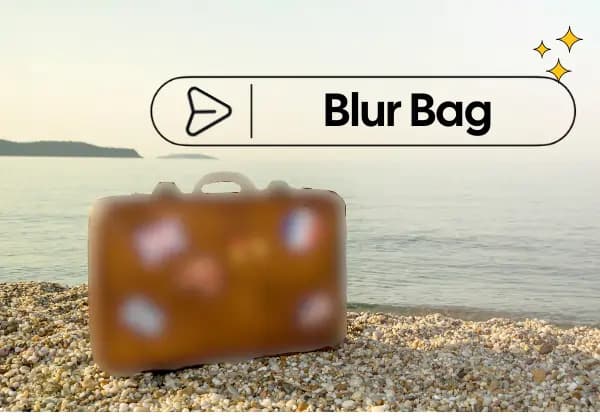 Prompt: Bag
Blur Anything with Prompts
Type what you want to blur and our AI does the rest. Blur objects by naming them—"car," "logo," "person," or "background items." Natural language meets intelligent object recognition for effortless editing.
What Makes BGBlur Different for Blur Anything?
BGBlur lets you blur anything in video by describing or selecting the sensitive area, making it useful for objects that generic face blur tools miss.
Selective object blur
Blur logos, documents, screens, addresses, tattoos, products, labels, and custom regions.
Prompt-friendly workflow
Tell BGBlur what to hide when the object is specific to your video.
Motion-aware privacy
Keep blur on the target object as it moves through the frame.
More than face blur
Protect sensitive visual details beyond faces and license plates.
Online redaction
Redact part of a video online without learning manual keyframes.
Built for real footage
Use it for tutorials, workplace videos, product reviews, screen recordings, and public scenes.
Blur Anything in Video and Images with AI Precision
BGBlur makes selective object blur simple for videos and images. Use AI to hide logos, screens, documents, addresses, license plates, faces, products, tattoos, or any sensitive visual detail directly in your browser.
Describe what you want to blur, such as "car," "logo," "person," "screen," or "shipping label." BGBlur handles targeted masking and motion-aware object blur so you can redact part of a video or image without complex editing software. Try it at /en/blur-anything.
Powered by BGBlur
Blur Anything FAQ
Upload your image, enter the object or area you want to hide, and run Blur Anything. BGBlur applies targeted object blur to the selected part while keeping the rest of the photo usable.
Yes. BGBlur is designed for motion-aware object blur, so a selected logo, person, plate, screen, or other item can stay hidden as it moves through the video.
Yes. Upload your clip and describe the background item you want to hide, such as a sign, document, screen, product, address, or person behind the main subject.
You can blur objects in images or videos, including faces, license plates, logos, screens, text, documents, addresses, product labels, tattoos, and custom regions.
Most photo workflows are simple: upload the image, describe the object, preview the result, and export. You do not need Photoshop or manual brushing for common privacy edits.
Yes. You can describe "face" or "person" as the target, or use BGBlur's dedicated face blur workflow when face privacy is the main goal.
BGBlur applies blur to the targeted area instead of blurring the entire frame, so the rest of the video can remain clear and useful for viewers.
Yes. You can list multiple targets such as "car, logo, text" or combine Blur Anything with dedicated tools like face blur and license plate blur for broader redaction.
No. BGBlur runs in the browser, so you can blur objects in videos and images online without installing a desktop editor.
Yes. Describe the part of the image you want to hide, review the masked result, and export the edited image without learning manual masking tools.
Yes, BGBlur's AI automatically tracks moving objects, faces, and vehicles. You do not need to manually mask every frame; the motion-aware tracker keeps the blur locked onto the subject as it moves.
BGBlur is a completely web-based tool. You can upload any video or image, select the Face Blur tool, and apply pixelation or blur instantly inside your browser without downloading any apps or plugins.
Absolutely. Our AI is trained specifically to detect and blur license plates in driving footage, dashcams, and street-view videos. It helps creators and transport fleets stay compliant with privacy laws.
Your privacy is our priority. BGBlur leverages advanced client-side technologies to process videos securely. Your files are processed locally in your browser and are never uploaded or stored permanently on external servers.
Yes! BGBlur is fully responsive and optimized for mobile browsers. You can easily blur a video background or pixelate faces directly on your iPhone, iPad, or Android phone.
Limits depend on the feature. Standard video blur tools such as face blur, license plate blur, background blur, blur anything, screen blur, NSFW blur, and face anonymization support up to 200MB and 10 minutes on the free plan, while Pro users get unlimited blur processing with longer video support. Object Remover supports MP4 and MOV videos up to 1GB and 10 seconds per clip. Voice Anon direct uploads support up to 100MB, while the upload/URL workflow supports audio or video files up to 500MB and under 10 minutes.
User Reviews
Share your experience and help others make informed decisions
Write a Review
Community Score
0.0
/ 5
Based on 0 reviews
All Reviews (0)
No reviews yet
Be the first to share your experience and help others make informed decisions!
Ready to blur your video content?
Start protecting privacy and creating professional video blur effects today with our AI-powered tool. No downloads required - blur directly in your browser.
Start Blurring Now