Voice Isolator: Remove Background Noise from Audio & Video
Online voice isolator and background noise remover. Clean noise from audio and video, keep only clear speech, and get your file back in minutes with no settings to tweak.
Remove Background NoiseBefore: noisy
After: voice only
How voice isolation works
- 1
Upload your audio or video
Choose an MP3, WAV, M4A, FLAC, AAC, OGG, OPUS, MP4, MOV, MKV, AVI or WEBM file, up to 500MB and 10 minutes.
- 2
Noise is removed automatically
There are no settings. The AI separates the voice from traffic, wind, hum, clicks and chatter.
- 3
Compare and download
Play the original and the cleaned version side by side, then download the clean file.
Results depend on the recording. Very loud noise or overlapping speakers can leave some traces. Voice isolation costs 1 credit per minute of audio or video.
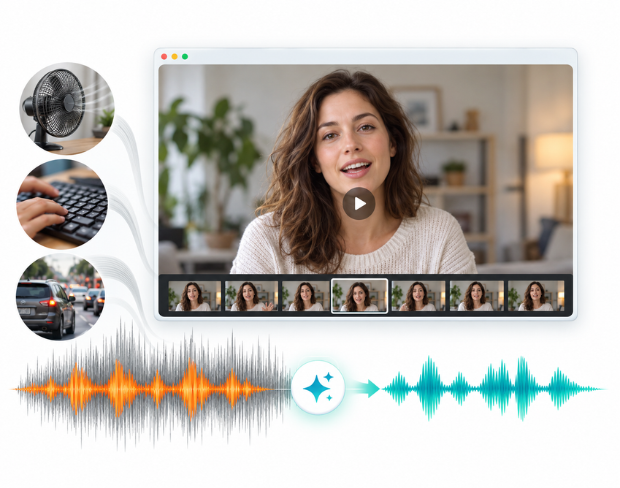
Background Noise Remover for Audio and Video
Remove background noise from audio and video automatically. Traffic, wind, keyboard clicks, fan hum, room echo and chatter are detected and cleaned with no sliders, presets or audio engineering knowledge. Upload your file, and this bg noise remover keeps the speaker's voice natural and easy to understand.
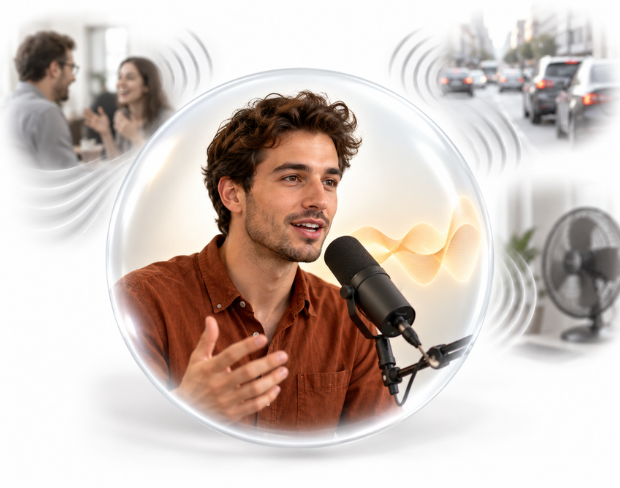
Voice Isolator and Vocal Isolator for Clear Speech
Use it as a voice isolator or vocal isolator to separate speech from everything around it. It is tuned for voices, so speech stays warm and intelligible instead of thin or robotic, which suits podcasts, interviews, lectures, meetings, voiceovers and phone recordings.
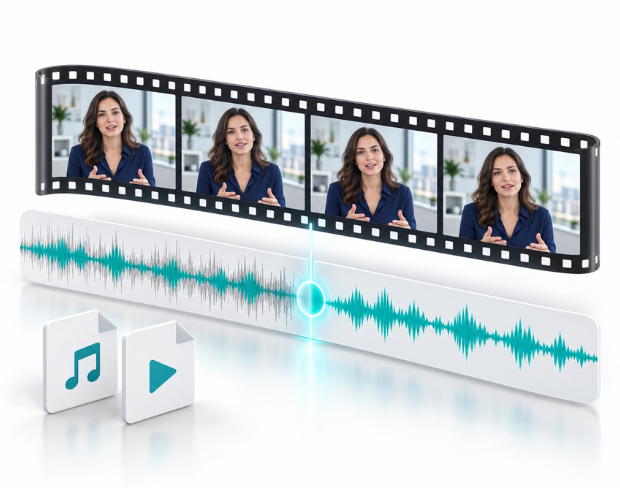
Remove Background Noise from Video and Audio Files
Clean noise from audio in MP3, WAV, M4A, FLAC, AAC, OGG and OPUS, or run video noise reduction online on MP4, MOV, MKV, AVI and WEBM files. For video, the picture is left untouched and only the audio track is cleaned, so you get the same video back with clear sound.
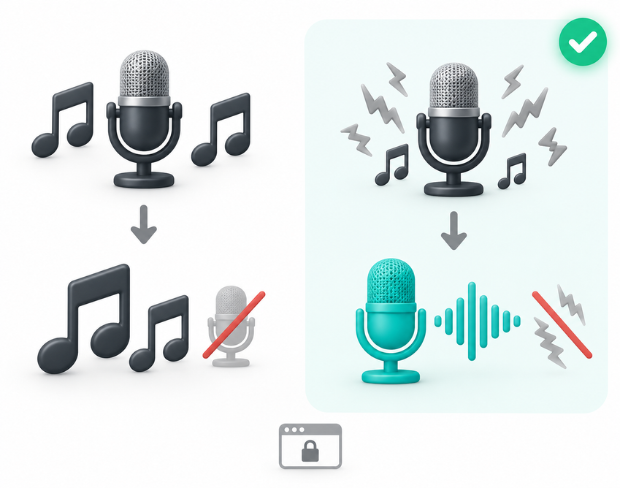
Vocal Remover vs Vocal Isolation: Keep the Voice
A karaoke-style vocal remover strips the voice out of a song. Vocal isolation does the opposite: it keeps the voice and removes the noise around it. Everything runs privately in your browser, files are removed after processing, and nothing needs to be installed.
What Makes BGBlur Different for Voice Isolation?
BGBlur removes background noise automatically, so you get clear speech back without learning an audio editor.
Fully automatic
No sliders or presets. Upload a file and noise removal is applied for you.
Speech-first cleanup
Tuned to keep voices natural and intelligible while hiss, hum, wind and chatter are reduced.
Audio and video
Clean MP3, WAV and M4A recordings or MP4, MOV and MKV videos. Video picture is left untouched.
Browser-based
Process recordings online with nothing to install and no audio workstation required.
Private by design
Files are processed securely and removed afterwards, which suits interviews and internal recordings.
Fair credit pricing
1 credit per minute of audio or video, shared with the rest of the BGBlur toolset.
Voice Isolation for Clear, Noise-Free Audio
BGBlur's voice isolation removes background noise such as traffic, wind, fan hum, keyboard clicks and chatter from audio and video, keeping the speaker's voice clear. It suits podcasts, interviews, lectures, meetings, voiceovers and phone recordings.
There is nothing to configure. Upload a file, and the cleaned audio is ready to preview and download in minutes. For video files only the audio track changes, so the picture stays exactly as it was.
Powered by BGBlur voice isolation
Voice Isolation FAQ
Voice isolation automatically removes background noise such as traffic, wind, fan hum, keyboard clicks and chatter from a recording so the speaker's voice stays clear.
No. Noise removal is fully automatic. Upload your file and BGBlur applies speech-focused noise reduction for you.
Audio: MP3, WAV, M4A, FLAC, AAC, OGG, OPUS. Video: MP4, MOV, MKV, AVI, WEBM. For video, only the audio track is cleaned and the picture is unchanged.
Files can be up to 500MB and 10 minutes long. Voice isolation costs 1 credit per minute of audio or video.
Yes, BGBlur's AI automatically tracks moving objects, faces, and vehicles. You do not need to manually mask every frame; the motion-aware tracker keeps the blur locked onto the subject as it moves.
BGBlur is a completely web-based tool. You can upload any video or image, select the Face Blur tool, and apply pixelation or blur instantly inside your browser without downloading any apps or plugins.
Absolutely. Our AI is trained specifically to detect and blur license plates in driving footage, dashcams, and street-view videos. It helps creators and transport fleets stay compliant with privacy laws.
Your privacy is our priority. BGBlur leverages advanced client-side technologies to process videos securely. Your files are processed locally in your browser and are never uploaded or stored permanently on external servers.
Yes! BGBlur is fully responsive and optimized for mobile browsers. You can easily blur a video background or pixelate faces directly on your iPhone, iPad, or Android phone.
Limits depend on the feature. Standard video blur tools such as face blur, license plate blur, background blur, blur anything, screen blur, NSFW blur, and face anonymization support up to 200MB and 10 minutes on the free plan, while Pro users get unlimited blur processing with longer video support. Object Remover supports MP4 and MOV videos up to 1GB and 10 seconds per clip. Voice Anon direct uploads support up to 100MB, while the upload/URL workflow supports audio or video files up to 500MB and under 10 minutes.
User Reviews
Share your experience and help others make informed decisions
Write a Review
Community Score
0.0
/ 5
Based on 0 reviews
All Reviews (0)
No reviews yet
Be the first to share your experience and help others make informed decisions!
Clean the noise out of your audio and video
Upload a recording and get clear, isolated speech back in minutes.
Remove noise from my file