Top 10 School Video Privacy and Anonymization Tools [2026]
Schools need video content for admissions, events, and lessons, but every clip risks exposing students who never consented to appear. This guide ranks the 10 best tools for creating FERPA-compliant school video, led by BGBlur for student face anonymization.
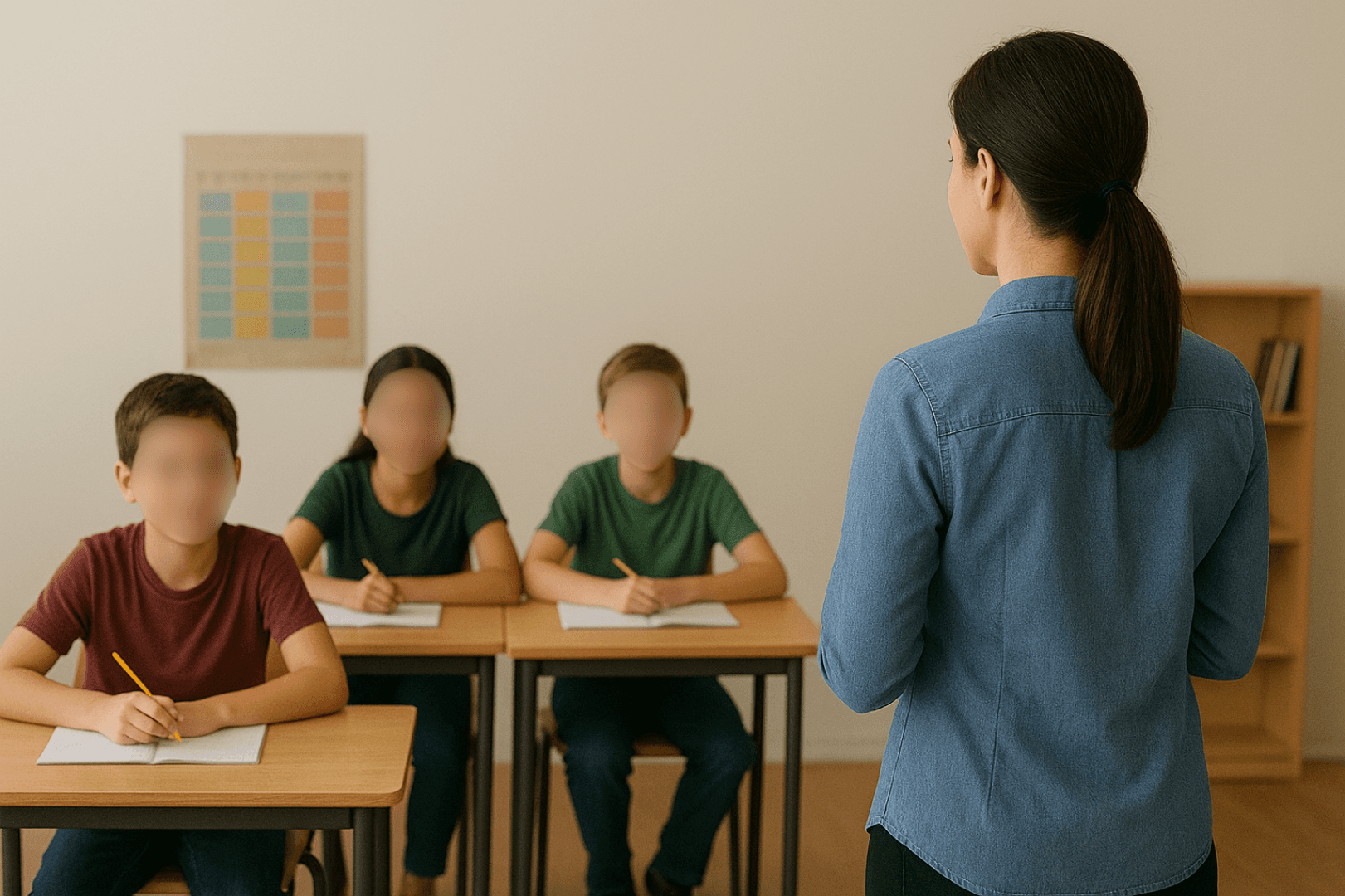
Schools and educational institutions increasingly rely on video content—from promotional materials and virtual tours to recorded lessons and event documentation. But creating video content in educational settings requires careful attention to student privacy. FERPA in the US, GDPR in Europe, and various state laws create strict requirements around publishing identifiable student information.
This comprehensive guide covers the essential tools educators need to create compelling video content while maintaining strict privacy compliance.
| Question | Answer |
|---|---|
| Does FERPA cover student video? | Yes — identifiable images/video are treated as education records in many contexts |
| Best tool for blurring non-consented students? | BGBlur — automatic face detection with selective blurring |
| Can I mix consented and non-consented students in one video? | Yes, blur only the non-consented faces before publishing |
| Does blurring hurt video quality? | No — only the selected faces are blurred, the rest stays full resolution |
| Who else needs similar tools? | Law enforcement and body cam teams — see our body cam tools guide |
Why Schools Need Specialized Video Privacy Tools
Educational video content presents unique challenges:
- FERPA Compliance: Federal law protects student educational records including images
- Parental Consent Complexity: Not all parents consent, but you want to show school life
- Minor Protection: Enhanced protections for children under privacy laws
- Mixed Consent Classes: Some students can appear, others cannot
- Documentation Requirements: Schools must demonstrate compliance
The right tools enable vibrant school content while ensuring no student appears without proper consent.
1. BGBlur - Best Student Privacy Protection Tool
Website: bgblur.com
Why It's #1: BGBlur solves the most challenging problem schools face—showing authentic school life while protecting students who haven't consented to appear in published content.
Key Features
- Automatic Face Detection: AI identifies all faces in classroom and event footage
- Batch Processing: Process assemblies and events with hundreds of students
- Selective Blur: Protect specific students while featuring others with consent
- Motion Tracking: Blur follows students through active footage
- Quality Preservation: Maintain professional video quality
- Fast Processing: Handle large volumes of school footage
Educational Applications
Promotional Videos: Showcase campus life while protecting non-consented students.
Virtual Tours: Give prospective families authentic views while respecting privacy.
Event Documentation: Record assemblies, performances, and sports while protecting all students.
Classroom Recording: Capture lessons for absent students or professional development.
Social Media Content: Share school highlights without privacy violations.
News and Media Requests: Provide footage to media with appropriate protections.
FERPA Compliance
FERPA treats student photos and videos as educational records in many contexts. BGBlur provides the protection necessary for compliance.
2. Screencastify - Best Classroom Recording Tool
Website: screencastify.com
Chrome-based recording designed for educators.
Key Features
- Browser-Based: No software installation needed
- Screen + Webcam: Record lessons with your face
- Easy Editing: Trim and enhance recordings
- Google Drive Integration: Automatic cloud storage
- Assignment Collection: Students can submit video
- Analytics: Track student engagement
Classroom Use Cases
- Flipped classroom lesson recordings
- Assignment feedback videos
- Student presentation submissions
- Substitute teacher materials
Pricing
Free tier available. Premium from $49/year.
3. Canva for Education - Best Design Tool for Schools
Website: canva.com/education
Free premium Canva access for educators.
Key Features
- Education Templates: School-specific designs
- Video Editing: Basic video creation
- Collaboration: Student and teacher accounts
- Brand Kit: School colors and logos
- Presentation Mode: Classroom-ready
School Content Types
- Social media announcements
- Event promotional materials
- Newsletter graphics
- Video thumbnails
- Digital signage content
Pricing
Free for verified educators and schools.
4. WeVideo - Best Student-Safe Video Platform
Website: wevideo.com
Cloud-based editing designed for educational use.
Key Features
- COPPA Compliant: Safe for student use
- Cloud-Based: Works on school devices
- Collaboration: Group project support
- Media Library: Safe stock footage and music
- Green Screen: Creative effects
- Assignment Integration: LMS connections
Educational Workflow
Students and teachers can collaborate on video projects in a protected, school-appropriate environment.
Pricing
Education pricing available. Contact for quote.
5. Loom for Education - Best Quick Video Communication
Website: loom.com/education
Instant video messaging for educational communication.
Key Features
- Quick Recording: Screen and camera capture
- Instant Sharing: Immediate link generation
- Viewer Insights: See who watched
- Transcript Generation: Accessibility support
- Commenting: Interactive feedback
Educational Uses
- Assignment explanations
- Student feedback
- Parent communication
- Staff announcements
- Asynchronous lessons
Pricing
Free Loom for Education program available.
6. OBS Studio - Best Live Streaming for Schools
Website: obsproject.com
Professional streaming for school events.
Key Features
- Live Streaming: Broadcast events to families
- Multi-Camera: Professional production
- Scene Switching: Smooth transitions
- Recording: Capture for later use
- Free Software: No budget impact
School Streaming Applications
- Graduation ceremonies
- Sports events
- Music and drama performances
- Board meetings
- School announcements
Privacy Consideration
Live streams cannot be processed through BGBlur in real-time. Consider camera positioning and consent carefully for live events.
Pricing
Completely free.
7. Adobe Express - Best Simple Video Creation
Website: adobe.com/express
Simplified Adobe tools for quick content creation.
Key Features
- Templates: Ready-made designs
- Video Editing: Simple timeline editing
- Resize Tools: Multiple platform formats
- Brand Kit: School identity consistency
- Collaboration: Team access
Quick Content Creation
When you need professional-looking content quickly, Adobe Express delivers without complexity.
Pricing
Free tier available. Premium features with subscription.
8. Flipgrid (Microsoft) - Best Student Video Platform
Website: info.flipgrid.com
Safe video discussion platform for classrooms.
Key Features
- Protected Environment: School-only access
- Video Responses: Student discussions
- Moderation Tools: Teacher controls
- Accessibility: Captions and immersive reader
- Microsoft Integration: Teams and 365 connection
Classroom Applications
- Discussion responses
- Reading fluency practice
- World language speaking
- Social-emotional check-ins
- Student reflections
Pricing
Free with Microsoft 365 Education.
9. Vimeo - Best Video Hosting for Schools
Website: vimeo.com
Professional hosting with privacy controls.
Key Features
- Privacy Settings: Password protection, domain restriction
- No Ads: Clean viewing experience
- Embedding: Website integration
- Analytics: View tracking
- Quality: Professional player
Why Not YouTube
Vimeo offers better privacy controls, no ads, and a more professional appearance for official school content. Whatever platform you host on, run footage through BGBlur first — our face blur in 3 seconds guide shows the same quick workflow that applies to school events.
Pricing
Education pricing available.
10. Google Workspace for Education - Best Integrated Platform
Website: edu.google.com
Complete productivity and video toolkit.
Key Features
- Google Meet: Video conferencing with recording
- Google Drive: Secure storage
- YouTube for Schools: Restricted video sharing
- Classroom Integration: LMS connection
- Admin Controls: District-wide management
Integrated Workflow
Google's ecosystem provides end-to-end video creation, storage, and sharing with appropriate educational controls.
Pricing
Free Education Fundamentals. Plus and higher tiers available.
FERPA Compliance Framework
What FERPA Covers
- Student names in connection with school
- Photographs and videos identifying students
- Academic performance information
- Disciplinary records
Consent Requirements
- Directory Information: Schools may designate certain info as directory information
- Opt-Out Rights: Parents can opt out of directory information release
- Photo/Video Specific: Many schools require specific media consent
BGBlur's Role
When you have footage with mixed consent—some students approved, others not—BGBlur lets you blur non-consented students while featuring those with permission. The same selective, motion-tracked approach is used for other regulated footage — see how it applies to face anonymization more broadly if your district also handles staff or visitor footage.
Consent Management Best Practices
Annual Consent Forms
- Include media consent in enrollment paperwork
- Clearly explain how images/video will be used
- Offer granular consent options
- Document all responses
Maintaining Records
- Track consent status by student
- Update records when consent changes
- Make consent lists available to content creators
- Regular audits of published content
Mixed Consent Situations
When events include students with and without consent:
- Position cameras to minimize non-consented student capture
- Process all footage through BGBlur
- Selectively blur non-consented students
- Review before publication
School Video Content Strategy
Content Types
- Promotional: Admissions and enrollment
- Documentation: Events and activities
- Educational: Lessons and tutorials
- Communication: Announcements and updates
- Training: Staff development
Production Workflow
- Plan content with consent in mind
- Check consent status before filming
- Capture footage positioning carefully
- Process through BGBlur for non-consented students
- Review thoroughly before publication
- Maintain records of what was published
Frequently Asked Questions
Does FERPA require blurring student faces in video? FERPA treats identifiable student images and video as part of an education record in many contexts, so publishing footage of a student without proper consent can create compliance risk. Schools that lack documented consent from a parent or guardian should blur that student's face before the video goes public.
What is the fastest way to blur students who did not consent to appear? Upload the footage to BGBlur, let its AI automatically detect every face in the frame, and then selectively blur only the non-consented students while leaving consented students visible. Batch processing handles a full assembly or event video in minutes.
Can schools mix consented and non-consented students in one video? Yes. BGBlur's AI detects all faces, and staff can selectively blur only the students without media consent while keeping approved students clearly visible. Cross-check blurred faces against the current consent list before publishing.
Is Screencastify or Loom sufficient for FERPA compliance on their own? No. Both are recording and distribution tools, not privacy tools — they capture and share video but do nothing to anonymize identifiable students who lack consent. Run footage with mixed consent through BGBlur before publishing it externally.
How should schools track student media consent? Include media consent as its own section in annual enrollment paperwork, offer granular options (internal use only, social media, press), and maintain a current, exportable list that anyone editing school video can check before filming or publishing.
Can BGBlur process footage from school events with hundreds of students? Yes. BGBlur supports batch processing for large event footage such as assemblies, graduations, and sports days, applying automatic face detection and blur across the full video.
Does blurring students reduce the quality of promotional videos? No. BGBlur applies blur only to the selected faces, so the rest of the frame — including consented students, staff, and campus visuals — stays at full resolution.
Final Thoughts
Video content helps schools connect with families, attract students, and document important moments. But student privacy isn't optional—it's legally required.
BGBlur enables schools to create vibrant, authentic content while ensuring no student appears without proper consent. Combined with proper consent management and thoughtful filming practices, schools can tell their story while protecting every student. If your district also manages FOIA or public-records video requests, our best video redaction software comparison covers tools for that adjacent workflow.
Ready to create privacy-compliant school videos? Start with BGBlur for FERPA-safe student protection, then build your complete educational video toolkit.