Australia Visa Video Privacy: AI Background Blur Guide
A privacy guide for Australia visa applicants covering what sensitive background details put verification videos at risk, and how AI background blur protects home, family, and workplace information before submission.
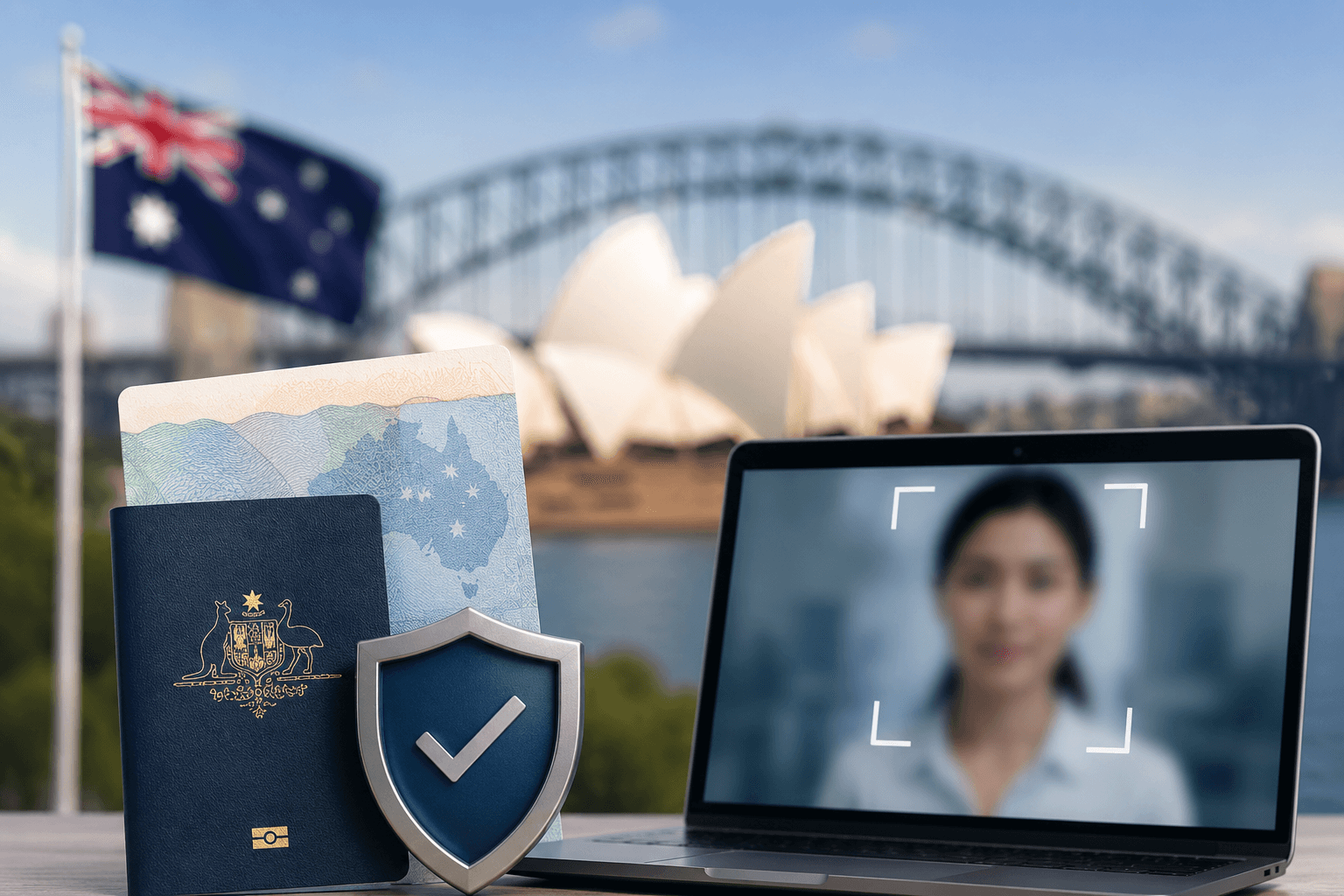
Introduction
When submitting your Australia visa verification video, protecting your privacy should be a top priority. Whether you're applying for a tourist, student, or work visa, your verification video may contain sensitive background information that needs to remain confidential.
Most applicants focus entirely on what they say in front of the camera but what's happening behind them is equally important. A cluttered home office, visible documents, family members walking past, or even identifiable location details can all create unnecessary privacy exposure when your video is reviewed by immigration officials or processed through third-party verification systems.
This guide covers everything you need to know: why privacy matters in visa verification videos, what information is at risk, how Australian immigration requirements interact with data protection best practices, and how AI-powered background blur can protect you in minutes without any video editing experience.
Why Privacy Matters in Visa Verification Videos
What Australian Visa Applications Require
Australian visa applications often require video submissions to verify documentation and identity. The Department of Home Affairs and authorized processing partners use these videos to confirm that you are who you claim to be and that your documentation is legitimate.
However, these videos don't stay in a single place. They may be:
- Reviewed by multiple immigration officers across different locations
- Processed by third-party identity verification services
- Stored on secure but externally managed servers for extended periods
- Accessed during re-applications or appeals months or years later
Every person who handles your verification video has the potential to see more than you intended to show.
Sensitive Information at Risk
Your Australia visa verification video can inadvertently reveal:
- Personal living spaces and belongings — home layouts, valuable items, personal décor
- Family members or roommates in the background — people who haven't consented to appear in official documentation
- Sensitive documents or information visible behind you — passports, bank statements, utility bills, other visa applications
- Location details you'd prefer to keep private — street views through windows, neighborhood identifiers
- Workplace or business information — confidential materials, client data, internal signage
None of these details are required for your visa verification. Yet without deliberate privacy protection, they all become part of your submission.
Key Insight: Australian immigration authorities need to verify your identity and documentation not your living situation, your family members, or the contents of your home. Background blur separates what's relevant from what's private.
Understanding the Privacy Risks by Visa Type
Tourist and Visitor Visa Applicants
Tourist visa applicants typically record from home, often in living rooms or bedrooms. These spaces tend to contain the most personally identifiable background details family photographs, home addresses on visible mail, financial documents left on desks, and personal valuables.
For tourist applications in particular, there is no reason for immigration reviewers to see these details. Blurring your video background before submission ensures only your face and submitted documents are visible.
Student Visa Applicants
Students recording from dormitories or shared accommodation face a unique challenge: their backgrounds often reveal other residents who have not consented to appear in official documentation. In shared housing, a roommate passing behind you during your recording is not a minor inconvenience it's an unauthorized third-party disclosure.
Student visa verification videos also frequently involve discussing financial documents, enrollment letters, and accommodation details. AI background blur keeps this contextual information focused on your face and stated content rather than your broader environment.
Work and Skilled Visa Applicants
Work visa applicants recording from office environments face significant confidentiality risks. Whiteboards with client information, open screens with business data, colleague names and faces, and confidential internal materials can all appear in an unblurred background.
Employers may also have policies prohibiting video recordings that capture internal workspaces. Professional background blur allows work visa applicants to record from their actual workplaces without violating internal confidentiality obligations.
Partner and Spouse Visa Applicants
Partner visa applications often require evidence of a genuine relationship, which may involve recording from shared living spaces. These spaces tend to contain particularly rich personal information children's belongings, shared financial documents, relationship mementos that extends far beyond what Australian immigration needs to assess your application.
Introducing BG Blur: One-Click Background Protection
BG Blur offers a simple solution for securing your Australia visa verification videos. This AI-powered tool automatically blurs backgrounds while keeping you in crystal-clear focus, ensuring your privacy without compromising video quality.
Key Features
Advanced AI Motion Tracking: The tool intelligently detects and follows your movement throughout the video, maintaining sharp focus on you while consistently blurring the background. Unlike static blur effects that only work when you're perfectly still, BGBlur's motion tracking adapts in real time to ensure complete background protection across your entire recording.
Professional Results: Get seamless, professional-looking blur effects without any video editing experience required. The output looks clean and deliberate not like a technical workaround which actually enhances the professional presentation of your visa submission.
Quick Processing: Upload your MP4 or other common video formats and receive your privacy-protected video in minutes. There's no waiting in long processing queues or dealing with slow export times.
One-Click Simplicity: No complex settings or technical knowledge needed just upload, blur, and download. The entire workflow is designed for people who need a reliable result quickly, not video editors who enjoy tinkering with settings.
No Downloads Required: BGBlur runs entirely in your browser, meaning there's nothing to install. It works on any device desktop, laptop, tablet, or smartphone without requiring software licenses or technical setup.
How to Secure Your Visa Verification Video
The process is designed to be as straightforward as possible:
- Record your visa verification video as you normally would, in whatever location is most convenient for you
- Upload your Australia visa verification video to BGBlur supported formats include MP4, MOV, AVI, and other standard formats
- Select the background blur option and preview the result to confirm your face remains clear while the background is fully protected
- Download your privacy-protected video immediately and submit it as part of your Australian visa application
The process takes just minutes and ensures your personal space remains confidential while meeting Australian visa requirements.
Time-Saving Tip: Record your video first, then blur it. Don't change your recording setup or environment BGBlur handles the privacy protection in post-processing, so you can focus entirely on delivering your best verification performance.
Benefits of Using Background Blur for Visa Videos
Enhanced Security and Confidentiality
Protect sensitive information that might be visible in your home or office environment. Background blur ensures that personal documents, family photos, or identifying details remain hidden from view while maintaining the authenticity of your visa verification.
This is particularly important given the multi-party nature of visa processing. Your video may pass through several systems and reviewers before a decision is made. Background blur provides consistent protection at every stage.
Professional Presentation
Create polished, professional-looking videos that meet Australian immigration standards. The clean, focused appearance demonstrates attention to detail and respect for the formal visa application process.
Immigration officers review hundreds of verification videos. A submission with clean, distraction-free framing stands out positively it communicates that you've approached the application process seriously and professionally. BGBlur's AI background blur produces exactly this effect without requiring studio equipment or professional filming setups.
Compliance with Privacy Regulations
Meet data protection requirements by minimizing personal information exposure. This is especially important when sharing videos through multiple channels or when third parties are involved in your visa processing.
Australia's Privacy Act 1988 and the Australian Privacy Principles (APPs) govern how personal information including video recordings must be handled. While these obligations primarily fall on the organizations handling your data, taking proactive steps to minimize unnecessary personal information in your submission is both legally sound and practically wise. For the full breakdown of how the Privacy Act applies to video content generally, see our Australian Privacy Act video compliance guide.
Peace of Mind for Applicants
Focus on delivering your verification message confidently, knowing that your private space and personal belongings are protected. This reduces anxiety and allows for more natural, authentic video submissions.
Visa applications are already stressful. Worrying about what's visible in your background is an unnecessary additional burden. With background blur handling privacy protection automatically, you can direct all your attention toward speaking clearly, presenting your documentation correctly, and making a strong verification impression.
Perfect for Official and Personal Use
Whether you're sharing your Australian visa verification video with immigration authorities or keeping family updated on your application progress, BGBlur ensures appropriate privacy levels for any audience.
Common Video Formats Supported
BGBlur seamlessly processes popular video formats including:
- MP4 — most common for smartphone recordings and screen recordings
- MOV — iPhone and Mac default format
- AVI — common on Windows devices and older cameras
- M4V and other standard formats
The tool maintains original video quality while adding professional background protection, ensuring your Australia visa verification meets all technical requirements set by the Department of Home Affairs and associated verification services.
Best Practices for Australia Visa Verification Videos
Optimal Recording Setup
Position yourself in a well-lit area with a stable internet connection before recording. Ensure your face is clearly visible and speak clearly throughout the verification process. Even with background blur protection, good lighting and audio quality remain essential for successful visa processing.
Lighting tips:
- Face a window or light source rather than sitting with it behind you backlighting makes faces hard to see
- Use a ring light or desk lamp directed at your face if natural light isn't available
- Avoid very bright backgrounds that create harsh contrast with your face
Audio tips:
- Record in a quiet space, even if you're going to blur the background afterward
- Use earphones with a built-in microphone rather than relying on laptop or phone speakers
- Speak at a measured pace immigration reviewers may not be native English speakers
Document Preparation Tips
Have all required documents ready and organized before starting your recording. This includes your passport, application reference numbers, and any supporting documentation. With BGBlur handling privacy concerns, you can focus entirely on presenting your information accurately and confidently.
Document checklist before recording:
- ✅ Passport open to photo page
- ✅ Visa application reference number written or printed clearly
- ✅ Any supporting letters or financial documents required for your visa class
- ✅ A clean, uncluttered surface for holding documents to camera if required
Re-Recording and Quality Checks
Before uploading to BGBlur, watch your recording once to check:
- Your face is clearly visible and well-lit throughout
- Audio is clear with no significant background noise
- You've covered all required verification points
- No technical issues (shaky camera, interrupted recording, etc.)
It's much easier to re-record before blurring than to re-process after. Once you're satisfied with the recording itself, apply the background blur and prepare your final submission file.
Who Should Use Background Blur for Visa Videos
Students
Protect dormitory or shared accommodation details while completing student visa verifications. Universities and colleges often house students in environments with limited private space a roommate's belongings, shared common areas, and temporary living arrangements are all visible without background blur. BGBlur for students ensures your academic visa submission is professional regardless of where you're living.
Working Professionals
Maintain workplace confidentiality when recording from office locations or home offices with sensitive business materials. Many professionals work from environments containing confidential client data, proprietary information, or internal communications. Background blur allows you to record from your actual workspace without risking unauthorized disclosure of employer or client information.
Families
Keep family members and children's information private during parent or spouse visa verification processes. Children in particular should not appear in official immigration documentation without explicit parental decision AI background blur ensures that incidental appearances by family members don't become part of your permanent visa record.
Frequent Travelers
Ensure consistent privacy protection across multiple visa applications for different countries. If you apply for visas regularly, establishing a consistent background blur workflow means every submission maintains the same professional, privacy-protected standard regardless of where you're recording from at the time. BGBlur's bulk processing capability is particularly useful if you're preparing multiple verification videos simultaneously.
Remote Workers and Digital Nomads
Recording visa verification videos from co-working spaces, hotels, or temporary accommodation presents unique background challenges. Strangers, business signage, and unfamiliar environments all appear in unprotected recordings. BGBlur provides consistent privacy protection regardless of where in the world you're recording from.
Additional Privacy Features Worth Knowing
Beyond background blur, BGBlur offers a full suite of video privacy tools that can be useful throughout the visa application process:
Face Blur: If you need to share your visa verification video with a family member for review but want to blur their face if they appear in the background, face blur handles this automatically with AI motion tracking. See our 3-second AI face blur guide for the exact workflow.
Blur Anything: Need to blur a specific object like a document, screen, or piece of identifying information without blurring the entire background? The blur anything feature lets you target specific regions or objects within your video.
Face Anonymization: For more complete identity protection in supporting documentation, face anonymization provides full biometric-level privacy protection beyond standard blurring.
Voice Anonymizer: In certain supporting video materials, voice anonymization can provide additional privacy protection for third parties who appear in supporting evidence videos. Learn more in our audio anonymization and voice distortion guide.
Frequently Asked Questions
Does background blur affect the quality of my face in the video? No. BGBlur's AI is specifically designed to maintain sharp, clear focus on the foreground subject you while blurring everything behind you. Your face, expressions, and any documents you hold to camera will remain in full quality.
Will Australian immigration accept a background-blurred verification video? Yes. Background blur does not alter your identity, your face, your documents, or any information relevant to visa verification. It only removes irrelevant environmental information from the background. Blurred backgrounds are widely used in professional video contexts and do not raise flags in verification processes.
How long does processing take? Most videos are processed within minutes. BGBlur runs in your browser, so processing time depends on your video length and file size, but typical visa verification videos (under 5 minutes) are ready almost immediately.
Is my video stored after processing? BGBlur is designed with a privacy-first architecture. Check BGBlur's privacy policy for current data retention details, but the platform is built specifically to minimize data exposure which aligns directly with the privacy principles this tool exists to support.
Can I use BGBlur on my phone? Yes. BGBlur works on any device desktop, tablet, or smartphone directly in your browser with no app download required. You can record on your phone and blur on the same device within minutes.
Does the Australian Privacy Act require me to blur my visa verification video background? The Privacy Act 1988 and Australian Privacy Principles primarily govern how the organizations handling your data manage personal information, not what applicants must do before submitting. That said, minimizing unnecessary personal information—like family members or documents visible in the background—in your own submission is both legally sound and practically wise.
What's the difference between background blur and face blur for a visa video? Background blur keeps your face sharp while softening everything behind you, which is what most visa verification requires since the reviewer needs to see you clearly. Face blur does the opposite and is used in different contexts, like protecting third parties who appear incidentally in supporting footage.
Conclusion
Protecting your privacy in an Australia visa verification video is not about hiding information from immigration authorities it's about ensuring that only relevant information is visible. Your face, your identity documents, and your spoken verification content are what matter. Your living space, your family members, your workplace, and your personal belongings are not.
BG Blur makes it possible to submit a professional, focused, privacy-protected verification video in minutes. With advanced AI background blur, motion tracking that keeps you sharp while erasing distractions behind you, and support for all standard video formats, it's the most straightforward way to protect your personal information throughout the Australian visa application process.
Ready to protect your privacy? Visit BGBlur and secure your visa verification video today. With advanced AI technology and hassle-free processing, maintaining confidentiality in your Australian visa application has never been easier.