BGBlur: Blur Gym Video Backgrounds for Privacy [2026]
A practical guide to cleaning up gym and workout video backgrounds with AI blur — hiding other gym-goers, cluttered equipment, and license plates without a green screen or reshoot.
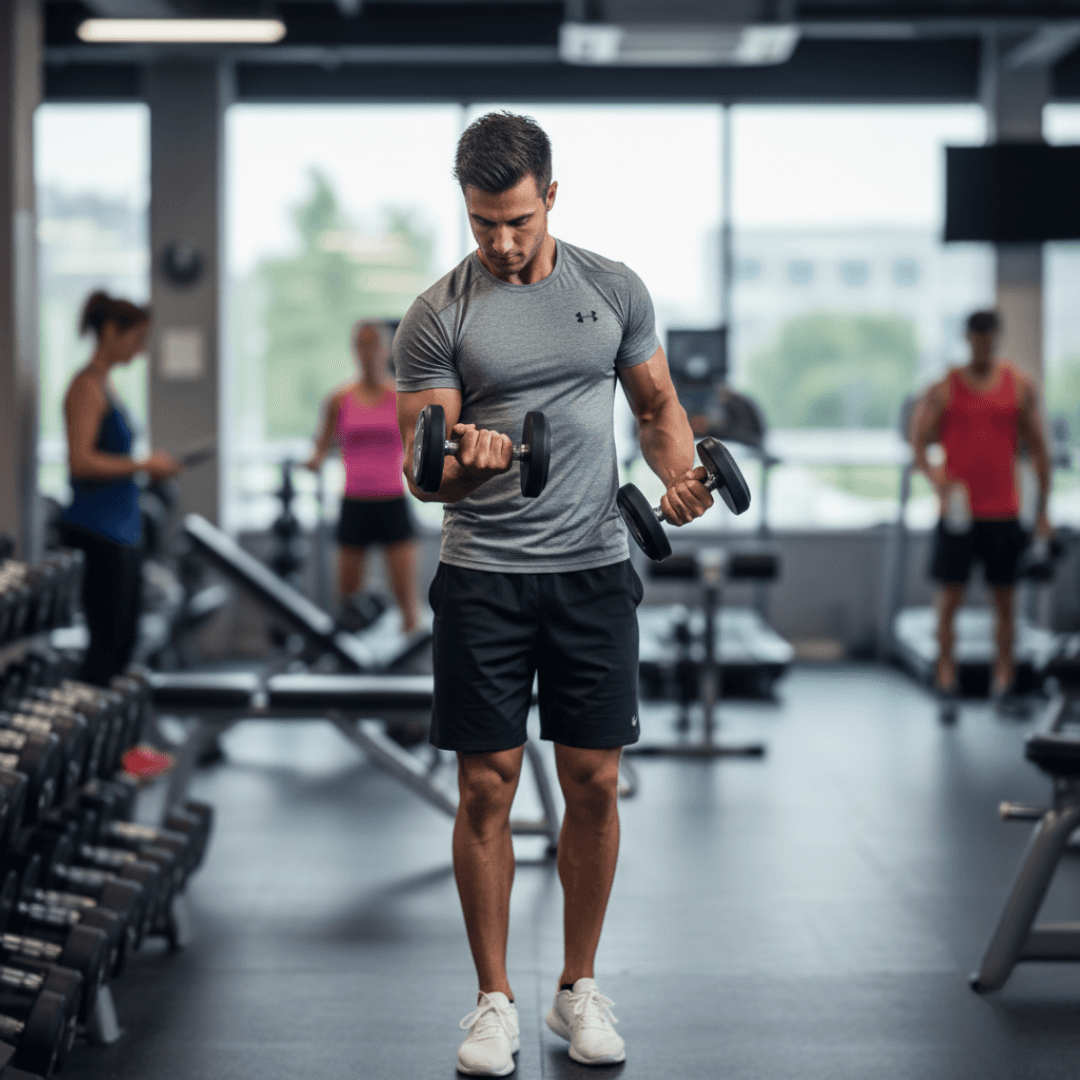
Are you tired of messy gym backgrounds ruining your gym workout videos? Whether you're creating fitness content or recording personal training sessions, distracting backgrounds with random people, cluttered equipment, or privacy concerns can detract from your main subject. The solution? Professional video background blur that transforms your content instantly.
| Question | Answer |
|---|---|
| Do I need a green screen? | No — BGBlur's AI detects the subject and blurs everything else automatically |
| Does it work on moving subjects? | Yes, motion tracking keeps the blur locked through reps, sets, and walking between machines |
| Can it blur other people's faces too? | Yes, face blur can run alongside background blur in the same pass |
| Free to try? | Yes — 200MB / 10 min / 3 videos per month at 720p on the free plan |
| Output resolution? | Up to 4K on paid plans, 720p on free |
Why Your Gym Videos Need Background Blur
Creating professional working out videos faces unique challenges. When filming bodybuilding gym video content, unwanted elements like other gym-goers, cluttered equipment, and even visible license plates through windows can ruin your shots. Modern fitness video creators need a solution that protects privacy while maintaining professional quality.
Do You Legally Need to Blur Other Gym Members?
Most commercial gyms are semi-public spaces, not fully public ones — many membership agreements explicitly bar filming other members without consent, and privacy laws like GDPR treat an identifiable face as personal data regardless of the setting. If your video is monetized, posted for a business account, or shows someone clearly enough to be recognized, blurring bystanders is the safer default rather than hoping no one notices. Our guide to face anonymization tools covers how AI face blur compares to asking for on-camera consent in busy public spaces.
Introducing bgblur: The Ultimate Solution for Gym Videos Background Blur
This is where bgblur shines as the best tool for creating professional gym videos background blur. Unlike basic editing software, bgblur uses advanced AI to intelligently identify and blur backgrounds while keeping you crystal clear.
Key Features:
- Smart AI Background Blur: Automatically detects and blurs distracting elements
- Gym Video Face Blur: Protects privacy by blurring unintended faces
- License Plate Blur: Ensures complete privacy protection
- Real-time Processing: Transform workout videos in minutes
How to Blur Your Gym Video Background with BGBlur
Using blur background video technology is simple:
Step 1: Upload Your Raw Footage
Go to bgblur.com and drag-drop your gym clip (MP4, MOV, or M4V, up to 4K). No account or app install is needed to start.
Step 2: Let AI Identify Subjects and Backgrounds
BGBlur's model detects you as the main subject and separates the background — other gym-goers, racks, mirrors, and signage — without you needing to draw a selection.
Step 3: Adjust Blur Intensity and Add Face or Plate Blur
Dial in how strong the background blur is, and turn on face blur or license plate blur in the same pass if bystanders or parked cars are visible through a window.
Step 4: Export and Download
Preview the result, then export as MP4, MOV, or WebM. Files are deleted from BGBlur's servers within 24 hours, so raw gym footage is not retained.
The fitness video background blur process takes minutes, not hours. Whether you need AI face blur for privacy or want to fix your messy background, bgblur handles it all seamlessly. For a phone-first version of this same workflow between sets, see our guide on blurring and pixelating faces on your phone.
BGBlur vs. Traditional Fixes for Gym Video Backgrounds
| Approach | Setup Effort | Cost | Works on Existing Footage |
|---|---|---|---|
| Rent an empty studio | High | $$$ | No — must reshoot |
| Manual editing software masking | High | $$ (subscription) | Yes, but slow |
| Green screen | Medium | $ (equipment) | No — must reshoot with screen |
| BGBlur AI background blur | Low | Free / $12/mo | Yes — works on footage you already have |
Benefits That Matter
Privacy Protection Made Easy
With bgblur's workout background blur technology, you'll never worry about accidentally capturing someone's face in your gym videos. The AI workout videos enhancement automatically detects and blurs any faces that shouldn't be in frame.
Professional Quality, Every Time
Transform amateur footage into polished content. The smooth AI background blur creates that premium aesthetic viewers love, making your gym workout videos stand out on any platform.
Save Time and Money
Skip expensive studio rentals. With video background blur online free trials available through bgblur, you can test the service and see immediate results without breaking your budget.
Perfect for All Types of Fitness Content
Whether creating:
- Personal training demonstrations
- Form correction guides
- Workout routine compilations
- Progress update videos
bgblur's intelligent video background blur ensures your content remains focused and professional, regardless of your gym environment.
Who Needs Gym Video Background Blur
Personal trainers: Recording client sessions for progress reviews often means capturing other members in the background. Blurring keeps the focus on form cues without exposing bystanders.
Fitness influencers and coaches: If you're publishing regularly, cluttered commercial-gym backgrounds and other members' faces can make content look amateur and raise consent questions. Our top tools for fitness coaches creating video content rounds out the rest of a fitness creator's toolkit alongside background blur.
Gym and studio owners: Marketing clips filmed on the floor during business hours need to protect members who didn't sign a photo release — see our guide on marketing a fitness studio with video content for the wider workflow.
Yoga and group-class instructors: Studio classes have the same bystander problem as gyms. Our related guide on blurring yoga and fitness backgrounds for Instagram covers the studio-specific version of this workflow.
Common Mistakes When Blurring Gym Video Backgrounds
Blurring Too Late in the Process
Some creators try to fix privacy issues after a video has already gone semi-viral, which is the wrong order of operations. Run background and face blur before you publish, not after a complaint. Once a clip has been reshared or downloaded by viewers, removing the original does not remove every copy — the blur has to be baked in before the first upload.
Using a Weak Blur Setting for Compliance-Sensitive Clips
A light blur that just softens the background looks fine for pure aesthetics, but if your goal is anonymizing a bystander's face or a license plate, weak blur can sometimes be reversed with sharpening tools. For anything compliance-sensitive, use a stronger setting or pixelation rather than a soft aesthetic blur, and check the frame at full size before publishing — what looks sufficiently blurred on a phone preview can look thin on a larger screen.
Forgetting Mirrors and Reflective Surfaces
Commercial gyms are full of mirrors, and a face or plate reflected in a mirror is just as identifying as one captured directly. When reviewing footage before export, scan wall-length mirrors, glass partitions, and even phone or watch screens for reflected faces that the AI might need a manual nudge to catch.
Skipping a Frame-by-Frame Check on Longer Sets
For longer clips — a full workout compilation instead of a single set — it's easy to miss a person who walks through frame for only a second or two. Preview the exported video at full length rather than just spot-checking the first and last few seconds, especially around equipment transitions where other members are more likely to pass behind you.
Not Testing on the Platform You're Publishing To
Compression on Instagram, TikTok, or YouTube can subtly change how a blur reads once it's re-encoded by the platform. If a clip is going somewhere with heavy compression, err toward a slightly stronger blur setting than you think you need, since aggressive video compression can occasionally soften pixelation just enough to make it look weaker than the original export.
Frequently Asked Questions
Can bgblur handle moving subjects?
Yes! The AI tracks subjects throughout your workout videos, maintaining consistent blur even during complex movements like lifting, HIIT circuits, or moving between stations.
Will it affect my video quality?
bgblur preserves original quality while applying blur effects, ensuring your fitness video stays sharp where it matters — only the background softens, not your subject.
How quickly can I process videos?
Most gym workout videos are processed within minutes, perfect for content creators on tight schedules.
Can I blur other people's faces without blurring mine?
Yes. Face blur runs independently from background blur, so you can keep yourself sharp and in focus while anonymizing anyone else visible in the shot.
Do I need to blur license plates visible through gym windows?
If a license plate is legible and the footage is public, blurring it is good practice — plates are considered identifying information in most privacy frameworks. BGBlur's license plate blur runs in the same pass as face and background blur.
Is there a free plan for occasional gym video edits?
Yes. BGBlur's free tier covers files up to 200MB and 10 minutes, three videos per month at 720p — enough for testing the workflow before committing to a paid plan.
Conclusion
Creating professional gym workout videos doesn't require empty gyms or expensive equipment anymore. With bgblur's advanced technology, you can transform any gym footage into polished, privacy-protected content. Whether you need to blur messy backgrounds, protect privacy with face blur, or hide license plates, bgblur is your comprehensive solution.
Stop letting distracting backgrounds hold back your fitness content. Try bgblur today and discover how easy it is to create professional workout videos that keep viewers focused on what matters – your technique and message.