How to Blur Kids Faces in Video Before Posting [2026]
Millions of parents post videos of their kids without blurring faces, exposing them to predators, identity theft, and facial recognition databases. This guide shows exactly how to blur kids' faces in video before posting using AI-powered tools like BGBlur.
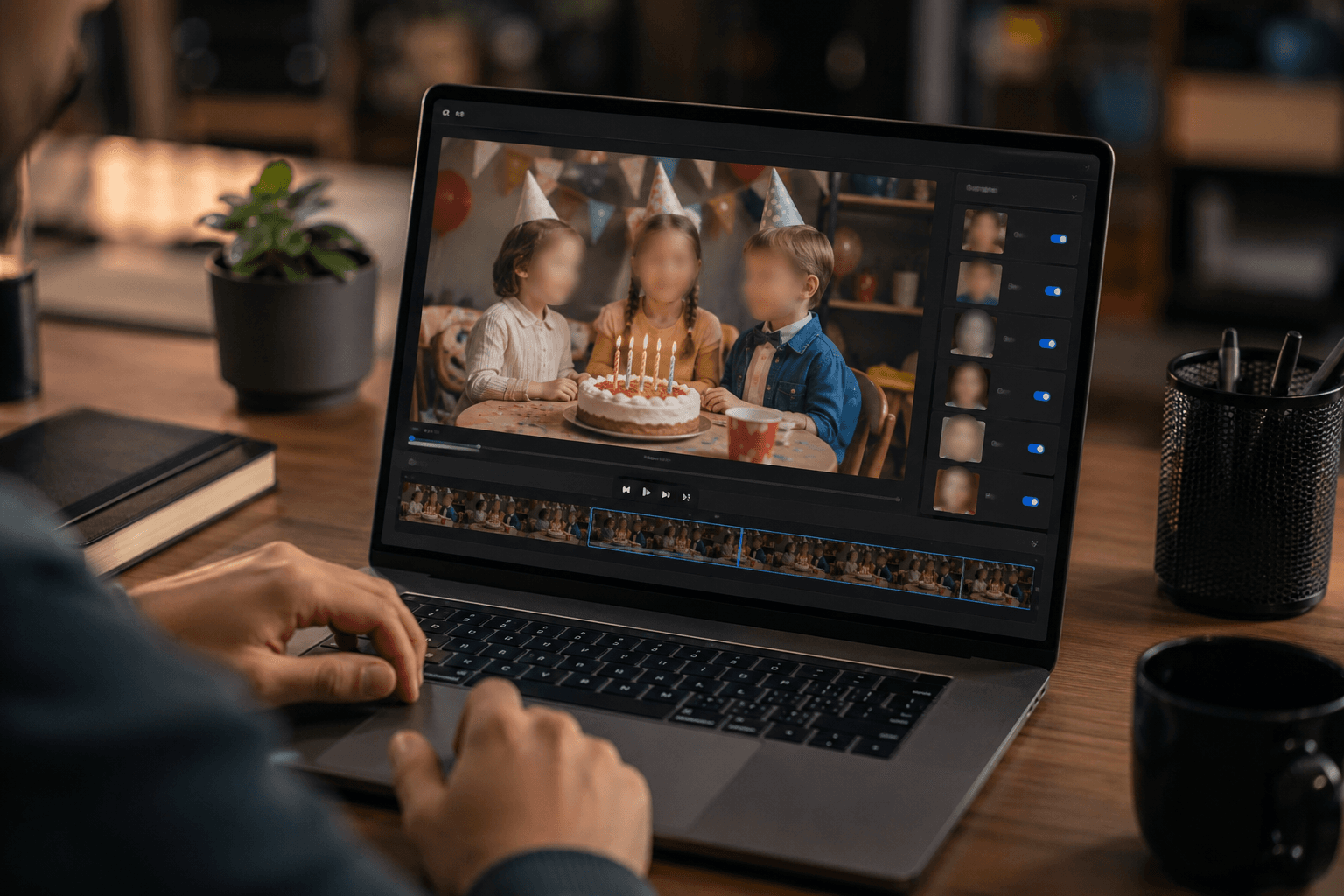
86.1% of parents share pictures or videos of their children on social media. Of those, 35.8% make these posts completely public — viewable by anyone, anywhere, forever.
That means millions of children have their faces, names, locations, and daily routines exposed to strangers, predators, AI facial recognition systems, and identity thieves. And most parents have no idea they're putting their kids at risk.
If you're one of the 86% posting your children online, this guide will show you exactly how to blur kids faces in video before posting — the single most important step you can take to protect your child from sharenting privacy risks, identity theft, and lifelong digital footprint consequences. If your child regularly appears alongside classmates or teammates, see our companion guide on blurring other kids' faces in school and sports videos for group-filming etiquette.
The good news? Learning to blur child face in video takes less than 3 minutes per video. The bad news? Every unblurred video you've already posted creates permanent risk.
What Is Sharenting and Why Should You Care?
Sharenting — the practice of parents sharing photos and videos of their children on social media — has exploded in recent years. According to a 2024 study by the Pew Research Center, 89% of parents post about their children online, with the average child having 1,300 photos shared about them by age 13.
The Hidden Dangers of Sharenting
While sharing cute moments feels harmless, the risks are real and growing:
Digital Footprint Concerns: By age 5, the average child has 1,500 photos of themselves online, creating a permanent digital footprint children have no control over. Research from the University of Florida found that by 2030, two-thirds of identity fraud cases affecting young adults will be traceable to sharenting.
Predator Risks: The National Center for Missing & Exploited Children reports that up to 50% of images shared on child sexual abuse material sites were originally sourced from social media and parenting websites. Content scraped from innocent family posts is being repurposed in disturbing ways.
COPPA Compliance Issues: Platforms must comply with COPPA (Children's Online Privacy Protection Act) regulations, but parents often unknowingly violate their own children's privacy by sharing identifiable information without understanding the long-term consequences. Our COPPA compliance guide for parents breaks down what the law actually requires.
Future Consent Issues: Children interviewed in 2025 studies expressed feeling violated when discovering their parents had shared thousands of images without their consent, leading to family conflict and trust issues.
Statistics You Need to Know:
- 92% of children under age 2 have an online presence (AVG/Digital Diaries Study, 2024)
- 81% of children want parents to ask permission before posting (Microsoft Research, 2025)
- 68% of teens feel embarrassed by parents' social media posts about them (Common Sense Media, 2024)
- Children's photos are 10x more likely to be stolen and misused than adult photos (Child Online Safety Institute, 2024)
Is It Safe to Post Kids on Social Media?
The short answer: Not without precautions. While millions of parents share child content daily, experts increasingly recommend either avoiding posting children entirely or taking serious privacy measures like face blurring.
What Child Safety Experts Say
Dr. Leah Plunkett, Harvard Law School lecturer and author of "Sharenthood," states: "Every parent should ask themselves: Would I be comfortable with this photo being seen by my child's future employer, college admissions officer, or romantic partner? If the answer is no, don't post it — or at minimum, blur their face."
The American Academy of Pediatrics now recommends parents consider the long-term implications of child online privacy before posting, including:
- Will this content embarrass my child later?
- Could this information be used for identity theft?
- Am I respecting my child's future digital identity?
- Have I taken steps to protect kids identity in video?
How to Blur Kids Faces in Video: Step-by-Step Guide
Learning how to blur child face in video before posting is easier than you think. Here's your complete guide to protecting your children's privacy.
Why Blur Instead of Just Not Posting?
Many parents want to share family moments with grandparents, extended family, and close friends but worry about wider exposure. Blurring kids faces in video offers the perfect compromise:
- Share special moments without exposing identity
- Protect against image scraping by bad actors
- Respect children's future privacy wishes
- Maintain family memories while minimizing risk
- Comply with increasingly strict privacy regulations
The BGBlur Solution: Easiest Way to Blur Kids Faces
BGBlur is specifically designed for parents who need to blur child faces in video quickly and effectively. Unlike complicated video editing software, BGBlur makes child privacy protection simple.
Why BGBlur Is Perfect for Parents
- AI-Powered Face Detection: Automatically finds and tracks all faces in your video, including kids moving around
- Continuous Tracking: Keeps faces blurred throughout the entire video, even during movement
- Mobile-Friendly: Works on iPhone and Android — blur face in video on iPhone directly from your phone
- Fast Processing: Process a 5-minute birthday video in under 2 minutes
- Multiple Blur Styles: Choose from smooth blur, pixelation, or solid blocking
- Selective Blurring: Blur only children's faces while keeping adults visible (or vice versa)
How to Blur Kids Faces in Video: 3-Step Process
Step 1: Upload Your Video to BGBlur
Simply drag and drop your video file or upload directly from your phone. BGBlur securely processes your video without storing it permanently — protecting your family's privacy at every step.
Supported formats: MP4, MOV, AVI, and all common video formats from smartphones, cameras, and tablets.
Step 2: Let AI Automatically Detect All Faces
BGBlur's advanced AI instantly identifies every face in your video. The system:
- Detects faces of all ages and sizes (including babies and toddlers)
- Tracks faces through movement, angle changes, and lighting variations
- Identifies minor faces automatically for targeted blurring
- Maintains tracking even during fast motion (running, playing, dancing)
Step 3: Customize and Download
Choose your blur preferences:
- Blur intensity: Light blur (recognizable but protected) to heavy blur (complete anonymization)
- Blur style: Gaussian blur (smooth, natural), pixelation (mosaic effect), or solid blocks
- Selective blurring: Choose to blur all faces, only children, or specific individuals
- Preview: Watch the blurred video before downloading
Download your privacy-protected video and post with confidence.
Real Parent Stories: Why They Started Blurring
Sarah M., Mother of Two (San Francisco, CA)
"I never thought twice about posting my kids until a stranger at the park knew my daughter's name, school, and activities from my Instagram. I was horrified. Now I blur my kids faces in every video before posting. BGBlur takes 30 seconds and gives me peace of mind."
Jason T., Father of Three (Austin, TX)
"My 12-year-old discovered I'd posted 2,000+ photos of him since birth without asking. The conversation was brutal. Now I use BGBlur to protect his identity in videos and only post with his permission. Our relationship is so much better."
Michelle R., Grandmother (Portland, OR)
"I share videos with family abroad but worried about privacy. Learning how to blur my grandkids faces means I can share precious moments with relatives without exposing them to the entire internet. BGBlur made it simple enough for this 67-year-old to figure out!"
Sharenting Privacy Risks: What You're Not Being Told
Risk 1: Facial Recognition Databases
Tech companies are building massive facial recognition databases. According to research from Georgetown Law's Center on Privacy & Technology, over 117 million Americans (including millions of children) are in law enforcement facial recognition networks. Many images come from social media scraping.
When you post unblurred child videos, you're potentially adding your children's faces to databases they never consented to join. Blurring kids faces prevents this unauthorized data collection. See our full guide to blurring faces in photos and video with AI for the underlying technology.
Risk 2: AI-Generated Content and Deepfakes
In 2024-2025, AI-generated deepfake technology became accessible to anyone with basic technical skills. The FBI Cyber Division reported a 450% increase in child-targeted deepfake cases, with source material often coming from innocently shared parent posts.
Blurring child faces in video before posting prevents bad actors from having clear facial data to create deepfakes.
Risk 3: Location Data and Pattern Recognition
Even with location services disabled, videos often contain identifying information:
- School logos or uniforms visible in background
- Recognizable landmarks or street signs
- Routine patterns (same park every Tuesday)
- Vehicle license plates, house numbers, street names
Combined with unblurred faces, this creates a complete profile of your child's identity, routines, and locations. Child face blur provides an essential layer of protection.
Risk 4: Commercial Exploitation
Your child's image may be worth money — to companies you've never heard of. In 2023, a class action lawsuit revealed that over 80,000 children's images from Instagram and TikTok were used to train commercial AI systems without parental knowledge or consent.
By choosing to blur minor faces in video, you retain control over your child's image and prevent unauthorized commercial use.
Legal Considerations: Do You Need Permission?
Is It Legal to Post Videos of Kids Without Blurring Faces?
If they're your own children: Generally yes, parents have legal authority to share content featuring their minor children. However, this is changing:
- France (2020): Parents can now be fined up to €45,000 for violating children's privacy through sharenting
- California (2024): New legislation gives children the right to sue parents for privacy violations after age 18
- Germany (2022): Courts have ruled that children's privacy rights may supersede parental sharing rights in some cases
If they're other people's children: You absolutely need parental permission to post videos featuring other people's children. Even with permission, many parents now request that other children's faces be blurred in content shared online. Our GDPR video privacy compliance guide covers the EU-specific consent requirements in detail, and if you post around holidays with kids or strangers in frame, our 4th of July videos privacy guide has scenario-specific tips.
COPPA Compliance for Parent Content Creators
If you're a parenting influencer or monetize content featuring children, stricter rules apply:
COPPA requirements:
- Cannot collect personal information from children under 13 without verified parental consent
- Must post privacy policies explaining data collection
- Must implement reasonable security measures
- Cannot condition participation on providing more information than necessary
YouTube's child content rules (updated 2024):
- Videos "made for kids" have limited features
- Personalized ads are disabled on child-directed content
- Comments are disabled by default
- Many creators now blur kids faces to avoid "made for kids" classification while maintaining privacy
How to Hide Child's Face in Video: Advanced Tips
Beyond Basic Face Blurring
While BGBlur's automatic face blur is perfect for most parents, some situations require additional privacy measures:
1. Pixelate Kids Faces for Extra Privacy
Pixelation (mosaic blur) provides stronger anonymization than Gaussian blur. When you pixelate kids face in video, identity becomes virtually impossible to determine, even with image enhancement tools.
Best for: Public performances, large gatherings, school events, or any situation where strong privacy protection is essential.
2. Combine Face Blur with Background Blur
Sometimes protecting identity means hiding contextual information too. BGBlur allows you to:
- Blur children's faces
- Simultaneously blur background elements (school signs, house numbers, street names)
- Protect license plates visible in videos
- Hide identifying information without ruining the video
3. Blur Moving Faces in Video
Children don't sit still, which makes blurring moving faces in video challenging with manual tools. BGBlur's AI tracking automatically:
- Follows faces through rapid movement
- Maintains blur during camera pans and zooms
- Adjusts to faces entering and leaving frame
- Handles multiple children moving simultaneously
No manual keyframing or frame-by-frame editing required — essential for busy parents.
4. Selective Face Blurring
Not every face needs blurring in every video. BGBlur allows selective blurring:
- Blur only children, leave adults visible
- Blur everyone except family members
- Blur specific individuals by selection
- Create custom rules for different scenarios
Best App to Blur Kids Face in Video
Parents ask us constantly: "What's the best app to blur kids face in video?" After testing dozens of options, here's our honest assessment:
Why BGBlur Is the Top Choice for Parents
Compared to other options:
| Feature | BGBlur | CapCut | iMovie | Premiere Pro |
|---|---|---|---|---|
| AI Face Detection | ✅ Automatic | ⚠️ Manual | ⚠️ Manual | ✅ Paid Plugin |
| Face Tracking | ✅ Automatic | ❌ Frame-by-frame | ❌ Limited | ✅ Complex |
| Mobile-Friendly | ✅ Yes | ✅ Yes | ⚠️ iOS Only | ❌ No |
| Processing Speed | ✅ Fast (2 min for 5-min video) | ⚠️ Slow | ⚠️ Slow | ⚠️ Very Slow |
| Ease of Use | ✅ 3 steps | ⚠️ Moderate | ⚠️ Moderate | ❌ Complex |
| Price | ✅ Free trial + affordable plans | ✅ Free (limited) | ✅ Free (iOS) | ❌ $22.99/month |
| No Watermark | ✅ Yes | ⚠️ Premium only | ✅ Yes | ✅ Yes |
The verdict: For parents who need to quickly blur child faces without video editing expertise, BGBlur offers the best combination of ease, speed, and effectiveness.
How to Blur Face in Video on iPhone
iPhone users often ask about blurring faces directly on their device. Here's how BGBlur works on iPhone:
- Open Safari and go to BGBlur.com (no app download required)
- Upload video directly from Photos app
- Let AI process — works right in your browser
- Download blurred video back to your iPhone
- Post to Instagram, TikTok, or Facebook with protected child privacy
Works on all iPhone models (iPhone 8 and newer recommended for fastest processing).
How to Blur Face in Video on Android
Android users have the same seamless experience:
- Open Chrome or any browser on your Android device
- Visit BGBlur.com — no app installation needed
- Upload your video from Gallery
- AI automatically blurs all faces in seconds
- Download and share privacy-protected videos
Compatible with Samsung, Google Pixel, OnePlus, Xiaomi, and all major Android devices.
Protecting Kids Identity in Video: Beyond Face Blurring
While face blur is the most important step, complete child online privacy protection requires a comprehensive approach:
1. Audit Your Existing Content
Action steps:
- Review all previously posted content featuring children
- Delete or archive posts that reveal too much information
- Consider going back and blurring faces in older videos (yes, you can update)
- Check partner/family members' accounts for shared content
Tools: Facebook's "View As" feature, Instagram Archive, TikTok Privacy Settings
2. Establish Family Privacy Rules
Family privacy agreement should include:
- Consent requirement: Always ask children before posting (age-appropriate discussion)
- Blur by default: All faces blurred unless specifically approved otherwise
- No identifying information: No full names, schools, locations, or routines
- Annual review: Revisit posted content yearly and remove what no longer feels appropriate
- Deletion rights: Children can request deletion of any content, any time
3. Educate Extended Family
Grandparents, aunts, uncles, and family friends often don't understand sharenting privacy risks. Share this guide and:
- Request they blur faces before posting
- Ask for permission before sharing content you've sent them
- Explain the risks in specific, non-alarmist terms
- Offer to help them set up BGBlur for easy face blurring
4. Use Privacy-First Platforms
Consider alternatives to public social media:
- Family-only sharing apps: Tinybeans, FamilyAlbum, Lifecake
- Private clouds: iCloud Shared Albums, Google Photos shared albums
- Messaging groups: WhatsApp, Signal family groups
- Private blogs: Password-protected Wordpress or similar
Even with private platforms, blurring kids faces adds an extra security layer.
5. Monitor Your Child's Digital Footprint
Free tools to check:
- Google Image Search: Upload a child photo to see if it appears elsewhere online
- TinEye Reverse Image Search: Find where images have been shared
- Social media search: Search your child's name + your username
- School/organization websites: Verify permission policies
Concerning signs:
- Your child's images appearing on sites you didn't post to
- Images being shared more widely than expected
- Comments from strangers on child-focused posts
- Requests to use your child's image for commercial purposes
Digital Footprint Children: Long-Term Consequences
Today's toddler videos will exist when they're applying to college, interviewing for jobs, or running for office. Consider these scenarios:
College Admissions (2035)
Your child applies to competitive universities. Admissions officers Google their name and find:
- 2,000 photos and videos from birth to present
- Embarrassing toddler moments preserved forever
- Personal information they never would have chosen to share
- Content that doesn't align with who they've become
Solution: Blur child faces now to protect future opportunities.
Job Interviews (2040)
Hiring managers routinely social media screen candidates. Your now-adult child faces questions about:
- Childhood content they can't remove (you posted it)
- Digital history they didn't create or consent to
- Privacy concerns about judgment and professional image
Statistics: 70% of employers Google candidates before hiring (CareerBuilder 2024). 54% have decided not to hire someone based on social media findings.
Identity Theft (2030-2045)
The Federal Trade Commission estimates that children are 50x more likely than adults to become identity theft victims. Extensive online presence provides everything needed:
- Full name and date of birth (from birthday posts)
- Photos for facial recognition
- Family relationships and mother's maiden name
- Schools, addresses, and personal details
Prevention: Minimize identifiable information and blur faces in all video content.
Consent Before Posting Kids Online: Teaching Digital Citizenship
The most important question: Does my child want this online?
Age-Appropriate Consent Conversations
Ages 0-5: Parents make decisions, but consider: "Would I want this posted about me?"
Ages 6-10: Begin asking simple questions: "Is it okay if I share this video with Grandma?" "Can I post this on Instagram?"
Ages 11-13: Require explicit consent: "Can I share this? Who can see it? Do you want your face shown or blurred?"
Ages 14+: Presume no consent unless clearly given. Respect their digital identity as you would an adult's.
What Kids Say About Sharenting
Recent interviews with teens and young adults reveal strong feelings:
"I'm 16 and found out my mom has posted over 3,000 photos of me since birth. I never agreed to any of it. I feel like my privacy was stolen." — Reddit r/privacy thread, 2025
"My dad kept posting videos of me even after I begged him to stop. Now my classmates tease me about embarrassing stuff he shared. I don't trust him anymore." — Microsoft Research Study, 2024
"I wish my parents had blurred my face in childhood videos. Now there are baby photos of me all over the internet that I can't get rid of." — Common Sense Media Survey, 2025
Frequently Asked Questions
Is it legal to post videos of kids without blurring faces? For your own children, it's generally legal but increasingly questioned as privacy laws evolve. Some jurisdictions, including France and Germany, have established children's privacy protections that may limit parental posting rights. For other people's children, you must have parental permission before posting, and even with permission many parents now request face blurring as a precaution. Best practice in all cases is to blur children's faces by default.
Do I need permission to show kids' faces in video? For your own kids, you typically hold parental authority, but ethically it's best to seek age-appropriate consent and blur faces by default unless there's a compelling reason not to. For other people's kids, yes — always get permission first. Skipping this step can lead to complaints, account suspension, damaged relationships with other parents, or violations of school and organization policies.
How do I blur moving faces in video? Manually tracking a moving face frame-by-frame in traditional editing software is impractical for most parents. AI-powered tools like BGBlur solve this by automatically detecting and tracking every face as it moves through the frame, keeping the blur locked on even during running, jumping, or playing. Upload the video, let the AI process it, and the blur stays applied throughout — no manual keyframing required.
What's the best app to blur kids' faces in video? BGBlur is a strong option because it works entirely in the browser on iPhone and Android with no app download, uses AI for automatic face detection and tracking, and processes a 5-minute video in about 2 minutes. Alternatives like CapCut and iMovie require manual tracking and more time, while professional tools like Premiere Pro are powerful but expensive and complex for a quick privacy task.
How do I blur a face in video on iPhone? Open Safari, go to bgblur.com, and upload the video directly from your Photos app — no app download is needed. The AI automatically detects all faces, lets you choose blur style and intensity, and produces a downloadable, privacy-protected video ready to post. This works on iPhone 8 and newer for the fastest processing.
How do I protect my child's identity in videos beyond face blurring? Blur all faces first, then check for other identifying details like school logos, house numbers, street signs, and license plates visible in the background. Adjust privacy settings on the platforms you post to, ask for age-appropriate consent before posting, and periodically review older content to remove anything that no longer feels appropriate to keep public.
What are the biggest sharenting privacy risks parents should know about? The main risks are unauthorized inclusion in facial recognition databases, use of images to train AI models without consent, increased vulnerability to identity theft, and content resurfacing years later during college admissions or job screening. Blurring kids' faces in video content before posting substantially reduces each of these risks while still letting you share family moments.
Is BGBlur safe for processing children's videos? Yes. BGBlur processes video securely over encrypted connections and does not permanently store uploaded files or use them for AI training. You control what gets blurred, and there's no requirement to create an account for basic use, which keeps the workflow simple for parents who just need a quick privacy pass before posting.
Conclusion: Protecting Childhood in the Digital Age
Learning how to blur kids faces in video before posting is one of the most important digital parenting skills you can develop. With growing awareness of sharenting privacy risks, increasing cases of identity theft, and evolving understanding of children's digital footprints, taking proactive steps to protect kids identity in video isn't optional — it's essential.
Your Action Plan
Start today:
- ✅ Audit existing content — review what you've already posted
- ✅ Set up BGBlur — create an account and test with one video
- ✅ Establish family rules — discuss privacy with your children (age-appropriate)
- ✅ Educate extended family — share this guide with grandparents and relatives
- ✅ Commit to consent — ask before posting, blur by default
- ✅ Spread awareness — help other parents understand these risks
The Bottom Line
Just because you can post videos of your kids doesn't mean you should — and if you do, blurring faces is a simple step that protects their privacy, respects their future autonomy, and demonstrates responsible digital parenting.
Your children will thank you for respecting their privacy and protecting their digital future. Start blurring kids faces today and set a new standard for responsible sharenting.
Try BGBlur free today and join thousands of parents protecting their children's online privacy — one video at a time.
Additional Resources for Parents
- Common Sense Media: Digital citizenship resources
- Family Online Safety Institute: Sharenting guidelines
- American Academy of Pediatrics: Social media and children
- BGBlur: Professional face blurring for parents
- National Center for Missing & Exploited Children: Internet safety resources
Update — September 24, 2026: See our new guide on Italy's Garante ruling on sharenting and both-parent consent.