Best App to Blur Faces in Videos: 7 Tools Ranked [2026]
Manually blurring faces frame by frame doesn't scale past a handful of clips. This guide ranks the seven best face blur apps for video in 2026 — from AI-tracked browser tools to manual mobile workarounds — so you can pick the right one for dashcam footage, street vlogs, or one-off edits.
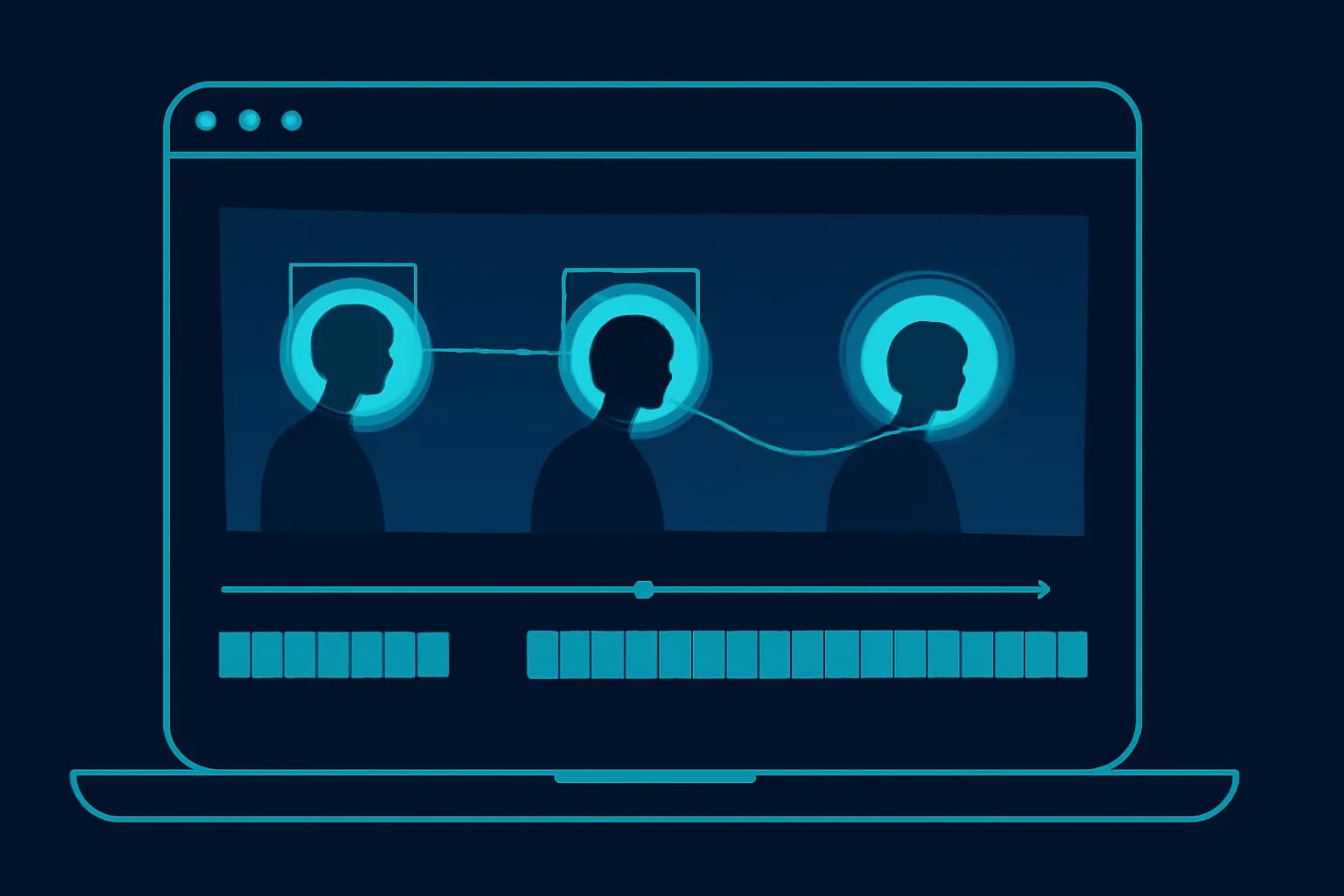
When it comes to protecting privacy in video content, finding the right face blur tool is essential. Whether you're editing dashcam videos, creating TikTok content, or need to blur license plates and faces for professional purposes, the right app makes all the difference.
The need for face blurring has grown far beyond journalism and documentary filmmaking. Today, everyday creators — delivery drivers uploading dashcam clips, parents posting family content, journalists covering protests, business owners sharing behind-the-scenes footage — all have real reasons to protect identities before hitting publish. And yet most people don't know which tool to use, end up with something that doesn't track movement properly, or waste hours on manual edits that could be done in minutes with the right software.
This guide compares the seven best options available in 2026, including free tools, paid platforms, and the one solution that genuinely stands above the rest for most use cases.
TL;DR: Which Face Blur App Should You Use?
| Question | Answer |
|---|---|
| Best overall for moving subjects | BGBlur — AI face detection + motion tracking, browser-based |
| Best free option | BGBlur (200MB / 10 min / 3 videos monthly, no watermark) |
| Best for static, single-face shots | Kapwing or VEED.IO |
| Best if you're already in Adobe's ecosystem | Adobe Premiere Rush (manual keyframe tracking) |
| Can it also blur license plates? | Only BGBlur handles faces + plates in one pass among the tools below |
| Does blurring hurt video quality? | Not with BGBlur — original resolution is preserved up to 4K |
Why You Need a Face Blur App
From body cam video blur requirements to protecting identities in social media content, the ability to blur faces in videos has become a practical necessity — not just a nice-to-have.
Think about the scenarios that come up constantly. A dashcam catches a pedestrian or another driver in clear detail. A street vlog passes dozens of bystanders who never consented to being filmed. A corporate training video includes employees who have since left the company. A protest video captures participants who could face retaliation if identified. A creator films in a public space and needs to clean up the footage before posting.
In all of these cases, manually blurring every face frame by frame is not a realistic option. A video with ten people walking through a scene over 30 seconds could require hundreds of individual keyframe adjustments if you're doing it by hand. Modern AI blur tools have changed this completely — the best ones automatically detect, track, and blur faces throughout a video, even when subjects move, turn, or leave and re-enter the frame.
The question isn't really whether you need a face blur tool. It's which one actually works well enough to trust with your content. For a deeper look at how AI face detection compares to manual editing, see our complete guide to blurring faces in video with AI.
Top 7 Apps for Face Blurring in Videos
1. BGBlur — Best Overall Face Blur Solution
BGBlur stands out as the premier choice for anyone looking to blur moving faces in video content without spending hours on manual edits. This AI-powered platform offers the most comprehensive solution for privacy protection needs across almost every use case, from quick social media edits to professional-grade footage processing.
What makes BGBlur genuinely different from most tools in this space is the combination of automatic AI detection and real-time tracking. Most blur tools require you to manually draw a box around a face and then move that box frame by frame as the subject moves. BGBlur's AI detects the face automatically and locks onto it throughout the clip, so even when a person walks across the frame, turns their head, or moves in and out of focus, the blur follows without you needing to touch anything.
Key Features:
AI-Powered Face Detection: The core technology automatically scans every frame of your uploaded video, identifies faces using machine learning, and applies blur without requiring manual selection. This works for multiple faces in the same frame simultaneously, which is critical for any footage captured in public spaces. For a full breakdown of how the detection pipeline works, see our guide to AI face anonymization tools.
Moving Object Tracking: For dashcam video specifically, this is where BGBlur earns its reputation. Dashcam footage is notoriously difficult to edit because everything is in motion — the camera, the subjects, the background. BGBlur's motion tracking handles this well, maintaining accurate blur on faces and license plates even through fast-moving footage and changing lighting conditions. See our dedicated dashcam face and license plate blur guide for setup tips.
License Plate Blur: Beyond faces, BGBlur lets you blur license plates alongside faces in a single pass. For anyone uploading dashcam clips, street footage, or parking lot content, this is essential. Manually tracking a license plate through a 2-minute dashcam video frame by frame is genuinely not something most people have time for — the automated option changes that entirely.
Multiple Blur Styles: Not all situations call for the same blur type. BGBlur offers pixelated blur (the classic "censored" look), Gaussian blur (smooth and natural-looking), and custom blur effects that let you control intensity and radius. For professional content, Gaussian blur tends to look cleaner. For social media or content where the blur itself is meant to be obvious, the pixelation option works well.
Online Video Editor: No download, no installation, no compatibility issues. BGBlur runs entirely in the browser, which means it works on Windows, Mac, and any device with an internet connection. For creators who move between devices or don't want to clutter their machine with software, this is a significant practical advantage — the same approach we cover for iPhone users specifically in our iPhone face blur guide.
Batch Processing: If you have multiple files that need the same treatment — a series of dashcam clips, a collection of photos, or multiple takes from the same shoot — BGBlur can process them together instead of requiring you to upload and configure each one individually.
Export Quality: High-resolution output is maintained after blurring, which matters if you're posting to YouTube, Vimeo, or any platform where quality is visible. Some blur tools compress or degrade footage during processing; BGBlur preserves the original resolution.
Free Tool Access: You can start blurring without any upfront cost, which makes it accessible for creators who just need to handle occasional privacy edits without committing to a subscription.
BGBlur's interface is clean enough that someone who has never edited a video in their life can figure it out in under five minutes, while still offering enough control for professional videographers who need precise results. That balance is rare, and it's why this tool consistently comes out on top for general-purpose face blurring.
2. Kapwing
Kapwing is a popular online video editor that has built a solid reputation among content creators for its accessible, browser-based workflow. Face blurring is one of several editing features available within the broader Kapwing platform, and it works well for certain use cases though it has real limitations worth knowing about before you commit to it.
The blurring in Kapwing is primarily manual. You draw a rectangle or oval over the area you want to blur, set the blur intensity, and the effect is applied to that region for the duration you specify. For static shots — an interview where the subject doesn't move much, or a screenshot-style clip — this works fine. The interface is straightforward and the results look clean.
Where Kapwing struggles is with moving subjects. If the person you're blurring moves across the frame, you need to manually keyframe the blur box to follow them. For short clips with minimal movement, this is manageable. For anything longer or more dynamic — street footage, event coverage, dashcam content — it becomes a time-consuming manual process that the tool wasn't really designed to handle efficiently.
Kapwing's strength is in its broader editing ecosystem. If you're already using it for subtitles, trimming, aspect ratio adjustments, or adding overlays, having face blur available in the same tool is convenient. For creators who want a do-everything platform and don't need advanced face tracking, it's a reasonable choice. For anyone whose primary need is accurate face blurring on moving subjects, it's not the right tool.
Kapwing operates on a freemium model — free tier includes a watermark on exports, and the paid plan removes it and unlocks higher export quality.
3. VEED.IO
VEED.IO has positioned itself as one of the most accessible video editing platforms for beginners, and its face blur functionality reflects that focus on simplicity. The interface is clean, the workflow is intuitive, and you can apply a blur effect to any region of your video in just a few clicks.
Like Kapwing, VEED.IO's blurring is primarily region-based rather than AI-tracked. You define the area to blur and it stays fixed to that region unless you manually adjust it. For content with limited camera or subject movement — talking head videos, product demonstrations, static interview setups — this works well and produces good results.
VEED.IO has been improving its AI features steadily, and there are signs that more automated detection is coming, but as of 2026 the face-specific tracking is still more limited than dedicated privacy tools like BGBlur. Where VEED.IO genuinely excels is in its background blur feature — blurring everything except the main subject — which is particularly useful for video calls, social media content, and situations where you want to isolate a speaker from a messy or distracting background.
The platform is also well-integrated with common creator workflows — you can import directly from cloud storage, export to various formats, and the subscription tiers are reasonably priced for individual creators. For beginners who need occasional face blurring alongside other basic editing tasks, VEED.IO is a solid entry point.
4. Clideo
Clideo is a straightforward online tool that handles basic video editing tasks without requiring any technical knowledge. Its blur functionality is simple — you draw a box over the area you want to censor, adjust the blur intensity, and export. That's essentially the full feature set.
For very short clips with minimal movement, Clideo does the job. It's fast to use, the interface has almost no learning curve, and if you just need to quickly blur a single face in a 10-second clip before sending it somewhere, Clideo will get you there in under two minutes.
The limitations become clear quickly once you move beyond simple use cases. There's no automatic face detection, no motion tracking, and no way to handle multiple blur regions efficiently. Each blur box is a manual placement, and complex footage with multiple faces or moving subjects requires significant manual effort to edit properly.
Clideo is free with file size restrictions and a watermark on exports — the paid plan removes these. For one-off quick edits where quality and accuracy aren't critical, it's worth knowing about. For regular use or anything professionally important, you'll outgrow it fast.
5. Adobe Premiere Rush
Adobe Premiere Rush sits in a different category from the other tools on this list — it's a mobile and desktop video editing application designed for content creators who want professional-grade results without the full complexity of Adobe Premiere Pro. Face blurring in Premiere Rush is achieved through blur effects applied to tracked regions, and the precision available is significantly higher than in browser-based tools.
The tracking in Premiere Rush is manual but detailed. You can set keyframes for blur positions with frame-level precision, adjust blur size and intensity over time, and layer multiple effects together. For creators who are already working in the Adobe ecosystem and have the time to do manual tracking work, the results are professional and reliable.
The trade-off is complexity and time. Getting accurate moving face blur in Premiere Rush requires more editing knowledge and patience than any of the automated tools. There's no AI face detection — you're doing the work yourself. That said, for creators who are already editing in Premiere Rush regularly and need to blur one or two faces in a polished final cut, the tools are already there.
Premiere Rush requires an Adobe Creative Cloud subscription, which gives you access to the full suite of apps. If you're not already an Adobe subscriber and face blurring is your primary need, this isn't the most cost-effective entry point.
6. iMovie (with Manual Overlay Method)
iMovie is free on all Apple devices, and while it doesn't have a dedicated blur tool, it's worth including because a large number of creators use it as their primary editor. The workaround for face blurring in iMovie involves overlaying a blurred or pixelated element on top of the face using the picture-in-picture or cutaway function.
It's a genuine workaround rather than a proper feature, which means it requires more steps, more precision in placement, and more time than dedicated blur tools. For static shots it's manageable. For anything with movement it's essentially impractical without significant effort.
If you're committed to iMovie for your main editing and only occasionally need to blur something, the workaround gets the job done. If face blurring is a regular requirement, it's worth adding a dedicated tool to your workflow — our best video redaction software comparison covers heavier-duty options for teams outgrowing manual editors.
7. Mobile Blur Apps (iOS & Android)
There are several dedicated mobile apps for face and object blurring available on both iOS and Android — names include "Blur Video," "Mosaic Blur," and similar apps that offer focused, single-purpose functionality for mobile creators. These apps generally work better than trying to use a general-purpose mobile editor for blurring, because blurring is what they were built for.
Quality varies significantly between apps in this category. The better ones include basic motion tracking, multiple blur types, and clean export options. The weaker ones are little more than static region blur with no tracking at all. Reading recent reviews carefully before choosing one is worth the five minutes — the app stores have a mix of quality options in this space. Our mobile face blur guide walks through picking a reliable one and BGBlur's own mobile-browser workflow as an alternative.
For creators who edit primarily on mobile and need a quick, reliable blur option without moving to a desktop workflow, the dedicated mobile blur apps are the most practical solution. They won't match the accuracy of a full AI-powered platform like BGBlur, but for short-form mobile content they're a reasonable fit.
How to Blur Faces with BGBlur
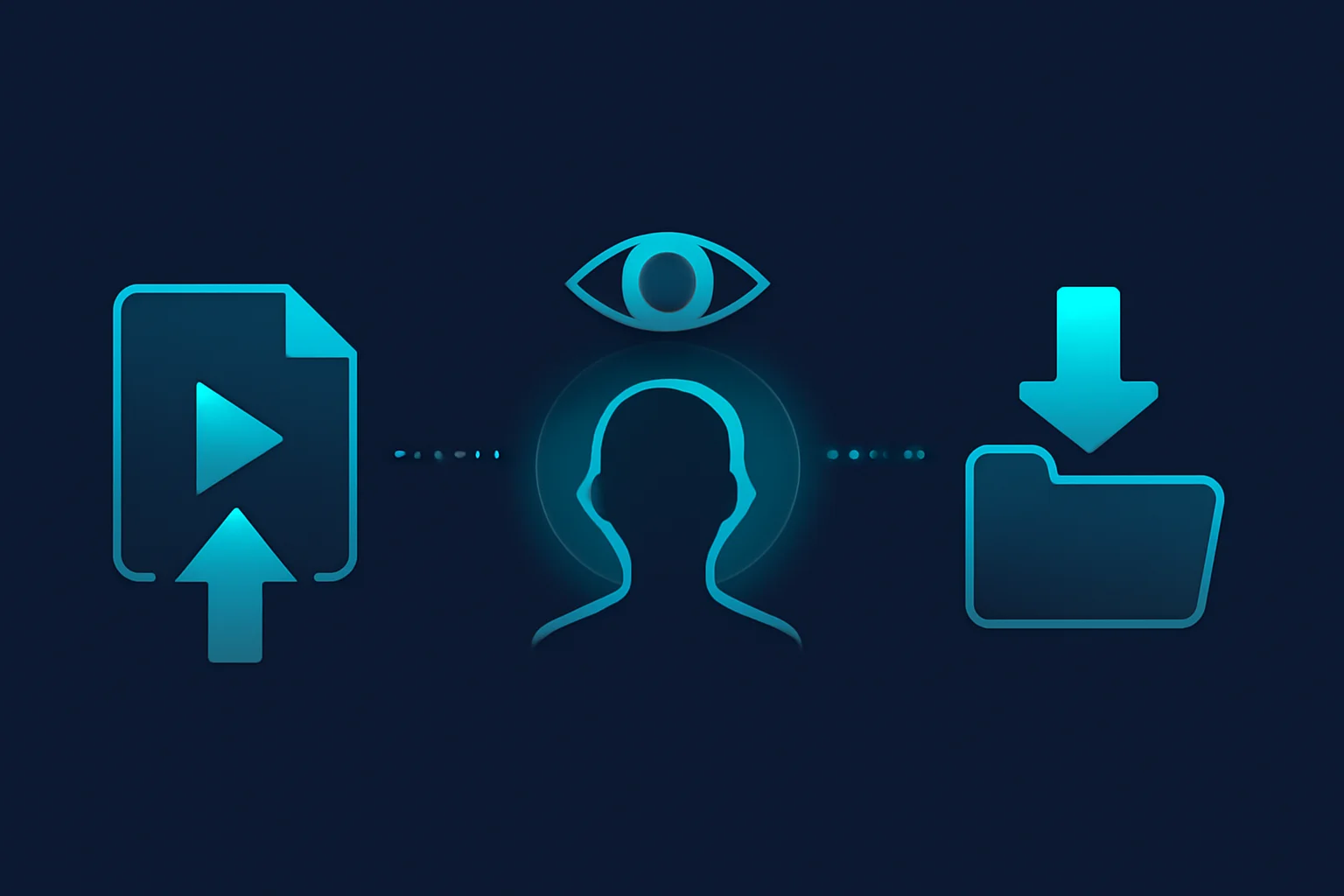
Step 1: Upload Your Video
Go to bgblur.com and drag-drop your video (MP4, MOV, or M4V, up to 4K). No account or install is required to start.
Step 2: Let AI Detect and Track Faces
The AI scans every frame, identifies faces automatically, and applies motion tracking so the blur follows subjects as they move, turn, or partially leave the frame. Select which faces to blur if the clip has people you want to keep visible.
Step 3: Choose Blur Style and Export
Pick pixelated, Gaussian, or custom blur intensity, preview the result, then export at your original resolution. Files are deleted from BGBlur's servers within 24 hours.
Choosing the Right Face Blur App
With all of these options available, the decision really comes down to a few core questions about how you actually work:
How much movement is in your footage? This is the most important factor. If subjects are moving, you need automatic AI tracking. Manual blur tools become impractical the moment someone walks across the frame. For dashcam footage, street video, event coverage, or any documentary-style content, AI tracking is a requirement, not a luxury.
How often do you need to blur? If it's a one-off task every few months, a free basic tool like Clideo might be all you need. If you're regularly publishing content that requires privacy edits before going live, investing time in learning BGBlur or setting up a proper workflow in Premiere Rush will save you significant time over the long run.
What does the rest of your editing workflow look like? If you're already deep in the Adobe ecosystem, staying there and using Premiere Rush makes sense even with the manual work involved. If you're a browser-based creator using tools like Kapwing or VEED.IO for everything else, checking whether their built-in blur handles your use case is the practical first step.
Do you need to blur things beyond faces? License plates, screen content, location information, documents, and other sensitive details in footage all need blurring sometimes. Tools like BGBlur handle multi-object blurring in a single workflow, which saves the extra step of going back to add secondary blur regions.
What's your output quality requirement? For professional publishing — YouTube, broadcast, commercial use — maintain the highest export quality possible and choose tools that preserve original resolution. For quick social shares, quality requirements are lower and simpler tools may be sufficient.
Comparison Table: BGBlur vs. the Alternatives
| Tool | Face Tracking | License Plate Blur | Free Tier | Best For |
|---|---|---|---|---|
| BGBlur | AI-automatic | Yes | Yes, no watermark | Moving subjects, dashcam, multi-object |
| Kapwing | Manual keyframe | No | Yes, watermarked | Static clips, all-in-one editing |
| VEED.IO | Manual region | No | Limited | Beginners, background blur |
| Clideo | Manual region | No | Yes, watermarked | Quick one-off short clips |
| Premiere Rush | Manual keyframe | No | Requires Adobe CC | Adobe users, frame-level precision |
| iMovie | Manual overlay | No | Yes (free on Apple) | Static shots, existing iMovie users |
Under privacy laws like the EU's General Data Protection Regulation, Article 4, a person's face captured on video is classed as personal data, and publishing footage that identifies someone generally requires a lawful basis or their consent — which is one of the practical reasons automated blurring has become standard practice for creators filming in public. The Federal Trade Commission's guidance on facial recognition technology similarly recommends giving people meaningful control over their biometric data before it's shared publicly.
Who Needs a Face Blur App
Dashcam and delivery drivers: Automatically blur bystanders and other drivers before sharing incident footage or dashcam compilations online.
Content creators and vloggers: Clean up street footage where bystanders appear on camera without their knowledge, for YouTube, TikTok, or Instagram uploads.
Journalists and documentary makers: Protect sources and vulnerable subjects by anonymizing faces before publishing sensitive footage — see our face anonymization vs. face blur comparison for the technical distinction.
Businesses and educators: Redact former employees or students from training and recruitment videos before reuse.
Conclusion
For anyone who regularly needs to blur faces in video content, BGBlur is the clear choice for 2026. Its combination of AI-powered face detection, automatic motion tracking, license plate blur, and a clean browser-based interface makes it the most practical and accurate tool for the majority of use cases — whether you're a delivery driver uploading dashcam clips, a content creator protecting bystanders, or a professional managing privacy in corporate video content.
For creators already working in the Adobe ecosystem with complex editing needs, Premiere Rush offers the precision control that professional work sometimes requires, at the cost of more manual effort. For beginners who need basic, occasional blurring alongside other editing tasks, VEED.IO and Kapwing both get the job done for simple footage.
The bottom line: if your footage has movement, use a tool with AI tracking. If it doesn't, almost any option on this list will work. Start with BGBlur's free tier, test it on your most complex clip, and you'll know within ten minutes whether it handles what you need.
Update — August 4, 2026: For a wider market comparison beyond video editors — including image-only tools, enterprise redaction platforms, and per-file pricing services — see our Best AI Face Blur Tools 2026 comparison guide, which stacks BGBlur against Medianonymizer, Blur.me, Facepixelizer, Gallio Pro, and brighter AI.