Top 10 Tools for Fitness Coaches Video Content [2026]
A ranked toolkit of ten apps and devices fitness coaches use to film, edit, and publish gym content in 2026 — starting with AI face blur to protect other members and ending with a full studio build-out plan. Covers editing, audio, music licensing, cameras, and privacy compliance.
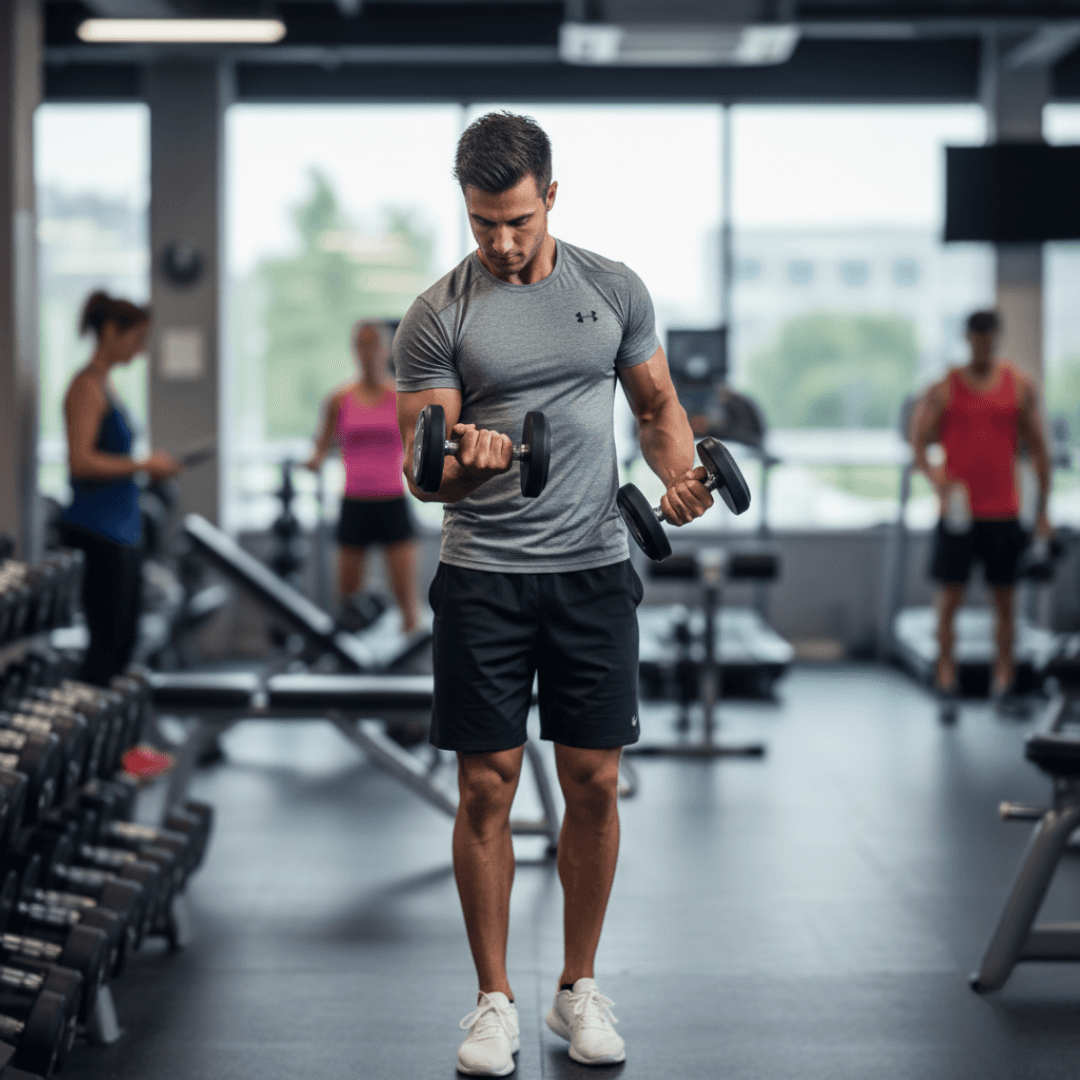
The fitness industry has fundamentally shifted toward video content. Whether you're running an online coaching business, building a YouTube following, or creating content for social media marketing, video is now essential for fitness professionals. But creating fitness video content comes with unique challenges—gym environments filled with other members, outdoor locations with bystanders, and the need to showcase form while respecting privacy.
This comprehensive guide covers the essential tools every fitness coach needs to create professional, privacy-compliant video content in 2026.
Why Fitness Coaches Need Specialized Video Tools
Fitness content creation presents unique challenges:
- Gym Privacy Concerns: Other members don't consent to appearing in your content
- Form Demonstration: Clear visibility of movement is essential
- Multi-Angle Shots: Complex exercises require multiple camera perspectives
- Audio Challenges: Gym environments are notoriously noisy
- Legal Requirements: GDPR and privacy laws affect how you can use footage with identifiable people
The right tools help you create professional content while respecting privacy and staying legally compliant.
1. BGBlur - Best Tool for Blurring Gym Members and Backgrounds
Website: bgblur.com
Why It's #1: Every gym video potentially captures other members who haven't consented to appearing in your content. BGBlur solves this problem elegantly with AI-powered detection and blurring.
Key Features
- Automatic Face Detection: AI identifies faces throughout your videos automatically
- Background People Blur: Blur everyone except yourself in gym footage
- Motion Tracking: Blur follows people as they move through your frame
- Selective Blurring: Keep yourself sharp while blurring background
- Batch Processing: Process multiple workout videos efficiently
- Multiple Blur Styles: Choose professional-looking blur effects
Fitness-Specific Applications
Gym Filming Compliance: Most gyms have policies against filming other members. BGBlur lets you capture great footage without violating gym rules or member privacy.
Client Testimonial Videos: Feature client transformations while protecting their identity if they prefer anonymity.
Group Class Footage: Capture the energy of group sessions without requiring releases from every participant.
Outdoor Workout Videos: Blur bystanders in parks, beaches, or public spaces.
Mirror Reflections: Gym mirrors often capture other members—BGBlur handles these reflections too.
Legal Protection
In many jurisdictions, publishing footage of identifiable individuals without consent can expose you to a right of publicity claim — the legal right a person has to control commercial use of their identifiable likeness. BGBlur provides the protection you need to publish confidently. For the specifics of face detection speed and accuracy, see our 3-second AI face blur guide, and if your studio also films yoga or group classes, our yoga background blur guide covers the same privacy workflow for that content type.
2. CapCut - Best Free Video Editor for Fitness Content
Website: capcut.com
Professional video editing without the professional price tag.
Key Features
- Multi-Track Editing: Layer multiple camera angles
- Speed Controls: Slow-motion for form breakdowns
- Auto Captions: Add exercise names and cues automatically
- Motion Tracking: Pin text to moving body parts
- Background Music: Royalty-free workout tracks
- Export Presets: Optimized for Instagram, YouTube, TikTok
Fitness Content Workflow
- Import multi-angle footage
- Cut to best takes
- Add slow-motion for form highlights
- Insert text cues and exercise names
- Add music and voiceover
- Export for target platform
- Process through BGBlur for privacy
Pricing
Completely free with optional premium effects.
3. Epidemic Sound - Best Royalty-Free Workout Music
Website: epidemicsound.com
High-energy music that won't get your videos taken down.
Key Features
- Workout Playlists: Curated for fitness content
- BPM Filtering: Find music matching exercise tempo
- Full Licensing: Commercial use included
- Stems Available: Isolate beats or melodies
- New Music Weekly: Fresh tracks constantly added
Music Strategy for Fitness Videos
Match music BPM to exercise intensity:
- Warm-up: 100-120 BPM
- Cardio: 140-160 BPM
- Strength: 120-140 BPM
- Cool-down: 80-100 BPM
Why Proper Licensing Matters
Using copyrighted music risks demonetization, takedowns, or legal action. Epidemic Sound eliminates this risk entirely.
Pricing
Creator plan from $9/month.
4. DJI Osmo Pocket 3 - Best Portable Fitness Camera
Website: dji.com
Gimbal-stabilized camera perfect for dynamic fitness content.
Key Features
- Built-in Gimbal: Smooth footage during movement
- 4K60 Recording: Professional quality video
- Face Tracking: Automatically follows you during exercises
- Compact Size: Fits in gym bag easily
- Quick Setup: Ready to film in seconds
- Wireless Preview: Monitor shots from phone
Fitness Filming Benefits
Traditional cameras show every shake and wobble. The Osmo Pocket's gimbal delivers smooth, professional footage even when you're moving around the gym.
Investment
$519 for professional-quality portable filming.
5. Rode Wireless GO II - Best Fitness Audio Solution
Website: rode.com
Clear voice capture in noisy gym environments.
Key Features
- Wireless Freedom: No cables restricting movement
- Dual Channel: Record two sources simultaneously
- On-Board Recording: Backup recording in transmitter
- Long Battery Life: Full workout sessions covered
- Compact Design: Clips easily to workout clothes
- Wind Shielding: Reduces HVAC and gym noise
Audio Quality Impact
Gym audio is challenging—clanking weights, HVAC systems, other conversations. A wireless mic captures your voice clearly above the noise.
Investment
$299 for professional wireless audio.
6. Canva - Best Thumbnail and Graphics Creator
Website: canva.com
Professional graphics for YouTube thumbnails and social media.
Key Features
- YouTube Thumbnail Templates: Optimized for fitness content
- Text Effects: Bold, readable titles
- Image Enhancement: Make workout photos pop
- Brand Kit: Consistent look across all content
- Video Editing: Quick edits and social clips
- Social Media Sizing: Perfect dimensions for every platform
Thumbnail Strategy
Thumbnails determine click-through rates:
- Show the exercise or result clearly
- Use bold, readable text
- Include your face showing emotion
- Create contrast and visual interest
Pricing
Free tier available. Pro at $12.99/month.
7. Frame.io - Best Client Review Platform
Website: frame.io
Professional workflow for creating client content.
Key Features
- Time-Stamped Comments: Clients mark exact moments for feedback
- Version Control: Track revisions easily
- Secure Sharing: Password-protected links
- Approval Workflow: Clear sign-off process
- Team Collaboration: Work with editors efficiently
Client Content Workflow
When creating personalized content for coaching clients:
- Film and edit content
- Upload to Frame.io
- Client reviews and comments
- Make revisions
- Final approval
- Deliver finished content
Pricing
Free tier available. Pro from $15/month.
8. Notion - Best Content Planning System
Website: notion.so
Organize your content strategy systematically.
Key Features
- Content Calendar: Plan weeks of videos ahead
- Exercise Database: Track which exercises you've covered
- Template Library: Consistent video structures
- Client Tracking: Manage custom content requests
- Analytics Logging: Track video performance
Content Organization
Create databases for:
- Video ideas backlog
- Production schedule
- Published content library
- Performance metrics
- Client custom content requests
Pricing
Free for personal use.
9. TubeBuddy - Best YouTube Optimization Tool
Website: tubebuddy.com
Maximize discovery of your fitness content on YouTube.
Key Features
- Keyword Research: Find what people search for
- Tag Suggestions: Optimize video metadata
- Competitor Analysis: See what works for others
- A/B Testing: Test different thumbnails
- Best Time to Publish: Data-driven scheduling
YouTube SEO for Fitness
Optimize for searches like:
- "How to [exercise name]"
- "[Body part] workout at home"
- "[Duration] minute [type] workout"
- "[Equipment] exercises"
Pricing
Free version available. Pro from $9/month.
10. Teleprompter Apps - Best for Scripted Content
Website: Various app stores
Deliver polished, professional explanations without memorization.
Key Features
- Adjustable Speed: Match your natural speaking pace
- Remote Control: Start/stop without touching phone
- Script Import: Paste from any source
- Font Customization: Easy readability
- Mirror Mode: Works with camera setups
When to Use Teleprompter
- Educational content explaining techniques
- Product reviews and recommendations
- Course content requiring precise wording
- Complex programming explanations
Top Options
- PromptSmart (auto-follows your voice)
- Teleprompter Premium
- BigVu (includes video capture)
Fitness Video Content Strategy
Content Types That Work
- Exercise Tutorials: Form breakdowns with slow-motion
- Full Workouts: Follow-along sessions
- Transformation Stories: Client success (with consent or blur)
- Myth Busting: Correct common mistakes
- Equipment Reviews: Honest assessments
- Nutrition Content: Meal prep and planning
- Day-in-the-Life: Behind-the-scenes authenticity
Platform-Specific Approach
YouTube: Long-form tutorials, full workouts, educational content Instagram Reels: Quick tips, exercise demos, motivation TikTok: Trending sounds, quick transformations, personality content Online Courses: Structured programs, premium content
Gym Filming Best Practices
Getting Permission
- Ask gym management about filming policies
- Choose low-traffic times
- Use designated filming areas if available
- Respect other members' space
Privacy-First Approach
- Always process through BGBlur before publishing
- Position camera to minimize background people
- Use shallow depth of field when possible
- Choose corners and walls as backgrounds
- Consider early morning or late night filming
Legal Considerations
- Public gyms may have different rules than private
- Outdoor filming has different privacy expectations
- Always blur identifiable people without consent
- Keep records of your privacy-compliant workflow
If you coach or run classes outside the gym floor — parks, driveways, home studios — read our guide on marketing your fitness studio with video content for privacy-safe filming locations and consent workflows tailored to those settings.
Building Your Fitness Video Studio
Minimal Setup (Starting Out)
- Smartphone with good camera
- BGBlur subscription for privacy
- Natural lighting or ring light
- Quiet corner of gym
- CapCut for editing
Intermediate Setup (Growing Channel)
- Add DJI Osmo Pocket 3
- Rode Wireless GO II for audio
- Epidemic Sound for music
- Multiple filming angles
- Canva Pro for thumbnails
Professional Setup (Full-Time Creator)
- Multiple camera angles
- Professional lighting kit
- Dedicated filming space
- Full audio setup
- Team for editing and production
Monetization Strategies for Fitness Video Content
Direct Revenue
- YouTube AdSense
- Sponsored content
- Affiliate marketing (equipment, supplements)
- Online coaching upsells
Premium Content
- Membership sites
- Online courses
- Personalized programming
- Virtual training sessions
The Value of Video
Video content builds trust faster than any other medium. Potential clients see your expertise, personality, and teaching style before ever contacting you.
Privacy Checklist for Fitness Content
- BGBlur all gym footage with background people
- Get written consent for identifiable client features
- Check gym policies before filming
- Review footage carefully for unintended captures
- Keep blur settings consistent across content
- Document your privacy workflow for legal protection
Frequently Asked Questions
Do I need consent to film other people at the gym? In most jurisdictions, publishing identifiable footage of someone without consent can violate privacy or publicity rights, even in a semi-public space like a gym. BGBlur removes this risk by automatically detecting and blurring every face except your own before you publish, so you never need a signed release from bystanders.
What is the best free video editor for fitness coaches? CapCut is the best free option, offering multi-track editing, motion tracking for text overlays, and export presets tuned for Instagram, YouTube, and TikTok. Pair it with BGBlur so every clip is privacy-processed before it reaches CapCut for final cuts and captions.
How do I blur faces in gym videos without blurring myself? BGBlur uses AI face detection with motion tracking to identify and blur every face in frame automatically, then lets you keep yourself sharp as the subject. This selective blurring works even as people move through the background, including reflections in gym mirrors.
What camera gear do fitness coaches actually need to start? A smartphone with a good camera is enough to start — dedicated equipment is not required on day one. As your channel grows, a gimbal-stabilized camera like the DJI Osmo Pocket 3 and a wireless mic like the Rode Wireless GO II solve the two biggest fitness-filming problems: shaky footage and noisy gym audio.
Can I use copyrighted music in workout videos? No — using copyrighted music without a license risks demonetization, takedowns, or legal action on every major platform. Services like Epidemic Sound provide fully licensed workout playlists with BPM filtering, so you can match music tempo to exercise intensity without copyright risk.
Is it legal to post client transformation videos? Only with the client's explicit consent, ideally in writing. If a client prefers to stay anonymous or you have not obtained a release, blur their face with BGBlur before publishing so you can still share the results without exposing their identity.
How much does a full fitness video production setup cost? A minimal setup costs nothing beyond a smartphone and a BGBlur subscription. An intermediate setup with a DJI Osmo Pocket 3, Rode Wireless GO II, and Epidemic Sound runs roughly $850 in combined one-time and monthly costs. Professional creators scale further into multi-camera rigs, lighting kits, and editing teams as revenue grows.
Final Thoughts
Video content is no longer optional for fitness professionals—it's essential for building authority, attracting clients, and growing your business. But the unique privacy challenges of gym environments require specialized tools.
Start with BGBlur as your foundation—it solves the most pressing privacy challenges fitness coaches face. Add production tools systematically as your content strategy develops.
The coaches who thrive in 2026 treat content creation as seriously as they treat training. These tools are your content creation equipment.
Ready to create professional fitness content while respecting privacy? Start with BGBlur for gym-safe video processing, then build out your complete production toolkit.
Update — October 7, 2026: For a related walkthrough, see how to run AI posture detection on video with a ready-made prompt.