Download BlackVue Dashcam Videos in UAE and Saudi 2026
Learn how to download BlackVue dashcam videos in UAE and Saudi Arabia using SD card, BlackVue Cloud (MENA region), and WiFi app. Plus, discover how to blur faces and license plates for UAE/Saudi privacy law compliance.
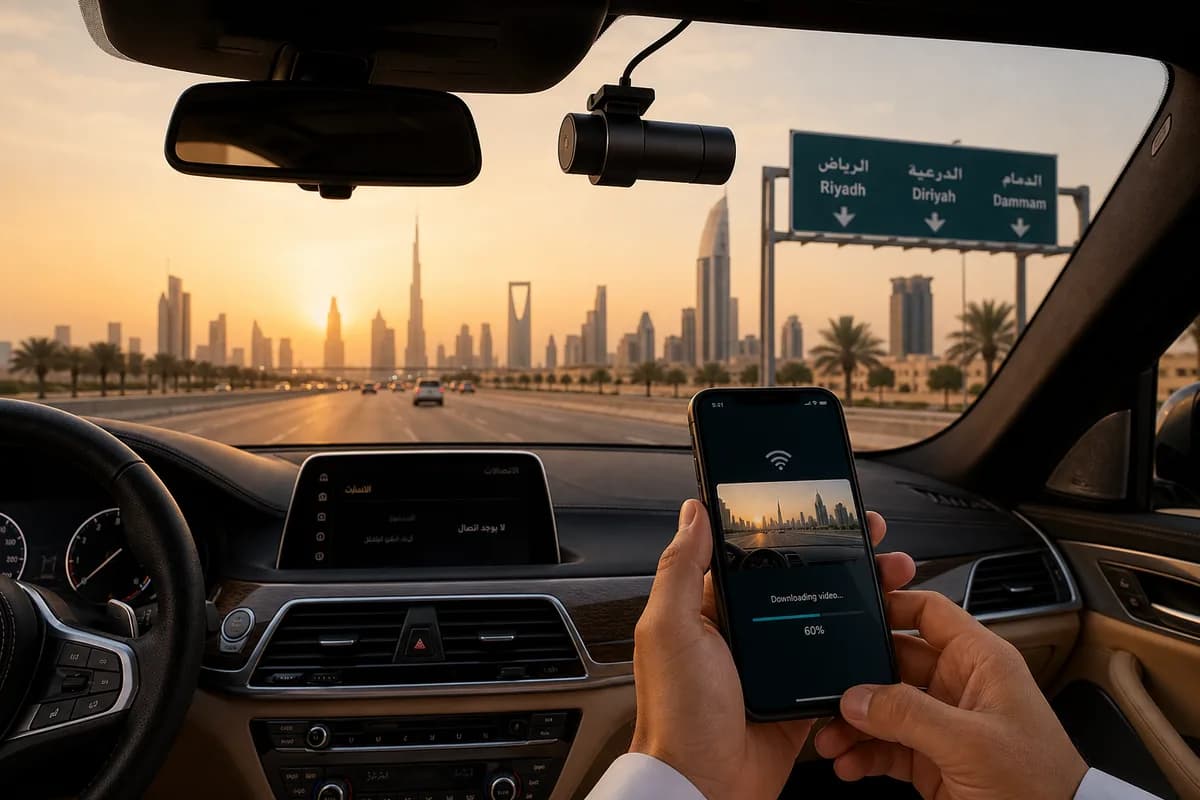
BlackVue is the premium dashcam of choice in UAE and Saudi Arabia, dominating the Gulf market with over 65% market share among luxury and mid-range vehicle owners in Dubai, Abu Dhabi, Riyadh, and Jeddah. With models like the DR900X-2CH, DR750X-3CH, and DR590X-2CH, BlackVue offers advanced features perfectly suited for Middle East driving conditions: cloud connectivity, parking mode for harsh climates, and LTE integration with regional carriers.
Whether you need to download BlackVue dashcam videos for insurance claims (mandatory in UAE traffic accidents), police evidence, or YouTube content showcasing UAE/Saudi roads, this guide covers all download methods optimized for the MENA region: SD card transfer, BlackVue Cloud access (with MENA servers), and WiFi app connectivity.
More importantly, we'll show you how to blur faces and license plates before sharing BlackVue footage—a critical requirement under UAE PDPL (Personal Data Protection Law) and Saudi PDPL regulations, which mandate consent before sharing identifiable personal information.
Why BlackVue Is the Top Dashcam Choice in UAE & Saudi Arabia
BlackVue's dominance in the Gulf region stems from features tailored to Middle East conditions:
Extreme Heat Resistance: UAE and Saudi summers exceed 50°C—BlackVue dashcams are rated for operation up to 70°C, with specialized capacitors (not batteries that fail in heat).
Cloud Connectivity for MENA: BlackVue Cloud operates on MENA-region servers, ensuring fast uploads via Etisalat, du, STC, Mobily, and Zain LTE networks. This is critical for remote monitoring of luxury vehicles in Dubai Marina or Riyadh's diplomatic quarter.
Parking Mode Excellence: Essential in UAE where vehicles sit in 60°C+ parking lots for hours. BlackVue's parking mode detects impacts and motion while protecting the camera from heat damage.
Insurance Claim Requirement: UAE traffic law increasingly requires dashcam evidence for accident claims. BlackVue's 4K quality ensures number plates and incident details are clearly captured.
Premium Adoption: BlackVue aligns with UAE/Saudi luxury vehicle market—commonly installed in Lexus, Mercedes, BMW, and Range Rover models sold by Al-Futtaim, Abdul Latif Jameel, and other regional distributors.
Local Dealer Network: Authorized BlackVue dealers in UAE (Axiom, Virgin Megastore, car accessory shops) and Saudi Arabia (Jarir, Extra, specialized auto electronics stores) provide installation, warranty, and support.
Why Download BlackVue Footage in UAE & Saudi Arabia?
BlackVue owners in the Gulf region download footage for:
Insurance Claims & Traffic Accidents: UAE law requires detailed accident reports. BlackVue's 4K footage with GPS data provides irrefutable evidence. Saudi insurance companies increasingly accept dashcam footage to expedite claims.
Police Evidence Submission: Dubai Police and Saudi traffic departments accept dashcam footage for hit-and-run investigations, reckless driving reports, and traffic violation disputes. The Dubai Police Smart App allows direct video submission.
YouTube & Social Media Content: Popular Middle East dashcam channels showcase UAE/Saudi driving culture, supercar sightings, and traffic incidents. Examples: "Dubai Dashcam Daily," "Saudi Road Chronicles."
Fleet & Commercial Use: Taxi operators, delivery services (Talabat, Careem, Uber in UAE/Saudi), and corporate fleets download footage for driver monitoring and liability protection.
Personal Safety & Theft Prevention: Remote access to BlackVue Cloud allows owners to monitor parked vehicles in real-time—critical for high-value cars in Dubai Mall parking or Riyadh malls.
UAE & Saudi Privacy Laws: Why Blurring Is Mandatory
UAE Personal Data Protection Law (PDPL) and Saudi Personal Data Protection Law (PDPL) both classify faces and license plates as personal data requiring consent before sharing:
- UAE PDPL: AED 500,000 to AED 3 million fines for unauthorized sharing of personal data
- Saudi PDPL: SAR 3 million penalties for privacy violations
- GCC Privacy Regulations: Bahrain, Kuwait, Qatar, Oman have similar consent requirements
Before posting BlackVue footage on YouTube, Instagram, or submitting to non-official channels, you must blur all identifiable faces and license plates—consent from every visible person/vehicle is impractical in traffic footage.
Exception: Submitting original, unblurred footage to UAE police, Saudi traffic police, or insurance companies is permitted for official investigations.
Method 1: Download BlackVue Videos via SD Card (Fastest Method)
The SD card method is the most reliable way to download BlackVue footage, especially important in UAE/Saudi where extreme heat can affect wireless connectivity.
Step 1: Power Off and Remove SD Card
- Turn off your BlackVue dashcam (disconnect from power or wait until recording stops)
- Locate the SD card slot (usually behind a rubber cover on camera side)
- Press gently to eject microSD card (spring-loaded mechanism)
- Handle carefully in air-conditioned environment—cards can be hot after UAE summer recording
UAE/Saudi climate tip: Wait 1-2 minutes after turning off dashcam before removing SD card. Cards can reach 70°C+ in summer and are sensitive to static electricity from dry, air-conditioned environments.
Step 2: Insert SD Card into Computer
For computers with SD readers:
- Insert microSD into full-size SD adapter
- Insert adapter into computer's SD slot
- Wait for drive to appear in File Explorer (Windows) or Finder (Mac)
For computers without SD readers:
- Use USB microSD card reader (available at Sharaf DG, Jarir, Extra, or online via noon.com, Amazon.ae, Souq.com)
- Plug reader into USB port
- Insert microSD card
- Wait for drive to mount
Step 3: Navigate to BlackVue Video Files
- Open File Explorer (Windows) or Finder (Mac)
- Locate SD card drive (labeled "BLACKVUE" or "NO NAME")
- Navigate to BlackVue folder structure:
- Record folder: Contains all recordings
- Normal: Continuous loop recordings (1-2 minute segments)
- Event: G-sensor triggered incidents (hard braking, impacts)
- Parking: Parking mode recordings (motion/impact detection)
- Manual: User-saved recordings (button press)
- Record folder: Contains all recordings
BlackVue file naming convention:
- Format:
YYYYMMDD_HHMMSS_[F/R/I].mp4 - Example:
20260528_143022_F.mp4(May 28, 2026, 2:30:22 PM, Front camera) _F= Front camera_R= Rear camera (on 2CH/3CH models)_I= Interior camera (on DR750X-3CH Truck model)
GPS data: BlackVue stores GPS coordinates in separate .GPS files with matching timestamps. Download these along with videos if you need location verification.
Step 4: Copy Files to Computer
- Select videos you need (Ctrl/Cmd+Click for multiple files)
- Copy (Ctrl+C / Cmd+C)
- Navigate to destination folder (Desktop, Documents, Videos)
- Paste (Ctrl+V / Cmd+V)
- Wait for transfer — typical speed: 30-90 MB/s depending on card quality
BlackVue file sizes (MENA models):
- DR590X series (1080p): ~200MB per minute
- DR750X series (1080p front + rear): ~350MB per minute
- DR900X series (4K front + 1080p rear): ~600MB per minute
Storage planning: A typical day of driving in Dubai (2 hours) generates:
- DR900X: ~72GB (4K quality)
- DR750X: ~42GB (dual 1080p)
- DR590X: ~24GB (1080p)
Step 5: Safely Eject and Reinsert
Windows:
- Click "Safely Remove Hardware" icon in system tray
- Select your SD card drive
- Wait for "Safe to remove" confirmation
- Remove card
Mac:
- Right-click drive icon on desktop
- Select "Eject [drive name]"
- Wait for icon to disappear
- Remove card
Reinsert the SD card into your BlackVue dashcam. The camera will resume recording automatically when vehicle power is restored.
SD Card Method: Pros & Cons
Pros:
- ✅ Fastest transfer speed (no network bottleneck)
- ✅ Works offline in UAE/Saudi locations without WiFi
- ✅ Transfer entire day's footage at once
- ✅ Most reliable in extreme heat (no wireless interference)
- ✅ No data charges on UAE/Saudi mobile networks
Cons:
- ❌ Must physically access dashcam (challenging if professionally hardwired)
- ❌ Risk of corruption if SD card overheats or improperly ejected
- ❌ Need SD card reader (not always available in UAE/Saudi offices)
- ❌ Can't preview footage before downloading
Method 2: Download via BlackVue Cloud (MENA Region Access)
BlackVue Cloud is extremely popular in UAE and Saudi Arabia, allowing remote access to footage via LTE connection—perfect for monitoring parked luxury vehicles or fleet management.
Step 1: Verify Your BlackVue Model Supports Cloud
Cloud-compatible models sold in UAE/Saudi:
- ✅ DR900X-2CH Plus (4K, LTE, most popular in UAE)
- ✅ DR750X-2CH LTE (1080p, affordable cloud option)
- ✅ DR750-2CH LTE (older but widely used)
- ✅ DR590X-2CH (budget model, WiFi cloud only via smartphone hotspot)
Check for LTE module: Cloud-enabled models have a visible LTE antenna or "LTE" marking on the unit.
Step 2: Activate BlackVue Cloud Subscription
Subscription options for MENA region:
- Free Plan: 1GB cloud storage, limited features
- Basic Plan: ~$9.99/month, 10GB storage, live view
- Plus Plan: ~$19.99/month, 50GB storage, extended video history
- Premium Plan: ~$29.99/month, 100GB storage, priority support
How to subscribe:
- Download BlackVue app (iOS/Android)
- Create BlackVue account
- Register your dashcam serial number
- Select subscription plan
- Pay via credit card (Visa/Mastercard accepted in UAE/Saudi)
MENA payment note: Some UAE/Saudi banks flag recurring international charges. Use cards enabled for international transactions (Emirates NBD, Al Rajhi Bank, etc.).
Step 3: Insert SIM Card (for LTE Models)
Compatible carriers in UAE:
- Etisalat (recommended—best coverage in Dubai, Abu Dhabi)
- du (good in Northern Emirates)
Compatible carriers in Saudi Arabia:
- STC (Saudi Telecom Company—best nationwide coverage)
- Mobily (good in major cities)
- Zain (available in urban areas)
SIM card requirements:
- Nano-SIM format
- Data-only or voice+data plan (minimum 1GB/month recommended)
- UAE: Data SIM available from Etisalat kiosks (AED 50-100/month)
- Saudi: Data SIM from STC shops (SAR 50-150/month)
How to insert SIM:
- Locate SIM slot on BlackVue LTE module (small tray)
- Use SIM eject tool (paperclip works)
- Insert nano-SIM (check orientation marking)
- Reinsert tray firmly
- Power on dashcam—LTE LED should blink then turn solid
Roaming note: If you frequently cross UAE-Saudi border (common for business travelers on Riyadh-Dubai routes), consider a roaming-enabled SIM or dual-SIM setup.
Step 4: Configure Cloud Settings
Via BlackVue app:
- Open BlackVue app
- Tap Cloud icon
- Enable Auto Upload:
- Event recordings: Automatically upload impact/hard brake incidents
- Parking mode: Upload motion-triggered clips
- Manual save: Upload when you press save button
- Set Upload Quality:
- High: Full 4K/1080p (uses more data)
- Medium: Compressed (recommended for UAE/Saudi data plans)
- Low: Maximum compression (for limited data plans)
- Upload Timing:
- Immediate: Upload as soon as event occurs (requires good LTE signal)
- WiFi only: Wait until connected to WiFi (saves mobile data)
Data usage estimates (UAE/Saudi mobile networks):
- Immediate upload (1 event per day): ~500MB-1GB/month
- Continuous upload (all events): 5-15GB/month
- WiFi only: 0 mobile data used
Step 5: Access BlackVue Cloud Portal
Desktop access:
- Visit cloud.blackvue.com
- Log in with BlackVue account
- View live camera feed (if dashcam is powered on)
- Browse uploaded recordings organized by date and type
- GPS tracking: See your vehicle's location history on map
- Download videos: Click download icon next to any recording
Mobile app access:
- Open BlackVue app
- Tap Cloud icon
- Select your dashcam from device list
- View live view or recorded events
- Tap video thumbnail to stream or download to phone
Step 6: Download Cloud Videos
From desktop:
- Browse cloud video library
- Click download icon on desired video
- Video saves to Downloads folder
- Original quality preserved (4K/1080p)
From mobile app:
- Select video in cloud gallery
- Tap download icon
- Video saves to phone's Photos/Gallery
- Option to share directly to WhatsApp (common in UAE/Saudi for insurance claims)
BlackVue Cloud: Pros & Cons for UAE/Saudi Users
Pros:
- ✅ Remote access from anywhere (monitor Dubai-parked car from Riyadh office)
- ✅ Automatic incident upload protects evidence if dashcam stolen
- ✅ Live view for vehicle security (check on valet parking)
- ✅ GPS tracking for fleet management
- ✅ No SD card handling in extreme heat
- ✅ Works with UAE/Saudi LTE networks (Etisalat, du, STC, Mobily)
- ✅ MENA servers ensure fast uploads/downloads
Cons:
- ❌ Monthly subscription cost (AED 35-110 / SAR 35-110)
- ❌ Mobile data charges apply (unless WiFi-only upload)
- ❌ LTE coverage gaps in remote areas (Saudi desert highways, UAE mountain roads)
- ❌ Heat can affect LTE module performance (above 65°C)
- ❌ Requires SIM card management (registration laws in UAE/Saudi)
- ❌ Cloud storage limits—older videos auto-delete after plan limit
Method 3: Download via BlackVue App WiFi (UAE/Saudi Setup)
The BlackVue WiFi app allows direct smartphone connection to download footage without cloud subscription or SD card removal.
Step 1: Download BlackVue App
For iPhone (common in UAE/Saudi luxury car owners):
- Open App Store
- Search "BlackVue"
- Download official BlackVue app (by PITTASOFT)
- Requires iOS 13.0 or later
For Android:
- Open Google Play Store
- Search "BlackVue"
- Download and install
- Requires Android 7.0 or later
App language: Supports English and Arabic—useful for Saudi users who prefer Arabic interface.
Step 2: Enable WiFi on BlackVue Dashcam
For touchscreen models (DR900X, DR750X):
- Tap screen to wake up dashcam
- Swipe down from top to access Settings
- Tap WiFi icon
- Toggle WiFi ON
- Note Network Name (SSID): "BlackVue_[last 4 digits of serial]"
- Note Password: Default is printed on dashcam label or in manual
For non-touchscreen models (older DR590X):
- Press and hold WiFi button (marked with WiFi icon)
- Hold for 3 seconds until WiFi LED blinks
- Network name: "BlackVue_####"
- Default password: Check manual or camera label
WiFi range: Approximately 10-20 meters (30-60 feet). In UAE/Saudi parking lots, you'll need to be near your vehicle. Works well in home garages or covered parking.
Step 3: Connect Smartphone to BlackVue WiFi
iPhone:
- Open Settings → WiFi
- Find "BlackVue_####" network
- Enter password
- Tap Connect
- Ignore "No Internet Connection" warning (this is normal—you're connecting directly to camera)
Android:
- Open Settings → WiFi
- Select "BlackVue_####" network
- Enter password
- Tap Connect
- If prompted about "No Internet," select Stay Connected
Note: While connected to BlackVue WiFi, you won't have internet access. WhatsApp, email, etc., won't work until you reconnect to regular WiFi or mobile data.
Step 4: Open BlackVue App and Connect
- Launch BlackVue app
- Tap WiFi icon (not Cloud)
- App should auto-detect your BlackVue dashcam
- If not detected:
- Tap "Add Device" or "+"
- Select your model from list
- Follow pairing instructions
- Wait for connection confirmation (usually 5-10 seconds)
Troubleshooting UAE/Saudi specific issues:
- Extreme heat: If connection fails, wait until evening or park in shade. Temperatures above 65°C can cause WiFi module instability.
- Interference: Dubai/Riyadh have dense WiFi environments. Try moving away from buildings with strong WiFi signals.
Step 5: Browse and Download Videos
- In BlackVue app, tap "Playback" or "Video Gallery"
- Browse folders:
- Normal: Continuous loop recordings
- Event: G-sensor triggered incidents
- Parking: Parking mode detections
- Manual: User-saved clips
- Front/Rear toggle: Switch between front and rear camera views (2CH models)
- Tap video thumbnail to preview
- Tap download icon (downward arrow)
- Select download quality:
- Original: Full 4K/1080p (large files, slow download)
- Compressed: Faster download, slightly reduced quality
- Wait for transfer (speed: 5-20 MB/s depending on WiFi conditions)
- Videos save to Photos (iPhone) or Gallery (Android)
Download time estimates (via WiFi in UAE/Saudi):
- 1-minute 4K clip (DR900X): 2-4 minutes
- 1-minute 1080p clip (DR750X): 1-2 minutes
- 10-minute incident: 10-30 minutes (not ideal for long videos)
Step 6: Disconnect and Share
- Exit BlackVue app when downloads complete
- Reconnect phone to regular WiFi or mobile data:
- iPhone: Settings → WiFi → Select home/mobile network
- Android: Settings → WiFi → Select your network
- Downloaded videos now accessible in photo library
- Share via WhatsApp (common in UAE/Saudi for insurance claims):
- Open Photos/Gallery
- Select BlackVue video
- Tap Share → WhatsApp
- Send to insurance agent or family
WhatsApp compression warning: WhatsApp heavily compresses videos. For insurance/police submissions, use email or cloud storage (Google Drive, iCloud, Dropbox) to preserve original quality.
BlackVue WiFi App: Pros & Cons for UAE/Saudi
Pros:
- ✅ No SD card removal (dashcams often professionally installed in UAE/Saudi)
- ✅ No cloud subscription cost
- ✅ No mobile data usage
- ✅ Preview before downloading (saves time in hot parking lots)
- ✅ Quick access for insurance claims (download only incident, not full day)
- ✅ Works in underground parking (no LTE signal needed)
Cons:
- ❌ Slower than SD card transfer
- ❌ Drains dashcam and phone battery (issue in hot UAE/Saudi climate)
- ❌ Must be physically near vehicle (10-20 meter range)
- ❌ Heat affects WiFi performance (summer temperatures above 65°C)
- ❌ Not practical for bulk downloads (entire day's footage)
- ❌ No remote access (can't monitor from office/home)
Before Sharing: How to Blur Faces and License Plates in BlackVue Videos (UAE & Saudi Privacy Compliance)
Critical legal requirement: UAE PDPL and Saudi PDPL mandate consent before sharing identifiable personal information. Before uploading BlackVue footage to YouTube, Instagram, Twitter (X), or non-official channels, you must blur all faces and license plates.
UAE & Saudi Privacy Law Requirements
UAE Personal Data Protection Law (PDPL):
- Covers all personal data including faces, license plates, and location information
- Fines: AED 500,000 to AED 3 million for violations
- Consent required before sharing identifiable information
- Exception: Submission to Dubai Police, RTA, or insurance companies for official purposes
Saudi Personal Data Protection Law (PDPL):
- Similar to GDPR—protects personal identifiers including biometric data (faces)
- Fines: Up to SAR 3 million
- Consent mandatory before public sharing
- Exception: Police reports, insurance claims, legal proceedings
Cultural considerations:
- UAE/Saudi have strict privacy expectations, especially regarding filming people
- Sharing videos with identifiable faces (especially women) can lead to social/legal issues
- License plates can reveal vehicle owner identity—sensitive in Gulf culture
Why Manual Blurring Fails for BlackVue Footage
BlackVue 4K footage presents unique challenges:
- High resolution: DR900X captures plates clearly from 50+ meters—more objects to blur
- Dual camera: 2CH/3CH models require blurring both front and rear footage
- GPS data: BlackVue embeds location data—may need removal for privacy
- Long recordings: 2-hour Dubai drive contains hundreds of vehicles and pedestrians
- Manual editing time: Frame-by-frame blurring in Premiere Pro: 4-8 hours per 10-minute clip
BGBlur: Automated Solution for UAE/Saudi BlackVue Footage
BGBlur.com provides AI-powered face and license plate blurring optimized for dashcam footage—used by content creators, fleet operators, and insurance claimants across UAE and Saudi Arabia.
Why BGBlur Works for BlackVue (UAE/Saudi Context)
-
Automatic Detection: AI finds ALL faces and plates including:
- UAE/Saudi license plates: Recognizes Arabic/English plate formats
- Distant plates: Detects plates 50+ meters away (common in BlackVue 4K)
- Faces in vehicles: Passengers visible through windows
- Reflections: Plates/faces in mirrors and glass buildings (Dubai/Riyadh high-rises)
-
Frame-Accurate Tracking: Blur follows moving subjects through:
- Fast-moving traffic: Sheikh Zayed Road speeds, Riyadh Ring Road
- Camera shake: Bumpy roads, speed bumps (common in UAE)
- Multiple objects: 10+ vehicles in frame (Dubai traffic)
-
Fast Processing:
- 5-minute 4K BlackVue video: 3-6 minutes processing
- 30-minute commute footage: 15-25 minutes
- Batch processing: Upload multiple clips simultaneously
-
Dual Camera Support: Process front and rear BlackVue footage separately or together
-
Privacy Compliance: Ensures GDPR/UAE PDPL/Saudi PDPL compliance automatically
How to Blur BlackVue Videos for UAE/Saudi Sharing: 3 Steps
Step 1: Upload BlackVue Footage to BGBlur
- Visit BGBlur.com/en/upload
- Select blur type:
- Face Blur: Pedestrians, people in vehicles, construction workers (common in Dubai)
- License Plate Blur: All vehicles (UAE/Saudi plates, international plates)
- Both: Complete privacy protection (RECOMMENDED for UAE/Saudi)
- Upload your BlackVue MP4 file:
- Drag and drop from desktop
- Or click to browse files
- Supported formats: MP4 (all BlackVue formats), MOV, AVI
- No file size limit (important for 4K footage—a 30-minute DR900X clip is 18GB)
Step 2: AI Detection and Review
- BGBlur automatically scans every frame (all 30fps/60fps)
- Detection preview shows highlighted faces and plates
- Review accuracy:
- Check if Arabic plates detected (UAE: white plates, taxi yellow plates)
- Check if Saudi plates detected (white plates with Arabic/English)
- Verify faces in vehicles/windows are detected
- Adjust settings:
- Blur intensity: Light (still somewhat visible) to Heavy (complete anonymization)
- Blur style:
- Gaussian (natural, professional—recommended)
- Pixelation (stronger anonymization)
- Solid blocks (maximum privacy)
- Selective blur: Option to keep YOUR vehicle's plate unblurred while blurring others
Step 3: Process and Download
- Click "Start Processing"
- Wait for AI rendering:
- 5-minute clip: 3-6 minutes
- 30-minute clip: 15-25 minutes
- Processing happens in cloud (no strain on your UAE/Saudi computer)
- Preview blurred video before downloading
- Download privacy-safe version:
- Original quality maintained (4K/1080p)
- Same file format (MP4)
- GPS data option: Keep or remove (for privacy)
- Share confidently:
- YouTube (monetizable, compliant)
- Instagram/TikTok (UAE/Saudi dashcam channels)
- WhatsApp to insurance (compressed, but privacy-safe)
- Email to lawyers/authorities (original quality)
Privacy guarantee: BGBlur processes videos securely and deletes all files within 24 hours after download. No permanent storage. Servers comply with GDPR/international privacy standards.
Pricing for UAE/Saudi users:
- Free tier: 5-minute video limit, basic blur
- Pay-per-video: ~$5-15 per video (one-time payment)
- Subscription: $19.99/month unlimited (ideal for fleet operators, content creators)
Payment: Accepts UAE/Saudi credit cards (Visa, Mastercard), PayPal
BlackVue Models Popular in UAE & Saudi Arabia
Understanding which BlackVue model you own helps optimize download methods:
| Model | Resolution | Cloud | WiFi | Notes for UAE/Saudi |
|---|---|---|---|---|
| DR900X-2CH Plus | 4K front + 1080p rear | ✅ LTE | ✅ | Most popular in UAE luxury segment |
| DR750X-3CH LTE | 1080p all 3 cameras | ✅ LTE | ✅ | Best for trucks (interior camera) |
| DR750-2CH LTE | 1080p front + rear | ✅ LTE | ✅ | Reliable mid-range choice |
| DR590X-2CH IR | 1080p front + interior IR | ⚠️ Via phone | ✅ | Popular for taxis/Uber in UAE |
| DR900X-1CH | 4K front only | ✅ LTE | ✅ | Budget 4K option |
| DR490L-2CH | 1080p front + rear | ❌ | ✅ | Entry level, WiFi only |
Most recommended for UAE/Saudi:
- DR900X-2CH Plus: Best overall (4K, cloud, heat-resistant)
- DR750X-2CH LTE: Best value (1080p sufficient, reliable cloud)
Troubleshooting BlackVue Download Issues (UAE/Saudi Specific)
"SD card corrupted after summer heat exposure"
Solutions:
- UAE/Saudi temperatures can corrupt SD cards—use high-endurance, high-temperature rated cards:
- SanDisk High Endurance MAX (rated to 85°C)
- Samsung PRO Endurance (rated to 85°C)
- Format SD card monthly via BlackVue menu (not computer formatting)
- Park in shade when possible to reduce camera temperature
- Replace SD card every 6-12 months (more frequent than cooler climates)
- Avoid removing hot SD card—wait 2-3 minutes after parking
Where to buy in UAE/Saudi:
- Sharaf DG, Jumbo Electronics (UAE)
- Jarir Bookstore, Extra (Saudi Arabia)
- Online: noon.com, Amazon.ae, Souq.com
"BlackVue Cloud not uploading in UAE/Saudi"
Solutions:
- Check LTE coverage: Some areas (Dubai Marina underground parking, Saudi remote highways) have weak signal
- Verify SIM data plan: Ensure data hasn't expired (check with Etisalat/du/STC/Mobily)
- SIM registration: UAE/Saudi require SIM card registration to owner's Emirates ID/Iqama
- Visit carrier store with ID to register
- Unregistered SIMs blocked after 30 days
- Carrier APN settings: Some carriers need manual APN configuration
- Etisalat APN:
etisalat - du APN:
du - STC APN:
stc - Mobily APN:
web1
- Etisalat APN:
- Heat: Above 65°C, LTE module may throttle—uploads resume when cooler
- Cloud subscription status: Check if payment went through (some UAE/Saudi banks block recurring international charges)
"BlackVue app won't connect via WiFi"
Solutions:
- Heat-related: In summer, WiFi module can fail above 65°C
- Wait until evening or use air-conditioned garage
- WiFi interference: Dubai/Riyadh have dense WiFi environments
- Move away from malls/buildings
- Try 2.4GHz vs 5GHz (if your model supports both)
- Phone WiFi settings:
- iPhone: Turn off "Auto-Join Hotspot"
- Android: Disable "Smart Network Switch"
- Update firmware: Download BlackVue Viewer software (Windows/Mac) and update dashcam firmware via SD card
- Reset WiFi: BlackVue menu → WiFi → Reset (password returns to default)
"Downloaded video has no GPS data"
Solutions:
- Ensure GPS enabled in BlackVue settings (some models ship with GPS off)
- Wait 5-10 minutes after starting car for GPS lock (first time in new location)
- GPS signal: Underground parking blocks GPS—videos recorded there won't have location
- View GPS data:
- Use BlackVue Viewer software (free download from BlackVue website)
- Or upload to BlackVue Cloud (displays GPS route on map)
- Metal tint: UAE/Saudi vehicles often have heavy window tint—can block GPS signal if antenna placement is poor
"Videos play choppy or won't play on computer"
Solutions:
- Use VLC Media Player (free)—better codec support than Windows Media Player or QuickTime
- 4K playback: Requires powerful computer
- Minimum: Intel i5/AMD Ryzen 5, 8GB RAM
- GPU acceleration helps (enable in VLC: Tools → Preferences → Video)
- Download BlackVue Viewer: Official software optimized for BlackVue codec
- Corrupted files: If recorded during extreme heat (70°C+), files may have errors
- Try video repair software
- Reformat SD card to prevent future corruption
Best Practices for BlackVue Usage in UAE & Saudi Arabia
1. Use Extreme Heat-Rated SD Cards
UAE/Saudi summer temperatures require special SD cards:
Recommended:
- SanDisk High Endurance MAX 128GB (rated to 85°C): AED 180-220 / SAR 180-220
- Samsung PRO Endurance 128GB (rated to 85°C): AED 170-210 / SAR 170-210
- Lexar High-Endurance 64GB (rated to 85°C): AED 90-130 / SAR 90-130
Specifications:
- Class 10, UHS-I (U1) minimum
- 64GB-256GB capacity
- Temperature rating: -25°C to 85°C
- Endurance rating: 10,000+ hours continuous recording
Avoid consumer-grade cards—they fail quickly in UAE/Saudi heat.
2. Regular SD Card Maintenance (Critical in Hot Climates)
- Format every 2-4 weeks via BlackVue menu:
- Settings → Format → Confirm
- NEVER format on computer (corrupts BlackVue file structure)
- Replace every 6-12 months (heat accelerates wear)
- Keep spare in vehicle (stored in air-conditioned glovebox)
3. Optimize BlackVue Cloud for UAE/Saudi Data Plans
To minimize mobile data usage:
- BlackVue settings → Cloud → Upload Quality → Medium (balance quality/data)
- Upload only Event recordings (not continuous footage)
- Use WiFi upload when parked at home:
- BlackVue auto-connects to saved WiFi
- Uploads pending events overnight
- Monitor data usage:
- Etisalat: Dial
*170#or My Etisalat app - du: My du app
- STC: MySTC app
- Mobily: My Mobily app
- Etisalat: Dial
Typical data usage (UAE/Saudi):
- Event-only upload: 500MB-2GB/month (recommended)
- Continuous upload: 10-30GB/month (expensive on UAE/Saudi data plans)
4. Protect Against Heat Damage
BlackVue thermal protection tips:
- Park in shade when possible
- Use windshield sun shades (reduces cabin temperature by 15-20°C)
- Parking mode settings: Disable parking mode when parked in direct sun for extended periods
- Settings → Parking Mode → Off (manually, when needed)
- This prevents dashcam from running hot in parked vehicle
- Professional installation: Have installer position camera away from direct sun exposure
- Authorized installers: Available at BlackVue dealers (UAE/Saudi)
5. Organize Downloaded Footage
Folder structure for UAE/Saudi users:
BlackVue_Archive/
├── 2026/
│   ├── January/
│   │   ├── Accident_SZR_20260115/
│   │   │   ├── Front_Camera.mp4
│   │   │   ├── Rear_Camera.mp4
│   │   │   ├── GPS_Data.txt
│   │   ├── Supercar_Sighting_20260120/
│   ├── February/
│       ├── Insurance_Claim_20260205/
Naming convention: Event_Location_YYYY-MM-DD
Examples:
Accident_Sheikh_Zayed_Road_2026-01-15Parking_Damage_Dubai_Mall_2026-02-10Scenic_Drive_Jebel_Jais_2026-03-05
6. Back Up Critical Evidence Immediately
For insurance/police submissions:
- Multiple locations:
- Computer hard drive
- Cloud storage (Google Drive, iCloud, Dropbox, OneDrive)
- External USB drive (store in cool place)
- Original files: Keep unedited, uncompressed versions
- Blurred versions: For social media/public sharing
- Don't delete from SD card until claim is settled (some UAE insurance companies request physical SD card for verification)
7. Comply with UAE/Saudi Privacy Laws
Before sharing BlackVue footage:
- ✅ Blur all faces and license plates using BGBlur.com
- ✅ Remove audio if conversations captured (privacy risk)
- ✅ Check location sensitivity: Blur footage near government buildings, military zones
- ✅ Original for officials only: Provide unblurred footage to police/insurance
- ✅ YouTube/Instagram: Only upload blurred versions
- ✅ WhatsApp sharing: Even private sharing should be blurred (screenshots can leak)
Cultural note: UAE/Saudi culture values privacy highly. When in doubt, blur more than less.
Where to Buy BlackVue in UAE & Saudi Arabia (Authorized Dealers)
UAE:
- Axiom Telecom (Dubai, Abu Dhabi, Sharjah)
- Virgin Megastore (Dubai Mall, Mall of the Emirates)
- Sharaf DG (nationwide)
- Online: noon.com, Amazon.ae (verify authorized seller)
Saudi Arabia:
- Jarir Bookstore (Riyadh, Jeddah, Dammam)
- Extra Stores (nationwide)
- Al-Futtaim Auto Accessories (Riyadh)
- Online: Jarir.com, Extra.com
Installation services:
- Most dealers offer professional hardwiring (AED 150-300 / SAR 150-300)
- Recommended for parking mode (draws power when engine off)
Warranty:
- 1-2 years warranty from authorized dealers
- International warranty may not cover in UAE/Saudi—buy locally
Conclusion: Download Safely, Share Responsibly in UAE & Saudi Arabia
Downloading BlackVue dashcam videos in UAE and Saudi Arabia is seamless with the SD card, BlackVue Cloud, and WiFi app methods. Choose based on your needs:
- SD card: Fastest, most reliable (especially in extreme heat)
- BlackVue Cloud: Best for remote monitoring, fleet management, luxury vehicle security
- WiFi app: Convenient for quick access, no subscription cost
Most critical for UAE/Saudi users: Before sharing BlackVue footage on YouTube, Instagram, or social media, always blur faces and license plates using BGBlur.com to comply with UAE PDPL and Saudi PDPL privacy regulations.
Your BlackVue dashcam protects you on UAE and Saudi roads—download and share footage responsibly.
Blur BlackVue dashcam videos for UAE/Saudi privacy compliance on BGBlur.com →
Related Resources
- How to Download Garmin Dashcam Videos — Garmin download guide
- How to Blur License Plates in Dashcam Footage — Complete privacy guide
- UAE PDPL Video Privacy Compliance — UAE privacy law guide
- Dashcam Blur Software — Professional redaction tools
Last updated: May 28, 2026