BGBlur Guide: How to Blur License Plates in Videos Before Posting on Facebook to Protect Privacy, Anonymize Identifiable Information, and Avoid Legal Risks
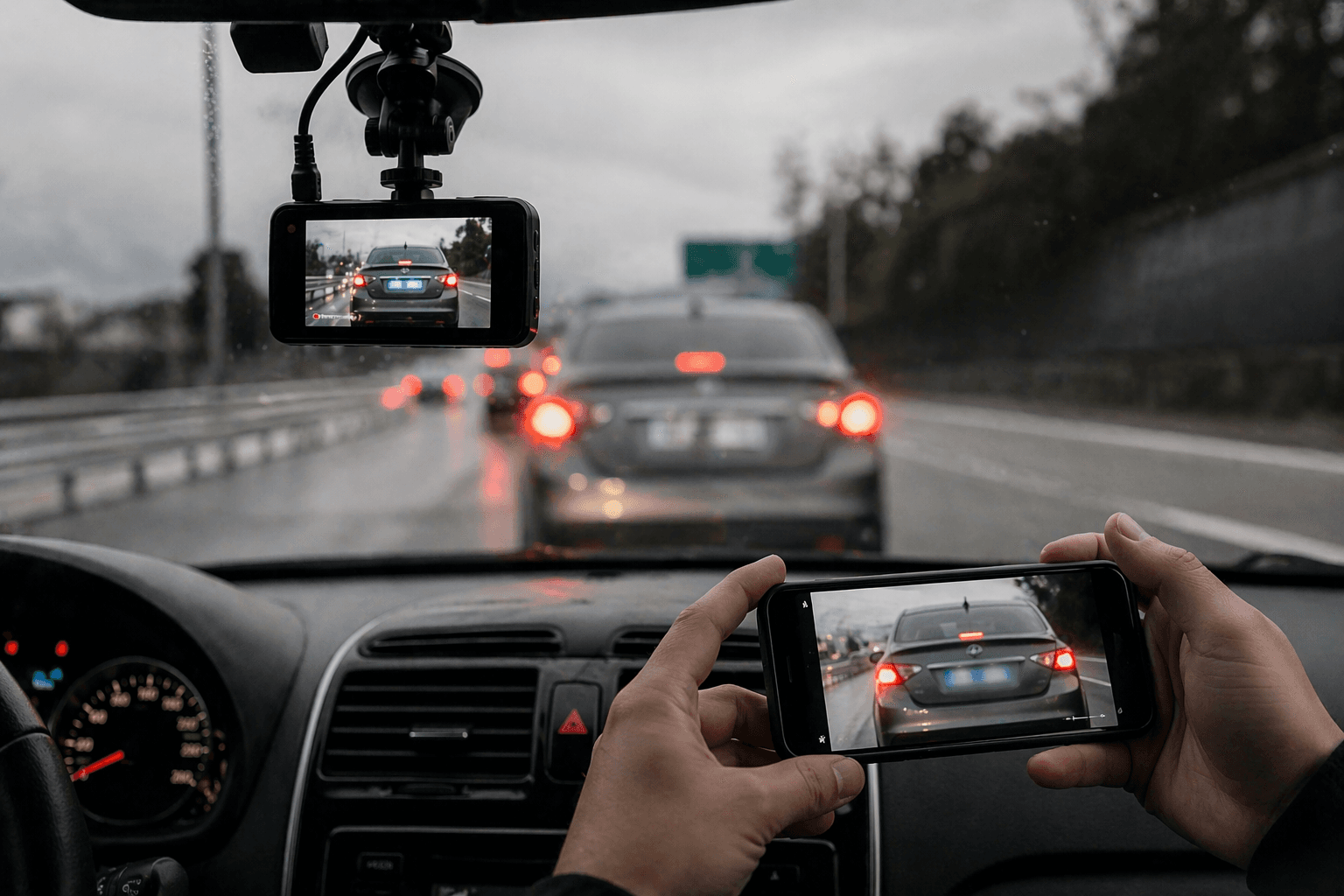
Social media has made it easier than ever to share moments from our daily lives including photos and videos taken on the road. But when it comes to posting license plates on Facebook, many people do not stop to think about the privacy, legal, and safety implications that can follow. Whether you captured a road rage incident, a funny bumper sticker, or a suspicious vehicle, sharing a license plate number publicly is something that deserves careful consideration.
Is Posting a License Plate Number on Facebook Illegal?
The short answer is: it depends on your country, state, and intent.
In many regions, a license plate number is considered public information because it is visible to anyone on the road. However, using that information in a way that could facilitate harassment, stalking, or defamation can cross into illegal territory. For example, if you post a license plate number on Facebook along with a call for people to "find this person" or make threats, you could be held liable for any harm that results.
Facebook's own community standards discourage content that could lead to harassment or real-world harm. Posts that publicly expose a license plate number alongside someone's personal details such as their location or daily routine may be flagged and removed from the platform.
So while the act of posting a license plate on Facebook may not be automatically illegal, the context around it matters enormously.
Why People Post License Plate Numbers on Social Media
There are several common reasons people share license plate numbers on platforms like Facebook:
- Reporting reckless or dangerous driving to warn the local community
- Documenting hit-and-run accidents for public help in identifying the vehicle
- Sharing funny or unusual custom plates for entertainment
- Calling out road rage or aggressive behavior caught on dashcam
- Seeking help to locate a stolen vehicle
While some of these reasons are understandable, each of them carries a risk. Even well-intentioned posts can quickly spiral into online mobs, wrongful accusations, or privacy violations especially when the wrong license plate number is identified or when the vehicle belongs to someone other than the person in question.
The Privacy Risk of Sharing a License Plate Number
A license plate number may seem like a harmless piece of data. After all, anyone walking down the street can read it. But in the digital age, that number can be used to access a surprising amount of information.
In some countries and states, private investigators, certain businesses, and even individuals can use license plate lookup services to find out the registered owner's name and address. When you post a license plate on Facebook and it gets shared widely, you are essentially putting that information in front of thousands of strangers and you have no control over what they do with it.
This is especially concerning in cases where someone with bad intentions uses the license plate number to track down a person, show up at their home, or target them for harassment. What started as a public shaming post can turn into a real-world safety threat.
AI License Plate Number Detection: A Growing Concern
Technology has made it even easier to extract and misuse license plate data. AI license plate number recognition tools commonly known as ANPR (Automatic Number Plate Recognition) or LPR (License Plate Recognition) are increasingly being used not just by law enforcement but also by private companies and, in some cases, individuals.
These AI systems can automatically scan and read a license plate number from photos and videos with high accuracy. When you post a video of a traffic incident on Facebook, someone with access to an AI license plate number tool could extract that plate within seconds even if you did not intend to make it readable.
This is why privacy-conscious individuals and legal experts now strongly recommend performing a video license plate blur before uploading any road footage. Blurring the plate before it goes live ensures that even sophisticated AI tools cannot extract the number from your clip.
How to Blur a License Plate in a Video Before Posting
If you want to share dashcam footage, a traffic clip, or any road video on Facebook without exposing someone's license plate number, you need to know how to blur a license plate in a video before it goes live. This is no longer a complicated technical task. A wide range of free and paid tools now make it straightforward for anyone to handle video license plate blur at home, on a phone, or directly in a browser.
Here is a full breakdown of the most practical methods available today.
How to Blur License Plate in Video Using a Desktop Editor
Most professional and semi-professional video editing software gives you full control over region-specific blurring. Here is how to blur license plate in video using popular desktop tools:
Using DaVinci Resolve, you can use the Power Window feature to draw a shape over the license plate and apply a blur effect. The tracker then follows the plate as the vehicle moves through the frame, keeping the blur locked in place throughout the clip. This is one of the most accurate ways to handle video license plate blur for moving vehicles.
Using Adobe Premiere Pro, you can apply a Gaussian blur effect to an adjustment layer and use a mask to target only the license plate area. The mask path can be keyframed to track the plate across frames, making it ideal for fast-moving traffic footage.
Using iMovie on a Mac, direct region blurring is not natively supported, but you can use a free online tool like Clideo or VEED.io to handle the video license plate blur before importing the clip for any final editing.
How to Blur License Plate in Video on Your Phone
If you are filming on a smartphone and want to blur license plate in video quickly without transferring files to a computer, several mobile-friendly options make this easy:
On Android, apps like CapCut, KineMaster, and AndroVid allow you to select a region of the video frame and apply a mosaic or blur effect to it. Simply import your clip, draw a box over the plate area, apply the blur, and export before posting to Facebook.
On iPhone, CapCut is one of the most capable free options for video license plate blur. You can add a blur sticker or use the mask feature to cover the license plate area. Alternatively, apps like Splice or Videoleap offer similar region-blurring functionality for iOS users.
For a completely browser-based approach, tools like VEED.io and Kapwing let you upload a video, draw a blur region over the license plate, and download the processed file all without installing any software on your device.
AI-Powered Tools for Automatic Video License Plate Blur
Manual blurring works well for short clips, but if you are working with longer dashcam footage or multiple videos, AI-powered solutions make the process much faster. These tools use AI license plate number detection to automatically find and blur every license plate in a video, frame by frame, without you needing to manually track the plate yourself.
YouTube offers a built-in blur tool that lets you blur custom regions in uploaded videos, though it works best for slow-moving or stationary objects. For more accurate automatic tracking, dedicated tools like DashcamViewer, BlurFaces.app, and Celantur offer full automatic video license plate blur powered by machine learning models that detect plates even when they are partially obscured, tilted, or at an angle.
Some of these AI tools work directly in the cloud. You upload your footage, the system automatically identifies every license plate number in the video, applies the blur, and returns the finished clip to you within minutes. This is especially useful for fleet companies, insurance professionals, and content creators who regularly deal with road footage and need a reliable, scalable way to handle video license plate blur at volume.
How to Blur Number Plate in Video: Step-by-Step Summary
For those who want a quick reference, here is a simplified step-by-step process to blur number plate in video before posting on Facebook:
Step 1: Import your video into a video editor of your choice-CapCut, DaVinci Resolve, VEED.io, or any similar tool.
Step 2: Locate the frame where the license plate first becomes visible.
Step 3: Draw a selection box or mask over the license plate area.
Step 4: Apply a Gaussian blur, mosaic blur, or pixelation effect to that selection.
Step 5: If the vehicle is moving, use the motion tracking feature to keep the blur locked onto the plate as it travels across the frame throughout the video.
Step 6: Export the finished video and review it to confirm that the license plate is no longer readable before uploading it to Facebook.
This process takes anywhere from two to fifteen minutes depending on the length of the clip and the tool you are using a small investment of time that protects the privacy of everyone involved.
How to Blur License Plate in Video: Choosing the Right Method
When deciding how to blur license plate in video, it helps to match the method to your situation. For a quick, casual clip being posted the same day, a mobile app like CapCut will get the job done in minutes. For high-quality dashcam footage that you plan to share widely or submit as evidence, a desktop editor like DaVinci Resolve will give you the most precise and professional video license plate blur result. And for bulk processing of multiple videos, an AI-powered cloud tool will save you the most time while still delivering accurate results.
The key takeaway is that no matter which method you use, performing a video license plate blur before posting is always better than skipping it. Once a video is live and shared widely, removing it becomes far harder than it is to blur the plate in the first place.
What Facebook's Policies Say
Facebook does not have a specific rule that targets license plates directly, but its broader policies on privacy and harassment apply in full. If a post containing a license plate number is reported as harassment or as encouraging others to target someone, Facebook can remove the content and potentially restrict or suspend the account responsible for it.
Additionally, once something is posted publicly on Facebook, it can be scraped, copied, and redistributed before any takedown occurs. This is precisely why prevention completing the video license plate blur before posting is far more effective than trying to remove content after the damage is done.
Best Practices When Sharing Road Footage on Facebook
If you feel you must share a video or photo involving another vehicle on Facebook, these guidelines will help you do so responsibly:
- Always blur the license plate number before posting, regardless of your reason for sharing. Use one of the methods described above to perform a proper video license plate blur on every clip before it goes live.
- Avoid including any personal commentary that could be interpreted as encouraging harassment of the driver.
- If you witnessed a serious crime or dangerous driving, report it to the police rather than or before posting it on social media.
- Be aware that the vehicle in your footage might be registered to someone other than the driver, such as a family member, employer, or rental company.
- Think carefully about whether the post serves a legitimate public interest or is primarily an expression of frustration that could spiral out of control.
Final Thoughts
Posting license plates on Facebook is a common impulse, especially after a frustrating encounter on the road. But in a world where AI license plate number recognition tools can extract data from a video in seconds, and where that data can be misused in harmful ways, it pays to be cautious every time you consider sharing road footage publicly.
The most responsible step you can take is to perform a proper video license plate blur before sharing any clip. Whether you use a mobile app, a desktop editor, or an AI-powered automatic tool, knowing how to blur a license plate in a video is now an essential skill for anyone who regularly captures footage while driving.
It takes only a few extra minutes to blur number plate in video before uploading, but it can save you from legal trouble, protect the privacy of others, and prevent your content from being used in ways you never intended. When in doubt, let the authorities handle serious incidents rather than turning to social media justice. The risks of posting a license plate number publicly are higher than most people realize and the solution, thanks to today's video license plate blur tools, is simpler than ever.
Write a Review
All Reviews (0)
No reviews yet
Be the first to share your experience!
Related product updates
BGBlur Guide: How to Blur License Plates, Faces, and Sensitive Details in Dashcam Videos Using AI for Privacy, Redaction, and Secure Export in Browser Workflows
Learn how to blur license plates, faces, and sensitive details in dashcam videos using AI tools. Professional privacy protection for insurance claims, legal compliance, and public sharing.
BGBlur: How to Blur the Background of Your TikTok Videos with AI Background Blur, Face and License Plate Anonymization in a Fast Browser Workflow
Transform your TikTok videos with AI-powered blur technology. The best TikTok video editor for privacy protection - blur backgrounds, faces, and license plates in seconds. Free online tool.
BGBlur: How to Automatically Blur Moving Objects in Video for Privacy and Anonymization — AI Face Blur, License Plate Blur, Background and Object Blur with Browser Export
Learn how to blur moving objects in video using AI-powered technology. Protect privacy, remove distractions, and maintain professional quality with automated blur tracking.
BGBlur AI Video Blur Tool for Privacy Protection — Blur Faces, License Plates, Objects, Backgrounds and Export Anonymized Videos in Browser
Protect your privacy with AI-powered blur tool that automatically detects and blurs faces, objects, brand names, and backgrounds in videos. Free online video blur.
Face Swap Videos in Seconds with BGBlur — AI Face Swap for Video and Images, Tips for Realistic Results, Free and Paid Tools, Quick Browser Workflow, Export and Privacy
A complete guide to face swap AI tools for video and images — covering the best free and paid options, tips for realistic results, and how to get started quickly.