BGBlur: How to Automatically Blur Moving Objects in Video for Privacy and Anonymization — AI Face Blur, License Plate Blur, Background and Object Blur with Browser Export
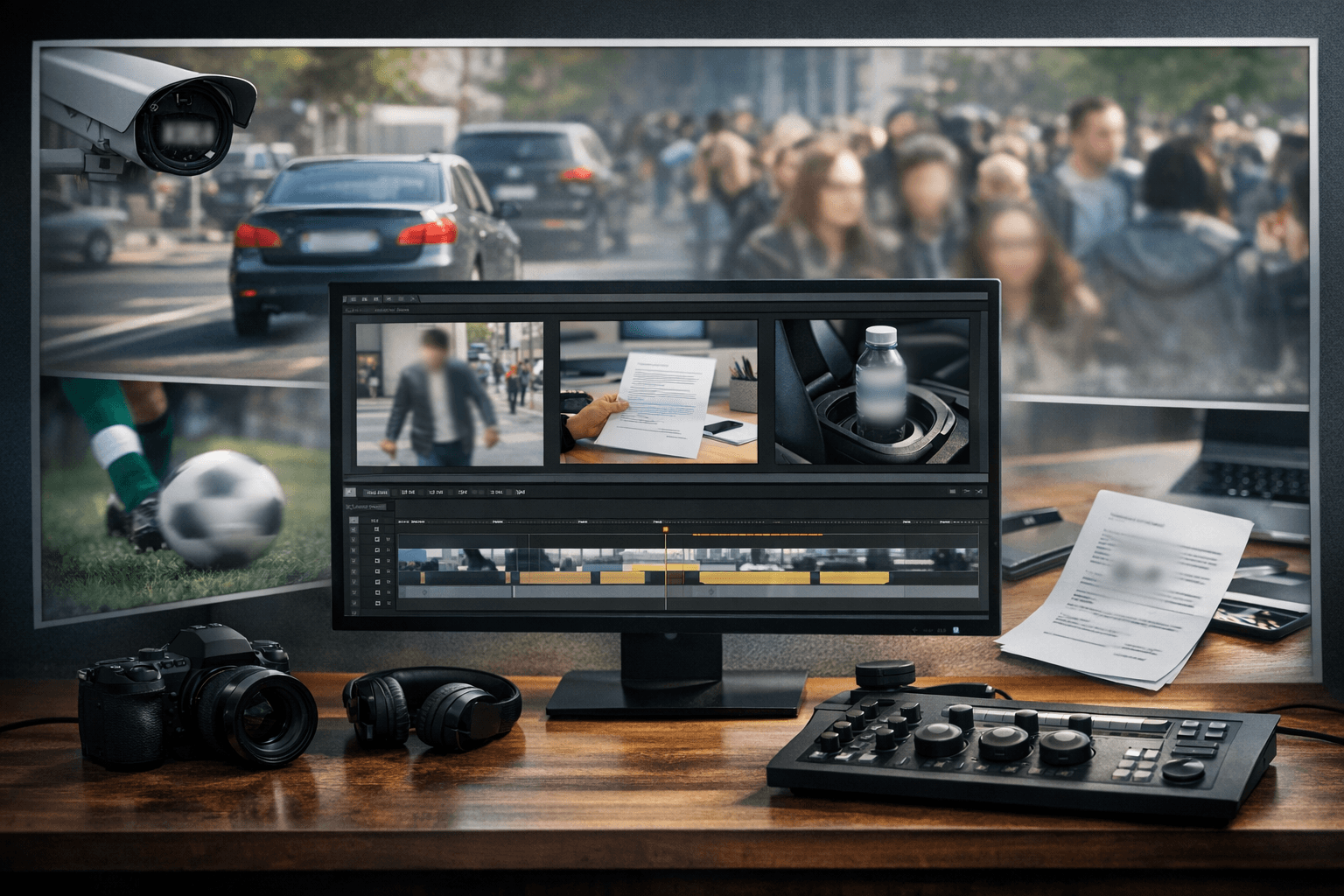
Transform your video content with professional moving object blur capabilities featuring AI-powered detection, automatic tracking, and seamless blur application for faces, brand names, documents, and any moving elements using advanced video editing technology designed for content creators, businesses, and privacy-conscious users.
Blur moving object in video content ensures your footage meets privacy standards, removes unwanted branding, and eliminates distractions while maintaining professional video quality. This automated process enhances legal compliance and helps you navigate privacy concerns when sharing footage containing sensitive information, identifiable individuals, or proprietary details.
Professional AI video editing platforms like BGBlur offer powerful features to automatically blur object in video content, including faces, brand names, documents, bottles, and backgrounds while maintaining video clarity and visual integrity. These tools are essential for video privacy protection where compliance and professional presentation directly impact content sharing capabilities.
Transform your videos by uploading footage and utilizing automated blur detection. AI analyzes each frame, detecting moving objects, faces, and sensitive elements, then applies precise tracking blur effects that follow movement seamlessly throughout your video. After applying blur for privacy protection and distraction removal, your videos are ready for professional use, public sharing, or commercial distribution with complete confidence.
Benefits Of Using AI Blur Technology For Moving Objects
Professional automated blur technology delivers transformative advantages for video creators who need to blur moving object in video content efficiently and accurately.
Universal Privacy Protection: Automatically blur face in video content to protect individuals appearing without consent. Stay compliant with GDPR, CCPA, and privacy laws when sharing footage publicly across platforms. This feature is particularly crucial for content creators who film in public spaces and need to respect individual privacy rights while maintaining engaging content.
Brand Control & Compliance: Blur brand name in video content to eliminate unauthorized logo appearances, competitive product placement, or contractual brand restrictions—essential for commercial content and sponsored media. Many brands have strict guidelines about logo usage, and automated blur technology helps you navigate these requirements without extensive manual editing.
Document Security: Blur an document in video to protect sensitive information, confidential paperwork, or proprietary materials visible in footage, preventing accidental information disclosure. Whether you're filming tutorials, office environments, or educational content, document blur ensures compliance with data protection regulations.
Product Privacy: Blur bottle in video and other product containers to avoid unintended endorsements or competitive brand exposure in commercial content, vlogs, and professional productions. This capability is essential for maintaining neutral content or adhering to sponsorship agreements that prohibit certain brand appearances.
Sports & Action Coverage: Blur ball in video and fast-moving sports equipment for creative effects, competitor anonymization, or broadcast rights compliance in athletic content. Sports videographers can focus viewer attention or meet licensing requirements through strategic blur application.
Comprehensive Object Blur: Blur anything in video with advanced AI detection that identifies and tracks any specified element—from vehicles and equipment to signs and personal items. The flexibility to target any object type makes this technology universally applicable across diverse content creation scenarios.
Complete Scene Protection: Blur everything in video backgrounds while maintaining subject focus, creating professional depth effects or protecting location privacy in sensitive footage. Background blur enhances production value while ensuring comprehensive privacy protection.
Time Efficiency: Eliminate hours of manual frame-by-frame editing with AI-powered automation that processes videos in minutes rather than days. Traditional manual blur techniques require painstaking work across thousands of frames, while automated solutions deliver professional results in a fraction of the time.
Who Benefits From Using BGBlur Moving Object Blur Technology?
Understanding who needs to blur moving object in video content helps illustrate the broad applicability of automated blur technology across professional and personal use cases.
Content Creators & YouTubers - Digital creators need automatic blur capabilities to remove brand logos, protect bystander privacy, and eliminate visual distractions before publishing across YouTube, TikTok, and social platforms. The ability to quickly blur object in video footage ensures consistent upload schedules without compromising content quality or privacy standards. Learn more about improving Instagram brand visibility without paid ads to complement your video strategy.
Corporate Communications Teams - Businesses require efficient blur items in video capabilities for internal footage, training videos, and public communications that may contain proprietary information, employee identities, or confidential documents. Corporate environments frequently contain sensitive visual information that must be protected before external distribution.
Marketing & Advertising Agencies - Professional agencies need precise brand control to blur brand name in video during pre-production footage, competitor analysis, or contractual compliance requirements. Agency workflows demand efficiency and precision when handling multiple client projects with varying privacy and branding requirements.
Event Videographers - Wedding and event professionals must protect attendee privacy by blurring faces of guests who haven't provided consent for commercial use or public distribution. Event videography presents unique challenges with multiple subjects moving unpredictably across frames, making automated tracking essential.
Real Estate Professionals - Property videographers need to blur personal photos, documents, and identifying details visible in home tours while maintaining property presentation quality. Real estate content requires balancing comprehensive property showcase with resident privacy protection.
Legal & Compliance Teams - Legal professionals require privacy-compliant video evidence with sensitive elements blurred for court submissions, investigations, or regulatory compliance. Legal contexts demand precision and reliability when redacting video evidence for official proceedings.
Fitness & Sports Content - Athletic content creators need to blur moving object in video to focus attention, protect competitor identities, or comply with broadcast rights restrictions. Sports content involves rapid movement and multiple subjects that benefit significantly from automated tracking capabilities. Discover strategies for getting targeted leads from Instagram with smart commenting to grow your fitness brand.
BGBlur's Comprehensive Video Privacy Solutions
While BGBlur's moving object blur technology handles dynamic elements across any video content, the platform also offers specialized tools optimized for specific use cases that require the ability to blur moving object in video footage professionally.
Dashcam & Vehicular Footage Protection
BGBlur's Dashcam Video Editor provides specialized capabilities for automotive footage, automatically detecting and blurring license plates, vehicle occupants, and sensitive location details in traffic incident documentation, fleet management footage, and rideshare recordings. This specialized tool handles high-speed highway footage with precision tracking that follows vehicles at any speed, ensuring comprehensive privacy protection even in challenging motion scenarios.
Identity Protection & Face Anonymization
The platform's advanced face detection algorithms automatically identify and blur face in video throughout your footage, regardless of movement, lighting conditions, or camera angles. Perfect for crowd footage, street photography, public event coverage, and any content requiring comprehensive identity protection. The system maintains tracking even when subjects turn, move quickly, or temporarily leave the frame.
Brand & Logo Removal
Specialized brand detection technology identifies and blurs commercial logos, product labels, and brand names appearing on clothing, equipment, signage, and products throughout your video—essential for commercial content, sponsored media, and competitive analysis. The ability to blur brand name in video content automatically saves countless hours compared to manual masking approaches.
Document & Screen Content Protection
Advanced text and document recognition automatically detects and blurs papers, screens, monitors, and any readable text appearing in your footage, protecting confidential information, proprietary data, and sensitive communications from accidental exposure. The system can blur an document in video even when documents move, rotate, or partially leave the frame.
Background & Location Anonymization
Comprehensive background blur capabilities allow selective or complete background anonymization, protecting location privacy, removing environmental distractions, or creating professional depth-of-field effects without expensive camera equipment. You can blur everything in video backgrounds while maintaining perfect subject clarity for cinematic production values.
Key Features of BGBlur Moving Object Blur Technology
Understanding the technical capabilities that enable professional results when you need to blur moving object in video content helps you maximize the platform's potential.
Universal Browser Compatibility: Works seamlessly across Chrome, Safari, Firefox, and Edge on any operating system without software installation requirements. This accessibility ensures you can process video wherever you work without complex setup procedures.
AI-Powered Object Detection: Advanced machine learning algorithms automatically identify faces, brands, documents, and specified objects with exceptional accuracy across diverse footage types. The AI continuously improves through exposure to varied content, enhancing detection reliability over time.
Automatic Motion Tracking: Sophisticated tracking technology follows moving objects frame-by-frame with precision, maintaining blur coverage even through complex camera movements and subject interactions. The system predicts movement trajectories to ensure seamless blur application without gaps.
Multi-Object Processing: Simultaneously detect and blur multiple elements in single processing passes—blur items in video efficiently without repeated manual work. This capability dramatically reduces processing time when handling footage with multiple privacy-sensitive elements.
Comprehensive Format Support: Compatible with MP4, MOV, AVI, MKV, and all major video formats from smartphones, cameras, drones, and professional recording equipment. Format flexibility ensures compatibility regardless of your recording device or workflow preferences.
High-Resolution Processing: Maintains full video quality through 4K resolution, preserving professional production values while applying privacy protection. The system processes high-resolution footage without quality degradation or compression artifacts.
Selective Blur Control: Choose automatic detection for comprehensive coverage or manual selection to blur an object in video with precise control over which elements receive blur treatment. This flexibility accommodates both rapid processing needs and precise editorial requirements.
Fast Cloud Processing: Advanced server infrastructure delivers processed videos in minutes, enabling rapid turnaround for time-sensitive content publication or compliance requirements. Cloud processing eliminates local hardware limitations and accelerates workflow efficiency.
Privacy-First Security: All uploaded videos process with encryption and automatic deletion after download, ensuring your footage remains confidential and secure. The platform never stores, shares, or accesses your content beyond immediate processing needs.
Best Practices For Moving Object Blur in Videos
Implementing effective strategies when you blur moving object in video content ensures optimal results and maximizes the value of automated blur technology.
Content Review Strategy - Preview footage before processing to identify all privacy-sensitive elements including faces, brand names, documents, and background details. Consider minimal necessary disclosure—only show what's essential for your content purpose. Comprehensive pre-processing review prevents overlooked privacy violations and ensures complete protection.
Video Quality Standards - Record in at least 1080p resolution for optimal AI detection accuracy. Ensure proper camera stabilization, adequate lighting, and clean lens surfaces for best automated tracking performance. Higher source quality directly improves AI detection reliability and tracking precision.
Blur Priority Hierarchy - Address the most sensitive elements first: personal identification, then proprietary information, followed by brand names, and finally background distractions. Layer blur applications strategically for comprehensive protection. Prioritizing critical privacy elements ensures essential protections apply even if processing time constraints limit comprehensive blur coverage.
Blur Effect Aesthetics - Apply pixelated blur for complete information concealment on sensitive elements. Use moderate gaussian blur for faces that maintains natural appearance. Adjust blur intensity based on content sensitivity and aesthetic requirements. Different blur styles serve different purposes, from complete anonymization to subtle privacy protection.
Tracking Verification - Review processed footage carefully to confirm blur tracking maintains coverage throughout complex movements, camera pans, and subject interactions without gaps or misalignment. Quality control verification prevents privacy breaches from tracking failures in challenging motion scenarios.
For social media content creators, understanding how to automate Instagram comments without sounding spammy can complement your video privacy strategy for comprehensive digital presence management.
Top Alternatives for Moving Object Blur in Videos
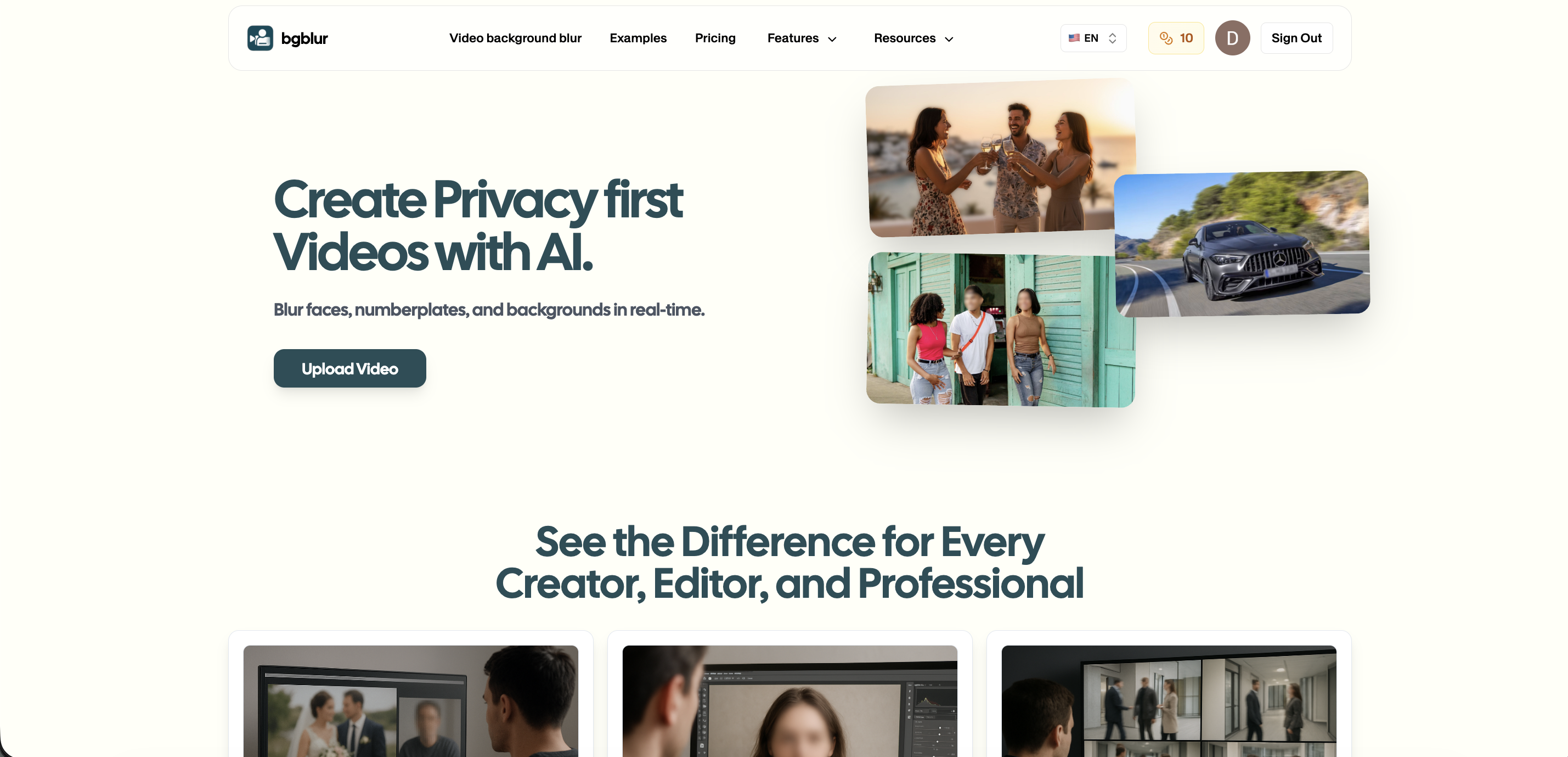
When it comes to automated object blur capabilities, several platforms compete in the professional video editing market. Here's a comprehensive comparison for those seeking to blur moving object in video content professionally.
1. BGBlur (Recommended)
BGBlur stands as the premier AI-powered platform specifically designed for automated moving object blur across any video content. This specialized solution combines object detection, face recognition, brand identification, and document blur in a single browser-based interface—making it the most efficient tool for comprehensive video privacy protection.
Key Advantages:
- Multi-Element Detection: Simultaneously identifies faces, brands, documents, and custom objects in single processing passes
- High-Speed Motion Tracking: Maintains precise blur coverage on objects moving at any speed through complex camera movements
- Browser-Based Convenience: No downloads or installations—works instantly on any device with internet connectivity
- Universal Format Support: Automatic optimization for all major video formats and platform requirements
- Privacy-First Architecture: Encrypted processing with automatic file deletion ensures complete content security
For video creators serious about privacy compliance, professional presentation, and workflow efficiency, BGBlur represents the most powerful and accessible solution available to blur object in video content automatically.
2. Adobe Premiere Pro
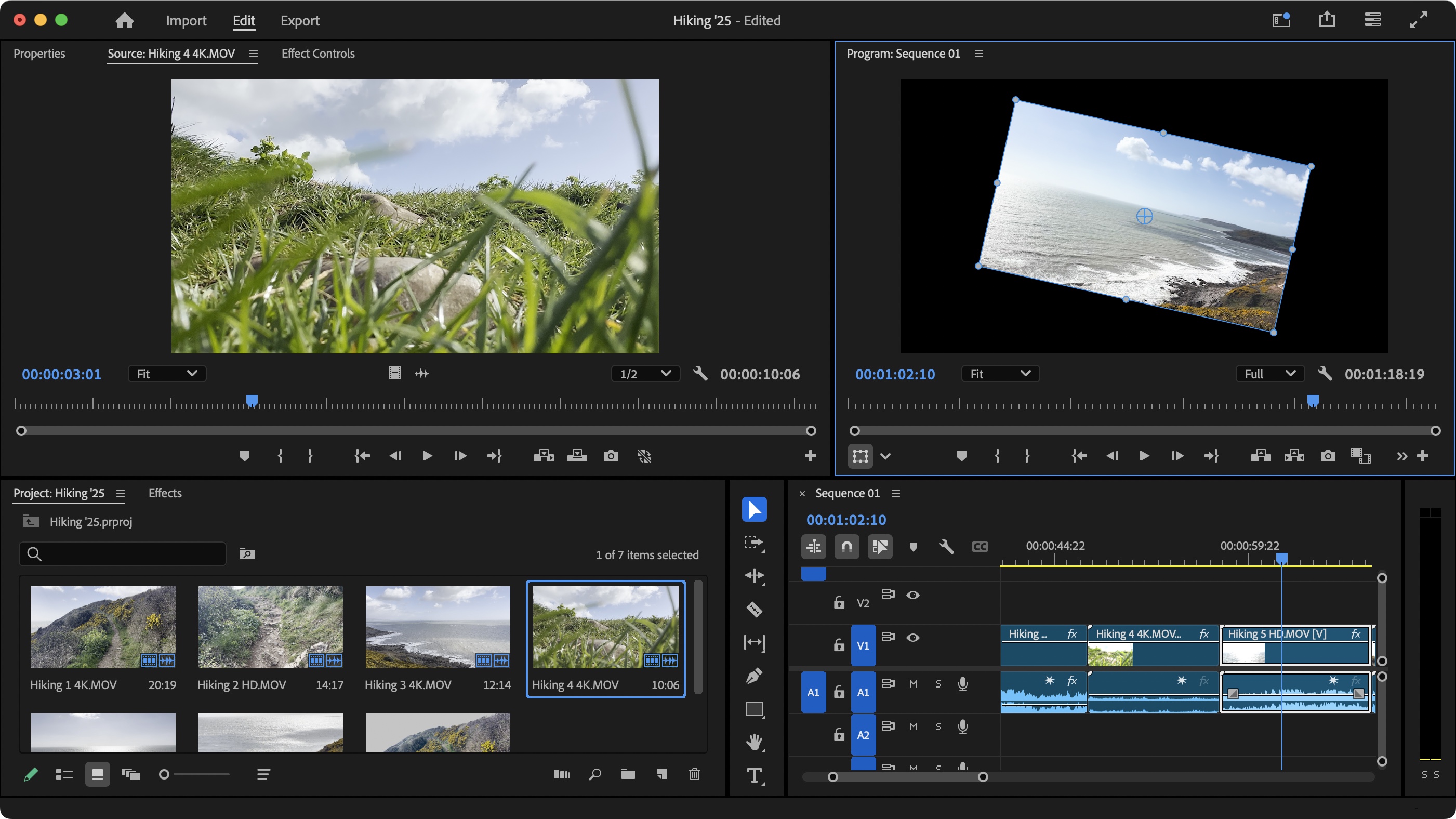
Adobe Premiere Pro delivers industry-standard professional video editing with comprehensive masking, tracking, and blur capabilities. The platform's tracking and masking features handle complex blur requirements with pixel-perfect precision.
However, Premiere Pro requires $22.99 monthly subscription and provides no automatic object detection—every element must be manually identified, masked, and tracked. The steep learning curve and manual workflows make it less practical than specialized AI platforms for routine blur needs when you need to blur items in video quickly.
3. Final Cut Pro
Final Cut Pro positions as Apple's professional video editing suite optimized for macOS systems. The editor includes magnetic timeline, color grading, and motion graphics tools alongside blur capabilities.
For automated blur specifically, Final Cut Pro lacks AI object detection and requires entirely manual masking and tracking. The $299 one-time purchase and macOS-only availability limit accessibility compared to browser-based AI solutions that can blur brand name in video automatically.
4. DaVinci Resolve
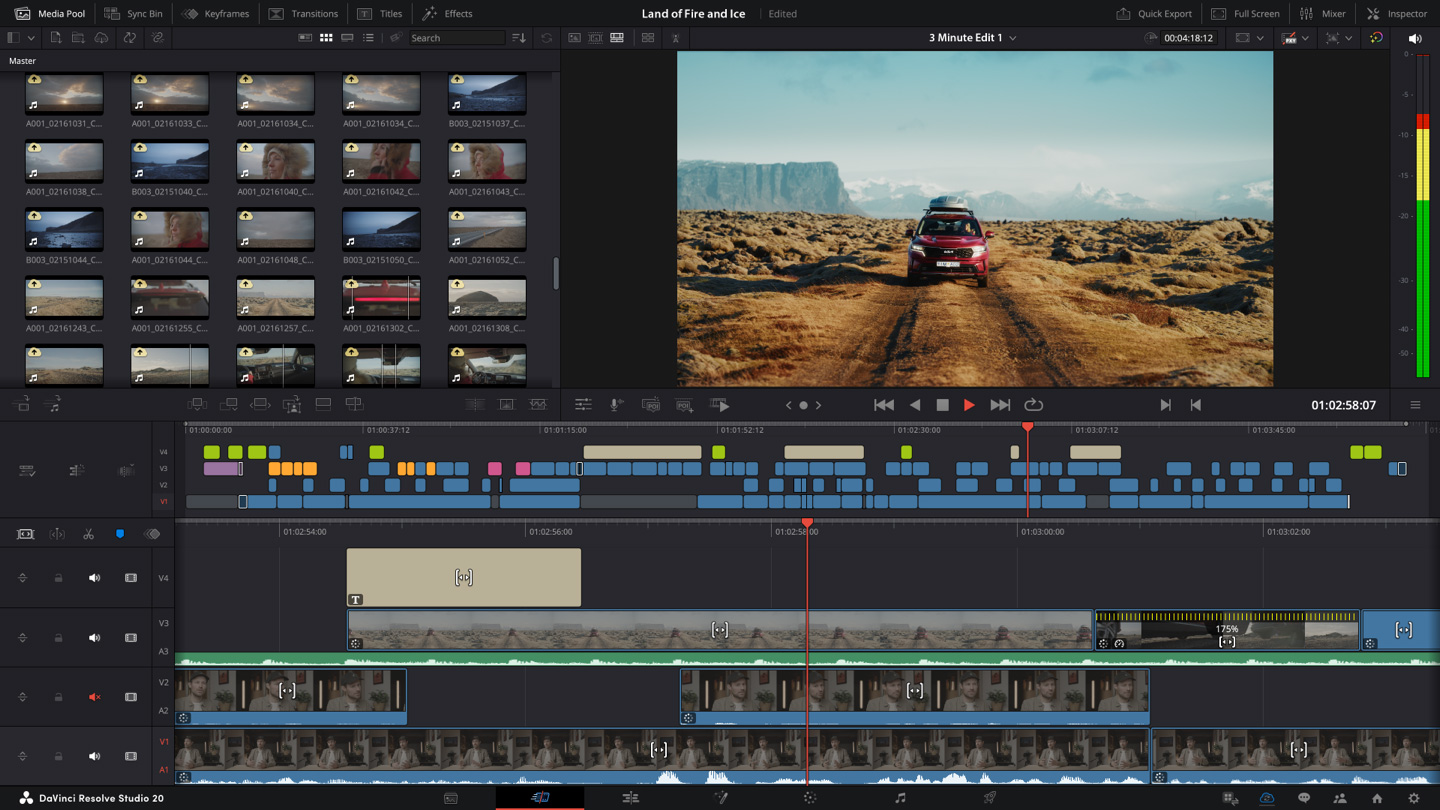
DaVinci Resolve offers professional-grade video editing, color correction, and visual effects in both free and paid versions. The software includes tracking and masking tools capable of blur application with professional precision.
Despite powerful tracking features, DaVinci Resolve provides no automatic object detection AI. Every blur element requires manual identification and frame-by-frame tracking setup. The complex interface and manual workflow make it less efficient than specialized AI tools for blur-focused projects where you need to blur face in video content quickly.
5. HitFilm Express
HitFilm Express provides free video editing combined with visual effects capabilities. The application includes masking, tracking, and various blur effects.
For moving object blur specifically, HitFilm Express requires entirely manual work without automatic detection. Every object must be manually masked and tracked frame-by-frame, making it impractical for efficient blur workflows compared to AI-powered automation that can blur anything in video automatically.
If you're building a comprehensive digital strategy, explore how to get 10+ leads everyday from LinkedIn using organic strategies to complement your video marketing efforts.
Conclusion
Professional automated blur technology has become essential for responsible video content creation and distribution in our privacy-conscious digital environment. BGBlur democratizes this capability with AI-powered processing that transforms ordinary video footage into privacy-protected, professionally refined content suitable for public sharing, commercial distribution, and legal compliance.
With sophisticated object detection, multi-element tracking, and browser-based accessibility, content creators no longer need expensive software subscriptions or specialized editing expertise to blur moving object in video content professionally. The AI technology handles complex scenarios—multiple objects, rapid movement, camera motion—that would require days of manual frame-by-frame editing in traditional software.
The ability to automatically blur object in video footage revolutionizes content creation workflows, enabling creators to focus on storytelling and audience engagement rather than tedious technical editing. Whether you need to blur face in video for privacy protection, blur brand name in video for compliance, blur an document in video for confidentiality, or blur anything in video for creative purposes, automated AI solutions deliver professional results efficiently.
Start transforming your video content today with BGBlur's professional AI blur technology. Experience how automated object blur elevates your content quality, protects privacy, and enables confident distribution across any platform while maintaining the visual clarity that makes video content compelling for audiences worldwide.
For businesses looking to scale their digital presence, understanding how influencer marketing platforms help startups succeed can provide additional growth strategies alongside video content optimization.
Frequently Asked Questions (FAQs)
Q1: What types of moving objects can BGBlur detect and blur automatically?
BGBlur's AI detects faces, brand logos, text and documents, vehicles, products, sports equipment, and virtually any specified object throughout video footage. The advanced detection algorithms work across diverse object types, sizes, and movement speeds with exceptional accuracy, making it easy to blur moving object in video content regardless of complexity.
Q2: How does motion tracking handle fast-moving objects in video?
BGBlur's sophisticated motion tracking technology maintains precise blur coverage on objects moving at any speed, even through rapid camera movements, zooms, and pans. The system analyzes object trajectories frame-by-frame, predicting movement paths to ensure consistent blur application without gaps or misalignment when you need to blur object in video footage.
Q3: Can I blur multiple different objects simultaneously in one video?
Absolutely! BGBlur processes multiple object types in single passes—simultaneously blurring faces, brand names, documents, and background elements throughout your footage. This multi-object capability dramatically reduces processing time compared to sequential blur applications, allowing you to blur items in video efficiently.
Q4: Does blurring moving objects reduce video quality?
No. BGBlur maintains your original video resolution and quality while applying precision blur effects only to specified elements. The core footage clarity, color grading, and visual integrity remain completely intact throughout the blur process when you blur anything in video.
Q5: What happens to my videos after BGBlur processes them?
BGBlur prioritizes complete privacy and security. All uploaded videos process with encryption, and files automatically delete from servers immediately after download. Your footage is never stored, shared, accessed, or used for any purpose beyond your immediate blur processing needs.
Q6: Can I blur everything in the background while keeping the subject sharp?
Yes! BGBlur's selective blur capabilities allow you to blur everything in video backgrounds while maintaining perfect subject clarity. This creates professional depth-of-field effects and protects location privacy while ensuring your main subject remains crisp and clear.
Q7: How long does it take to process a video with moving object blur?
Processing time varies based on video length and complexity, but most videos process within minutes using BGBlur's cloud infrastructure. A typical 5-minute 1080p video with multiple moving objects to blur moving object in video processes in approximately 3-5 minutes.
Q8: Do I need video editing experience to use automated blur technology?
No editing experience required! BGBlur's AI handles all technical aspects automatically—you simply upload your video, select what needs blurring, and download the processed result. The intuitive interface makes professional-quality blur accessible to anyone who needs to blur face in video or protect privacy.
Write a Review
All Reviews (0)
No reviews yet
Be the first to share your experience!
Related product updates
How to Blur Surgery Videos for Patient Privacy with BGBlur — AI Face, Background, License Plate and Object Blur, HIPAA-Friendly Browser Workflow for Export and Redaction
Learn how to blur faces & backgrounds in surgery videos using AI tools. HIPAA-compliant privacy protection for medical professionals with automated detection.
BGBlur: How to Blur the Background of Your TikTok Videos with AI Background Blur, Face and License Plate Anonymization in a Fast Browser Workflow
Transform your TikTok videos with AI-powered blur technology. The best TikTok video editor for privacy protection - blur backgrounds, faces, and license plates in seconds. Free online tool.
BGBlur AI Video Blur Tool for Privacy Protection — Blur Faces, License Plates, Objects, Backgrounds and Export Anonymized Videos in Browser
Protect your privacy with AI-powered blur tool that automatically detects and blurs faces, objects, brand names, and backgrounds in videos. Free online video blur.
BGBlur: Easiest Way to Blur Faces, Backgrounds, License Plates, and Sensitive Details in Photos with AI-Powered Privacy Tools and Browser Workflow Export
Protect privacy while enhancing your images with AI-powered face blur, background blur, and sensitive detail concealment using advanced image editing technology.
BGBlur Guide: How to Blur License Plates, Faces, and Sensitive Details in Dashcam Videos Using AI for Privacy, Redaction, and Secure Export in Browser Workflows
Learn how to blur license plates, faces, and sensitive details in dashcam videos using AI tools. Professional privacy protection for insurance claims, legal compliance, and public sharing.