BGBlur: Easiest Way to Blur Faces, Backgrounds, License Plates, and Sensitive Details in Photos with AI-Powered Privacy Tools and Browser Workflow Export
What Makes Photo Background Blur Essential for Privacy?
Protect Privacy While Enhancing Your Images
Secure your photos with professional privacy protection featuring AI-powered face blur, background blur, and sensitive detail concealment using advanced image editing technology designed specifically for photographers, content creators, and privacy-conscious users.
Start Blurring Faces and Backgrounds in Photos Now
Blurring faces and backgrounds in your photos ensures that your images meet privacy standards while maintaining visual appeal. This process enhances privacy compliance and helps you navigate concerns when sharing photos from public events, street photography, or social gatherings.
Professional AI photo editing platforms like BGBlur offer powerful features to automatically blur background of photo, hide faces in photos, and apply blur effects while maintaining image quality and artistic integrity. These tools are essential for photo privacy where compliance directly impacts content sharing capabilities.
Transform your photos by uploading images and utilizing automated blur detection. AI analyzes each photo, detecting faces and backgrounds, then applies precise blur effects that maintain natural aesthetics. After applying blur for face and background protection, your photos are ready for public sharing or publication with complete privacy compliance.
What Makes Photo Background and Face Blur Essential?
Photography has become ubiquitous with billions of photos captured daily across smartphones, professional cameras, and social media platforms worldwide. Whether for personal memories, professional portfolios, or commercial content, photos often capture unintended subjects requiring privacy protection.
Photo content requires sophisticated handling to balance visual quality with privacy protection. The growing use of images in social media, marketing materials, and public platforms demands tools that can blur background online elements while preserving the main subject—from casual snapshots to professional photography shared across Instagram, Facebook, and photography communities.
Privacy-conscious editing is increasingly important as GDPR, CCPA, and regional privacy regulations evolve globally. Photography technology continues advancing with high-resolution sensors, AI-powered cameras, and instant sharing capabilities, making professional privacy protection tools essential for responsible image sharing.
Benefits Of Using AI Blur Tool For Photos
Professional blur technology delivers transformative advantages for photographers and content creators:
Privacy Protection Compliance: Automatically blur face image content to protect individuals appearing without consent. Stay compliant with GDPR, CCPA, and privacy laws when sharing photos publicly on social media or websites.
Legal Risk Mitigation: Blur background in a photo to eliminate identifying details of bystanders and uninvolved parties, protecting you from privacy violation claims while preserving your main subject and composition.
Face Anonymization: Apply blur face image detection to respect individual privacy rights—essential for public sharing on social media, blogs, or publications without requiring signed model releases or consent forms.
Background Simplification: Beyond privacy, blur pic background to remove distracting elements, enhance subject focus, and create professional depth-of-field effects that elevate your photography aesthetics.
Professional Image Quality: Blur sensitive details while maintaining subject sharpness and image quality, creating professionally edited content suitable for portfolios, commercial use, or public galleries.
Content Creator Protection: Automated privacy protection prevents accidental exposure of recognizable faces, personal information, or sensitive locations—essential for YouTube thumbnails, blog headers, and marketing materials.
How To Blur Faces and Backgrounds In Photos?
Discover BGBlur, the leading browser-based AI blur tool for instant photo privacy protection. This powerful blur background editor eliminates the need for downloading heavy software or learning complex editing techniques, making professional blur capabilities accessible directly through your preferred web browser—ideal for the fast-paced content creation environment.
Key Features:
- Universal browser compatibility: Works seamlessly across Chrome, Safari, Firefox, and Edge on any operating system
- Zero software installation: Fully web-based blur background free online tool that won't consume device storage space
- AI-powered face detection: Advanced algorithms that automatically identify and blur image face with 98%+ accuracy
- Automatic background recognition: Instantly detects and applies blur background for photo enhancement and privacy protection
- One-click blur effects: Remove distracting or identifying background elements with minimal effort using our blur background editor
- Comprehensive format support: Compatible with JPEG, PNG, WebP, and all major photo formats from smartphones and professional cameras
- Adjustable blur intensity: Control blur effect photo strength from subtle depth-of-field to complete anonymization
- Batch processing capability: Handle multiple photos efficiently for event photography or extensive image archives
- Real-time preview: See results before final download to ensure subjects remain sharp while backgrounds and faces are protected
- Mobile-friendly interface: Edit photos on-the-go from smartphones or tablets with our app for blurring pictures experience
- Fast cloud processing: Apply blur effects in seconds, not minutes—essential for time-sensitive social media posting or content deadlines
Step-by-Step Guide to Create Privacy-Protected Photos
Step 1 - Navigate to BGBlur in your web browser. Upload your photo by dragging from your file system or clicking to select. Perfect for high-resolution photography from professional cameras or smartphones.
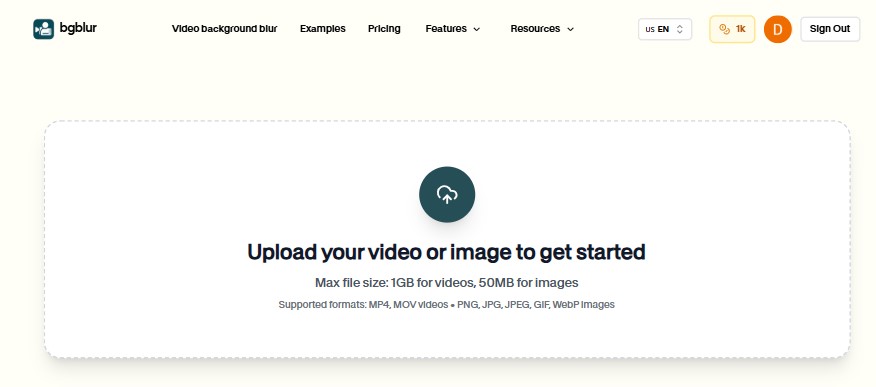
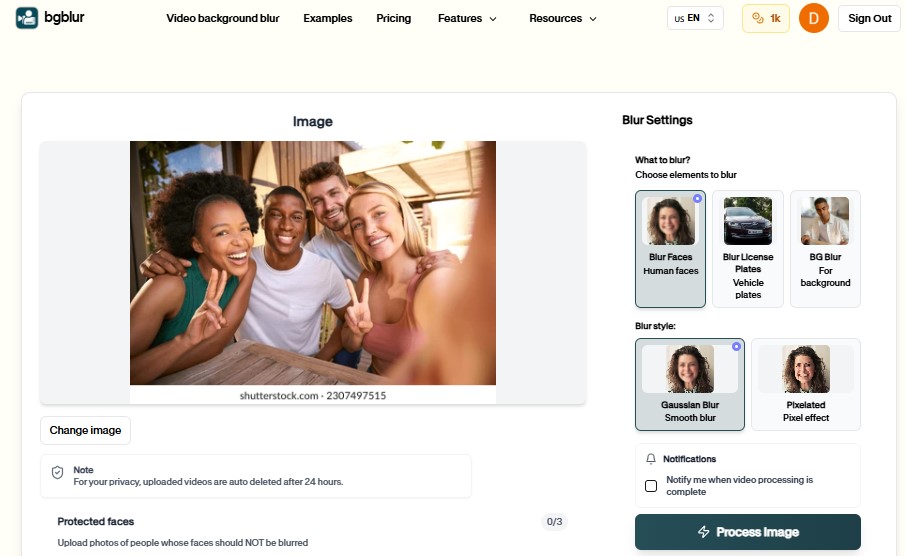
Step 2 - Choose your blur preferences: automatic face detection for privacy, blur background of photo for subject emphasis, or selective blur for specific areas. The blur background ai applies natural blur effects that blend seamlessly with your original image.
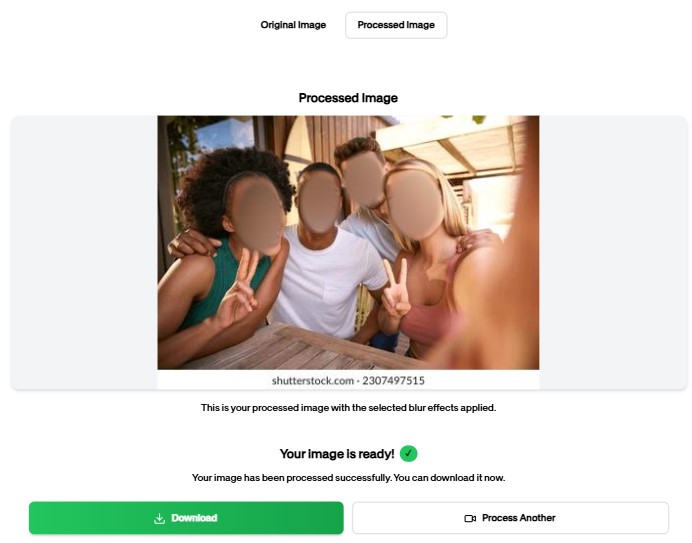
Step 3 - Download your completed photo optimized for your intended use—maintaining original resolution and formats suitable for social media, websites, print publications, or personal archives.
Who Benefits From Using BGBlur Photo Editor?
Personal Photographers - Individual photographers need automatic face blurring before sharing street photography, event photos, or travel images on social media platforms. The blur picture background tool protects privacy while maintaining photographic quality.
Content Creators & Influencers - Social media creators require efficient blur background pics processing for YouTube thumbnails, Instagram posts, and blog images that feature crowds or public spaces without model releases.
Real Estate Photographers - Property photographers need to blur faces in photos of people accidentally captured during property shoots while maintaining interior and exterior clarity for listings.
Event Photographers - Wedding, conference, and party photographers must protect guests who didn't provide photo consent while delivering beautiful event documentation to clients.
Street Photographers - Urban and documentary photographers require comprehensive face blur photo capabilities for ethical street photography that respects subject privacy while capturing authentic moments.
Marketing Professionals - Marketing teams need privacy-compliant images for campaigns, websites, and advertisements that feature public spaces or crowded environments without individual consent requirements.
Educators & Researchers - Academic professionals sharing research photos or educational content must protect participant identities while maintaining visual documentation for publications and presentations.
Best Practices For Photo Background and Face Blur
Content Review Strategy - Review photos immediately after capture to identify privacy-sensitive elements including recognizable faces, license plates visible in backgrounds, and identifying locations. Consider the minimal necessary disclosure principle—only share what's essential for your message.
Image Quality Standards - Shoot in high resolution (12MP minimum) for clear detection accuracy. Ensure proper focus on main subjects and maintain clean lens surfaces for optimal AI processing and professional blur background online results.
Privacy Protection Hierarchy - Prioritize blurring all recognizable faces first, follow with background blur for location anonymization, then address identifying details like street addresses or business names visible in the scene.
Platform-Specific Optimization - Export in JPEG with appropriate compression for web use or PNG for print quality. Maintain sufficient resolution for your intended platform while optimizing file size for fast loading.
Blur Effect Aesthetics - Apply natural blur pic background effects that mimic professional depth-of-field for aesthetic enhancement. Use stronger blur face image effects for complete anonymization in privacy-critical situations. Ensure background blur maintains compositional context.
Batch Processing Workflow - Organize photos by event, date, or privacy requirements. Apply consistent blur settings across similar photo sets and conduct final quality reviews before publishing or sharing across multiple platforms.
Top Alternatives for Photo Background and Face Blur
When it comes to blurring faces and backgrounds in photos, several tools compete in the market. Here's a comprehensive comparison to help you choose the right blur image online free tool that meets your privacy protection and creative needs:
1. BGBlur (Recommended)
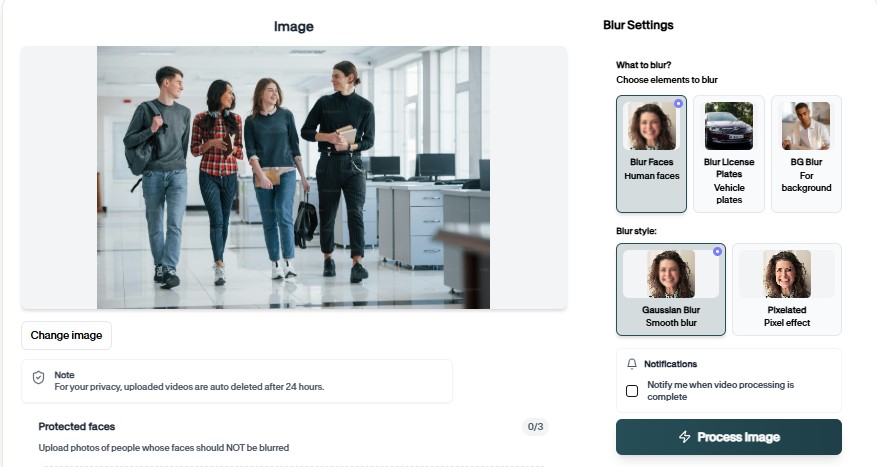
BGBlur stands as the premier AI blur tool specifically designed for photo privacy protection and background enhancement. This specialized platform combines automatic face recognition, blur background ai capabilities, and selective blur features in a single, browser-based solution—making it the absolute best tool for photo editing with privacy focus.
What sets BGBlur apart is its dual-purpose design serving both privacy protection and creative enhancement. The platform leverages cutting-edge machine learning algorithms that achieve over 98% accuracy in detecting faces and intelligently separating subjects from backgrounds across diverse lighting conditions, complex compositions, and crowded scenes.
Key Advantages:
- Automatic multi-element detection: Simultaneously identifies all faces and background elements in one pass with blur background ai technology
- Natural blur effects: Blur effect photo processing that mimics professional bokeh for artistic depth-of-field aesthetics
- Browser-based convenience: No downloads or installations required—works as blur image online free tool on any device with internet access
- Batch processing capability: Handle multiple photos simultaneously for event coverage or portfolio privacy protection
- Photo format optimization: Automatic export settings compatible with all social media platforms, websites, and print services
- Privacy-first security: Images processed securely with encryption and auto-deleted after download
- Subject preservation: Blur background pics while maintaining perfect subject sharpness and detail
The tool's intuitive three-step workflow—upload, automatic detection, export—makes professional privacy protection accessible to everyone from casual photographers to professional content creators. Whether protecting privacy in street photography, enhancing subject focus with background blur, or creating commercially-safe images, BGBlur handles scenarios that would require hours of manual editing in traditional photo editing software.
For photographers serious about privacy compliance and professional aesthetics, BGBlur represents the most efficient and reliable solution available. Visit BGBlur.com to start protecting and enhancing your photos with industry-leading blur technology.
2. Photoshop
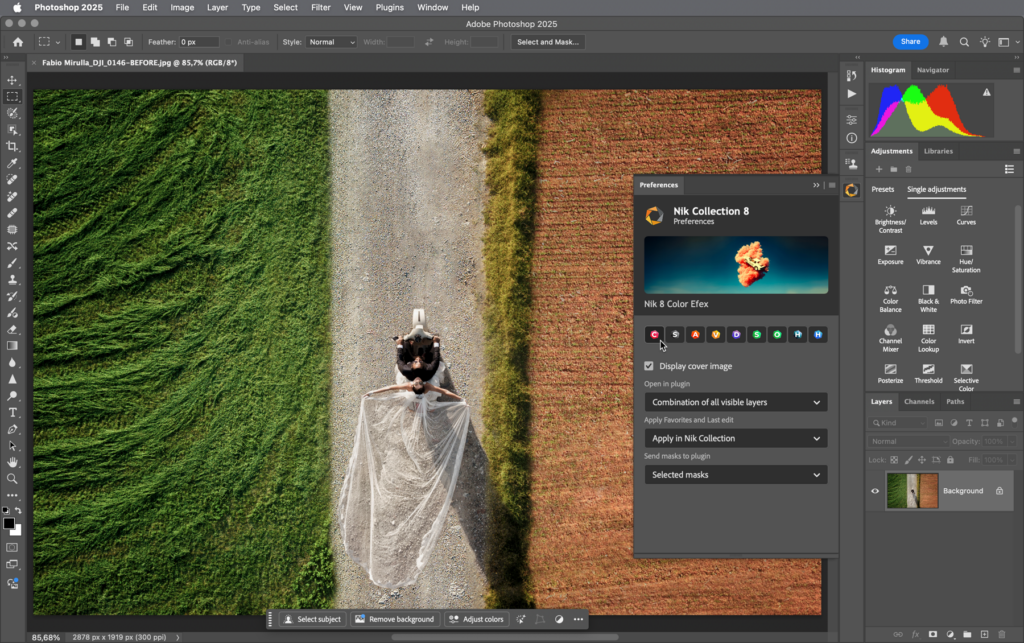
Adobe Photoshop represents the industry-standard professional photo editing suite, offering comprehensive capabilities including advanced selection tools, layered masking, and blur effects. This desktop software provides unlimited creative control with tools that professional photographers and designers use for high-end production work.
The platform's precision selection and blur filters can handle complex photo scenarios with pixel-perfect accuracy. For users with extensive editing experience and requirements beyond face and background blur, Photoshop offers professional-grade capabilities for complete image manipulation.
However, Photoshop requires a $31.49 monthly subscription and offers no automatic face or background detection—every element must be manually selected and masked. The steep learning curve and manual workflows make it less practical than specialized AI tools for typical privacy and blur needs.
3. Fotor
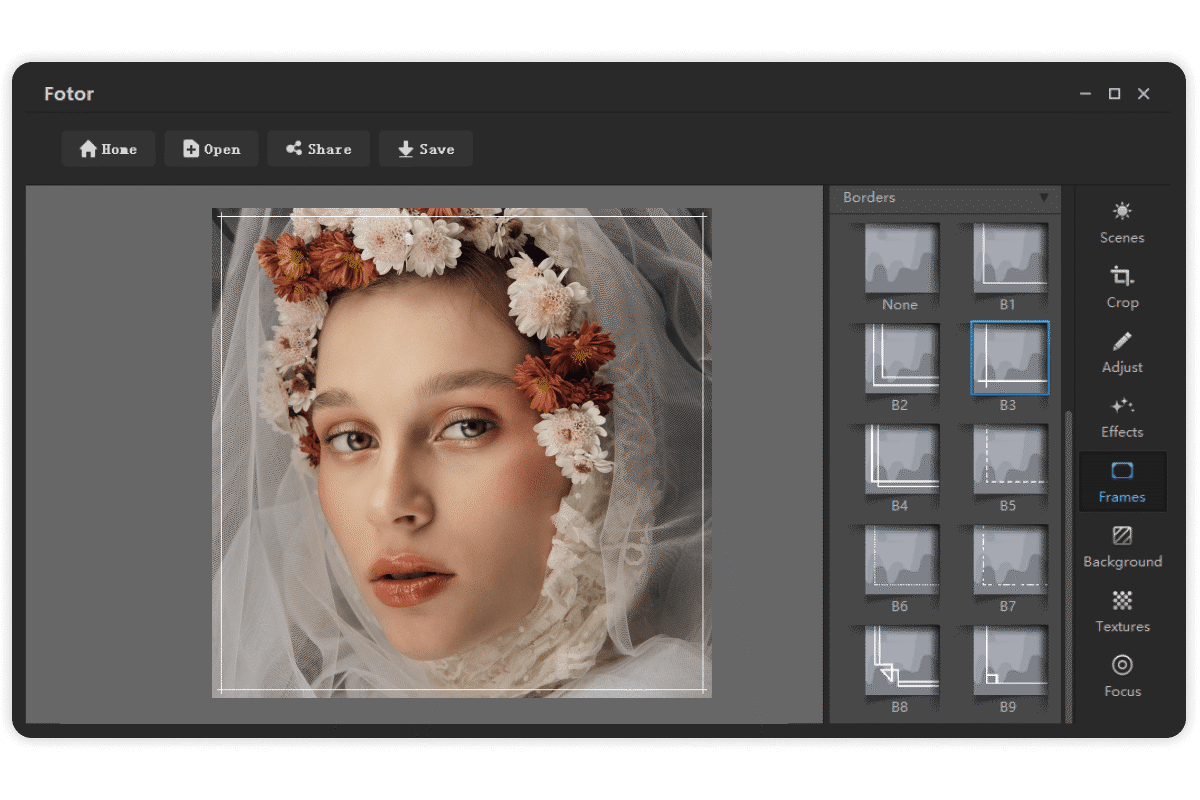
Fotor positions itself as an accessible online photo editor with built-in blur tools designed for casual photographers and social media users. The platform provides basic blur effects and simple editing tools through a web-based interface.
The software includes portrait mode effects and basic blur tools that can enhance photos. For users seeking simple blur background of photo effects without complex editing needs, Fotor provides an approachable interface with various preset filters and effects.
For automatic privacy protection, Fotor lacks AI-powered face detection and intelligent background separation. Users must manually select areas to blur using basic tools, making it time-consuming for photos with multiple faces or complex backgrounds compared to AI-powered alternatives like BGBlur.
4. Canva
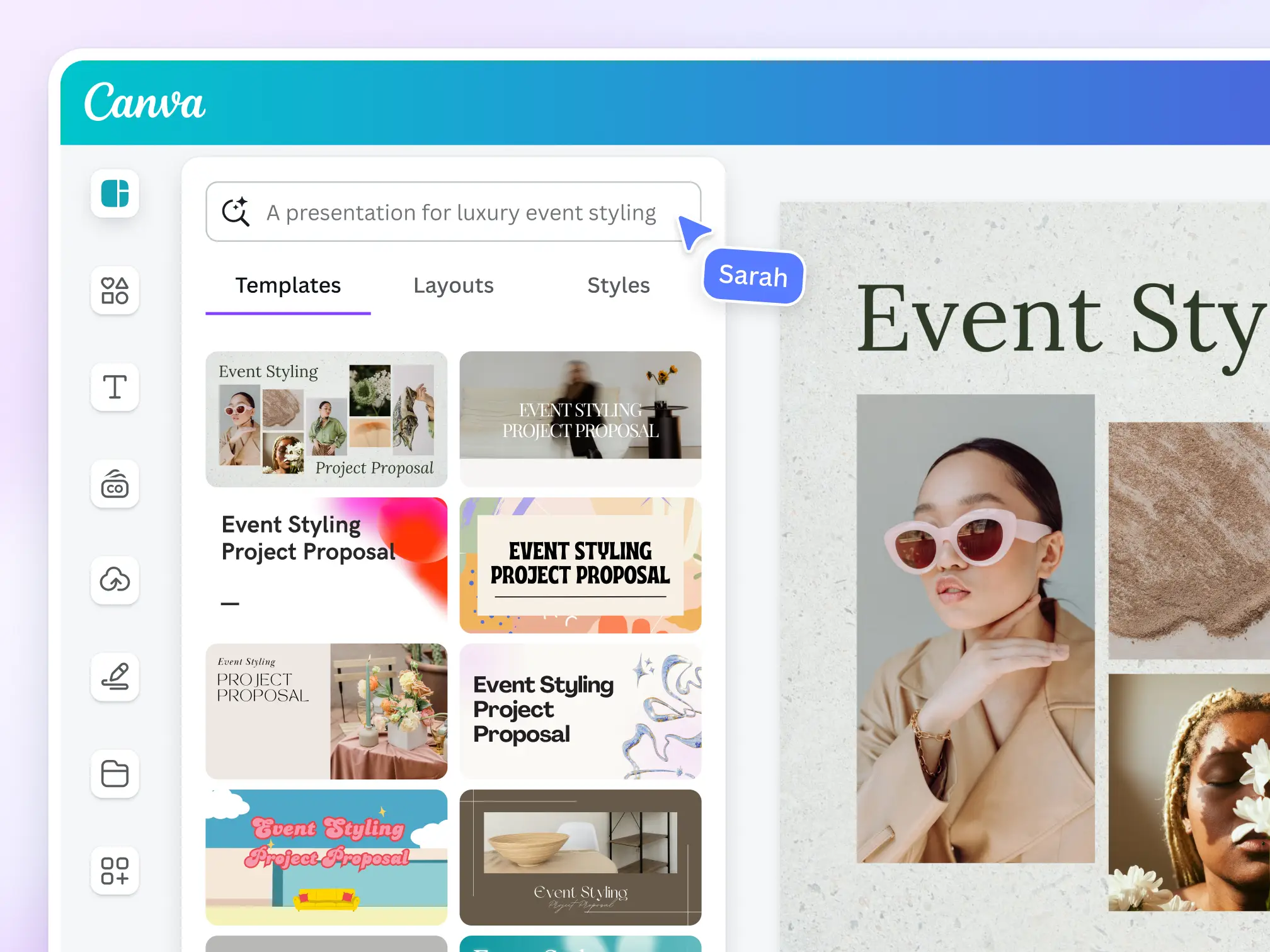
Canva offers consumer-friendly design tools with photo editing capabilities including blur effects. The platform appeals to content creators combining photo editing with graphic design for social media posts, presentations, and marketing materials.
The editor includes basic blur tools and background remover features useful for creating social media graphics. For creators producing content with additional design elements like text overlays and graphics, Canva offers comprehensive creative capabilities beyond photo editing.
Despite background removal tools, Canva lacks automatic face blur detection for privacy protection. Users must manually apply blur effects or crop images to hide faces. The limited blur customization and manual approach make it less efficient than specialized blur image background tools for privacy-focused editing.
5. Remove.bg
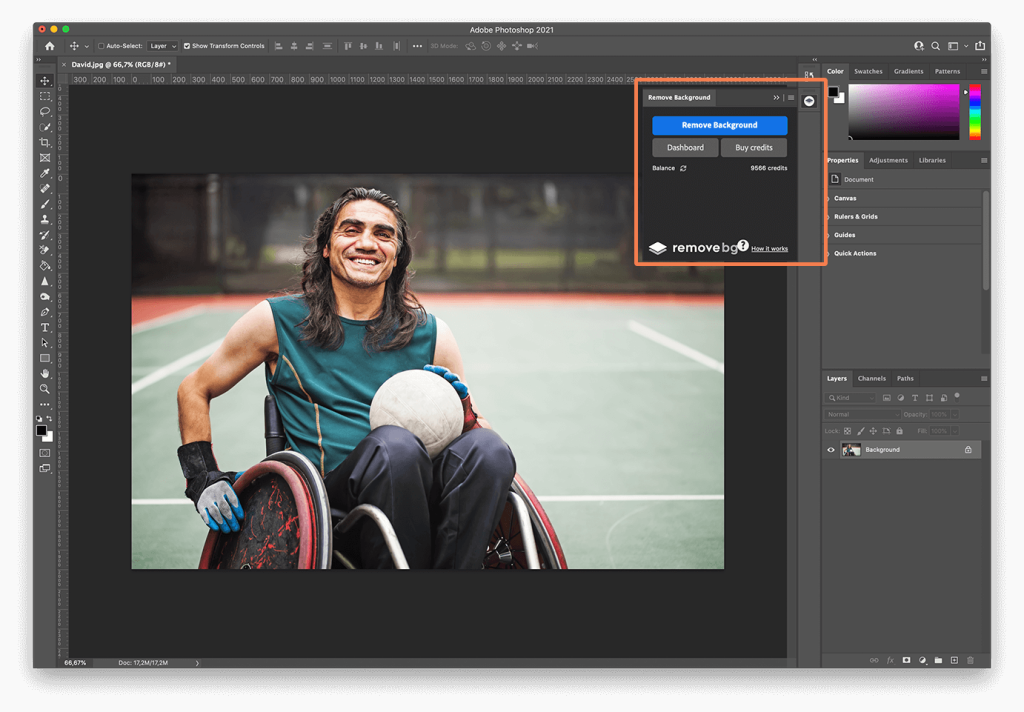
Remove.bg provides specialized background removal using AI technology, automatically separating subjects from backgrounds in photos. The platform excels at creating transparent backgrounds or replacing backgrounds entirely for product photography and portrait enhancement.
The service offers excellent subject detection accuracy, making background replacement simple and effective. For users needing transparent backgrounds for logos, product photos, or composite images, Remove.bg delivers reliable automated results.
For blur background in a photo needs specifically, Remove.bg removes backgrounds entirely rather than blurring them, which doesn't serve privacy protection or natural depth-of-field aesthetics. The platform offers no face blur capabilities, limiting its usefulness for privacy-focused photo editing compared to comprehensive tools like BGBlur.
6. Pixlr
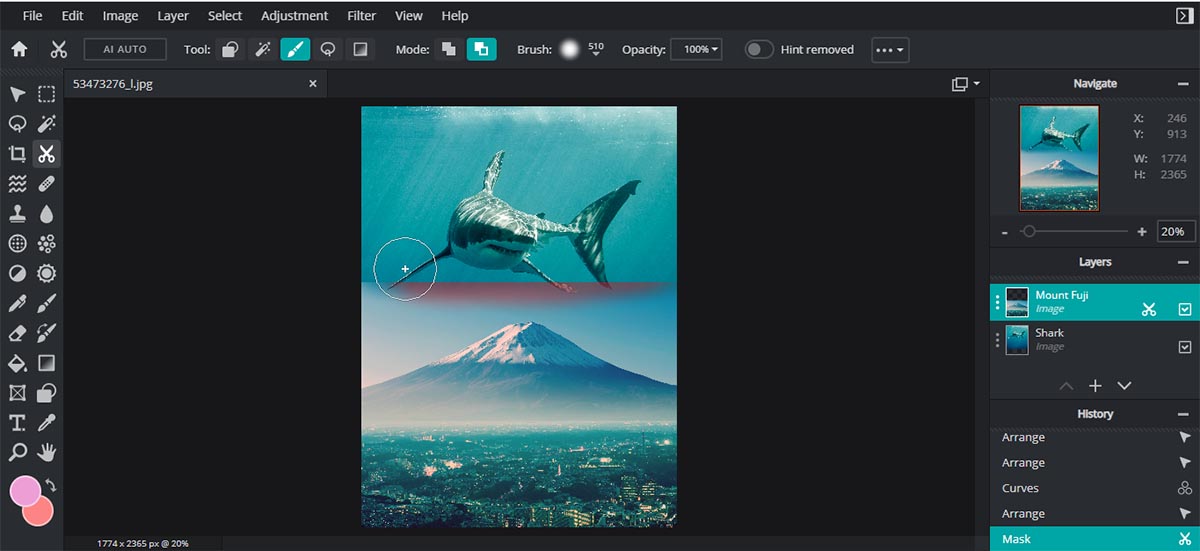
Pixlr provides free browser-based photo editing with various blur effects and adjustment tools. The platform offers a middle ground between professional software complexity and basic smartphone apps, appealing to intermediate photo editors.
The software includes blur tools, masking capabilities, and various filters for creative photo editing. For occasional users needing general photo editing alongside blur effects, Pixlr's free access and browser convenience present attractive options.
For privacy protection specifically, Pixlr offers only manual blur tools without automatic face detection or intelligent background blur ai. Users must hand-select every area to blur, making privacy protection tedious for photos with multiple subjects or complex scenes requiring comprehensive anonymization.
Conclusion
Professional privacy protection and creative background enhancement are now essential for responsible photo sharing and content creation. BGBlur democratizes this capability with automated, AI-powered processing that transforms ordinary photos into privacy-protected, professionally enhanced images that build trust, ensure legal compliance, and enable confident sharing across social media, websites, and commercial platforms.
With sophisticated face detection, intelligent background separation, and browser-based accessibility, photographers no longer need expensive software or specialized editing skills to blur background of photo or hide faces in photos. The blur background editor technology handles complex scenarios, crowded compositions, and multiple subjects that would require hours of manual frame-by-frame selection in traditional software.
The measurable benefits—reduced legal risk, social media compliance, professional aesthetics, and confident public sharing—directly impact your protection and creative capabilities as a photographer or content creator. Professional privacy protection separates responsible content creators from those facing potential privacy lawsuits, GDPR violations, or content removal penalties.
Start transforming your photos today with BGBlur's professional blur picture background technology. Experience how automated privacy protection and creative enhancement elevate your content while maintaining the image quality that makes photos valuable for memories, marketing, and visual storytelling in our connected world.
Frequently Asked Questions (FAQs)
Q1: What photo formats work best with BGBlur?
A: BGBlur accepts JPEG, PNG, WebP, HEIC, and TIFF formats—the most common photo formats from smartphones and professional cameras. The blur background editor automatically optimizes output for universal compatibility including social media platforms, websites, and print services while maintaining your original resolution and quality settings.
Q2: How long does face and background blur processing take?
A: Processing time is nearly instantaneous for most photos. A typical high-resolution photo with multiple faces and complex backgrounds processes in 10-30 seconds with automatic detection and blur application. The blur background ai works significantly faster than manual editing which could take 30 minutes or more for the same photo with detailed selection and feathering.
Q3: Can I blur only the background while keeping faces visible?
A: Absolutely! BGBlur offers flexible blur modes. You can blur background of photo while keeping all subjects sharp for professional depth-of-field effects, or combine background blur with selective face blur for comprehensive privacy protection. Custom mode lets you precisely control which elements receive blur effects.
Q4: Does blurring faces affect photo quality for the main subject?
A: No. BGBlur maintains all image quality for your main subject and unblurred areas while only applying blur effects to selected faces or backgrounds. The core photo sharpness, colors, lighting, and composition remain completely intact. Many professional photographers use selective blur to actually enhance perceived image quality by directing viewer attention.
Q5: Is BGBlur suitable for professional photography portfolios?
A: Yes! Professional photographers use BGBlur for portfolio privacy protection, client deliveries requiring face anonymization, and creating stunning background blur effects. The platform handles high-resolution professional camera files while preserving image quality suitable for print publication, commercial licensing, and exhibition display.
Q6: How does batch processing work for event photography?
A: Photographers can upload multiple photos from events, apply consistent blur settings across all images, and process everything simultaneously. This dramatically reduces the time required to prepare privacy-protected event galleries—transforming what would be hours of manual editing into minutes of automated processing for weddings, conferences, or parties.
Q7: Can I use BGBlur on my smartphone to edit photos immediately?
A: Yes! BGBlur works seamlessly on smartphones and tablets through any mobile browser. This allows you to blur pic background or hide faces in photos immediately after capture while still at events or locations—no need to wait until you're at a computer to prepare privacy-compliant images for instant social media sharing.
Q8: What happens to my photos after processing?
A: BGBlur prioritizes your privacy and security. All uploaded photos are processed with encryption, and files are automatically deleted from BGBlur servers immediately after you download your privacy-protected version. Your images are never stored, shared, or used for any purpose beyond your immediate privacy protection needs.
Q9: Can BGBlur handle group photos with multiple faces?
A: Yes! BGBlur's AI automatically detects and processes unlimited faces in group photos, crowd scenes, or busy public spaces. Upload photos with dozens of people, and the app for blurring pictures will identify and protect every face simultaneously while maintaining natural blur transitions and image quality across the entire photo.
Write a Review
All Reviews (0)
No reviews yet
Be the first to share your experience!
Related product updates
BGBlur: How to Blur the Background of Your TikTok Videos with AI Background Blur, Face and License Plate Anonymization in a Fast Browser Workflow
Transform your TikTok videos with AI-powered blur technology. The best TikTok video editor for privacy protection - blur backgrounds, faces, and license plates in seconds. Free online tool.
BGBlur: How to Automatically Blur Moving Objects in Video for Privacy and Anonymization — AI Face Blur, License Plate Blur, Background and Object Blur with Browser Export
Learn how to blur moving objects in video using AI-powered technology. Protect privacy, remove distractions, and maintain professional quality with automated blur tracking.
How to Blur Surgery Videos for Patient Privacy with BGBlur — AI Face, Background, License Plate and Object Blur, HIPAA-Friendly Browser Workflow for Export and Redaction
Learn how to blur faces & backgrounds in surgery videos using AI tools. HIPAA-compliant privacy protection for medical professionals with automated detection.
BGBlur Guide: How to Blur License Plates, Faces, and Sensitive Details in Dashcam Videos Using AI for Privacy, Redaction, and Secure Export in Browser Workflows
Learn how to blur license plates, faces, and sensitive details in dashcam videos using AI tools. Professional privacy protection for insurance claims, legal compliance, and public sharing.
BGBlur AI Video Blur Tool for Privacy Protection — Blur Faces, License Plates, Objects, Backgrounds and Export Anonymized Videos in Browser
Protect your privacy with AI-powered blur tool that automatically detects and blurs faces, objects, brand names, and backgrounds in videos. Free online video blur.