Top 10 Tools for Real Estate Video in 2026 Toolkit
A ranked toolkit of the 10 platforms real estate agents need for property video in 2026, from privacy-safe editing with BGBlur to 3D tours, drone capture, virtual staging, and marketing design.
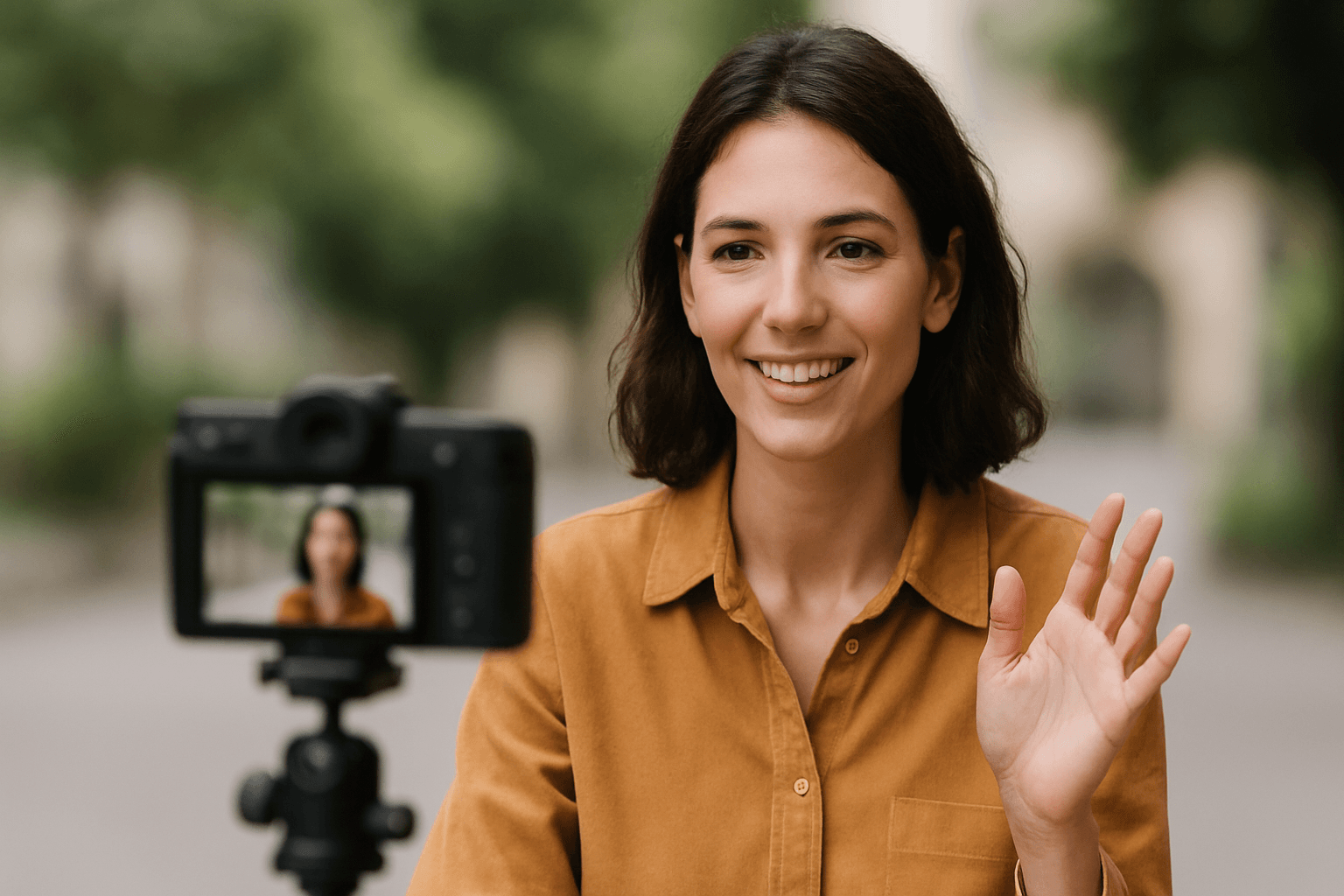
Video has become essential in real estate marketing. Properties with video listings receive 403% more inquiries than those without, and virtual tours have shifted from luxury to expectation. But creating professional property videos comes with unique challenges—neighbor privacy, street-visible information, and the need to showcase properties at their absolute best.
This comprehensive guide covers the essential tools every real estate professional needs to create compelling, privacy-compliant property videos in 2026.
| Question | Answer |
|---|---|
| Do I need to blur neighbors' faces? | Yes, if identifiable and non-consenting |
| Do I need to blur license plates? | Yes, on street-parked and driveway vehicles |
| Is virtual staging allowed on MLS? | Yes, with disclosure per your local MLS rules |
| Best free privacy tool? | BGBlur free tier — 3 videos/month |
| Best 3D tour platform? | Matterport |
| Best free video editor? | CapCut |
Why Real Estate Video Requires Specialized Tools
Property video creation presents unique challenges:
- Neighbor Privacy: Adjacent properties and neighbors shouldn't be identifiable
- Street Information: License plates and house numbers on neighboring properties
- Aerial Concerns: Drone footage captures extensive surrounding areas
- Professional Quality: Buyers expect polished, high-quality presentations
- Legal Compliance: Privacy laws affect what you can publish
The right tools help you create stunning property showcases while respecting privacy and legal requirements.
1. BGBlur - Best Privacy Protection for Property Videos
Website: bgblur.com
Why It's #1: Property videos inevitably capture neighboring homes, vehicles, and sometimes people. BGBlur ensures your listing videos respect privacy while maintaining professional quality.
Key Features
- License Plate Detection: Automatically blur vehicles parked on street
- Face Detection: Blur neighbors, passersby, and anyone inadvertently captured
- Selective Area Blur: Blur neighboring house numbers and identifying features
- Motion Tracking: Blur follows moving people and vehicles
- Batch Processing: Process multiple property videos efficiently
- Quality Preservation: Professional output quality
Real Estate-Specific Applications
Street View Shots: Establishing shots capture multiple properties—blur identifying information on neighbors.
Drone Footage: Aerial shots capture extensive surrounding areas—protect all visible privacy concerns.
Interior Reflections: Windows and mirrors can capture neighbors or street activity—BGBlur catches these.
Open House Coverage: Videos of open houses may capture visitors who didn't consent to filming.
Neighborhood Tours: Showcasing the area requires privacy protection for all featured properties except your listing.
Legal Protection
Publishing identifiable information about neighbors without consent can create liability issues. BGBlur eliminates this risk while maintaining video quality. For a deeper walkthrough of the detection and export workflow, see the complete guide to blurring faces in video. If you need to selectively blur a house number, mailbox, or sign instead of a whole face or plate, the object and region blur guide covers text-prompt-based selective blurring.
2. Matterport - Best 3D Virtual Tour Platform
Website: matterport.com
Industry-standard 3D property scanning and virtual tours.
Key Features
- 3D Dollhouse View: Complete property overview
- Floor Plan Generation: Automatic measurements
- Virtual Walkthrough: Immersive property exploration
- High-Quality Photos: Automatic still extraction
- MLS Integration: Direct listing platform uploads
- VR Compatible: Oculus and other headsets
Why Virtual Tours Matter
Properties with Matterport tours:
- Receive 95% more phone inquiries
- Get 49% more qualified leads
- Sell 31% faster on average
Investment
Camera systems from $2,000+. Subscription for hosting from $9.99/month.
3. DJI Mini 4 Pro - Best Real Estate Drone
Website: dji.com
Professional aerial footage in a compact, regulation-friendly package.
Key Features
- 4K60 Video: Stunning aerial quality
- Under 250g: Simplified regulations in many areas
- Obstacle Sensing: Safe indoor and outdoor flying
- Extended Range: Cover entire properties
- Quick Transfer: Wireless footage download
- Intelligent Modes: Automated cinematic shots
Drone Footage Considerations
Aerial footage captures far more than your listing. Always process through BGBlur to protect neighboring property privacy. If you shoot with a dashcam or vehicle-mounted camera on the way to the property, the same license plate and face blurring workflow for dashcam videos applies before that footage goes into a neighborhood tour edit.
Investment
$759 for professional aerial capabilities.
4. CapCut - Best Free Video Editor
Website: capcut.com
Professional editing without subscription costs.
Key Features
- Multi-Track Editing: Combine drone, interior, and detail shots
- Color Correction: Consistent look across all footage
- Speed Control: Smooth transitions and walkthroughs
- Text Overlays: Room labels and property features
- Music Library: Royalty-free background tracks
- Export Presets: Optimized for listing platforms
Real Estate Editing Workflow
- Organize footage by area (exterior, rooms, features)
- Create logical property flow
- Add text identifying rooms and features
- Color match all clips
- Add background music
- Process through BGBlur for privacy
- Export for listing platforms
Pricing
Completely free with optional premium effects.
5. Canva - Best Marketing Material Creator
Website: canva.com
Professional property marketing materials without design skills.
Key Features
- Real Estate Templates: Listing flyers, social posts, brochures
- Video Thumbnails: Eye-catching preview images
- Brand Kit: Consistent brokerage branding
- Print Materials: High-resolution output
- Social Sizing: Perfect dimensions for every platform
Marketing Material Types
- Property feature sheets
- Just Listed announcements
- Virtual tour promotional graphics
- Open house invitations
- Sold announcements
Pricing
Free tier available. Pro at $12.99/month.
6. Styldod - Best Virtual Staging Platform
Website: styldod.com
Transform empty rooms into beautifully staged spaces.
Key Features
- AI-Powered Staging: Realistic furniture placement
- Multiple Styles: Modern, traditional, minimalist options
- Quick Turnaround: 24-48 hour delivery
- Declutter Service: Remove existing furniture
- Day-to-Dusk: Transform exterior lighting
- Item Removal: Clean up unwanted elements
Why Virtual Staging Works
- 75% of buyers find staged homes easier to visualize
- Staged homes sell 73% faster
- Virtual staging costs fraction of physical staging
Pricing
From $16 per photo for basic staging.
7. Loom - Best Property Walkthrough Tool
Website: loom.com
Quick, personal video messages for client communication.
Key Features
- Screen + Camera: Show property while talking
- Instant Sharing: Link immediately available
- Viewer Analytics: See who watched
- Trim Editing: Quick cleanup
- Custom Branding: Professional appearance
Use Cases
- Personalized property recommendations for buyers
- Quick update videos for sellers
- Virtual showing follow-ups
- Neighborhood overviews
Pricing
Free tier available. Business from $12.50/month.
8. Epidemic Sound - Best Royalty-Free Music
Website: epidemicsound.com
Professional background music for listing videos.
Key Features
- Real Estate Playlists: Curated for property content
- Mood Search: Match property style
- Full License: Commercial use included
- No Claims: YouTube and social media safe
Music Strategy by Property Type
- Luxury homes: Elegant, sophisticated
- Family homes: Warm, welcoming
- Modern condos: Contemporary, upbeat
- Rural properties: Natural, peaceful
Pricing
Creator plan from $9/month.
9. Zillow 3D Home - Best Free Tour Platform
Website: zillow.com/marketing/3d-home
Create 3D tours using just your smartphone.
Key Features
- Smartphone Capture: No special equipment needed
- Automatic Processing: AI stitches tour together
- Zillow Integration: Direct listing upload
- Free Platform: No subscription required
- Easy Sharing: Link for any platform
When to Use
Perfect for standard listings where Matterport investment isn't justified. Quick turnaround for new listings.
Pricing
Completely free.
10. Notion - Best Listing Management System
Website: notion.so
Organize your entire listing video workflow.
Key Features
- Listing Database: Track all properties
- Shot Lists: Plan required footage
- Workflow Tracking: Monitor production status
- Client Communication: Log approvals and feedback
- Asset Management: Organize all media files
Real Estate Organization
Create systems for:
- Active listings with video status
- Shot list templates by property type
- Vendor contact database
- Performance tracking by listing
Pricing
Free for personal use.
Real Estate Video Best Practices
Standard Shot List
Exterior:
- Street approach (with privacy blur)
- Front elevation
- Aerial establishing shot
- Backyard/outdoor spaces
- Garage and driveway
Interior:
- Entry and foyer
- Living areas
- Kitchen (key selling point)
- Primary bedroom and bath
- Additional bedrooms
- Unique features
Privacy Checklist
- Blur neighboring houses in exterior shots
- Blur vehicles parked on street
- Blur people inadvertently captured
- Check window reflections for neighbor visibility
- Review drone footage for extensive privacy concerns
- Process all footage through BGBlur before delivery
Legal Considerations for Real Estate Video
Neighbor Privacy
You don't have the right to publish identifiable information about neighboring properties without consent. BGBlur solves this comprehensively.
Drone Regulations
- Check local airspace restrictions
- Maintain visual line of sight
- Respect neighbor privacy concerns
- Follow FAA Part 107 if commercial
Fair Housing Compliance
Video content must comply with Fair Housing Act. Focus on property features, not neighborhood demographics.
ROI of Real Estate Video
Investment vs. Return
- Basic video setup: $500-1,000
- Professional results: $2,000-5,000
- Average listing with video sells for 6% more
- 403% more inquiries on video listings
Client Expectation
Video is no longer a luxury—buyers expect it. Agents without video capabilities lose listings to those who provide it.
Who Needs This Real Estate Video Toolkit
Open house coverage: Agents filming walk-and-talk open house tours capture visitors who never agreed to appear in marketing video. Run the footage through BGBlur before it goes on social media or the listing page — face detection finds anyone in frame, including people passing in the background of a kitchen shot.
Drone and aerial marketing: Teams shooting neighborhood flyovers for luxury or acreage listings capture multiple adjacent properties per flight. Batch process the full flight through BGBlur rather than reviewing every frame manually for plates, faces, and house numbers.
Walkthrough and virtual showing videos: Agents recording live or recorded walkthroughs for out-of-town buyers sometimes reflect a neighbor's yard or a passerby in window glass and mirrors. A quick BGBlur pass on the export catches reflections that are easy to miss during filming.
Brokerage teams producing at volume: Offices generating video for dozens of active listings a month benefit from BGBlur's batch processing and Business tier API access to keep privacy review from becoming a bottleneck. If your interior shots also need a clean background swap for agent-presenter clips, the background removal and replacement guide covers that workflow separately from face and plate blurring.
Solo agents on a budget: A single agent shooting one or two listings a month can stay entirely on BGBlur's free tier — 3 videos monthly at 720p — paired with free tools like CapCut and Zillow 3D Home, without any software cost until volume increases.
Frequently Asked Questions
Do I need to blur neighbors' faces in real estate videos? Yes, in most cases. If a passerby, neighbor, or visitor is identifiable in your listing video and did not consent to being filmed, publishing that footage can create privacy liability under GDPR-style regimes and several US state privacy laws. BGBlur detects and blurs faces automatically with motion tracking, so anyone captured incidentally stays unidentifiable while the rest of the video keeps its quality.
Should I blur license plates in property video and drone footage? Yes. Street-parked vehicles and neighboring driveways frequently appear in establishing shots and aerial footage, and a visible plate can identify a vehicle owner. BGBlur's license plate detection finds and blurs plates automatically across an entire clip, including drone footage where plates are small and move in and out of frame.
Is virtual staging legal for MLS listings? Yes, but MLS rules typically require clear disclosure that images are virtually staged rather than showing the property's actual furnished condition. Check your local MLS board's specific disclosure wording before publishing AI-staged photos or video.
How do I blur people in a video for free? BGBlur's free tier processes up to 3 videos a month at 200MB and 10 minutes each with 720p export, which covers most single-listing exterior or walkthrough clips. Upload the file, let the AI detect faces or plates, confirm the selection, and export.
Does drone footage need extra privacy review before publishing? Yes. Aerial shots capture a far wider area than ground-level video, often including multiple neighboring yards and driveways unrelated to your listing. Review every drone clip for identifiable people, plates, and house numbers on adjacent properties, then run it through BGBlur before it enters the final edit.
What's the difference between blurring a person and removing them from the video entirely? Blurring keeps the person or object in frame but makes them unidentifiable, which is usually enough for privacy compliance. Object removal erases the person or item using AI inpainting, which works better when someone is blocking a shot composition rather than just needing anonymization.
Can I blur faces automatically across an entire video, or frame by frame? BGBlur uses motion tracking, so you select a face or plate once and the blur follows it as it moves through the clip — no manual frame-by-frame masking. This matters for real estate video since the camera pans continuously during walkthroughs and drone passes.
What video length and resolution do listing platforms expect? Most MLS and social platforms favor listing videos between 60 seconds and 3 minutes for the best completion rates, exported at 1080p minimum. BGBlur supports 4K input and export up to 1080p on the Pro plan, covering both social cuts and higher-resolution listing-page versions.
Final Thoughts
Video has transformed real estate marketing, but privacy compliance must be part of every production. BGBlur enables you to create stunning property showcases while respecting neighbor privacy and staying legally compliant.
Start with BGBlur for privacy protection, add quality capture equipment, and build your editing skills systematically. The agents who master video marketing dominate their markets.
Ready to create professional property videos? Start with BGBlur for privacy-compliant footage, then build out your complete real estate video toolkit.