Object Region Blur: Advanced Video Privacy Guide [2026]
Object region blur lets you target specific faces, plates, or objects in a video while leaving everything else untouched. This guide covers how AI-powered selective blur works, the step-by-step BGBlur workflow, and where it fits into GDPR, HIPAA, and FERPA compliance.
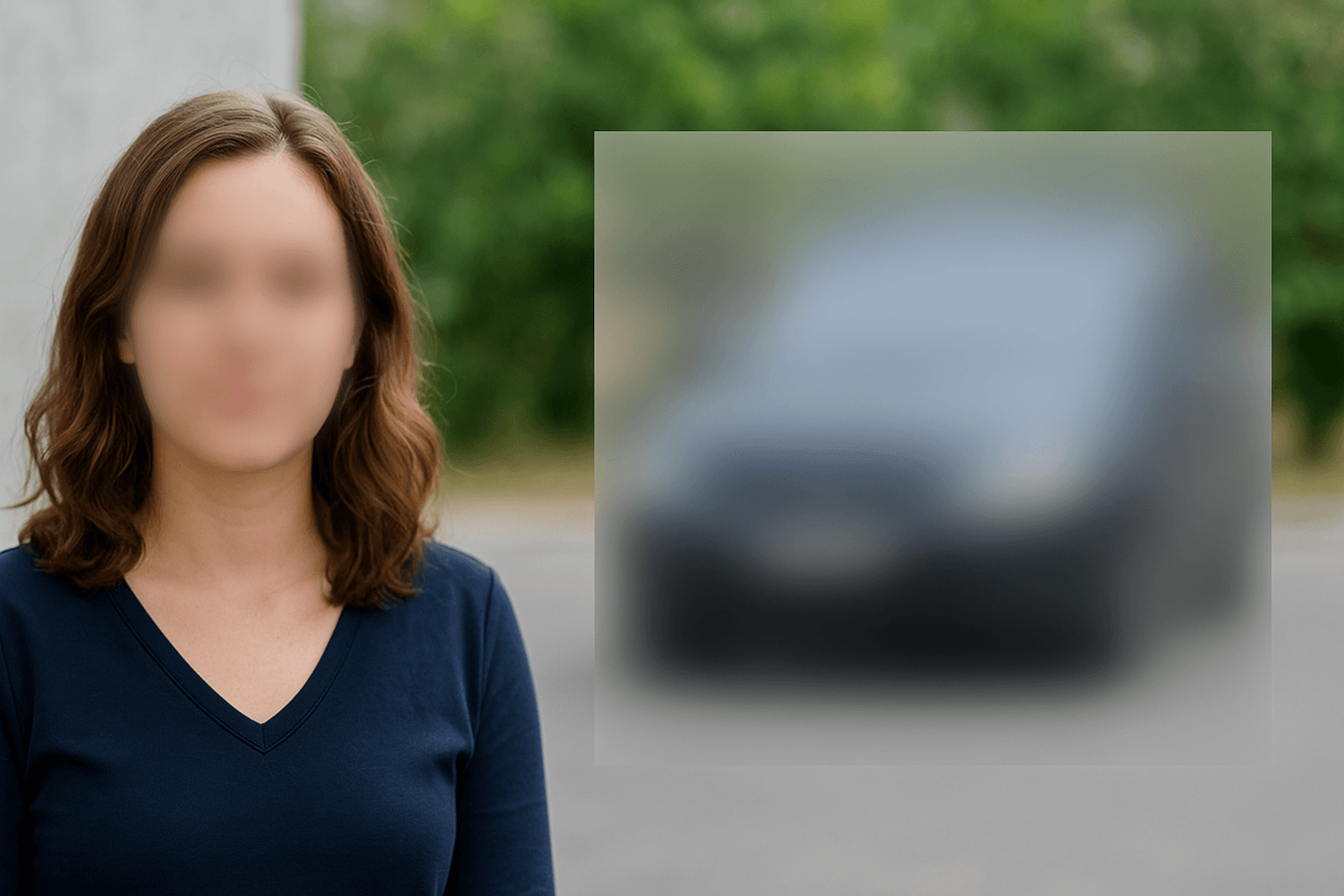
In the evolving landscape of digital privacy and content creation, object region blur has emerged as one of the most sophisticated techniques for protecting sensitive information in videos. Unlike traditional full-video blur effects, selective blur technology allows you to target specific objects, areas, or regions within your video content while maintaining crystal-clear quality for everything else.
This comprehensive guide explores everything you need to know about region blur techniques, from basic applications to advanced AI-powered solutions that revolutionize how we approach video privacy protection in 2024.
What is Object Region Blur and Why It Matters
Object region blur is an advanced video editing technique that applies blur effects to specific areas, objects, or regions within a video frame, while leaving the rest of the content untouched. This selective video blur approach offers unprecedented control over privacy protection and content enhancement.
Key Applications of Region Blur Technology
- Privacy Protection: Blur faces, license plates, and identifying information selectively
- Content Moderation: Hide inappropriate content or copyrighted material
- Professional Enhancement: Create focus effects by blurring distracting elements
- GDPR Compliance: Meet data protection requirements without compromising content quality
- Security Applications: Protect sensitive information in surveillance footage
The AI object blur technology has transformed from manual, time-intensive processes to automated, intelligent systems that can detect and blur specific objects with remarkable accuracy. If your primary target is faces rather than general objects, our 3-second AI face blur guide covers the face-specific workflow in detail.
Traditional vs. AI-Powered Object Blur Methods
Manual Region Selection Limitations
Traditional video editing approaches required:
- Frame-by-frame manual selection of blur regions
- Complex masking and keyframe animation
- Extensive technical expertise and time investment
- Inconsistent results across moving objects
- Limited scalability for large video volumes
Revolutionary AI Object Detection and Blur
Modern AI-powered region blur technology offers:
- Automatic Object Detection: Advanced computer vision identifies specific objects
- Motion Tracking: Maintains blur consistency across moving targets
- Real-time Processing: Instant results without manual intervention
- Batch Processing: Handle multiple videos simultaneously
- Precision Control: Target specific object types or custom regions
BgBlur.com represents the cutting edge of this technology, offering professional-grade object region blur capabilities with intuitive controls and enterprise-level accuracy.
Advanced Object Blur Techniques and Features
Smart Object Recognition
AI-powered region blur systems can automatically identify and blur:
Person and Face Detection
- Individual face recognition and tracking
- Full-body person detection and anonymization
- Group detection for crowd scenarios
- Age-appropriate content filtering
Vehicle and License Plate Blur
- Automatic license plate detection across different countries
- Vehicle identification and selective blurring
- Motion tracking for moving vehicles
- Compliance with regional privacy laws
Custom Object Detection
- Brand logos and copyrighted content
- Text and signage recognition
- Architectural elements and landmarks
- User-defined custom objects
Precision Region Control
Professional selective blur tools offer multiple selection methods:
- Automatic Detection: AI identifies and tracks objects automatically
- Manual Region Selection: Draw custom areas for precise control
- Hybrid Approach: Combine AI detection with manual refinement
- Temporal Consistency: Maintain blur effects across video timeline
Step-by-Step Guide to Professional Object Region Blur
Phase 1: Video Analysis and Preparation
-
Upload and Format Check
- Support for MP4, MOV, M4V, and WebM formats
- Resolution compatibility up to 4K
- Optimal file size management for processing efficiency
-
Content Analysis
- AI scans video for detectable objects
- Identifies potential privacy concerns
- Suggests optimal blur strategies
Phase 2: Object Selection and Configuration
-
Automatic Detection Mode
- Select object types (faces, plates, custom objects)
- Adjust detection sensitivity settings
- Preview detected regions before processing
-
Manual Region Definition
- Draw custom blur areas with precision tools
- Create multiple region types with different blur intensities
- Set temporal parameters for moving objects
Phase 3: Blur Application and Optimization
-
Blur Intensity Configuration
- Gaussian blur for smooth, natural effects
- Pixelation for complete information hiding
- Custom blur patterns for artistic effects
-
Motion Tracking Setup
- Enable tracking for moving objects
- Configure tracking sensitivity
- Handle complex motion patterns
-
Quality Optimization
- Preview effects in real-time
- Adjust parameters for optimal results
- Ensure consistent blur across all frames
Professional Applications and Industry Use Cases
Media and Journalism
Object region blur has become essential for:
- Source Protection: Blur identifying features of sensitive sources
- Location Privacy: Hide specific addresses or landmarks
- Content Moderation: Remove inappropriate visual elements
- Ethical Reporting: Maintain privacy standards while preserving story integrity
Corporate and Business Applications
Organizations leverage selective blur for:
- Training Materials: Hide proprietary information in instructional videos
- Marketing Content: Remove competitor branding or unauthorized elements
- Security Footage: Protect employee privacy while maintaining security functionality
- Compliance Documentation: Meet regulatory requirements for data protection
Content Creation and Social Media
Creators utilize AI object blur for:
- Monetization Safety: Avoid copyright claims by blurring problematic content
- Privacy Protection: Protect family members and private property
- Professional Aesthetics: Create focus effects and visual hierarchy
- Platform Compliance: Meet social media platform content guidelines
Healthcare and Education
Specialized applications include:
- Medical Privacy: Protect patient identities in educational content
- Research Documentation: Anonymize subjects while preserving data integrity
- Educational Materials: Remove identifying information from case studies
- Compliance Training: Demonstrate proper privacy protection techniques
Technical Excellence and Quality Optimization
AI Accuracy and Performance
Modern object region blur systems achieve:
- 99%+ Detection Accuracy: Reliable identification of target objects
- Real-time Processing: Instant preview and rapid final rendering
- Temporal Stability: Consistent blur effects across video duration
- Edge Preservation: Clean, professional blur boundaries
Advanced Motion Tracking
Professional tracking algorithms handle:
- Complex Motion Patterns: Multi-directional movement and rotation
- Occlusion Management: Maintain blur when objects are temporarily hidden
- Scale Adaptation: Adjust blur region size as objects approach or recede
- Multi-object Tracking: Simultaneous tracking of multiple targets
Quality Assurance Features
Enterprise-grade systems provide:
- Preview Functionality: Real-time effect preview before final processing
- Quality Validation: Automatic checks for blur effectiveness
- Batch Verification: Consistent quality across multiple video files
- Export Optimization: Format-specific optimization for different platforms
Consistent blur quality across long footage is its own discipline — see our guide on temporal consistency in video anonymization for what separates a clean region blur from one that flickers or drops frames.
Legal Compliance and Privacy Protection
GDPR and Data Protection
Region blur technology addresses key regulatory requirements:
- Data Minimization: Only blur necessary personal information
- Purpose Limitation: Maintain content usability while protecting privacy
- Accountability: Demonstrate compliance through documented processes
- Individual Rights: Enable privacy protection without content destruction
For the full breakdown of what GDPR requires when you're publishing footage that includes identifiable faces or license plates, see our GDPR video compliance guide. Teams processing body cam or dashcam footage under similar rules should also check our body cam footage blurring guide and dashcam face and plate blurring guide.
Industry-Specific Compliance
Different sectors require specialized approaches:
Healthcare (HIPAA Compliance)
- Patient face and identifying information blur
- Medical record privacy protection
- Research data anonymization
Education (FERPA Compliance)
- Student identity protection in educational materials
- Classroom privacy maintenance
- Research documentation anonymization
Financial Services
- Customer privacy in training materials
- Transaction information protection
- Regulatory compliance documentation
Advanced Blur Techniques and Creative Applications
Artistic and Creative Uses
Object region blur enables creative applications:
- Cinematic Focus Effects: Create professional depth-of-field simulation
- Storytelling Enhancement: Guide viewer attention through selective focus
- Artistic Anonymization: Stylistic privacy protection that enhances aesthetics
- Brand Protection: Seamlessly remove unwanted branding while maintaining visual flow
Technical Blur Variations
Professional tools offer diverse blur types:
- Gaussian Blur: Smooth, natural-looking blur effects
- Motion Blur: Directional blur that follows object movement
- Radial Blur: Circular blur patterns for artistic effects
- Pixelation: Complete information obscuration for maximum security
- Custom Patterns: Branded blur effects for consistent organizational styling
Getting Started with Professional Object Region Blur
Ready to implement enterprise-grade object region blur in your video workflow? Modern AI-powered solutions make sophisticated privacy protection accessible to users of all technical skill levels.
Whether you need to protect individual privacy, ensure regulatory compliance, or create professional content with selective focus effects, region blur technology offers the precision and automation necessary for scalable video privacy protection.
Explore advanced object region blur capabilities and discover how this powerful technology can transform your approach to video privacy protection while maintaining the highest standards of content quality and professional presentation.
Start with simple object detection and gradually explore advanced features like custom region definition, temporal consistency optimization, and batch processing for enterprise-scale video privacy protection.
Frequently Asked Questions
How accurate is AI object detection for blur applications?
Modern AI object detection systems achieve over 99% accuracy for common objects like faces, license plates, and standard shapes. Advanced systems continuously improve through machine learning and can adapt to specific use cases with custom training data.
Can object region blur handle multiple moving objects simultaneously?
Yes, professional region blur systems can track and blur multiple objects simultaneously using advanced motion tracking algorithms. The system maintains consistent blur effects even when objects overlap, separate, or move in complex patterns throughout the video.
What's the difference between automatic and manual region selection?
Automatic selection uses AI to detect and track objects without user intervention, ideal for standard objects like faces or license plates. Manual selection allows precise control over custom regions and unusual shapes, while hybrid approaches combine both methods for optimal flexibility and accuracy.
How does region blur maintain quality while protecting privacy?
Advanced object region blur technology uses sophisticated algorithms to create clean blur boundaries and maintain visual quality. The system applies blur only to necessary areas while preserving the sharpness and clarity of unprotected content, ensuring professional results without visual artifacts.
Is object region blur suitable for real-time applications?
Yes, modern AI-powered systems can process object region blur in real-time for live streaming, video calls, and security applications. Cloud-based processing and optimized algorithms enable instant detection and blur application without noticeable latency for most applications.