How to Blur or Pixelate Video on iPhone with BGBlur [2026]
A step-by-step iPhone guide to blurring or pixelating faces, license plates, and backgrounds directly in Safari, with no app install. Covers PDPA, GDPR, and CCPA compliance basics and when each blur type applies.
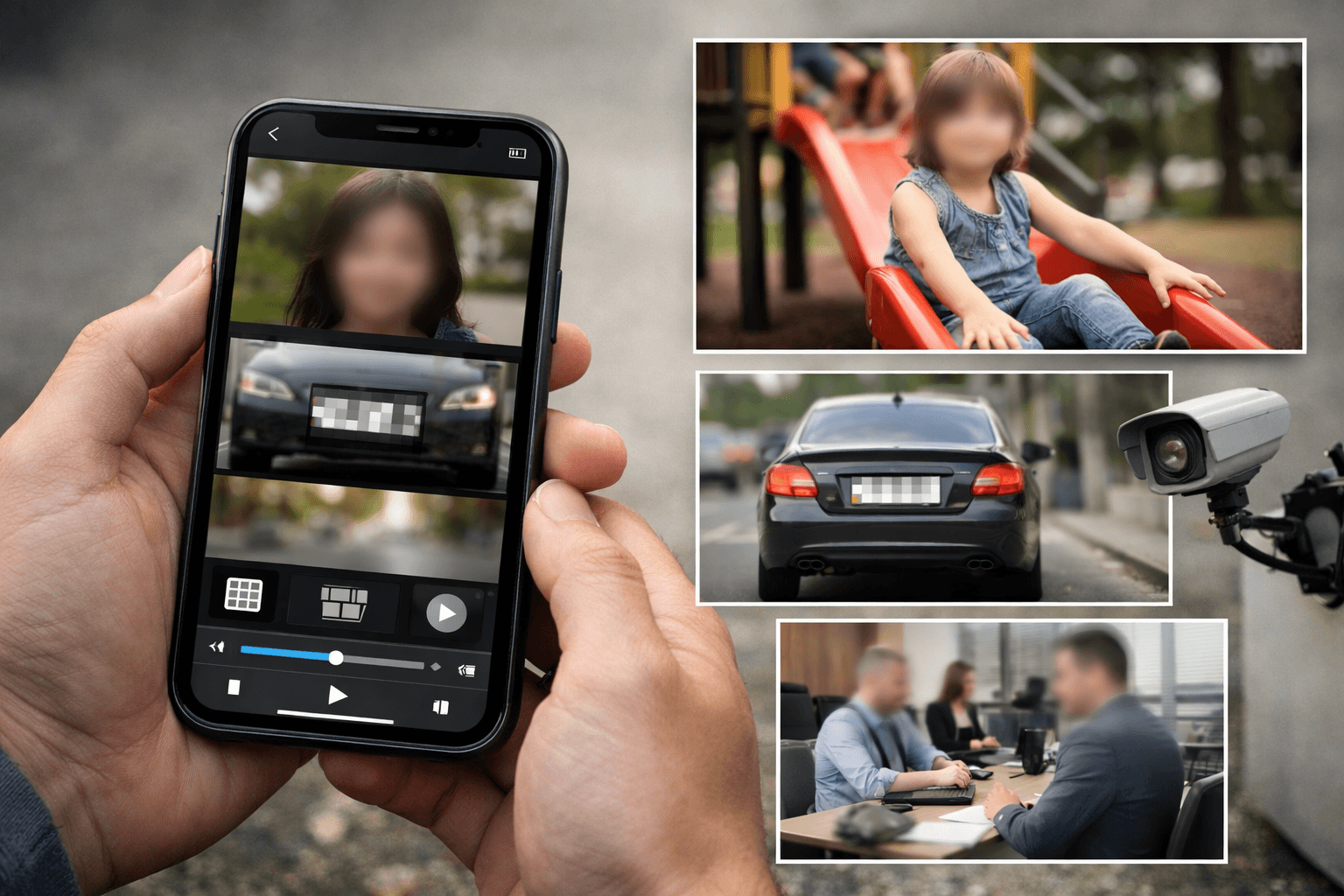
Whether you need to blur a face in video for privacy, hide a license plate blur, or create a video background blur for aesthetic purposes, your iPhone makes it simple. This guide shows you exactly how to blur video content directly from your mobile device while staying compliant with privacy laws.
Why Video Blurring Matters
The ability to pixelate videos has become essential in today's privacy-conscious world. As we share more video content online, protecting personal information isn't just courteous—it's often a legal requirement. From protecting children's identities in family videos to hiding number plate blurin dashcam footage, video blurring serves multiple critical purposes.
Creating professional blur background AI effects has also become popular for aesthetic reasons, helping content creators focus viewer attention on the main subject. But beyond aesthetics, meeting legal privacy requirements has become non-negotiable for businesses and content creators who want to avoid hefty fines and legal complications. The good news is that anonymizing people in social media content is now easier than ever, even on your iPhone.
Understanding Video Privacy and Compliance
Privacy laws worldwide are becoming increasingly strict about how personal data—including faces and license plates—appears in videos. Singapore's Personal Data Protection Act (PDPA) serves as an excellent example of modern privacy regulations that many countries are adopting. Understanding these requirements helps you avoid legal issues while respecting others' privacy rights.
What Counts as Personal Data in Videos?
Under privacy regulations like PDPA, the definition of personal data is broader than you might think. Faces are considered personal identifiable information that can be used to identify individuals, even in casual recordings. License plates contain data that can identify vehicle owners and their movements, making them sensitive personal information. Screen captures with personal details like names, email addresses, or phone numbers require protection before sharing. Even background individuals in public recordings need consideration—just because someone is in a public space doesn't automatically grant you the right to share their image.
Legal Requirements for Video Content
When you record and share videos, privacy laws may require you to take specific protective measures. Obtaining explicit consent from identifiable individuals is the first line of defense, but it's not always practical. When consent cannot be obtained, you must blur face in video content to protect identities. If you're publishing dashcam or security footage, you need to apply number plate blur before making it public to prevent tracking or identification of vehicle owners.
Implementing reasonable safeguards to protect personal data is a core requirement of most privacy laws, and video blurring is one of the most effective methods. You must also be prepared to respond to requests from individuals to remove their identifiable information from your videos. Non-compliance can result in significant penalties—in Singapore, organizations can face fines up to S$1 million for PDPA violations. Similar regulations in Europe (GDPR), California (CCPA), and other jurisdictions carry substantial consequences that can devastate businesses. Our CCPA video privacy compliance guide covers the California-specific requirements in detail.
Want to learn more? Read our comprehensive guide on Singapore PDPA compliance and video privacy requirements, which covers detailed regulations, real-world case studies, and best practices for ensuring your video content meets legal standards.
Best Solution: BGBlur.com for iPhone
BGBlur.com offers a powerful video background blur online free without watermark solution that works directly in your iPhone's Safari browser—no app download needed! The platform is designed with privacy compliance in mind, ensuring your blurring meets legal standards set by regulations worldwide. Unlike traditional video editing apps that require storage space and complex installation, BGBlur.com delivers professional-grade blurring capabilities through your web browser.
Key Features That Set BGBlur.com Apart:
The platform's AI face blur video free technology uses automatic detection to identify and blur faces without manual intervention, saving you hours of tedious work. You can blur anything with precision tracking that follows objects throughout your video, whether they're moving or stationary. The bulk upload capability lets you process multiple videos simultaneously, perfect for businesses managing large volumes of content requiring privacy protection.
BGBlur.com's advanced blur background AI technology delivers professional results that rival expensive desktop software, all accessible from your iPhone. The privacy-compliant processing ensures your blurring meets PDPA standards and other international regulations, giving you peace of mind. It works seamlessly on iPhone Safari without requiring app permissions or device storage, and provides strong blur number plate recognition prevention that makes reconstructing original data virtually impossible.
How to Use BGBlur.com on Your iPhone
Follow these simple steps to blur video content and ensure compliance with privacy regulations:
Step 1: Open Safari
Open Safari and visit BGBlur.com. The interface is optimized for mobile use, making navigation smooth and intuitive on your iPhone screen.
Step 2: Tap "Upload Video"
Tap "Upload Video" and select from your camera roll. BGBlur.com accepts various video formats and can handle high-resolution iPhone footage without quality loss.
Step 3: Choose Your Blur Type
Choose the blur type based on your needs—face blur for anonymizing people, bgblur background for aesthetic depth, or custom area selection for specific objects like documents or screens.
Step 4: Download Your Video
Download your privacy-compliant video. BGBlur.com maintains the original video quality while applying professional-grade blurring effects that meet legal standards.
Common Blur Types for Compliance
Understanding which blur type to use is crucial for both effectiveness and compliance. Pixelation is the most secure option to pixelate videos and achieve complete anonymization, recommended for legal compliance as it prevents reconstruction of original data through advanced image processing techniques. This method breaks the image into large blocks, making it impossible to discern facial features or read license plate numbers.
Gaussian Blur creates smooth, professional video blur effect that's suitable for moderate privacy needs and aesthetic purposes. While it doesn't offer the same level of security as pixelation, it looks more natural and is ideal when you want to de-emphasize background elements without complete anonymization. This approach works well for video background blur in content creation.
Mosaic Effect uses larger blocks for strong license plate blur and facial anonymization, commonly seen in news broadcasts and compliance scenarios. It provides a middle ground between the smoothness of Gaussian blur and the security of heavy pixelation, making it recognizable as intentional privacy protection while remaining visually acceptable.
Quick Tips for Compliance-Ready Results
Use strong intensity for privacy protection—ensure details cannot be reconstructed using image enhancement tools. Weak blurring might look acceptable visually but can potentially be reversed with modern technology, leaving you vulnerable to privacy violations.
Check the entire video frame-by-frame to catch all faces and license plates, especially those that appear briefly or in the background. What seems like a minor oversight can become a compliance issue if someone files a complaint.
Test motion tracking on moving objects to ensure continuous coverage throughout the video. Objects that enter and exit the frame, or that are temporarily obscured by other elements, require special attention to maintain consistent privacy protection.
Verify your results on larger screens before publishing, as details that seem blurred on a small iPhone screen might be more visible on desktop monitors or TVs. What passes on mobile might fail on larger displays.
Document your process for compliance records, including when blurring was applied, what method was used, and why certain decisions were made. This documentation can be invaluable if you ever need to demonstrate due diligence in privacy protection.
Keep original files stored securely if needed for legal purposes, but ensure they're not publicly accessible. Some jurisdictions require retention of original footage for evidence purposes while simultaneously requiring public versions to be anonymized.
When You Must Blur Videos
Privacy regulations typically require blurring in specific scenarios where personal data is captured without explicit consent. Dashcam footage shared online or used as evidence must have all identifiable information blurred, including faces visible through windows and license plates of vehicles not involved in the incident you're documenting. See our dedicated guide on blurring faces and license plates in dashcam videos for a workflow tailored to driving footage.
Public surveillance footage posted on social media needs comprehensive blurring of all individuals unless you have explicit permission from each person. This applies even if the recording was made in a public space—location doesn't determine privacy rights in most jurisdictions.
Event recordings with non-consenting attendees require face blurring for anyone who didn't sign a release form. Simply having a sign at the entrance stating "filming in progress" isn't sufficient consent under most privacy laws.
Workplace videos for employee privacy protection must blur individuals who aren't directly relevant to the video's purpose. Training videos, security footage, or promotional content all fall under these requirements.
Street photography/videography with identifiable individuals needs careful consideration. While artistic expression is protected, privacy rights often take precedence when content is shared publicly, especially for commercial purposes.
Security camera footage released publicly must undergo thorough anonymization. Whether you're sharing footage of a crime, accident, or unusual event, privacy laws require protecting identities of uninvolved parties.
Why Choose BGBlur.com for Compliance?
Unlike apps that take up storage space and require updates, BGBlur.com offers compliance-focused features that set it apart. No installation is required—the platform works directly in your browser, eliminating app store restrictions and device compatibility issues.
Cloud processing handles large, high-resolution files efficiently without taxing your iPhone's processor or battery. You can blur hour-long videos that would crash traditional mobile apps, all while continuing to use your phone for other tasks.
Advanced AI tracking automatically follows faces and license plates throughout your video, even when they temporarily disappear behind objects or move off-screen briefly. This technology significantly reduces the manual work required for compliance-ready footage.
Bulk processing capabilities let you handle multiple videos with consistent compliance standards, essential for businesses managing dashcam fleets, security systems, or regular content production. Apply the same settings across dozens of videos to maintain uniform privacy protection.
The privacy-focused architecture ensures secure processing that protects your data throughout the blurring process. BGBlur.com doesn't store your videos after processing, addressing concerns about cloud-based editing services.
Compliance-ready output means the blurring intensity meets legal standards set by PDPA, GDPR, CCPA, and similar regulations worldwide. The platform's algorithms are specifically calibrated to prevent reconstruction attacks that might reveal original information.
Cross-device compatibility lets you start projects on your iPhone while commuting and finish them on your desktop at the office, with all progress synced automatically through your browser.
Conclusion
Protecting privacy with blur face in video and number plate blur techniques is now easier than ever on your iPhone, thanks to browser-based solutions that eliminate the need for complex software. BGBlur.com provides a powerful, compliance-ready solution that meets the standards of regulations like Singapore's PDPA, Europe's GDPR, and other privacy laws worldwide. The platform transforms what used to be a time-consuming, technical process into something anyone can accomplish in minutes directly from their mobile device.
Whether you're ensuring legal compliance for business purposes, protecting identities in personal content, or creating professional videos with video background blur for aesthetic appeal, BGBlur.com's ai face blur video free technology makes it simple to blur anything directly from your mobile browser. The combination of powerful AI, intuitive interface, and compliance-focused features means you never have to choose between creating great content and respecting privacy.
Don't risk non-compliance with increasingly strict privacy regulations—the potential fines and reputational damage far exceed the minimal effort required to properly anonymize your video content. Start protecting privacy today by visiting BGBlur.com on your iPhone and experience professional pixelate effects that meet legal standards in minutes. Your reputation, your audience's trust, and your legal standing all depend on taking privacy seriously. For a broader look at mobile face-blurring workflows beyond this guide, see how to blur faces in video on iPhone.
For more detailed information on privacy regulations, specific compliance requirements in your jurisdiction, and best practices for different video scenarios, explore our complete guide to video privacy compliance.
FAQ
Q: Does BGBlur.com work on iPhone? A: Yes! BGBlur.com works perfectly in Safari on your iPhone without requiring any app installation. Simply visit the website, upload your video, and start blurring—no storage space needed on your device.
Q: Can it blur multiple faces automatically? A: Absolutely. The blur background AI detects and blurs multiple faces simultaneously for efficient compliance, even in crowded scenes with dozens of people. The AI continuously scans each frame to catch faces that appear throughout the video.
Q: Is the blur strong enough for legal compliance? A: Yes. BGBlur.com uses heavy pixelation for blur number plate and facial anonymization that meets privacy regulations like PDPA, GDPR, and CCPA. The intensity levels are specifically calibrated to prevent reconstruction of original information. Learn more about compliance standards.
Q: Will it reduce video quality? A: No. BGBlur.com maintains high video quality in all non-blurred areas while applying strong blur video effects only where needed for privacy protection. The platform preserves your original resolution and frame rate throughout the process.
Q: Can I process multiple videos at once? A: Yes, use the bulk upload feature for efficient batch processing—ideal for businesses with ongoing compliance requirements like fleet management, security systems, or regular content production across multiple channels.
Q: What happens to my videos after processing? A: BGBlur.com processes videos securely in the cloud and doesn't store your content after download, ensuring your privacy and data security. Your files are permanently deleted from servers once you've downloaded the blurred version.
Q: Does blurring protect me from all privacy violations? A: Proper blurring significantly reduces legal risk by anonymizing personal data in your videos, but you should always check specific requirements in your jurisdiction as laws vary. Read our detailed compliance guide for jurisdiction-specific information.
Q: How long does processing take? A: Processing time depends on video length and resolution, but most iPhone videos are processed within minutes thanks to BGBlur.com's cloud infrastructure. You can even close the browser tab and return later to download your finished video.