Top 10 Tools for JustForFans Creators 2026: LGBTQ+ Guide
A complete 2026 toolkit for JustForFans creators, covering privacy protection, fan messaging automation, editing, and identity protection. Includes a stage-by-stage buildout so creators know what to add as their subscriber base grows.
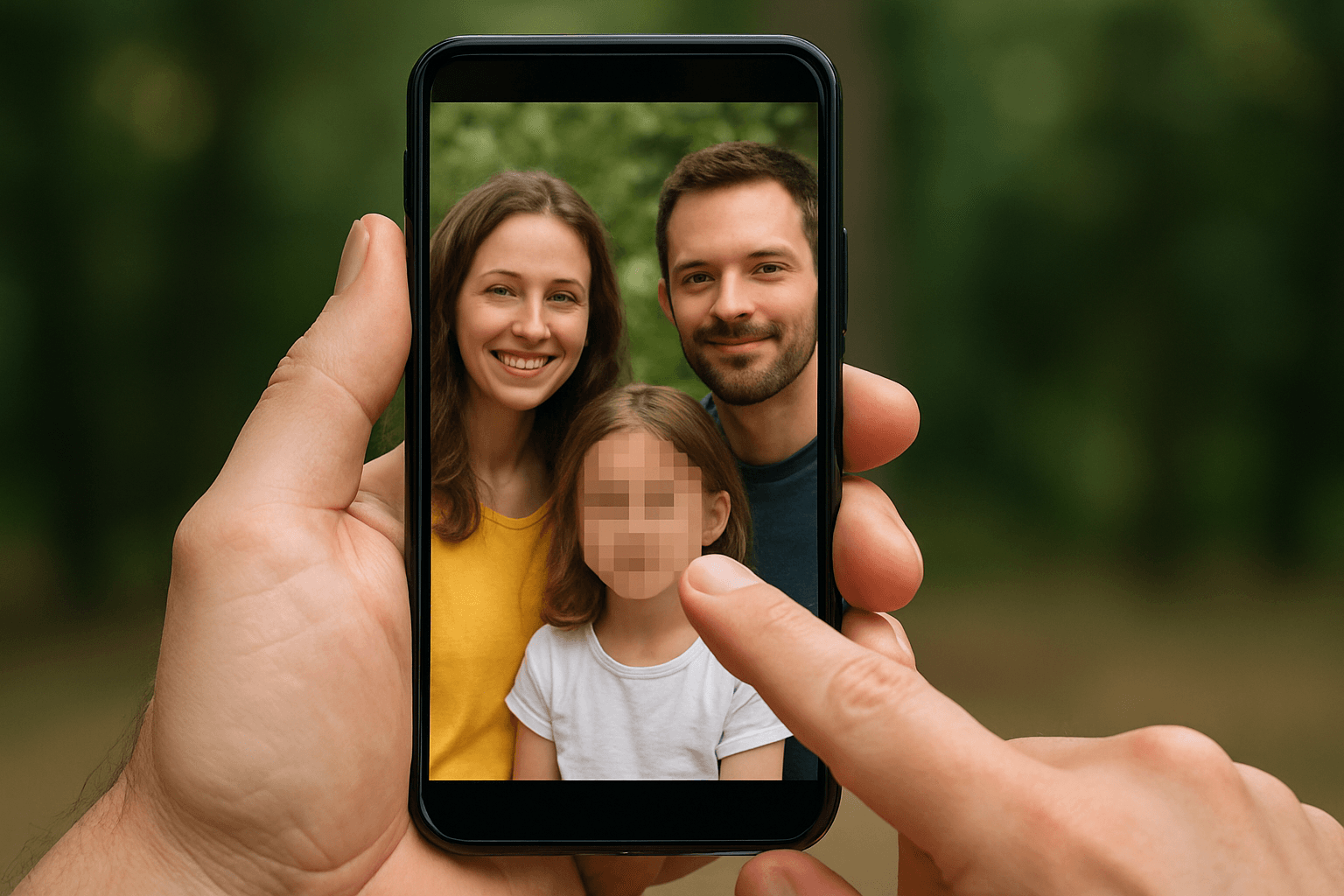
JustForFans (JFF) has established itself as the leading creator platform serving the LGBTQ+ community, particularly popular among gay male content creators. With a dedicated audience, strong community features, and creator-focused policies, JFF offers unique opportunities for creators who understand its ecosystem.
Whether you're established in the JFF community or exploring the platform for the first time, this guide covers the essential tools to build a successful, protected presence in 2026.
| Question | Answer |
|---|---|
| Do I need to show my face on JFF? | No — face-hidden content has strong demand; use BGBlur for consistent AI face blur |
| Best free starter stack? | BGBlur (free tier), ExifCleaner, Canva free, CapCut |
| Where does JFF discovery happen? | Mostly Twitter/X — manage it with TweetDeck |
| Is metadata removal really necessary? | Yes — separate risk from face visibility; strip GPS/device data with ExifCleaner on every file |
| How do I get paid anonymously? | Identity services like Alias handle anonymous payouts and business formation |
| Monthly cost at scale? | Roughly $12-30/month across BGBlur Pro, Lightroom, and Notion, plus optional fan-automation fees |
Why JustForFans Requires Specialized Tools
JFF has unique characteristics that influence tool selection:
- Community Focus: Strong emphasis on creator-fan relationships
- Niche Audience: Dedicated LGBTQ+ user base
- Clip Store Integration: Both subscriptions and individual clip sales
- Direct Messaging: Significant engagement happens in DMs
- Cross-Platform Promotion: Twitter/X remains crucial for JFF discovery
The right tools help you engage this community while protecting your privacy in a way that respects the platform's unique culture.
1. BGBlur - Best Face Blur for Privacy Protection
Website: bgblur.com
Why It's #1: Many JFF creators maintain public professional lives alongside their content careers. BGBlur provides the privacy protection that enables this balance.
Key Features
- AI Face Detection: Automatically identifies and tracks faces
- Consistent Blur: Maintains effect throughout videos
- Multiple Styles: Gaussian, pixelation, mosaic options
- Batch Processing: Handle multiple videos efficiently
- Quality Preservation: No video degradation
- No Watermarks: Clean, professional output
JFF-Specific Applications
Professional Life Protection: Many JFF creators work in careers where privacy matters—BGBlur enables content creation without risking professional standing.
Face-Hidden Niche: There's strong demand on JFF for content where only bodies are shown—BGBlur helps you serve this market professionally. For more on how AI anonymization compares to manual editing, see our face anonymization tools guide.
Gradual Reveals: Some creators start anonymous and reveal later—BGBlur lets you maintain this option.
Partner Protection: Collaborations where one party prefers anonymity.
Privacy Without Compromise
JFF's community values authenticity, but that doesn't require showing your face. BGBlur lets you be genuinely yourself while protecting your identity. Full walkthrough here: blur your face in photos and video in 3 seconds.
2. Supercreator - Best Fan Messaging Automation
Website: supercreator.app
JFF success heavily depends on fan relationships. Supercreator maintains these at scale.
Key Features
- 24/7 Engagement: Respond to fans anytime
- Voice Matching: AI learns your communication style
- PPV Promotion: Contextual content selling
- Multi-Language: Reach international fans
- Performance Analytics: Track what converts
Community Engagement
JFF's community-focused culture means relationships matter more than on other platforms. Supercreator helps maintain genuine connections even as your audience grows.
Pricing
$15/month + 5% of AI-generated sales.
3. Canva - Best Visual Content Tool
Website: canva.com
Professional visuals for content and promotion.
Key Features
- Video Editing: Edit without expensive software
- Promotional Graphics: Twitter and social media content
- Thumbnail Design: Eye-catching preview images
- Brand Consistency: Unified aesthetic
- Template Library: Quick, professional designs
Twitter Optimization
JFF discovery happens primarily on Twitter. Canva helps you create the promotional content that drives traffic to your JFF page.
Pricing
Free tier available. Pro at $12.99/month.
4. CapCut - Best Free Video Editor
Website: capcut.com
Professional editing capabilities at zero cost.
Key Features
- Auto Captions: Accessibility and engagement
- Motion Tracking: Dynamic effects
- Speed Control: Cinematic options
- Transitions: Professional scene changes
- Color Grading: Visual enhancement
Content Workflow
Edit in CapCut for professional quality, then process through BGBlur for privacy. This combination delivers both quality and protection.
Pricing
Completely free with optional premium effects.
5. TweetDeck/X Pro - Best Twitter Management
Website: twitter.com
Twitter is the primary promotion channel for JFF. Professional management is essential.
Key Features
- Multiple Columns: Monitor different feeds simultaneously
- Scheduled Posts: Maintain consistent posting
- Search Monitoring: Track relevant hashtags
- Engagement Tracking: See what resonates
- Quick Response: Reply efficiently
Twitter Strategy for JFF
- Regular teaser posting
- Hashtag optimization
- Community engagement
- Consistent presence
- Strategic timing
Pricing
Included with X Premium subscription.
6. Lightroom Mobile - Best Photo Enhancement
Website: adobe.com/products/photoshop-lightroom
Photo quality directly impacts subscription conversions.
Key Features
- Professional Presets: Consistent aesthetic
- Advanced Editing: Complete control over images
- Selective Adjustments: Perfect specific areas
- Mobile Workflow: Edit on your phone
- Cloud Sync: Access everywhere
Visual Quality on JFF
JFF's audience appreciates quality content. Professional photo editing helps you stand out and justify premium pricing.
Pricing
Free with limits. Full features at $9.99/month.
7. ExifCleaner - Best Metadata Removal
Website: exifcleaner.com
Essential privacy protection for all content.
Hidden Data Risks
Your files contain:
- GPS location data
- Device identification
- Timestamps
- Potentially personal information
Critical Practice
Every file should be processed before uploading anywhere. This is non-negotiable privacy hygiene. Creators wanting protection beyond the face — tattoos, distinctive rooms, visible ID — should also read our full-body anonymization guide.
Pricing
Free and open source.
8. Gumroad - Best Supplementary Sales Platform
Website: gumroad.com
Diversify income beyond JFF with digital product sales.
Key Features
- Digital Downloads: Sell content directly
- Subscription Options: Alternative revenue stream
- Simple Setup: Easy to start
- Payment Processing: Built-in checkout
- Analytics: Track sales performance
Diversification Strategy
Relying solely on JFF creates platform risk. Gumroad provides an alternative channel for content sales.
Pricing
Free to use. Transaction fees on sales.
9. Notion - Best Content Organization
Website: notion.so
Organized creators produce consistent content.
Key Features
- Content Calendar: Plan ahead
- Idea Storage: Never lose inspiration
- Analytics Tracking: Log performance
- Workflow Management: Streamline production
- Goal Setting: Track progress
Organization Benefits
JFF rewards consistency. Notion helps you plan, track, and optimize your content strategy systematically.
Pricing
Free for personal use. Plus at $8/month.
10. Alias - Best Identity Protection Service
Website: alias.inc
Comprehensive privacy beyond face blurring.
Key Features
- Anonymous Payments: Receive JFF payouts privately
- Business Formation: LLC protection
- Virtual Address: Location privacy
- Tax Support: Creator-specific guidance
- Identity Monitoring: Exposure alerts
Why This Matters
JFF income is real income requiring proper handling. Alias helps you manage the business side while maintaining complete privacy.
Pricing
Custom based on services needed.
JFF Success Framework
Content Strategy
- Regular Feed Posts: Consistent presence
- PPV Messages: Premium content monetization
- Clip Store: Individual video sales
- Custom Content: Personalized requests
- Live Interaction: Real-time engagement
Community Building
JFF's community-focused culture rewards genuine engagement:
- Respond to comments
- Engage with other creators
- Participate in community events
- Build genuine connections
Pricing Approach
- Research comparable creators
- Start competitively, increase with audience
- Offer value at every tier
- Use PPV strategically
JFF Creator Toolkit by Stage
Getting Started (0-50 subscribers):
- BGBlur for privacy protection
- ExifCleaner for metadata removal
- Canva free for design
- CapCut for editing
Building Audience (50-150 subscribers):
- Add Lightroom for photo quality
- TweetDeck for Twitter management
- Notion for organization
Scaling Up (150+ subscribers):
- Supercreator for fan automation
- Gumroad for diversification
- Alias for business structure
Privacy Checklist for JFF Creators
- BGBlur all video content as standard practice
- ExifCleaner every file before uploading
- Separate creator accounts from personal
- VPN usage when accessing creator platforms
- 2FA enabled everywhere
- Anonymous payment setup
How Does JustForFans Compare to Other Creator Platforms?
Many creators run JFF alongside other subscription platforms rather than relying on a single site, so it helps to know how the toolkits differ.
JustForFans vs OnlyFans: JFF's LGBTQ+ community focus and clip store contrast with OnlyFans' broader, larger audience. If you're weighing both, our top 10 tools for OnlyFans creators guide covers the equivalent toolkit for that platform.
JustForFans vs Fansly: Fansly leans on algorithmic discovery within its own app, while JFF depends more on Twitter/X promotion and community reputation. See our Fansly creator tools guide for the differences.
JustForFans vs LoyalFans: LoyalFans markets itself as a no-ban, creator-friendly alternative similar to JFF's positioning. Compare toolkits in our LoyalFans creator guide.
Whichever combination you run, the privacy fundamentals stay the same: blur your face and identifying features with BGBlur, strip metadata with ExifCleaner, and keep payment and business setup separate from your personal identity on every platform you post to.
Frequently Asked Questions
Do I have to show my face to succeed on JustForFans? No. JustForFans has a well-established market for face-hidden content, and many top creators never reveal their identity. Tools like BGBlur apply AI face detection and consistent blur across an entire video, so you can post regularly without risking your professional or personal life. Some creators start anonymous and reveal later once they're comfortable — BGBlur supports that gradual approach since you control blur intensity per upload.
What is the best free tool to start a JustForFans page? CapCut and Canva's free tiers cover editing and promotional graphics at zero cost, and ExifCleaner strips identifying metadata for free. For privacy, BGBlur's free tier includes 3 videos a month at 720p, enough to test face-blur workflows before upgrading. Combine those three with a Twitter/X account for promotion and you have a functional starting toolkit.
How do I stop my JustForFans content from being traced back to me? Layer several protections rather than relying on one tool. Blur your face and any identifying tattoos or backgrounds with BGBlur, strip GPS and device metadata with ExifCleaner before every upload, use a dedicated creator email and payment setup, and consider an identity service like Alias for anonymous payouts and business formation. No single step is foolproof, but the combination significantly reduces traceability.
Does blurring my face hurt engagement on JustForFans? Not necessarily. JFF's community values consistent, quality content and genuine interaction more than a visible face — many high-earning face-hidden creators build strong subscriber relationships through voice, personality, and body-focused content. BGBlur preserves video quality with no visible artifacts or watermarks, so the blur reads as a stylistic choice rather than a technical downgrade.
What tools help me promote my JustForFans page on Twitter/X? TweetDeck (X Pro) is the standard tool for managing JFF promotion, since it lets you monitor multiple columns, schedule posts, and track hashtag performance in one dashboard. Pair it with Canva for promotional graphics and thumbnails. Always run promotional clips through BGBlur first if they contain your face, since Twitter content is public and far more exposed than JFF's subscriber-gated feed.
Is metadata removal actually necessary if I already blur my face? Yes — face blur and metadata removal solve different problems. Blurring hides your visible identity, but the file itself can still contain GPS coordinates, device model, and timestamps embedded by your phone or camera. ExifCleaner strips that hidden data before upload. Treat both as mandatory steps in the same workflow, not alternatives to each other.
How much does a full JustForFans privacy and tool stack cost? A starting stack (BGBlur free tier, ExifCleaner, Canva free, CapCut) costs nothing. As you scale past 50 subscribers, expect roughly $12-30/month for BGBlur Pro, Lightroom, and Notion combined, and Supercreator adds $15/month plus 5% of AI-assisted sales once you're using fan automation. Alias pricing is custom based on the business services you need.
Final Thoughts
JustForFans offers unique opportunities within its dedicated community. Success requires understanding the platform's culture while protecting your privacy and building sustainable content practices.
Start with BGBlur and ExifCleaner as your privacy foundation. Invest in community engagement and consistent content quality. Build your toolkit systematically as you grow.
Ready to build your JFF presence? Start with BGBlur for essential privacy protection, then expand your toolkit as your audience grows.