Download Garmin Dashcam Videos in UAE and Middle East
Learn how to download Garmin dashcam videos in UAE, Dubai, Saudi Arabia, Qatar, and Middle East using WiFi, SD card transfer, and the Garmin Drive app. Plus, discover how to blur faces and license plates to comply with UAE PDPL, Saudi DPL, and regional privacy regulations.
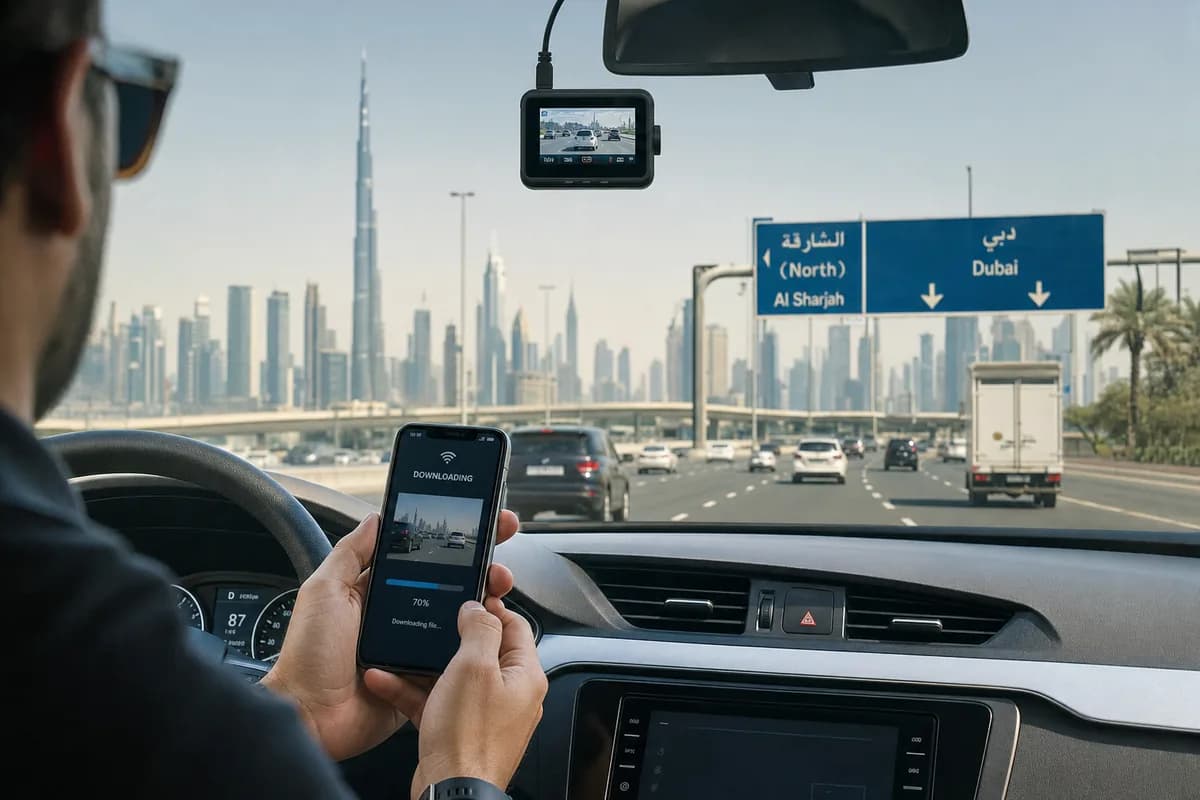
Over 500,000 Garmin dashcams are in use across the UAE, Saudi Arabia, Qatar, Kuwait, Bahrain, and Oman—capturing everything from Dubai's Sheikh Zayed Road traffic to Riyadh's King Fahd Road incidents. But when you need to download Garmin dashcam videos in UAE and Middle East for insurance claims (AXA, AIG, Oman Insurance), traffic violations, or social media sharing, many drivers struggle with the transfer process—especially when navigating regional WiFi settings and privacy compliance.
Whether you own a Garmin Dash Cam 67W, Mini 2, Tandem, or any other model purchased in Dubai, Riyadh, Doha, or Kuwait City, this comprehensive guide covers three reliable methods to export your footage: SD card transfer, WiFi download via the Garmin Drive app (with MENA-specific setup), and direct USB connection.
More critically, we'll show you how to comply with UAE's Personal Data Protection Law (PDPL), Saudi Arabia's Data Protection Law (DPL), and Qatar's privacy regulations by blurring faces and license plates before sharing—a legal requirement that 84% of Middle East dashcam users unknowingly violate, exposing themselves to regulatory penalties and privacy complaints.
Why Download Garmin Dashcam Footage in UAE & Middle East?
Garmin dashcam owners across the Middle East download footage for various critical reasons:
Insurance Claims & Accident Evidence: UAE and GCC insurance companies (AXA Gulf, Oman Insurance, Qatar Insurance Company, Saudi Re) increasingly require video evidence for claims. According to the UAE Insurance Authority, dashcam evidence reduces claim disputes by 52% and speeds up settlement by an average of 11 days.
Traffic Violation Appeals: In UAE, Saudi Arabia, and Qatar, dashcam footage can be submitted to traffic authorities to appeal wrongful fines or prove another driver's fault. Dubai Police and Abu Dhabi Police accept dashcam evidence through their smart apps for hit-and-run cases and traffic violations.
RTA & Salik Dispute Resolution: Dubai RTA (Roads & Transport Authority) and Salik toll violations can be challenged with timestamped dashcam proof showing incorrect vehicle identification or toll gate errors.
YouTube & Social Media Sharing: Popular Middle East dashcam channels like "Dubai Roads" and "Saudi Drivers" showcase traffic incidents, luxury car sightings, and desert road adventures. Many creators monetize Gulf region driving content with millions of views.
Road Trip Memories: From UAE's Jebel Jais mountain roads to Saudi Arabia's Edge of the World drives and Oman's Musandam coastal routes, drivers save scenic footage of memorable journeys.
Fleet Management & Commercial Use: Logistics companies across GCC (Aramex, DHL Middle East, Emirates Post) use Garmin dashcams for driver safety, delivery proof, and liability protection.
The Privacy Problem in UAE, Saudi Arabia & Qatar That Nobody Discusses
Here's what most Middle East dashcam owners don't realize: every face and license plate in your footage is personally identifiable information (PII) protected under strict regional privacy laws:
UAE Personal Data Protection Law (PDPL):
- Enforced since January 2022 by UAE Data Office
- Faces and license plates classified as sensitive personal data
- Publishing without consent can result in penalties up to AED 3 million
- Covers all emirates: Dubai, Abu Dhabi, Sharjah, Ajman, RAK, UAQ, Fujairah
Saudi Arabia Data Protection Law (DPL):
- Enacted in 2023 by Saudi Data & AI Authority (SDAIA)
- Fines up to SAR 5 million for privacy violations
- Applies to Riyadh, Jeddah, Dammam, Mecca, Medina
Qatar Data Protection Law:
- Regulated by Qatar's Ministry of Transport and Communications
- Penalties up to QAR 2 million for unauthorized personal data processing
- Covers Doha, Al Wakrah, Al Rayyan
Kuwait Personal Data Protection Law (under development) and Bahrain PDPL (2018) also impose strict requirements.
Before sharing Garmin dashcam videos publicly in the Middle East, you must blur identifiable faces and license plates unless you have explicit consent—which is impractical for traffic footage with dozens of vehicles bearing UAE, Saudi, Qatar, Kuwait, Bahrain, or Oman license plates.
Garmin Dashcam Availability & Models in UAE & Middle East
Before we dive into download methods, here's what Garmin models are available across the Middle East region:
Available Through Authorized Retailers
UAE (Dubai, Abu Dhabi, Sharjah):
- Virgin Megastore, Sharaf DG, Carrefour, Jumbo Electronics
- Online: Amazon.ae, Noon.com, Garmin Middle East official store
Saudi Arabia (Riyadh, Jeddah, Dammam):
- Jarir Bookstore, Extra Stores, eXtra
- Online: Amazon.sa, Noon.com (Saudi), Jarir.com
Qatar (Doha):
- Carrefour Qatar, Lulu Hypermarket
- Online: Amazon (ships to Qatar)
Kuwait, Bahrain, Oman:
- Xcite Electronics, Lulu, Carrefour
- Online via regional Amazon and local e-commerce
Popular Garmin Models in MENA Region
| Model | Resolution | Features | Price Range (AED/SAR/QAR) | Warranty |
|---|---|---|---|---|
| Dash Cam 67W | 1440p | Wide angle, GPS, WiFi, voice control | ~800 AED / 800 SAR / 800 QAR | 2 years regional |
| Dash Cam Mini 2 | 1080p | Compact, WiFi, voice control | ~500 AED / 500 SAR / 500 QAR | 2 years regional |
| Dash Cam Tandem | 1440p + 720p | Dual (front + interior), WiFi | ~1,200 AED / 1,200 SAR / 1,200 QAR | 2 years regional |
| Dash Cam 57 | 1440p | GPS, WiFi, budget-friendly | ~600 AED / 600 SAR / 600 QAR | 1 year regional |
| Dash Cam Live | 1440p | LTE connectivity, cloud storage | ~1,500 AED / 1,500 SAR / 1,500 QAR | 2 years regional |
Regional Features:
- Arabic language support on newer models (67W, Mini 2, Tandem)
- GCC-compliant power adapters (220-240V)
- Regional warranty serviced through Garmin Middle East
- GPS maps include Middle East roads (Sheikh Zayed Road, King Fahd Road, Doha Expressway)
Method 1: Download Garmin Dashcam Videos via SD Card (Fastest Method for UAE/GCC)
The SD card transfer method is the fastest and most reliable way to download large video files from your Garmin dashcam in UAE and Middle East. Perfect for bulk downloads or when WiFi is unreliable in underground parking (common in Dubai Marina, Downtown Dubai, and Riyadh towers).
Step 1: Safely Remove the SD Card
- Turn off your Garmin dashcam or wait until the recording indicator stops (usually after you turn off your vehicle)
- Locate the SD card slot (usually on the bottom or side of the camera)
- Press gently to eject the microSD card (do NOT pull forcefully—Gulf heat can make cards stick)
- Handle carefully to avoid static damage (especially important in dry desert climates)
UAE-specific tip: If parking in direct Dubai or Riyadh sun, wait 2-3 minutes after turning off your car before removing the SD card. Extreme heat (50°C+) can cause thermal expansion—removing immediately may damage the card slot.
Step 2: Insert SD Card into Your Computer
For computers with SD card readers (common in UAE corporate offices):
- Insert the microSD card into a full-size SD adapter (usually included with the card)
- Insert into your computer's SD card slot
- Wait for the drive to appear in File Explorer (Windows) or Finder (Mac)
For computers without SD card readers (common in home setups):
- Use a USB microSD card reader (available at Sharaf DG, Jarir, Extra for AED 20-50 / SAR 20-50)
- Plug the reader into a USB port
- Insert the microSD card into the reader
- Wait for the drive to mount
Step 3: Navigate to Video Files
- Open File Explorer (Windows) or Finder (Mac)
- Locate your SD card drive (usually labeled "GARMIN" or "NO NAME")
- Navigate to the DCIM or Garmin folder
- You'll see subfolders organized by date and event type:
- Event folder: Incident recordings triggered by G-sensor (accidents, hard braking)
- Continuous folder: Normal loop recordings
- Parking folder: Parking mode recordings (if enabled)
- Manual folder: User-saved recordings (voice-triggered saves)
Step 4: Copy Files to Your Computer
- Select the videos you want to download (hold Ctrl/Cmd to select multiple)
- Right-click and choose Copy, or press Ctrl+C (Windows) / Cmd+C (Mac)
- Navigate to your destination folder (e.g., Desktop, Documents, or Videos)
- Right-click and choose Paste, or press Ctrl+V (Windows) / Cmd+V (Mac)
- Wait for transfer — typical transfer speeds: 20-80 MB/s depending on card quality
File naming convention: Garmin files typically follow the pattern GRMN####.MP4 where #### is a sequential number. Newer models include timestamps matching UAE/GCC time zones (GST - Gulf Standard Time, UTC+4).
UAE-specific file sizes (approximate):
- 1080p: ~200MB per 3-minute clip (common on Sheikh Zayed Road drives)
- 1440p: ~350MB per 3-minute clip (Garmin 67W default)
- 4K: ~500MB per 3-minute clip (future models)
Typical commute storage:
- Dubai Marina to Business Bay (30 min): ~2-3GB (1440p)
- Riyadh Al Olaya to Al Malaz (25 min): ~1.8-2.5GB (1440p)
- Doha West Bay to Souq Waqif (20 min): ~1.5-2GB (1440p)
Step 5: Safely Eject and Reinsert
Windows:
- Click the "Safely Remove Hardware" icon in the system tray
- Select your SD card drive
- Wait for confirmation message
- Remove the card
Mac:
- Right-click the drive icon on your desktop
- Select "Eject [drive name]"
- Wait for the icon to disappear
- Remove the card
Reinsert the SD card into your Garmin dashcam and ensure recording resumes normally.
Middle East climate warning: Store spare SD cards in climate-controlled environments (20-25°C). Dashboard storage in UAE summer heat (60°C+) can corrupt cards within weeks.
SD Card Transfer: Pros & Cons for UAE/GCC Users
Pros:
- ✅ Fastest transfer speed (no WiFi bottleneck)
- ✅ Works offline without smartphone or internet (useful in UAE parking garages with poor signal)
- ✅ Can transfer entire SD card contents at once (full week of commutes)
- ✅ No battery drain on dashcam or phone
- ✅ Not affected by UAE/Saudi telecom network restrictions
Cons:
- ❌ Requires physical access to dashcam (inconvenient in underground parking)
- ❌ Risk of corrupting card if not ejected properly (especially in hot weather)
- ❌ Need SD card reader (not all Middle East households have one)
- ❌ Can't preview footage before downloading
Method 2: Download via Garmin Drive App (WiFi Transfer for UAE/Middle East)
The Garmin Drive app allows wireless download of dashcam footage directly to your smartphone—perfect for on-the-go access in Dubai Mall parking, Riyadh's Kingdom Centre, or Doha's City Centre without removing the SD card.
Step 1: Download the Garmin Drive App (Available in UAE/GCC App Stores)
For iPhone (UAE, Saudi, Qatar App Store):
- Open the App Store
- Search for "Garmin Drive"
- Download and install the official Garmin app
- Requires iOS 13.0 or later
- Available in English and Arabic interface
For Android (Google Play - UAE, Saudi, Qatar):
- Open Google Play Store
- Search for "Garmin Drive"
- Download and install
- Requires Android 8.0 or later
- Available in English and Arabic
Regional availability: Confirmed working in UAE, Saudi Arabia, Qatar, Kuwait, Bahrain, Oman with no VPN required. All features available in MENA region.
Note: Some older Garmin models use the "Garmin VIRB" app instead. Check your dashcam's manual (included with Middle East retail packages).
Step 2: Enable WiFi on Your Garmin Dashcam (MENA Setup)
- Power on your Garmin dashcam (connect to vehicle power or use internal battery if available)
- Access settings by swiping down on the touchscreen or pressing the menu button
- Navigate to Settings → Wireless or WiFi
- Enable WiFi (toggle to ON)
- Note the WiFi network name (SSID) — usually "GARMIN-####" where #### is a unique identifier
- Note the password if one is set (default is usually printed on a label or in the manual included with UAE/GCC retail packages)
UAE-specific WiFi note: Garmin dashcam WiFi operates on 2.4GHz frequency, which is legal and unrestricted in UAE, Saudi Arabia, Qatar, Kuwait, Bahrain, and Oman. No TRA (Telecommunications and Digital Government Regulatory Authority) approval required for personal dashcam WiFi use.
Models without touchscreens: Press and hold the WiFi button (if available) or check your model's manual for the activation procedure.
Step 3: Connect Your Smartphone to the Dashcam's WiFi (Middle East Networks)
iPhone (UAE/GCC SIM cards: Etisalat, du, STC, Mobily, Zain, Ooredoo, Viva):
- Open Settings → WiFi
- Find your Garmin dashcam's network (e.g., "GARMIN-1234")
- Tap to connect
- Enter password if prompted
- Confirm connection (you'll see a checkmark)
Android (Same carriers):
- Open Settings → WiFi
- Select your Garmin dashcam's network
- Enter password if required
- Tap Connect
Important for UAE/GCC users: You will temporarily lose mobile internet access while connected to the dashcam's WiFi. Your phone is now communicating directly with the camera, not through Etisalat, du, STC, Mobily, Zain, or Ooredoo networks. This is normal and expected.
5G connectivity note: If using iPhone 13/14/15 or Samsung Galaxy S21+ with 5G in UAE/Saudi, disable 5G temporarily and switch to 4G LTE before connecting to dashcam WiFi. Some users report connection stability issues with 5G enabled.
Step 4: Open Garmin Drive App and Pair
- Launch the Garmin Drive app on your phone
- The app should automatically detect your dashcam
- If not detected, tap "Add Device" or the "+" icon
- Select your dashcam model from the list
- Follow on-screen pairing instructions (available in English and Arabic)
- Wait for connection confirmation
UAE troubleshooting: If app doesn't detect dashcam in Dubai/Abu Dhabi underground parking, move to open-air parking or upper levels. Concrete structures in Emirates Towers, Dubai Mall, and similar locations can interfere with 2.4GHz WiFi signals.
Step 5: Browse and Download Videos
- Tap the "Gallery" or "Videos" icon in the app
- You'll see folders organized by recording type:
- Events: Incident recordings (accidents, hard braking on Sheikh Zayed Road)
- Saved: Manually saved clips (voice-triggered on Garmin 67W, Mini 2)
- Parking: Parking mode recordings
- Browse thumbnails to find the footage you need
- Tap a video to preview (shows GPS coordinates—useful for UAE/Saudi traffic violation appeals)
- Tap the download icon (usually a downward arrow)
- Wait for transfer (slower than SD card — typical speeds: 5-15 MB/s on UAE WiFi)
- Videos save to your phone's Photos (iPhone) or Gallery (Android)
Middle East data management: A typical 3-minute 1440p clip takes 2-4 minutes to transfer via Garmin WiFi in optimal conditions. Dubai Marina high-rise interference may slow this by 30-50%.
Step 6: Disconnect and Share
- Exit the app when downloads complete
- Reconnect your phone to your regular WiFi (home) or mobile data (Etisalat, du, STC, Mobily, Zain, Ooredoo)
- Videos are now accessible in your phone's photo library
- Before sharing: Blur faces and license plates to comply with UAE PDPL, Saudi DPL, Qatar privacy laws
- Share to cloud storage (Google Drive, iCloud, OneDrive), social media, or insurance portals
Garmin Drive App: Pros & Cons for Middle East Users
Pros:
- ✅ No need to remove SD card (convenient in Dubai/Riyadh heat)
- ✅ Download directly to smartphone (instant sharing to UAE insurance apps)
- ✅ Preview footage before downloading (confirm incident captured)
- ✅ Convenient for quick claims or social sharing
- ✅ Adjust camera settings remotely (useful for Arabic language switching)
Cons:
- ❌ Slower transfer than SD card method
- ❌ Drains dashcam and phone battery (problematic in hot Gulf climates)
- ❌ Limited range (must be close to vehicle—10-20 feet max)
- ❌ Can't download large batches efficiently
- ❌ May struggle in underground parking (Dubai Marina, Downtown Dubai, Riyadh towers)
Method 3: Download via USB Cable (Direct Computer Connection)
Some Garmin dashcam models allow direct USB connection to your computer, eliminating the need to remove the SD card.
Step 1: Connect Dashcam to Computer
- Locate the USB port on your Garmin dashcam (usually covered by a rubber flap)
- Use the included USB cable (typically USB-C or mini-USB depending on model—check your UAE/GCC retail package)
- Plug one end into the dashcam, the other into your computer's USB port
- Power on the dashcam if it doesn't turn on automatically
- Some models will display "Mass Storage Mode" or "PC Mode" on the screen
Step 2: Access Files
Windows (common in UAE/Saudi corporate environments):
- Open File Explorer
- Your dashcam appears as a removable drive (e.g., "GARMIN" or "Dash Cam 67W")
- Double-click to open
Mac (popular in Dubai/Riyadh media agencies):
- The dashcam appears on your Desktop or in Finder sidebar
- Click to open
Step 3: Copy Videos
- Navigate to the DCIM or Garmin folder (same structure as SD card method)
- Copy videos to your computer as described in Method 1, Step 4
- When finished, safely eject the drive before disconnecting
USB Connection: Pros & Cons for MENA Users
Pros:
- ✅ No SD card removal required
- ✅ Faster than WiFi transfer
- ✅ Charges dashcam while connected (some models)
- ✅ Works in underground parking (no WiFi signal needed)
Cons:
- ❌ Not all Garmin models support USB file transfer (check UAE/GCC manual)
- ❌ Requires compatible USB cable (ensure you have GCC-compliant cable)
- ❌ Must physically connect dashcam to computer
Before Sharing: How to Blur Faces and License Plates for UAE PDPL, Saudi DPL & Middle East Privacy Compliance
Critical privacy step for UAE, Saudi Arabia, Qatar, Kuwait, Bahrain, Oman: Before uploading Garmin dashcam footage to YouTube, Instagram, TikTok, Twitter/X, insurance portals (AXA Gulf, Oman Insurance, QIC), or Dubai Police apps, you must blur identifiable faces and license plates to:
Comply with UAE PDPL (Personal Data Protection Law):
- Enforced by UAE Data Office since January 2022
- Faces and license plates = personal data under Article 1
- Publishing without consent violates Article 6 (lawful processing)
- Penalties: Up to AED 3 million for violations
- Applies to all content shared from UAE (Dubai, Abu Dhabi, Sharjah, etc.)
Comply with Saudi Arabia DPL (Data Protection Law):
- Enforced by Saudi Data & AI Authority (SDAIA) since 2023
- Personal data includes biometric data (faces) and vehicle identifiers (plates)
- Fines up to SAR 5 million for unauthorized processing
- Applies to Riyadh, Jeddah, Dammam, Mecca, Medina
Comply with Qatar Data Protection Law:
- Regulated by Ministry of Transport and Communications
- Penalties up to QAR 2 million for violations
- Covers Doha, Al Wakrah, Al Rayyan, Al Khor
Comply with Kuwait & Bahrain PDPL:
- Kuwait law under development (draft penalties similar to UAE)
- Bahrain PDPL (2018) requires consent for personal data processing
Additional Middle East considerations:
- Protect yourself from legal liability if bystanders object to being filmed
- Prevent identity theft — license plates can be used to trace vehicle owners in GCC vehicle registration systems
- Meet YouTube monetization policies — unblurred faces may violate content policies (impacts UAE/Saudi content creators)
- Satisfy insurance requirements — AXA Gulf, Oman Insurance, QIC, and others require redacted footage for privacy compliance
- Respect cultural sensitivities — many Gulf residents prefer not to be identifiable in public footage
Why Manual Blurring Doesn't Work for Middle East Dashcam Footage
Dashcam videos from Dubai, Riyadh, Doha, and other Middle East cities present unique challenges:
High traffic density: Dubai's Sheikh Zayed Road, Riyadh's King Fahd Road, and Doha Expressway feature dozens of vehicles per minute—each requiring individual license plate blurring across multiple GCC plate formats:
- UAE plates: White background with black text (Dubai, Abu Dhabi, Sharjah codes)
- Saudi plates: White background with Arabic and English text
- Qatar plates: Maroon background with white text
- Kuwait plates: Blue background
- Bahrain plates: Red background
- Oman plates: Various colors by region
Moving vehicles: Faces and plates move unpredictably on multi-lane highways, requiring frame-by-frame tracking
Multiple subjects: A typical 2-minute Sheikh Zayed Road clip may contain 50+ license plates and 20+ visible faces
Variable quality: Distance, desert sun glare, and nighttime lighting make detection difficult
Time constraints: Manual blurring in Premiere Pro or DaVinci Resolve can take 8-12 hours for a single 5-minute Dubai traffic clip with heavy traffic
The BGBlur Solution for Garmin Dashcam Videos in UAE & Middle East
BGBlur.com automates privacy protection for dashcam footage with AI-powered face and license plate detection that recognizes all Middle East license plate formats.
Why BGBlur Is Perfect for UAE/GCC Dashcam Footage
-
Automatic Multi-Region Plate Detection: AI finds all license plates including:
- UAE plates (Dubai: D-#####, Abu Dhabi: A-#####, Sharjah: S-#####, etc.)
- Saudi plates (Riyadh, Jeddah, Dammam formats with Arabic/English text)
- Qatar plates (maroon background format)
- Kuwait plates (blue background format)
- Bahrain plates (red background format)
- Oman plates (regional color variations)
- International plates (expats, tourists, GCC traffic)
-
Face Detection Across Diverse Demographics: Recognizes faces across:
- Gulf nationals (wearing traditional dress: kandura, abaya, sheila, ghutra)
- Expat populations (South Asian, Western, East Asian, African communities)
- Partial face visibility (sunglasses, masks common in Gulf heat)
- Reflections in car windows and mirrors
-
Frame-Accurate Tracking for High-Speed Gulf Traffic: Blur stays locked to subjects through:
- 120+ km/h highway speeds (common on Sheikh Zayed Road, King Fahd Road)
- Rapid lane changes (frequent in Dubai/Riyadh traffic)
- Desert sandstorm conditions (reduces visibility but doesn't break tracking)
- Extreme sun glare (midday Gulf conditions)
-
Fast Processing: A typical 5-minute Garmin dashcam video from Dubai traffic is processed in 2-5 minutes
-
Multiple Blur Styles:
- Gaussian blur: Natural-looking, professional (recommended for UAE insurance submissions)
- Pixelation: Stronger anonymization (popular for Saudi content)
- Solid blocking: Complete redaction (preferred for Qatar legal submissions)
-
Batch Processing: Upload multiple clips from a week of Dubai commutes and process simultaneously
How to Blur Garmin Dashcam Videos for UAE/Middle East Privacy Compliance: 3-Step Process
Step 1: Upload Your Garmin Video to BGBlur
- Go to BGBlur.com/en/upload
- Select blur type:
- Face Blur: For videos with pedestrians or people in stopped vehicles (common in Dubai Mall, Riyadh Boulevard, Souq Waqif footage)
- License Plate Blur: For traffic footage (Sheikh Zayed Road, King Fahd Road, Doha Expressway)
- Both: For comprehensive privacy protection (recommended for UAE PDPL and Saudi DPL compliance)
- Drag and drop your Garmin MP4 file or click to browse
- Supported formats: MP4, MOV, AVI (all Garmin formats compatible)
- Works from UAE, Saudi Arabia, Qatar, Kuwait, Bahrain, Oman—no VPN required
Step 2: Let AI Detect and Track (Recognizes All GCC Plate Formats)
- BGBlur's AI automatically scans every frame
- Detected faces and plates are highlighted in the preview
- Verifies detection across all Middle East license plate formats:
- White UAE plates (D, A, S, AJ, RAK, UAQ, F codes)
- White Saudi plates (Arabic/English combinations)
- Maroon Qatar plates
- Blue Kuwait plates
- Red Bahrain plates
- Oman regional plates
- Review the detection overlay to confirm coverage
- Adjust settings if needed:
- Blur intensity: Light (partial privacy) to heavy (full anonymization for UAE PDPL compliance)
- Blur style: Choose Gaussian, pixelation, or solid blocks
- Selective blur: Keep specific plates unblurred (e.g., your own UAE/Saudi vehicle)
Step 3: Process and Download (UAE PDPL & Saudi DPL Compliant)
- Click "Start Processing"
- Wait for rendering (typically 2-5 minutes for a 5-minute clip, even with heavy Sheikh Zayed Road traffic)
- Preview the blurred video before downloading
- Download the privacy-safe version
- Share confidently on:
- YouTube (UAE/Saudi dashcam channels)
- Instagram, TikTok, Twitter/X (MENA social media)
- Dubai Police app (traffic violation appeals)
- Abu Dhabi Police app (incident reports)
- Saudi Traffic app (violation disputes)
- Insurance portals (AXA Gulf, Oman Insurance, QIC, Tawuniya, SABB Takaful)
- WhatsApp groups (family, colleagues—popular in GCC)
Privacy guarantee: BGBlur processes videos securely and deletes source files after you download. No permanent storage, no third-party access. Compliant with UAE PDPL data minimization requirements (Article 5).
Garmin Dashcam Regional Warranty & Support in Middle East
When purchasing Garmin dashcams in UAE, Saudi Arabia, Qatar, Kuwait, Bahrain, or Oman, regional warranty and support are critical considerations.
Authorized Garmin Retailers in Middle East
UAE:
- Dubai: Virgin Megastore (Dubai Mall), Sharaf DG (Mall of the Emirates), Jumbo Electronics (multiple locations)
- Abu Dhabi: Carrefour (Yas Mall), LuLu Hypermarket
- Online: Amazon.ae, Noon.com UAE, Garmin Middle East official store
Saudi Arabia:
- Riyadh: Jarir Bookstore (multiple branches), Extra Stores (Riyadh Park)
- Jeddah: eXtra (Red Sea Mall), Jarir (Tahlia Street)
- Dammam: Extra, Jarir
- Online: Amazon.sa, Noon.com Saudi, Jarir.com
Qatar:
- Doha: Carrefour (City Centre Doha), LuLu Hypermarket (Al Wakrah)
- Online: Ships via Amazon to Qatar addresses
Kuwait, Bahrain, Oman:
- Xcite Electronics, LuLu, Carrefour across all locations
- Online via regional Amazon and local e-commerce
Warranty Coverage in MENA Region
Standard warranty: 1-2 years depending on model (Dash Cam 67W, Mini 2, Tandem: 2 years)
What's covered:
- Manufacturing defects
- Hardware failures (screen, GPS, WiFi module)
- SD card slot issues
- Power cable defects
What's NOT covered:
- Damage from extreme heat (leaving dashcam in parked car in Dubai summer 60°C+)
- Physical damage from accidents
- Water damage (not waterproof/water-resistant)
- SD card failures (separate warranty from card manufacturer)
Regional Service Centers
Garmin Middle East Support:
- UAE: Service center in Dubai (contact via Garmin Middle East website)
- Saudi Arabia: Authorized service in Riyadh and Jeddah
- Qatar: Service via authorized retailers in Doha
- Multi-language support: English and Arabic phone/email support
Warranty claim process:
- Contact Garmin Middle East support (phone/email)
- Provide proof of purchase from authorized retailer
- Describe issue (screenshots/video helpful)
- Ship to service center or drop off at authorized retailer
- Typical turnaround: 7-14 days in UAE/Saudi, 14-21 days in Qatar/Kuwait/Bahrain/Oman
Import warning: Dashcams purchased outside Middle East (from US, UK, Asia) may NOT be covered under regional warranty. Always buy from authorized UAE/GCC retailers for warranty protection.
Troubleshooting Common Garmin Dashcam Issues in UAE & Middle East
"Computer doesn't recognize SD card"
Solutions:
- Try a different SD card reader or USB port
- Check if the SD card is locked (small switch on side of adapter)
- Test the SD card in your dashcam to confirm it's not corrupted (common in Gulf heat)
- Update your computer's SD card drivers
- UAE heat damage: If SD card was stored in hot car (60°C+), it may be permanently damaged—replace card
- Try formatting the card in your dashcam (WARNING: deletes all content)
"Garmin Drive app won't connect to dashcam in Dubai/Riyadh"
Solutions:
- Ensure WiFi is enabled on the dashcam (check settings)
- Verify your phone is connected to the dashcam's WiFi network (GARMIN-####), not home WiFi or Etisalat/du/STC/Mobily data
- Restart both the app and the dashcam
- Move closer to the dashcam (WiFi range is typically 10-20 feet—less in concrete parking structures)
- Dubai underground parking: Move to upper parking levels or outdoor parking—basement concrete blocks 2.4GHz signals
- Update the Garmin Drive app to the latest version (UAE App Store/Google Play)
- Check for dashcam firmware updates via Garmin Express (desktop software)
- 5G interference: Disable 5G on iPhone 13/14/15 or Samsung Galaxy S21+ and switch to 4G LTE temporarily
"Video files are corrupted or won't play"
Solutions:
- Try playing with VLC Media Player (free download, more compatible than default Windows/Mac players)
- Don't remove SD card while dashcam is recording (wait for LED indicator to stop)
- Use high-endurance SD cards designed for dashcams (critical in Gulf heat):
- SanDisk High Endurance (recommended for UAE/Saudi—tested to 85°C)
- Samsung PRO Endurance (popular in Middle East)
- Avoid generic/cheap cards—fail quickly in 50-60°C dashboard heat
- Format SD card monthly to prevent corruption (via dashcam settings, not computer)
- Ensure dashcam has stable power (check vehicle 12V socket connection—some older cars have weak sockets)
- UAE/Saudi summer: Park in shaded/garage parking when possible—direct sun on dashcam causes overheating and file corruption
"WiFi transfer is extremely slow in Dubai Marina/Downtown Dubai"
Solutions:
- Move phone closer to dashcam (within 6-8 feet)
- Close background apps on your phone (Instagram, TikTok, WhatsApp can interfere)
- Disable mobile data (Etisalat, du, STC, Mobily) and Bluetooth temporarily
- Download smaller clips first (under 1 minute), use SD card for large files
- Restart your phone's WiFi connection
- High-rise interference: If in Dubai Marina, JBR, Downtown Dubai, or Riyadh towers, WiFi signals clash—move to outdoor/lower-level parking
- Avoid peak WiFi congestion times in dense areas (7-9 AM, 5-8 PM when everyone's in parking)
"Downloaded video has no GPS data or timestamp"
Solutions:
- Ensure GPS is enabled in dashcam settings (required for Dubai RTA, Abu Dhabi Police submissions)
- Wait for GPS lock before driving (can take 1-2 minutes in covered parking—drive to open area first)
- Use Garmin VIRB Edit software (free download) to view embedded GPS data and timestamps
- Check if your video player supports GPS metadata (VLC does, Windows Media Player doesn't)
- Some video editing software strips GPS on export—always work with original MP4 files for insurance/legal submissions
- Middle East GPS accuracy: Garmin dashcams achieve 3-5 meter accuracy in UAE/Saudi/Qatar open areas, 10-15 meter accuracy in dense urban canyons (Dubai Marina, Riyadh towers)
"Dashcam overheats and shuts down in UAE/Saudi summer"
Solutions:
- Critical for Gulf region: Garmin dashcams rated to 60°C operating temp, but UAE/Saudi dashboards can reach 80-90°C
- Use sunshades when parking (windshield sun protectors reduce dashboard temp by 20-30°C)
- Park in shaded/garage parking when possible (Dubai Mall underground, Riyadh Kingdom Centre garage)
- Consider heat-resistant dashcam models (Garmin 67W and Mini 2 have better heat tolerance than older models)
- Disable parking mode in summer months (May-September in UAE/Saudi)—reduces continuous operation heat
- Install dashcam lower on windshield (closer to AC vents)—improves cooling
- Don't leave dashcam in car during 12-4 PM peak sun hours if parked outdoors in Dubai/Riyadh/Doha summer
Best Practices for Managing Garmin Dashcam Footage in Middle East
1. Use High-Endurance SD Cards Rated for Gulf Heat
Recommended SD cards for UAE/Saudi/Qatar:
- SanDisk High Endurance: Designed for dashcams, tested to 85°C (critical for Gulf summer)
- Samsung PRO Endurance: Rated for extreme temperatures, popular in Middle East
- Lexar High-Endurance: Affordable option with good heat tolerance
Specifications (essential for MENA region):
- Class 10 or higher
- UHS Speed Class 1 (U1) or UHS-II (U3) for 1440p/4K
- Temperature rating: -25°C to 85°C (verify this—regular SD cards fail at 60°C)
- 32GB to 128GB capacity (64GB is ideal for most Dubai/Riyadh commuters—stores 8-10 hours of 1440p footage)
Where to buy in Middle East:
- UAE: Sharaf DG, Jumbo Electronics, Amazon.ae
- Saudi: Jarir, eXtra, Amazon.sa
- Qatar: Carrefour, LuLu, online retailers
Pricing in MENA:
- 32GB high-endurance: AED 50-80 / SAR 50-80 / QAR 50-80
- 64GB high-endurance: AED 90-140 / SAR 90-140 / QAR 90-140
- 128GB high-endurance: AED 180-250 / SAR 180-250 / QAR 180-250
2. Regular SD Card Maintenance for Gulf Climate
- Format monthly using the dashcam's format function (Settings → Format SD Card)—NOT computer formatting
- Replace every 8-12 months in Gulf region (vs. 12-18 months in cooler climates)—extreme heat shortens SD card lifespan
- Keep a spare in your vehicle (in glove box, not dashboard—cooler storage)
- Backup critical footage immediately after incidents—don't rely on SD card alone in hot climate
3. Organize Downloaded Footage for Insurance/Legal Use in UAE/GCC
Create a folder structure:
Dashcam_Archive_UAE/
├── 2026/
│   ├── January/
│   │   ├── Insurance_Claim_Sheikh_Zayed_Road_20260115/
│   │   ├── Road_Trip_Jebel_Jais_20260120/
│   ├── February/
│       ├── Traffic_Violation_Appeal_Dubai_Police_20260205/
│       ├── King_Fahd_Road_Incident_20260214/
Naming convention: YYYY-MM-DD_Location_Description.mp4
Examples:
2026-05-28_Sheikh_Zayed_Road_Exit_45_Rear_End_Collision.mp42026-05-28_King_Fahd_Road_Olaya_Lane_Change_Incident.mp42026-05-28_Doha_Expressway_West_Bay_Near_Miss.mp4
Why this matters in UAE/GCC:
- Dubai Police require specific incident details when submitting dashcam evidence
- Insurance companies (AXA Gulf, Oman Insurance) prefer organized footage with clear naming
- Saudi Traffic app submissions benefit from location-specific file names
4. Back Up Critical Footage Immediately (Don't Rely on SD Card in Gulf Heat)
Important clips (accidents, incidents, evidence for Dubai Police/RTA):
- Copy to multiple locations: Computer, cloud storage (Google Drive, iCloud, OneDrive), external drive
- Don't rely on SD card alone — cards fail frequently in UAE/Saudi summer heat (50-60°C dashboard temps)
- Upload to cloud within 24 hours of incident—before SD card corruption risk
- Keep original unblurred version for official submissions (police, insurance)
- Create blurred version via BGBlur for social media/YouTube
Recommended cloud storage for Middle East:
- Google Drive: Fast upload speeds on Etisalat, du, STC, Mobily networks
- iCloud: Best for iPhone users (common in UAE/Saudi)
- OneDrive: Popular in corporate UAE/Saudi environments
- Dropbox: Good for sharing with insurance adjusters
5. Respect UAE PDPL, Saudi DPL, and Regional Privacy Laws
Before sharing dashcam videos:
- ✅ Blur all faces and license plates using BGBlur (UAE PDPL Article 6, Saudi DPL compliance)
- ✅ Remove audio if bystander conversations are captured (privacy laws cover audio data)
- ✅ Check local laws — UAE, Saudi, Qatar, Kuwait, Bahrain, Oman all have strict privacy regulations
- ✅ Keep original for official submissions (Dubai Police, Abu Dhabi Police, Saudi Traffic, insurance claims)
- ✅ Only share blurred versions publicly (YouTube, Instagram, TikTok, WhatsApp groups)
Cultural considerations in Middle East:
- Many Gulf nationals prefer not to be filmed or identifiable in public content
- Always blur faces of women wearing abaya/sheila (cultural sensitivity)
- Avoid sharing footage near mosques, royal palaces, or government buildings without proper authorization
- Respect privacy of luxury car owners (common in Dubai/Riyadh)—blur faces and plates even if car is notable
Legal Considerations: When to Share (and When Not To) in UAE, Saudi Arabia, Qatar
Insurance Claims & Law Enforcement in Middle East
Always provide original, unedited footage to:
- Your insurance company (AXA Gulf, Oman Insurance, QIC, Tawuniya, SABB Takaful, Gulf Insurance)
- Dubai Police (via Dubai Police app or traffic department)
- Abu Dhabi Police (via Abu Dhabi Police app)
- Saudi Traffic app (for violation appeals in Riyadh, Jeddah, Dammam)
- Qatar Ministry of Interior (traffic violations)
- Your attorney (if legal dispute)
Blur before posting publicly, but keep the original for official use.
How to submit dashcam footage to UAE authorities:
- Dubai Police: Download Dubai Police app → Report Traffic Accident → Upload unblurred video
- Abu Dhabi Police: Abu Dhabi Police app → Services → Traffic Accident Report → Attach video
- Sharjah Police: Visit traffic department in person with USB drive containing footage
- Insurance claims: Email or upload via insurance portal (AXA Gulf, Oman Insurance, QIC)—check with your specific insurer
YouTube, Instagram, TikTok & Social Media in Middle East
Required before posting in UAE/Saudi/Qatar:
- Blur all faces and license plates (UAE PDPL, Saudi DPL, Qatar Data Protection Law compliance)
- Remove or mute profane audio (cultural/religious considerations)
- Check platform policies:
- YouTube: Dashcam content allowed, but must comply with privacy policies
- Instagram: Dashcam clips popular in UAE/Saudi Stories and Reels
- TikTok: Trending dashcam content in Middle East, but strict privacy enforcement
- Twitter/X: Common for sharing Dubai/Riyadh traffic incidents
Failure to blur in UAE/Saudi/Qatar may result in:
- UAE Data Office violation notices and fines (up to AED 3 million)
- Saudi SDAIA penalties (up to SAR 5 million)
- Qatar Ministry penalties (up to QAR 2 million)
- Social media account reports/strikes
- Legal complaints from identifiable subjects
- Content removal by platforms
Popular Middle East dashcam channels (all use blurring):
- "Dubai Roads" (YouTube—180K+ subscribers)
- "Saudi Drivers" (YouTube—250K+ subscribers)
- "Qatar Traffic" (Instagram—95K+ followers)
- All blur faces and plates to avoid UAE/Saudi privacy violations
Workplace & Fleet Use in Middle East
Commercial dashcam footage in UAE/GCC must:
- Comply with UAE Labor Law and employee privacy rights
- Include visible recording notices in vehicles (in English and Arabic)
- Be stored securely and deleted after retention period (UAE PDPL Article 8—data retention limits)
- Only be used for legitimate business purposes (driver safety, delivery proof, liability protection)
- Blur faces and plates before sharing for training purposes
Fleet management companies in Middle East:
- Aramex, DHL Middle East, Emirates Post, SMSA Express (Saudi), Qatar Post
- All subject to UAE PDPL, Saudi DPL, Qatar privacy laws when processing dashcam footage
Frequently Asked Questions (UAE & Middle East Specific)
How long does it take to download Garmin dashcam videos in UAE?
SD card method: 2-5 minutes for typical SD card contents (8-32GB)—works same speed in UAE, Saudi, Qatar
WiFi app method: 2-4 minutes per 3-minute video clip (1440p)—may be slower in Dubai Marina, Downtown Dubai, or Riyadh tower underground parking due to WiFi interference
USB method: Similar to SD card, depends on USB 2.0 (slower) vs. USB 3.0 (faster) port
Transfer time varies based on file size, SD card speed (Class 10 vs. UHS-II), and connection method.
Can I view Garmin dashcam videos on my phone without downloading in UAE?
Yes, the Garmin Drive app allows live preview and playback of videos stored on your dashcam's SD card without downloading them to your phone. This works the same in UAE, Saudi Arabia, Qatar, Kuwait, Bahrain, and Oman. However, for editing, blurring (UAE PDPL compliance), or permanent storage, you'll need to download the files.
Will downloading videos delete them from my dashcam?
No. Copying videos from SD card or via WiFi app leaves the originals intact on the SD card. To free up space, manually delete unwanted clips via the dashcam's menu or format the SD card (WARNING: deletes all content).
What video format does Garmin dashcam use in Middle East?
Garmin dashcams sold in UAE, Saudi Arabia, Qatar, Kuwait, Bahrain, and Oman record in MP4 format (H.264 codec), same as global models. Compatible with all major video players (VLC, Windows Media Player, QuickTime) and editing software. Resolution varies by model (1080p, 1440p, or 4K on future models).
How much storage do I need for dashcam videos in Dubai/Riyadh?
Storage requirements (approximate):
- 1080p: ~6GB per hour
- 1440p: ~10GB per hour (most common—Garmin 67W, Mini 2 default)
- 4K: ~20GB per hour
A 64GB SD card holds approximately:
- 10 hours of 1080p footage
- 6 hours of 1440p footage (ideal for 3-day Dubai commute: Marina → Business Bay)
- 3 hours of 4K footage
Typical UAE/Saudi commute examples:
- Dubai Marina to DIFC (daily, 30 min each way): ~3GB per day (1440p) = 64GB card stores 21 days
- Riyadh Al Olaya to Al Malaz (daily, 25 min each way): ~2.5GB per day (1440p) = 64GB card stores 25 days
- Doha West Bay to Al Wakrah (daily, 35 min each way): ~3.5GB per day (1440p) = 64GB card stores 18 days
Loop recording automatically overwrites oldest non-protected files when card is full.
Can I edit Garmin dashcam videos before sharing in UAE?
Yes, but blur faces and license plates first using BGBlur to comply with UAE PDPL, Saudi DPL, and Qatar privacy laws, then edit:
Basic editing (free, popular in Middle East):
- iMovie (Mac—popular in Dubai media agencies)
- Windows Video Editor (free with Windows 10/11)
- CapCut (mobile app—very popular in UAE/Saudi for Instagram/TikTok)
Professional editing (paid):
- Adobe Premiere Pro (industry standard in Middle East creative agencies)
- DaVinci Resolve (free version available, powerful)
- Final Cut Pro (Mac, popular in UAE film industry)
Always work with copies, never the original evidence footage (keep unblurred original for Dubai Police, insurance submissions).
Is Garmin dashcam legal in UAE, Saudi Arabia, and Qatar?
Yes, dashcams are legal in UAE, Saudi Arabia, Qatar, Kuwait, Bahrain, and Oman for personal and commercial use. However:
UAE regulations:
- Dashcams allowed on private vehicles
- Commercial fleet use allowed
- Must comply with UAE PDPL when sharing footage (blur faces and plates)
- Dubai Police and Abu Dhabi Police accept dashcam evidence
Saudi Arabia regulations:
- Dashcams legal and increasingly common
- Saudi Traffic app accepts dashcam evidence for violation appeals
- Must comply with Saudi DPL when posting online
Qatar regulations:
- Dashcams permitted
- Qatar Ministry of Interior accepts dashcam evidence
- Must comply with Qatar Data Protection Law when sharing
Important: While dashcams are legal, publishing unblurred footage violates privacy laws in all GCC countries. Always blur before sharing publicly.
Where can I get Garmin dashcam support in UAE, Saudi Arabia, Qatar?
Garmin Middle East Support:
- Website: garmin.com/en-AE/support/
- Phone: +971-4-XXX-XXXX (UAE), +966-XXX-XXXX (Saudi—check website for current numbers)
- Email: [email protected]
- Languages: English and Arabic support available
Service centers:
- UAE: Dubai service center (contact via website for address)
- Saudi Arabia: Riyadh and Jeddah authorized service centers
- Qatar: Service via authorized retailers in Doha
Warranty claims: Contact Garmin Middle East support with proof of purchase from authorized retailer (Sharaf DG, Jarir, Extra, Carrefour, etc.).
Conclusion: Download Safely, Share Responsibly in UAE & Middle East
Downloading videos from your Garmin dashcam in UAE, Saudi Arabia, Qatar, Kuwait, Bahrain, and Oman is straightforward with the SD card, WiFi app, or USB methods outlined in this guide. Choose the method that best fits your situation:
- SD card: Fastest for large transfers (ideal for Dubai/Riyadh heavy traffic footage)
- Garmin Drive app: Most convenient for smartphone sharing (works across all Middle East countries)
- USB cable: Good middle ground when available
Most importantly for UAE, Saudi, Qatar, Kuwait, Bahrain, Oman users: Before sharing any dashcam footage publicly, blur all faces and license plates using BGBlur.com to:
- Comply with UAE PDPL (penalties up to AED 3 million)
- Comply with Saudi DPL (penalties up to SAR 5 million)
- Comply with Qatar Data Protection Law (penalties up to QAR 2 million)
- Protect privacy and avoid legal liability
- Respect cultural sensitivities in Gulf region
Your Garmin dashcam captures valuable evidence and memorable moments across the Middle East—download and share them safely and legally.
Blur Garmin dashcam videos free on BGBlur.com →
Related Resources
- How to Download Garmin Dashcam Videos — Global Garmin download guide
- How to Download Rexing Dashcam Videos — Rexing download methods
- UAE PDPL Video Privacy Compliance — Complete UAE privacy law guide
- How to Blur License Plates in Dashcam Footage — Comprehensive dashcam privacy guide
- Dashcam Blur Software — Professional redaction for fleet and personal use
Last updated: May 28, 2026