Legal Guide to Vlogging as a Delivery Driver 2026 Rules
Delivery driver vlogs are huge on YouTube and TikTok — but filming customers, doorsteps, and driveways creates real legal exposure. This guide covers consent laws, gig company policies, and exactly what to blur before you upload.
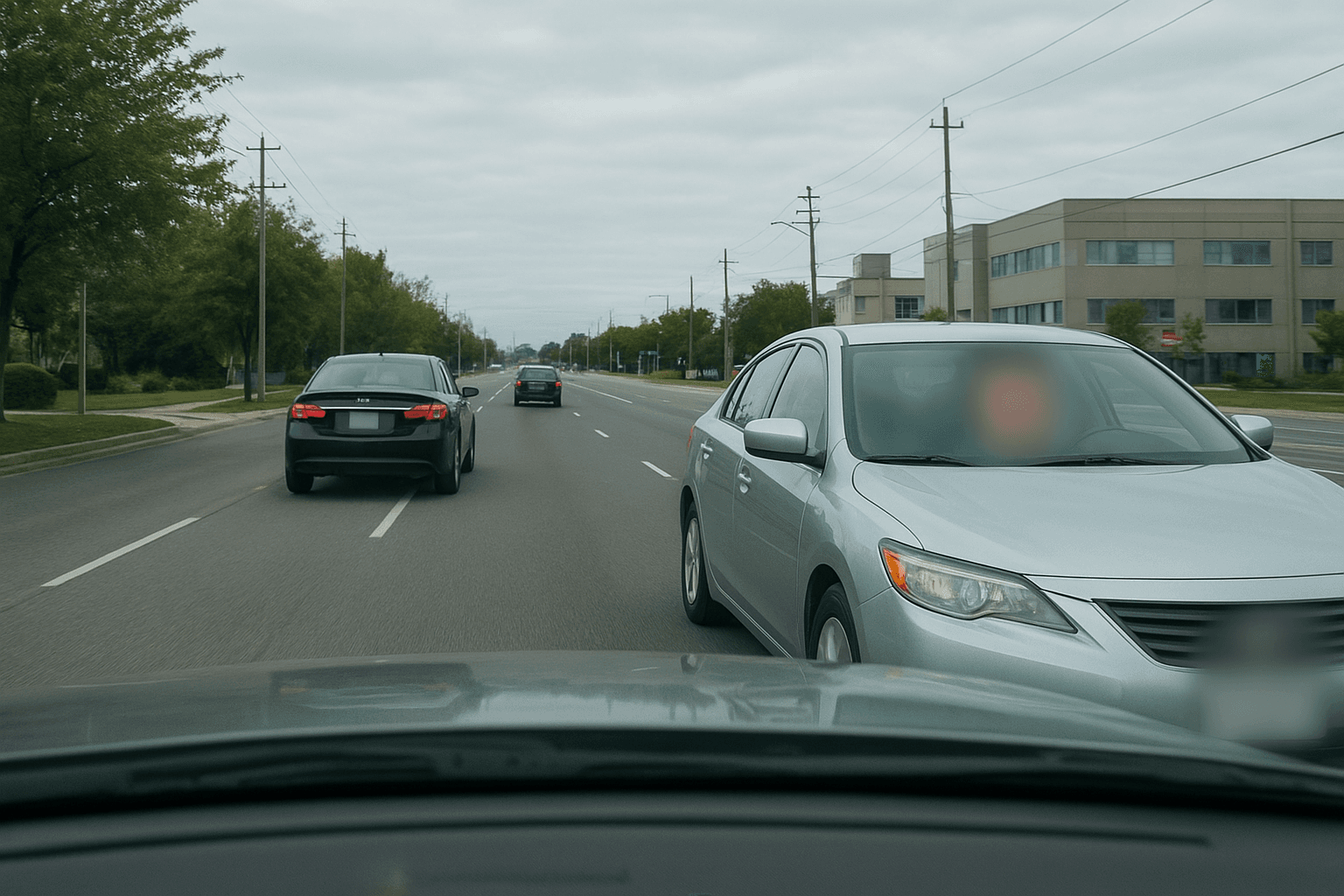
Delivery driver vlogs are one of YouTube's fastest-growing niches. DoorDash, Uber Eats, Amazon Flex, Instacart — channels filming the daily grind rack up millions of views. But the moment you point a camera at a customer's front door, a package with their name on it, or film their face at handoff, you're navigating a surprisingly complex web of privacy law, company policy, and consent rules.
The short answer: filming while driving on public roads is legal in most countries. But publishing that footage is where most delivery vloggers unknowingly create risk.
This guide covers exactly what you can and can't film, how consent laws vary by state, what the gig companies actually say in their contracts, and how to blur the right things before you post — so you can build your channel without a deactivation notice or a legal letter.
| Question | Quick Answer |
|---|---|
| Legal to film while driving? | Yes, in most jurisdictions |
| Need audio consent? | In 12 US states + most of EU/UK |
| Can you show customer faces? | Not without blurring — privacy liability |
| Can you show house numbers? | Risky — blur them |
| Can you show package labels? | Blur customer names |
| Does DoorDash ban cameras? | Not explicitly, but data exposure = deactivation risk |
| Can you monetize? | Yes — with proper blurring |
The Law on Filming While Delivering
Public Roads: Generally Legal
In the United States, UK, Canada, and Australia, recording video from a vehicle on public roads is legal. Roads are public spaces. You have no reasonable expectation of privacy while driving on a public street, and neither do other road users. This is why dashcam footage is routinely admitted as evidence and why millions of hours of driving content are posted legally every day.
The limits:
- Private property: A customer's driveway is private property. Filming there longer than necessary, or filming into their home, can cross into trespass or voyeurism territory depending on state law.
- Expectation of privacy: Filming through a customer's open door, or capturing people inside their home, is a different legal question from filming the doorstep approach.
- Publication vs. recording: Recording is almost always legal. Publishing footage that identifies private individuals at their homes is where liability starts.
Audio Consent: The Hidden Risk
Video recording is low-risk. Audio recording is not.
The US is split between one-party and all-party (two-party) consent states for recording conversations:
All-party consent required (recording illegal without disclosure):
- California, Florida, Illinois, Maryland, Massachusetts, Michigan, Montana, Nevada, New Hampshire, Oregon, Pennsylvania, Washington
One-party consent (you can record as long as you're a party to the conversation):
- All other US states, UK (one-party under RIPA), Australia (varies by state)
If you're wearing a lavalier mic and a customer says something to you at the door in California, recording that conversation without disclosure is a violation of California Penal Code §632 — a misdemeanor with civil liability. The practical fix: either disclose ("I'm recording for YouTube") or edit out / mute all customer audio before posting.
EU and UK: GDPR Applies
If you're delivering in Europe or the UK, GDPR is the framework. Under GDPR, a person's face is biometric/personal data. Publishing footage that clearly identifies a customer — even at their doorstep — without a lawful basis is a GDPR violation. The "legitimate interests" basis could apply, but it requires a balancing test against the individual's privacy expectations, which a clearly identifiable face at a private home would not easily pass.
UK note: The UK GDPR retains these protections post-Brexit. Publishing facial footage of identifiable people without consent remains regulated.
What Gig Company Policies Actually Say
DoorDash
DoorDash's Independent Contractor Agreement (ICA) doesn't contain an explicit camera ban. However, it prohibits:
- Violating applicable law
- Sharing "confidential information" (customer data including delivery addresses)
- Conduct that damages DoorDash's reputation or relationships with customers
A vlog that exposes customer names on packages or shows their face without blurring is sharing customer data you received in your capacity as a Dasher. That's a contract violation risk and grounds for deactivation.
Practical rule: Never show customer names, addresses (on packages or doors), or identifiable faces. Many successful DoorDash channels show dashcam perspectives without customer interactions, or cut away before the handoff.
Uber Eats
Uber Eats' terms similarly prohibit sharing trip and delivery information with third parties. Customer delivery details — name, address, order — are explicitly covered. The same logic applies: filming is not explicitly banned, but publishing footage that exposes customer data is a terms violation.
Amazon Flex
Amazon Flex is the strictest. Amazon's Delivery Service Partner (DSP) network uses its own camera systems (van cams, doorbell partnerships). Flex drivers operate under Amazon's delivery service terms, which include strict customer data confidentiality provisions. Posting Amazon delivery vlogs — especially footage showing Amazon-branded packaging with visible labels, customer interactions, or home addresses — is the highest-risk of the gig platforms.
Instacart, Gopuff, Others
Similar principles apply across gig platforms. The underlying rule: you received customer location and identity data solely to complete a delivery. Publishing content derived from that data without blurring is a misuse of that data.
What to Blur Before You Post
This is where most delivery vloggers skip a step — and where BGBlur makes compliance straightforward.
✅ Customer Faces
If a customer answers the door or is visible on camera, their face must be blurred before posting. BGBlur's AI face detection tracks and blurs faces automatically through motion, so you don't need to do it frame by frame.
✅ House Numbers and Street Addresses
House numbers on doors, gates, or curbs are clearly identifiable to a customer's home address. Blur them. In the BGBlur editor, select the region containing the house number — the blur tracks through the clip automatically.
✅ Package Labels
Customer names, return addresses, and barcodes on packages are personal data. If a label is legible on camera, blur it. Use the object/region blur in BGBlur to select the label area.
✅ Other People's License Plates
Other vehicles in driveways, on-street parking, or passing traffic will have license plates. These can identify individuals. BGBlur's automatic license plate detection blurs them without manual selection — the same feature used in dashcam privacy workflows.
✅ Visible Names on Buzzers / Mailboxes
Apartment buildings often have resident names on intercoms. These are personal data. Blur them.
See our guide on blurring logos, truck numbers, and identifiers in long driving vlogs for batch processing workflows.
Step-by-Step: Process a Delivery Vlog with BGBlur
Step 1: Upload Your Footage
Go to bgblur.com and upload your delivery clip (MP4, MOV, M4V up to 4K). Dashcam and action cam files work natively.
Step 2: Enable Face and Plate Detection
Select Face Blur and License Plate Blur — BGBlur's AI automatically detects and tracks both through the entire clip. No frame-by-frame selection.
Step 3: Manually Blur Package Labels and House Numbers
Use the Region Blur tool with text prompt to select package labels or house numbers. The blur tracks the selected region through motion.
Step 4: Preview and Export
Review the preview to confirm all identifiers are blurred. Export as MP4, MOV, or WebM. BGBlur deletes your file within 24 hours of processing.
What Successful Delivery Vloggers Actually Do
The most successful delivery driver channels on YouTube (many with 100K+ subscribers) consistently follow these patterns:
What they show: Dashcam road footage, earnings screens, app interfaces, restaurant waits, driving conditions, commentary on the gig economy
What they don't show: Customer faces or voices, customer addresses or names, package labels, interactions filmed without consent
What they edit out: Any accidental capture of customer identifying information before upload
Many use a front-facing dashcam only, avoiding rear-facing cameras that would capture handoffs. Others cut to themselves during doorstep drops. The content is compelling without the customer footage — and much lower risk.
For inspiration on the faceless vlogging angle, our guide on creating content without showing faces covers the full workflow.
Jurisdiction Quick Reference
| Country/Region | Filming on public roads | Audio consent | Customer face at door |
|---|---|---|---|
| US (one-party states) | Legal | One party (you) | Blur before posting |
| US (two-party states) | Legal | All parties | Blur; mute audio |
| UK | Legal | One party (RIPA) | GDPR: blur |
| EU | Legal | Varies | GDPR: blur |
| Australia | Legal | Varies by state | Privacy Act: blur |
| Canada | Legal | PIPEDA applies | Blur recommended |
Common Mistakes Delivery Vloggers Make
Leaving package labels legible — even a first name and partial address on a box is personal data under GDPR and most US state privacy laws.
Publishing customer conversations without editing audio — in all-party consent states, this is a criminal offense, not just a civil risk.
Thinking "public road" means everything is fair game — the road is public; the customer's driveway, front porch, and front door are private property.
Assuming company silence means permission — DoorDash not explicitly banning cameras doesn't mean they won't deactivate you for a video that goes viral showing customer data.
For a deeper look at what the license plate sharing laws say, or when showing faces without consent crosses the line, see our dedicated guides.
Conclusion
Delivery driver vlogging is a legitimate, growing content category — and it's entirely legal to pursue. The line between a thriving YouTube channel and a deactivated account (or a privacy complaint) is a simple one: blur what identifies your customers before you upload.
BGBlur handles the three main identifiers — faces, license plates, and text regions — automatically in your browser with no upload to permanent servers. Process your dashcam footage before publishing, and you can build your channel without the legal exposure.
Frequently Asked Questions
Can I be fired / deactivated for having a dashcam? No gig platform bans dashcams outright. What gets dashers deactivated is publishing footage that exposes customer data — names, addresses, faces, or delivery details. A dashcam for personal safety and evidence is widely used and generally permitted.
Do I need to tell customers I'm recording? You're not legally required to post a notice for silent video on public roads. For audio recording in all-party consent states, disclosure is legally required. A simple "heads up, I'm recording for YouTube" before a conversation is the cleanest solution.
Can I post accidents or road rage caught on dashcam? Yes — this type of footage is widely published and has a strong public interest basis. Blur other drivers' license plates before posting. See our full guide on why you should blur license plates in videos.
Is it legal to film in Amazon warehouses or restaurant kitchens? No. Filming on private business premises without the owner's consent is trespass/unauthorized recording in most jurisdictions. These spaces are off-limits without explicit permission.