Recovery progress video shouldn't expose the patient next door
One-click alternative with BGBlur
Upload a clip and preview automatic face, plate, background, or prompt-based blur—no keyframes or nested timelines.
Inpatient rehabilitation — post-stroke, post-injury, post-surgical recovery — happens on a shared unit with a shared gym: parallel bars, mat tables, gait-training equipment, and several patients working with therapists at once. Staff regularly film progress clips there for two audiences: family members who can't be present for every session and want to see recovery happening, and the clinical record itself, where a walking-distance or transfer-independence clip documents progress for the care team and payer.
Both uses are legitimate, and both create the same exposure: the camera pointed at one patient's recovery milestone also captures whoever else is on the gym floor that hour, often mid-therapy themselves — a vulnerable moment for someone who isn't the intended subject of the video at all. Blurring those other patients before a clip goes to family or into a shared record keeps the milestone footage exactly as meaningful while removing an exposure nobody else agreed to.

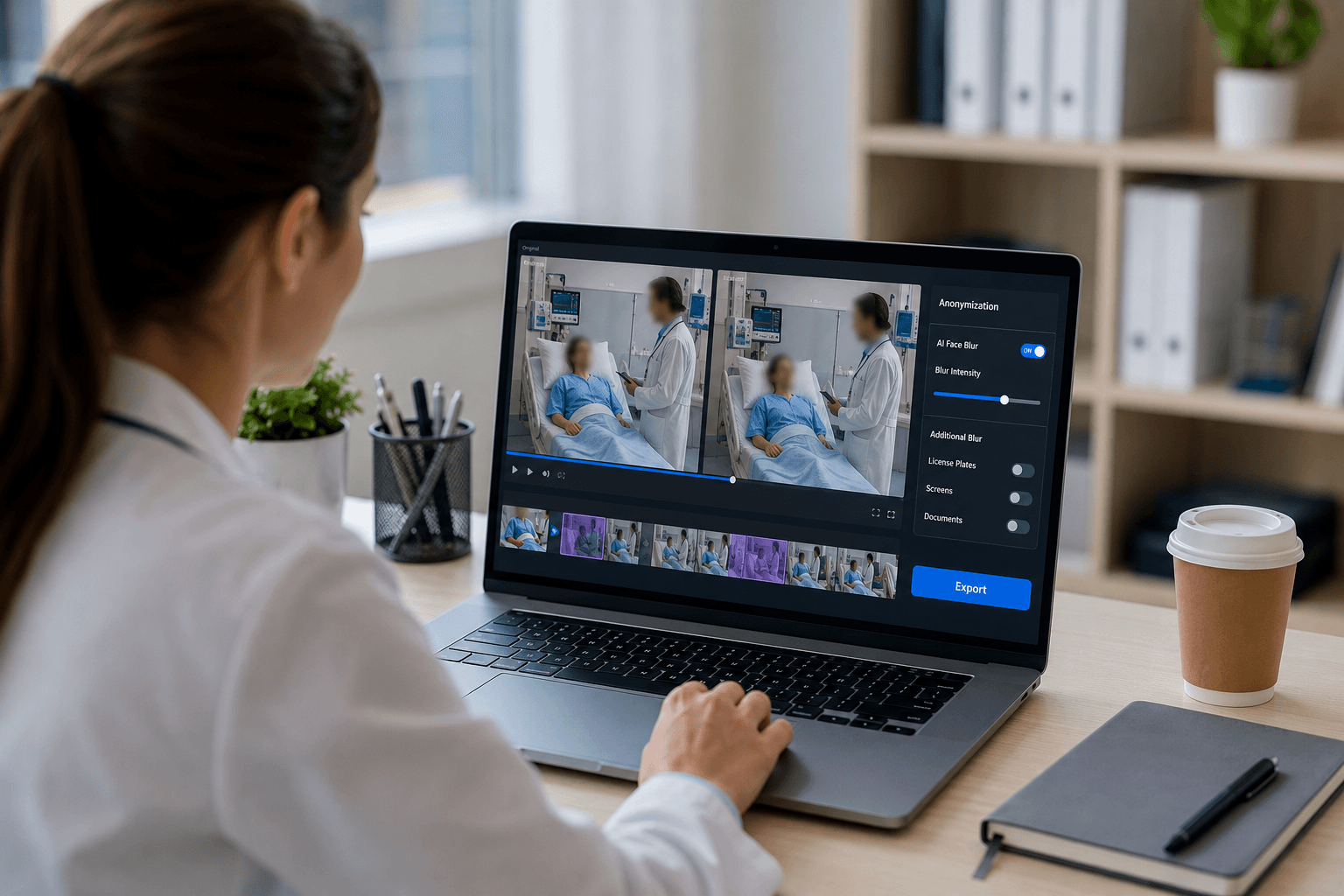
Family-update clips are the highest-volume case
Rehab units send family-update video more than almost any other clinical footage — a short clip of a patient standing unassisted or completing a transfer is one of the most reassuring things a family can receive during a long recovery, and units increasingly text or message these clips directly to family members. The speed and informality that make these clips valuable are also what makes bystander exposure easy to miss: nobody's clearing the gym for a thirty-second phone video sent between therapy sessions.
Once sent, a family-update clip is completely outside clinic control — it gets forwarded, shown to other relatives, sometimes posted. Any other patient visible in the background is exposed to that same uncontrolled onward sharing, for a recovery moment that was never theirs to share. Blurring bystanders before the clip is sent removes that risk at the one point it's still controllable.
Clinical progress documentation has the same shared-gym problem
Walking-distance clips, transfer-independence documentation, and balance assessments filmed for the chart or a payer authorization face an identical background problem to family-update clips — same gym, same equipment, same other patients nearby. The clinical record has a narrower intended audience than a text to family, but it's still an audience the bystanders never agreed to be seen by, and rehab records are often reviewed by case managers, utilization-review staff, and payers well outside the treating unit.
Applying the same bystander-blur pass to clinical documentation clips as to family clips keeps the standard consistent — there's no principled reason a bystander's exposure risk should depend on whether the clip is headed to a relative's phone or a payer's authorization file.
Minors, cognitive impairment, and heightened sensitivity
Rehab units treating pediatric patients, or adult patients with the cognitive or communication impairment common after stroke or traumatic brain injury, carry extra weight here — a bystander in that population often can't meaningfully object to being caught in someone else's video, and their family may not know it happened. Treat blur-by-default as the standing policy for any rehab gym clip rather than something applied only when a specific concern is raised.
The same applies in reverse: if the milestone patient themselves has a guardian or family member managing consent decisions, confirm that person is comfortable with the intended audience for the clip (a private family text versus, say, a unit's social media account) before it goes out — the consent question for the subject and the exposure question for bystanders are both worth a beat of attention on a busy unit.
From gym-floor milestone to a shareable clip
- Film the milestone as usual. Capture the walking, standing, or transfer clip on a staff phone, same as any quick unit video.
- Upload to BGBlur. Drag the file into the browser editor from the unit computer or staff device.
- Exempt the milestone patient. Use selective blur to keep the patient (and therapist, if relevant) visible while masking everyone else on the gym floor.
- Check the edges of frame. Scrub for anyone who entered late or was caught mid-therapy at the periphery of the shot.
- Send or file the clip. Text to family or add to the clinical record — export quality is unaffected outside the masked areas.
Note: Video of a patient in an inpatient rehabilitation setting is protected health information whether the intended subject is the person filmed or a bystander caught incidentally. Family-update clips sent outside clinic-controlled channels carry particular risk once shared, since forwarding is outside the clinic's control from that point on.
Related guides
Frequently asked questions
- Do we need to blur the patient the milestone video is actually about?
- No — selective blur keeps the intended patient (and their therapist, if shown) fully visible while automatically masking other patients and staff who appear in the shared gym background.
- Will blurring other patients make the clip less reassuring for family?
- No — the milestone itself (standing, walking, transferring) stays completely clear. Only the background bystanders are masked, which most families don't even notice since their attention is on their own family member.
- Should clinical documentation clips get the same treatment as family clips?
- Yes — both are filmed in the same shared gym and both circulate to audiences beyond the treating unit (family via text, clinical clips via case managers and payers), so the same bystander-blur standard applies to both.
- What about patients who can't meaningfully consent due to cognitive impairment?
- Treat blur-by-default as the standing policy rather than case-by-case — a bystander with cognitive or communication impairment after stroke or TBI often can't object to being caught in someone else's video, so the unit should default to protecting them.
- Can we apply this across a full caseload of weekly progress clips?
- Yes — batch processing handles a folder of clips at once, which fits a unit sending or filing progress video across multiple patients on a regular schedule.
BGBlur provides privacy tooling for creators and teams; consult counsel for broadcast, evidentiary, or regulated workflows.