What Is Video Intelligence? AI Video Analytics [2026]
Video intelligence combines AI, computer vision, and machine learning to automatically detect people, objects, activities, and text inside video footage. This guide explains how it works, where it's used, the privacy laws that govern it, and how BGBlur applies it to automated face and license plate blurring.
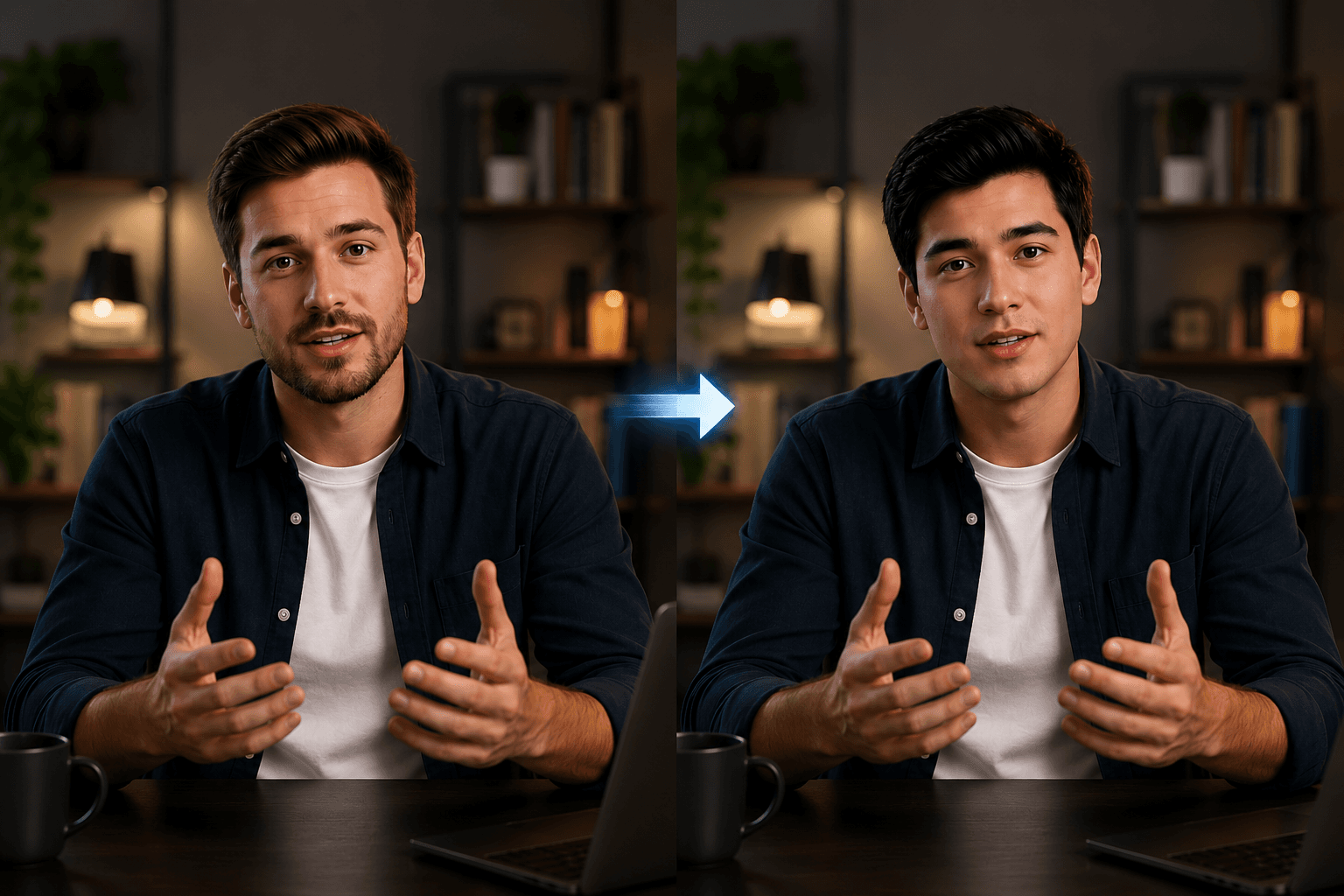
Video Intelligence AI Illustration
Every minute, hundreds of hours of video content are uploaded across platforms such as YouTube, TikTok, Instagram, and Facebook. At the same time, businesses generate thousands of hours of surveillance footage, meeting recordings, customer interactions, training videos, manufacturing inspections, and operational videos. Reviewing this enormous amount of footage manually is slow, expensive, and often impractical.
This is where video intelligence changes everything.
Video intelligence combines Artificial Intelligence (AI), Computer Vision, and Machine Learning to automatically understand what is happening inside a video. Instead of simply recording footage, AI can identify people, detect objects, recognize actions, read text, monitor events, and generate valuable insights without human intervention.
Whether it's detecting suspicious activity in security footage, analyzing customer behavior in retail stores, monitoring traffic, tracking athletes during sports events, or automatically blurring faces for privacy, video intelligence enables computers to interpret visual information with incredible speed and accuracy.
But as this technology spreads into cameras, retail stores, city streets, and workplaces, it has also attracted serious legal attention. Governments around the world are actively writing rules for how AI can watch, recognize, and store information about people — and the penalties for getting it wrong are growing every year.
In this guide, you'll learn what video intelligence is, how it works, the technologies behind it, its biggest applications, the emerging global rules that govern it, and why it has become one of the fastest-growing AI technologies across industries.
Table of Contents
- What Is Video Intelligence?
- Why Is Video Intelligence Important?
- How Video Intelligence Works
- Technologies Behind Video Intelligence
- Real-World Applications
- Benefits of Video Intelligence
- Video Intelligence Laws and Regulations Around the World
- How BGBlur Uses Video Intelligence
- Frequently Asked Questions
- Conclusion
Video Intelligence at a Glance
| Question | Answer |
|---|---|
| What is Video Intelligence? | AI technology that automatically analyzes and understands video content. |
| Core Technologies | Computer Vision, Machine Learning, Deep Learning, OCR, Object Detection, Object Tracking. |
| What can it detect? | People, faces, vehicles, activities, objects, license plates, text, logos, and more. |
| Industries | Security, Retail, Healthcare, Manufacturing, Transportation, Media, Sports, Smart Cities. |
| Main Benefits | Automation, real-time monitoring, improved accuracy, cost savings, and business insights. |
| Is it regulated? | Yes. The EU, UK, US states, India, and many other countries treat facial/biometric data as sensitive and require a lawful basis, consent, or notice. |
| Does BGBlur use Video Intelligence? | Yes. BGBlur automatically detects license plates, and sensitive objects using AI. |
What Is Video Intelligence?
Video intelligence is the process of using Artificial Intelligence (AI) to automatically analyze, understand, and extract meaningful information from video content.
Traditional video systems simply record footage for later viewing. Video intelligence goes several steps further by enabling computers to understand what is happening within every frame of a video much the way a human analyst would, but continuously, at scale, and without fatigue.
For example, AI can automatically recognize:
- People
- Faces
- Vehicles
- License plates
- Animals
- Products
- Logos
- Text appearing in videos
- Human activities
- Crowd behavior
- Motion patterns
- Safety violations
Instead of requiring someone to watch hours of footage manually, AI processes thousands of frames within minutes and converts unstructured videos into searchable, actionable data. Many modern systems go even further, allowing users to simply type a question like "show me every clip where a person entered the loading dock after 10 PM" and get an instant answer, instead of scrubbing through a timeline by hand.
Organizations can then use this information for automation, reporting, compliance, security monitoring, customer analytics, and operational decision-making.
Why Is Video Intelligence Important?
Video has become one of the largest sources of digital information. Security cameras, smartphones, drones, dashcams, industrial cameras, and online platforms generate enormous amounts of video every day.
Without AI, reviewing this footage manually would require significant time, money, and human resources. A single retail store with a dozen cameras running 24/7 already produces more footage per week than one employee could realistically review in a month.
Video intelligence helps organizations:
- Detect important events automatically
- Reduce manual monitoring
- Improve workplace safety
- Increase operational efficiency
- Protect sensitive information
- Enhance customer experiences
- Generate business insights
- Support regulatory compliance
- Enable faster decision-making
Rather than storing videos as passive recordings, organizations can actively extract valuable intelligence from every frame while, increasingly, also having to prove to regulators that they are handling that footage responsibly.
How Video Intelligence Works
Video intelligence works in four simple steps. It watches a video, understands what's happening, and turns that information into useful insights automatically—saving hours of manual work.
Step 1. Upload
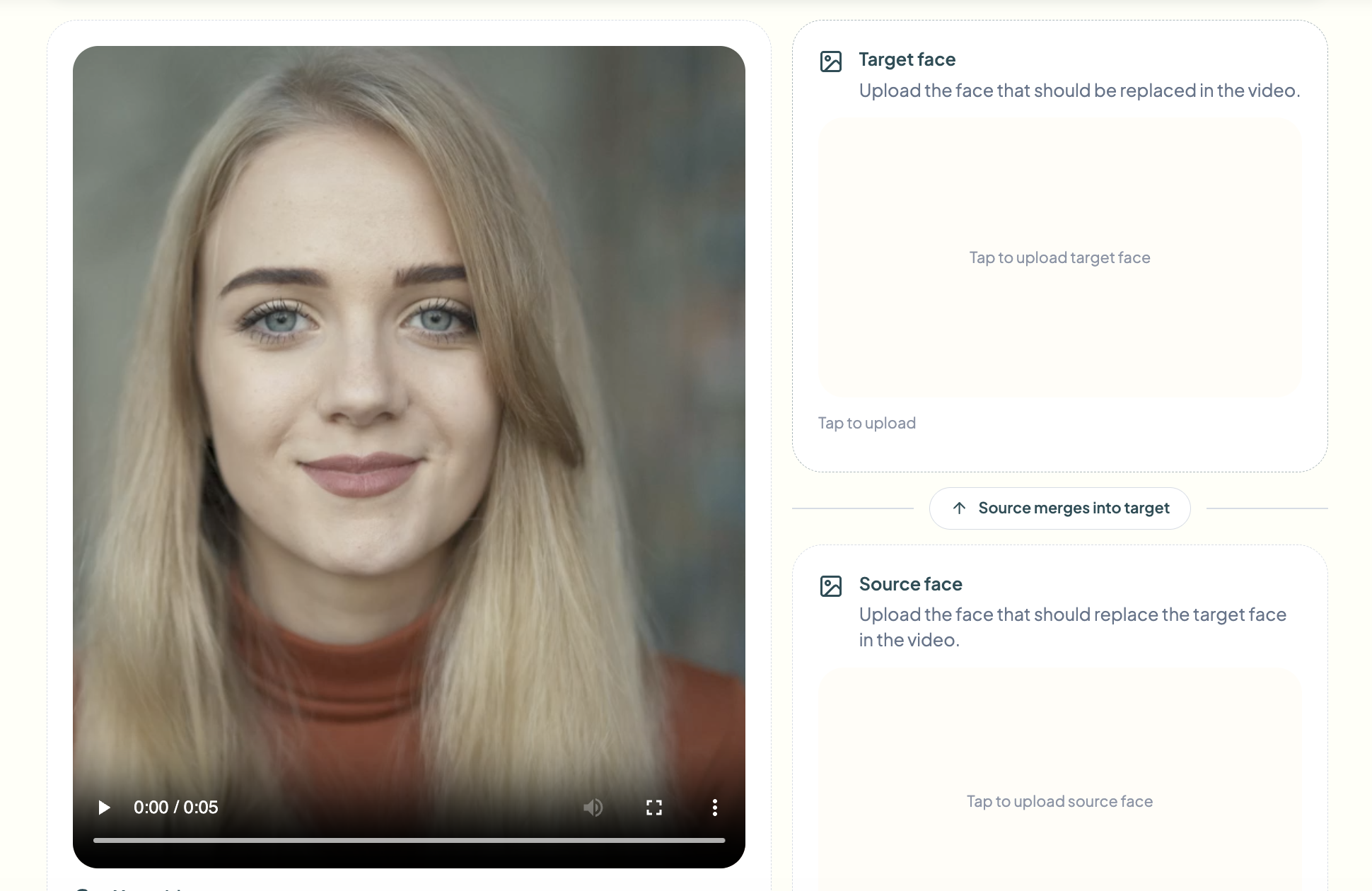
Everything starts with a video.
Upload a video from almost any source, including security cameras, smartphones, dashcams, drones, meeting recordings, or even live streams. The clearer the video, the easier it is for AI to understand what's happening. Frame rate, resolution, lighting, and camera angle all affect how accurately the AI can detect and identify what it sees.
Once uploaded, the video expands and is processed automatically, so it's ready to explore right away.
Some common video sources include:
- CCTV cameras
- Smartphones
- Dashcams
- Drones
- Body cameras
- Live streams
- Security cameras
- Meeting recordings
Step 2. Ask
 Next, just ask what you want to know.
Type a question in plain language, and AI scans every moment of the video to find the answer—no manual scrubbing through hours of footage. It can spot people, vehicles, faces, text, objects, and movement, even in long videos. Modern systems typically use frame sampling combined with neural networks that have already learned, from millions of training images, what a face, a car, a package, or a weapon looks like from almost any angle.
For example, you can ask things like:
- "Did anyone enter the restricted area?"
- "How many people appear in this video?"
- "What color was the vehicle?"
- "Was there any unusual activity?"
Step 3. Ask Again — No Re-upload Needed
Got a follow-up question? Just ask.
The video stays ready, so you can keep digging without uploading it again. Ask a new question, refine an earlier one, or dig deeper into a specific moment—each answer builds on the same video, the same context, the same session.
For example, AI can tell you:
- A person entered a restricted area
- A vehicle was detected
- A license plate was recognized
- A face was automatically blurred
- A safety rule was violated
- Unusual activity was detected
Whether you're improving security, analyzing customer behavior, or protecting privacy, video intelligence helps you find important moments in seconds instead of hours—just by asking.
AI Technologies Behind Video Intelligence
Video intelligence relies on multiple AI technologies working together to understand what is happening in a video. Each technology performs a specific task, allowing the system to interpret visual information with speed and accuracy.
Computer Vision
Computer Vision enables computers to "see" and understand images and videos. It identifies objects, recognizes scenes, distinguishes backgrounds from foregrounds, and detects visual patterns.
Common computer vision tasks include:
- Face detection
- Object detection
- Scene understanding
- Image segmentation
- Motion analysis
Without computer vision, video intelligence would not be able to interpret visual data.
Deep Learning
Deep learning powers modern video intelligence systems by learning from millions of images and videos. Unlike traditional software that relies on predefined rules, deep learning models improve their accuracy through training.
Deep learning enables AI to:
- Recognize complex objects
- Identify unusual activities
- Understand different environments
- Improve detection accuracy over time
Object Detection
Object detection identifies and locates multiple objects within a video frame.
AI can detect:
- People
- Vehicles
- Animals
- Products
- Packages
- Helmets
- Traffic signs
- License plates
Modern detection models can recognize dozens of objects simultaneously, even in crowded environments.
Object Tracking
Once an object is detected, AI tracks it throughout the video instead of analyzing every frame independently.
Object tracking helps with:
- Vehicle monitoring
- Customer movement analysis
- Sports player tracking
- Crowd analysis
- Traffic management
OCR (Optical Character Recognition)
OCR allows AI to read text appearing inside videos.
Examples include:
- License plates
- Street signs
- Product labels
- Documents
- Digital displays
- Shipping labels
This converts visual text into searchable information.
Activity Recognition
Video intelligence doesn't just identify objects—it also understands actions.
Examples include:
- Walking
- Running
- Falling
- Fighting
- Driving
- Sitting
- Standing
- Picking up objects
This capability is particularly valuable in security, healthcare, and workplace safety.
Edge AI and On-Device Processing
A growing trend in video intelligence is moving the AI model off the cloud and directly onto the camera or a local server, so raw footage never has to leave the building. This is often called edge computing, and it matters for two reasons: it reduces the delay between an event happening and an alert being triggered, and it helps organizations minimize how much identifiable footage is stored or transmitted — a factor that increasingly matters for privacy compliance as well as bandwidth costs.
Real-World Applications of Video Intelligence
Video intelligence is transforming nearly every industry by automating video analysis and providing actionable insights.
Security & Surveillance
Security teams use AI to monitor live camera feeds, detect suspicious activities, identify unauthorized access, and generate real-time alerts without constant human supervision.
Retail Analytics
Retailers analyze customer movement to understand shopping behavior, measure store traffic, optimize layouts, reduce waiting times, and improve customer experiences.
Manufacturing
Factories use video intelligence to inspect products, detect defects, monitor production lines, verify quality, and improve worker safety by identifying missing protective equipment.
Healthcare
Hospitals use AI-powered video analysis for patient monitoring, fall detection, restricted area surveillance, elderly care, and emergency response.
Transportation
Traffic management systems rely on video intelligence to monitor congestion, recognize license plates, count vehicles, detect accidents, and improve road safety.
Sports Analytics
Professional sports teams use AI to track players, analyze movement, generate performance statistics, identify tactical patterns, and automatically create match highlights.
Privacy Protection
One of the fastest-growing applications of video intelligence is privacy protection. AI can automatically detect sensitive information such as faces and license plates and anonymize them before videos are shared publicly. This use case sits at an interesting intersection: the same detection technology that raises regulatory concerns when used for identification can also be the tool that removes identifiable information and helps organizations comply with the law.
Benefits of Video Intelligence
Organizations adopt video intelligence because it delivers measurable operational and business benefits.
Some of the biggest advantages include:
- Faster video analysis
- Reduced manual effort
- Higher detection accuracy
- Real-time monitoring
- Automated alerts
- Improved workplace safety
- Better customer insights
- Cost savings
- Scalable video processing
- Regulatory compliance support
Instead of spending hours reviewing footage manually, businesses receive instant insights that help them make faster and better decisions.
Video Intelligence Laws and Regulations Around the World
Because indexing a video means recording, transcribing, and analyzing what people said and did on camera, it touches three overlapping areas of law: consent to record, protection of biometric data, and rules around AI processing personal data. This is general information, not legal advice, since requirements vary by jurisdiction and use case.
Recording and wiretapping consent. Many jurisdictions require consent before a conversation can be recorded at all, separate from any biometric question. In the US, about a dozen states — including California, Illinois, and Washington — are "two-party" or "all-party" consent states, meaning everyone in a recorded conversation must agree before audio can be captured or transcribed. The EU and UK apply GDPR's lawful-basis requirement to voice recordings the same way they do to faces, since a recorded voice is personal data too.
European Union. Under GDPR, footage of an identifiable person is already personal data, so a lawful basis is required just to record it — usually "legitimate interest," backed by a documented assessment. Facial recognition goes further, since it involves special-category biometric data that's prohibited by default unless strict Article 9 conditions are met. The EU AI Act adds a second layer, banning some real-time biometric identification and classifying other biometric and AI-driven video-analysis systems as "high-risk," with added testing and documentation duties rolling out through 2026. See our full GDPR video content and face/license plate blurring compliance guide for the details.
United Kingdom. The UK GDPR mirrors the EU approach: facial recognition used to uniquely identify someone requires a documented lawful basis and a Data Protection Impact Assessment, particularly in public spaces, and recorded audio is treated as personal data under the same framework.
United States. There's no single federal law — instead, a state patchwork. Illinois' BIPA is strictest, requiring written consent before collecting a "faceprint" and letting individuals sue directly for $1,000–$5,000 per violation. Texas and Washington have their own biometric statutes, while California's CCPA/CPRA and about twenty other states treat biometric data as "sensitive personal information" under broader consumer privacy laws (see our CCPA video privacy compliance guide for specifics). Separately, state wiretapping laws govern whether audio can be recorded and transcribed at all.
One practical application of video intelligence sits directly in this regulatory gap: automated detection that only blurs faces and plates rather than identifying who they belong to. Our guide on object and region blur for video privacy protection covers how that distinction works in practice.
Get AI Insights From Your Video With Bg Blur
Ask questions, get instant summaries, and search inside any video with AI. Try it free
AI Video Indexing With Instant Summaries
Upload a video and Video Intelligence automatically indexes it by transcribing the audio and analyzing the visual content in chunks. Once indexing is complete, you get an automatic summary covering the main scene, people, objects, actions, and key events, along with 3–5 key highlights pulled straight from the footage. There's no manual tagging or scrubbing through the timeline required.
Ask a Question, Get a Direct Answer
Instead of watching an entire video to find one detail, type a specific question like "What brands or logos appear?" or "What does the presenter say about pricing?" and let the AI search the video for you. Once indexing finishes, the answer is generated automatically based on both what was said and what was shown, so you get the exact information you need without rewatching anything.
Keep Chatting With Your Video
The conversation doesn't stop at the first answer. Once a video is indexed, you can keep asking unlimited follow-up questions and dig deeper into specific moments or topics — just like chatting with someone who's already watched the whole thing. This makes it easy to explore a video from multiple angles without re-uploading or re-indexing.
Built for Meetings, Research, and Content Teams
Video Intelligence is built for anyone who doesn't have time to rewatch footage. Review long meeting or webinar recordings in minutes, scan raw footage for specific objects or moments as a content moderator or researcher, extract key highlights and summaries from raw clips as a marketer or creator, and search interview or event footage for specific quotes as a journalist or analyst. Anyone who wants a fast, searchable summary instead of watching the whole video can use it.
Works in Your Browser on Any Device
Video Intelligence runs entirely in your browser on mobile phones, tablets, and desktops, with no downloads or software installs required. Just upload your video, choose Search or Analyze mode, and let the AI handle the rest. Supported formats: MP4, MOV videos up to 2GB.
Frequently Asked Questions
What is video intelligence?
Video intelligence uses Artificial Intelligence, Computer Vision, and Machine Learning to automatically analyze videos and extract useful information such as people, objects, activities, text, and events.
How is video intelligence different from traditional video analytics?
Traditional video analytics mainly relies on predefined rules, whereas video intelligence uses AI models that continuously learn, recognize complex scenarios, and improve accuracy over time.
Can video intelligence analyze live video?
Yes. Modern AI systems can process live video streams in real time, enabling instant alerts, object tracking, and automated decision-making.
Which industries use video intelligence?
Video intelligence is widely used in security, retail, healthcare, manufacturing, transportation, sports analytics, media, smart cities, and privacy-focused applications.
Is video intelligence and facial recognition legal everywhere?
It depends heavily on the country and use case. Most major jurisdictions — including the EU, UK, US states, India, and China — treat facial and biometric data as sensitive information requiring notice, a documented lawful basis, or explicit consent before it can be processed for identification. Simply detecting that "a face is present" without identifying who it belongs to is usually treated far less strictly than matching that face to a name. Always check local law before deploying facial recognition commercially.
How does BGBlur use video intelligence?
BGBlur uses AI-powered video intelligence to automatically detect and blur faces, license plates, and other sensitive objects, helping creators and businesses protect privacy while reducing manual editing.
Does video intelligence identify specific people, or just detect that a face is present?
Both capabilities exist, and the legal risk differs significantly between them. Simply detecting that a face is present in a frame — enough to blur it — is treated far less strictly under GDPR, BIPA, and similar laws than matching that face to a specific identity, which falls under biometric identification rules. That's the distinction that lets privacy tools operate in a much lighter-touch regulatory lane than identification systems.
Conclusion
Video intelligence is changing the way organizations interact with video content. Rather than treating videos as passive recordings, AI transforms them into valuable sources of information by recognizing people, objects, text, activities, and events automatically.
As businesses continue generating more video data every year, intelligent video analysis has become essential for improving efficiency, reducing costs, enhancing security, and making faster decisions. At the same time, the legal landscape around biometric and video data is tightening almost everywhere — from the EU AI Act's high-risk obligations to India's DPDP Rules to the growing list of US states treating biometric data as sensitive. Organizations that build privacy protections into their video intelligence pipelines from the start, rather than bolting them on later, are far better positioned as enforcement increases.
Privacy is another major application of video intelligence. Platforms like Bg Bluruse AI to automatically detect and blur faces, license plates, and sensitive objects, making it easier to share videos responsibly while complying with privacy requirements.
As AI continues to evolve, video intelligence will become even more accurate, accessible, and capable—helping businesses and creators unlock the full value of their video content, while staying on the right side of an increasingly detailed set of global rules.
Related Resources
- EU Driver-Facing Camera Law 2026: What Changed & Privacy
- Healthcare Video Privacy: Blur Patient Faces for HIPAA
- Dashcam Laws
Update — October 7, 2026: For a related walkthrough, see how to run AI posture detection on video with a ready-made prompt.
Update — October 7, 2026: For a related walkthrough, see how to detect falls in video with AI fall detection.