Swap Any Face in a Video with AI: Browser Guide [2026]
A step-by-step guide to swapping faces in video using AI, without reshoots or manual compositing. Covers how the technology works, a full BGBlur walkthrough, common mistakes, and when face swap makes more sense than face blur.
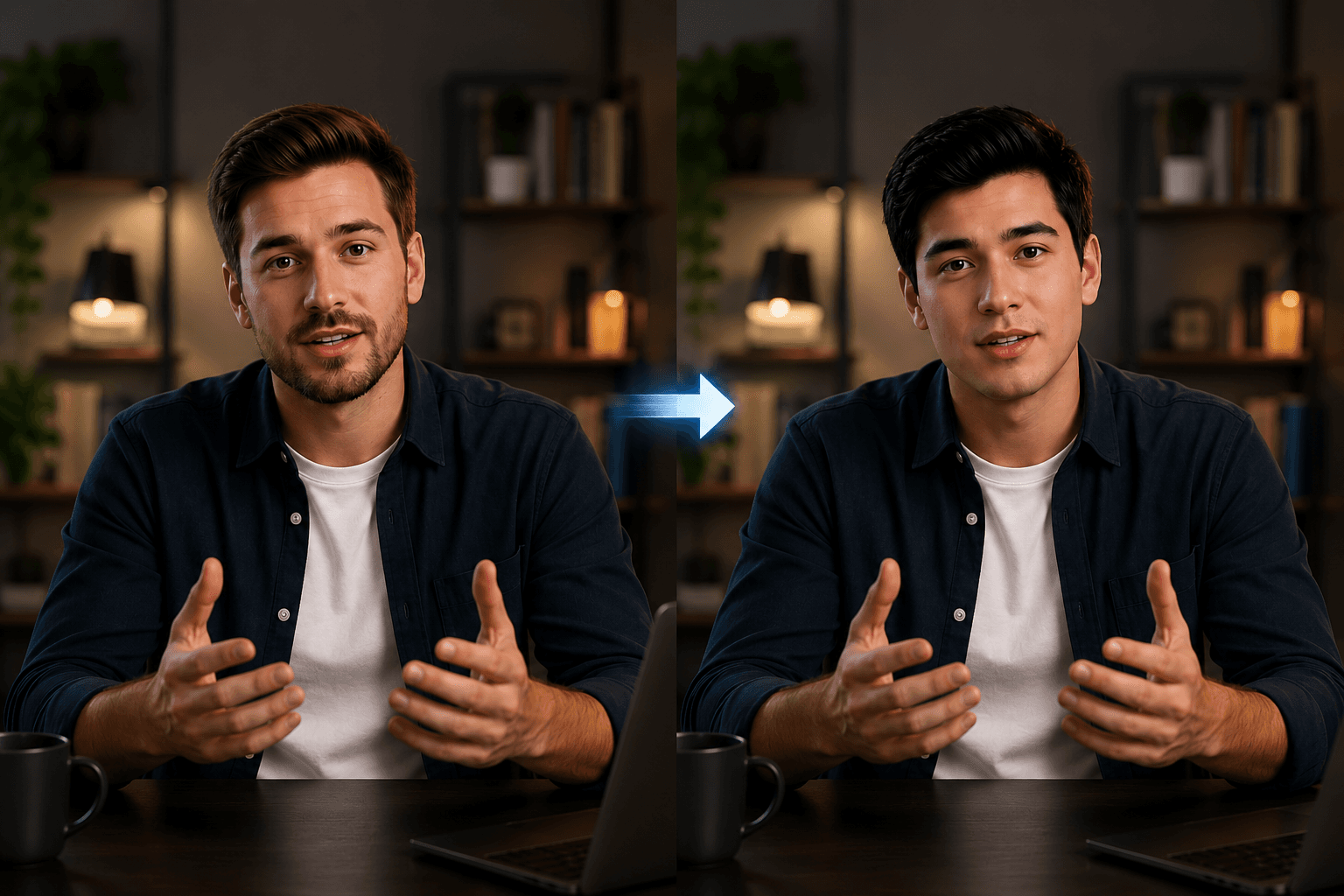
Reshooting a video every time casting changes, a spokesperson steps down, or a brand decides on a different face can cost thousands of dollars and days of production time. AI face swap video technology eliminates that bottleneck entirely, letting you replace any face in a video clip without touching a camera. Whether you're a content creator, ad agency, or enterprise marketer wondering how to swap faces in videos using AI, this guide covers everything you need to know, from how the technology works to a step-by-step walkthrough using one of the cleanest browser-based tools available today.
What is AI Face Swap Video?
AI face swap video is the process of automatically detecting a person's face in a video and replacing it with a different face, all while preserving the original person's expressions, movements, and lip sync. Unlike manual compositing in editing software, which requires frame-by-frame masking and hours of rotoscoping, faceswap AI handles the heavy lifting automatically using deep learning models trained on facial geometry and motion data.
Modern ai face swap video systems track key facial landmarks across every frame, eyes, nose, mouth, jaw, and warp the replacement face to match the original's pose and lighting. The result is a seamless, temporally consistent swap that looks like the new face was always there. Crucially, the tool preserves timing, expressions, and lip sync, so you don't lose any of the original performance energy.
If you've been asking yourself "what is the best way to swap a face in a video without reshooting in 2026," the answer is a browser-based ai faceswap tool like bgblur, fast, accurate, and zero-install.
Why Use AI Face Swap Video?
The use cases for ai face swap video technology have expanded dramatically beyond novelty. Here's why creative and marketing teams are adopting it at scale.
Eliminate Expensive Reshoots
When a spokesperson changes or approval comes in after production wraps, reshooting is rarely an option. AI face swap video lets you swap out the talent without touching the original footage, saving production budget and turnaround time that can otherwise stretch across weeks.
Create Ad Variations at Scale
A single video shoot with one talent can become multiple ad variants targeting different audience segments, simply by swapping faces. For performance marketing teams running A/B tests, this multiplies creative output without multiplying cost. A video swap face workflow that used to require full re-production now takes minutes per variant.
Localization and Market Adaptation
An ad that works in one market may need a different face, someone who looks local, to resonate in another. Faceswap AI makes it trivial to adapt content for regional campaigns without separate productions, which is especially valuable for global brands rolling out campaigns across multiple territories simultaneously.
Privacy Protection and Identity Redaction
Sometimes the goal isn't to replace a face with a real one, but to hide identity for privacy compliance in documentary, research, journalism, and healthcare footage. For a simpler visual alternative, learn how to replace a face with an emoji in videos and photos, or pair the workflow with face blur tools for stronger anonymization.
Casting Changes Without Re-Production
If a client changes their mind about talent after production, or a rights agreement falls through, ai faceswap means the footage isn't wasted. You can re-cast in post-production without a single additional shoot day, something that simply wasn't possible before deep learning made this technology accessible.
How to Swap Faces in Videos Using AI, Step-by-Step
bgblur's video swap face tool runs entirely in your browser, no installs, no plugins. Here's a detailed walkthrough of the complete process.
Step 1: Upload Your Video
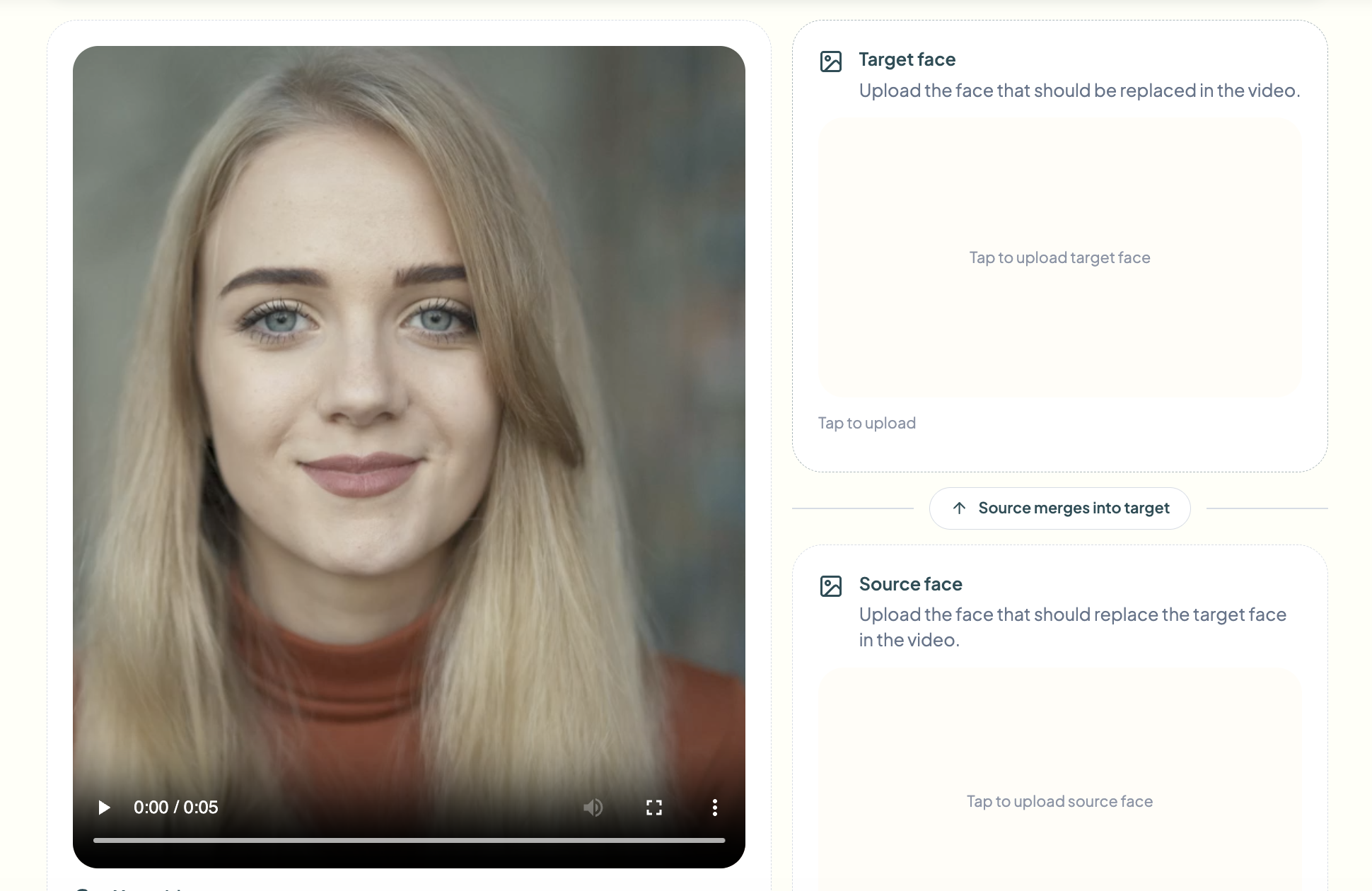
Head to bgblur's face swap tool and click Try Face Swap Video. Drag and drop your video file onto the upload area, or click to browse. bgblur accepts common formats including MP4, MOV, and WebM. Once uploaded, the AI will automatically scan your footage for faces and prepare them for replacement.
Shorter clips, under 2 minutes, process fastest. Trim your footage before uploading for the quickest ai face swap video results.
Step 2: Upload Your Reference Face Image
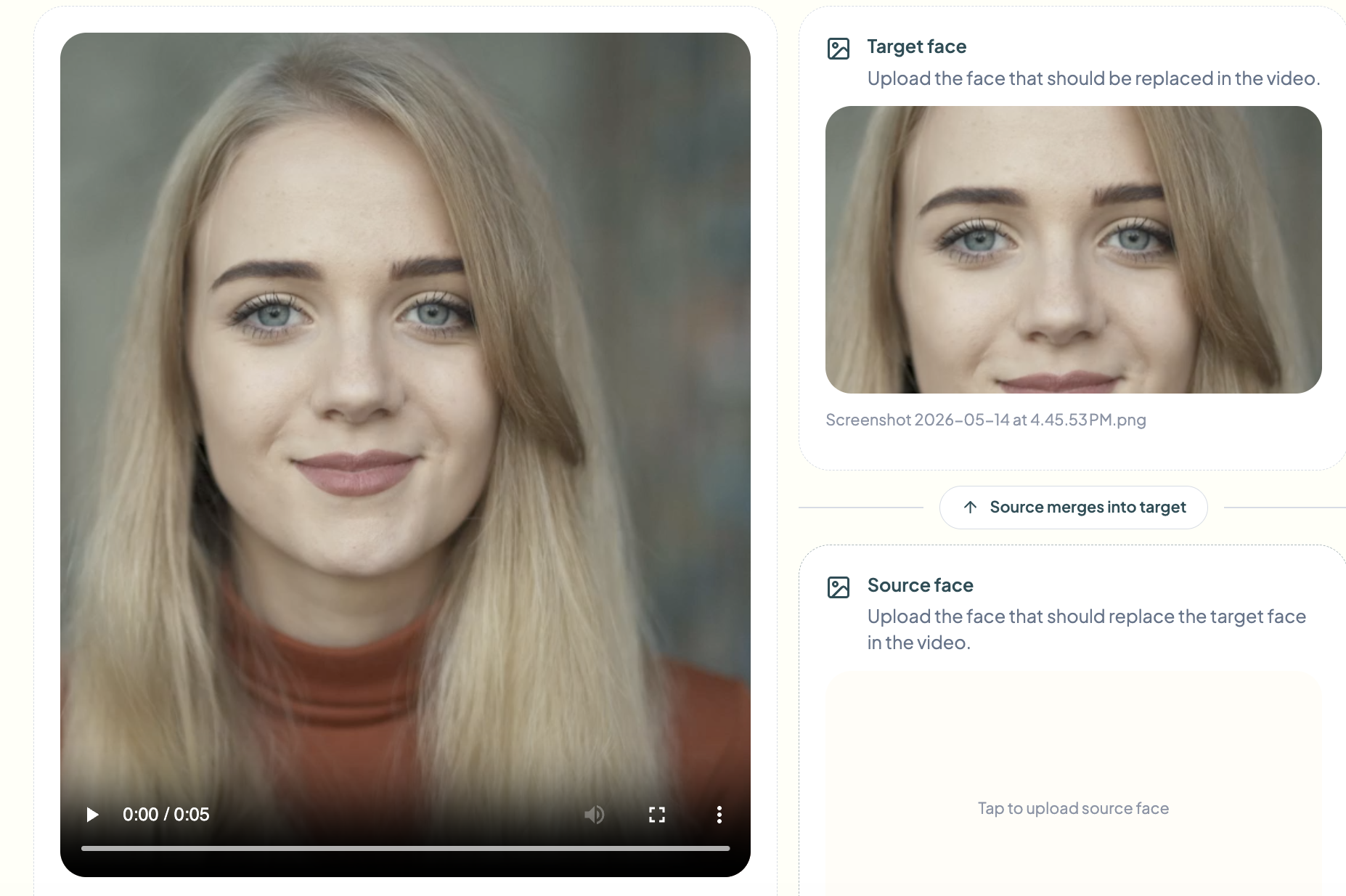
Next, upload a reference photo of the face you want to swap in. This is the face that will replace the original talent in your video. bgblur's faceswap AI engine reads the reference image to extract facial geometry and texture, then maps it onto the detected face in your footage frame by frame.
Use a clear, front-facing, well-lit photo with no obstructions, no sunglasses, hats, or heavy shadows. The better the reference image, the more realistic the ai face swap video result will be across complex expressions and motion sequences.
Step 3: Adjust Settings
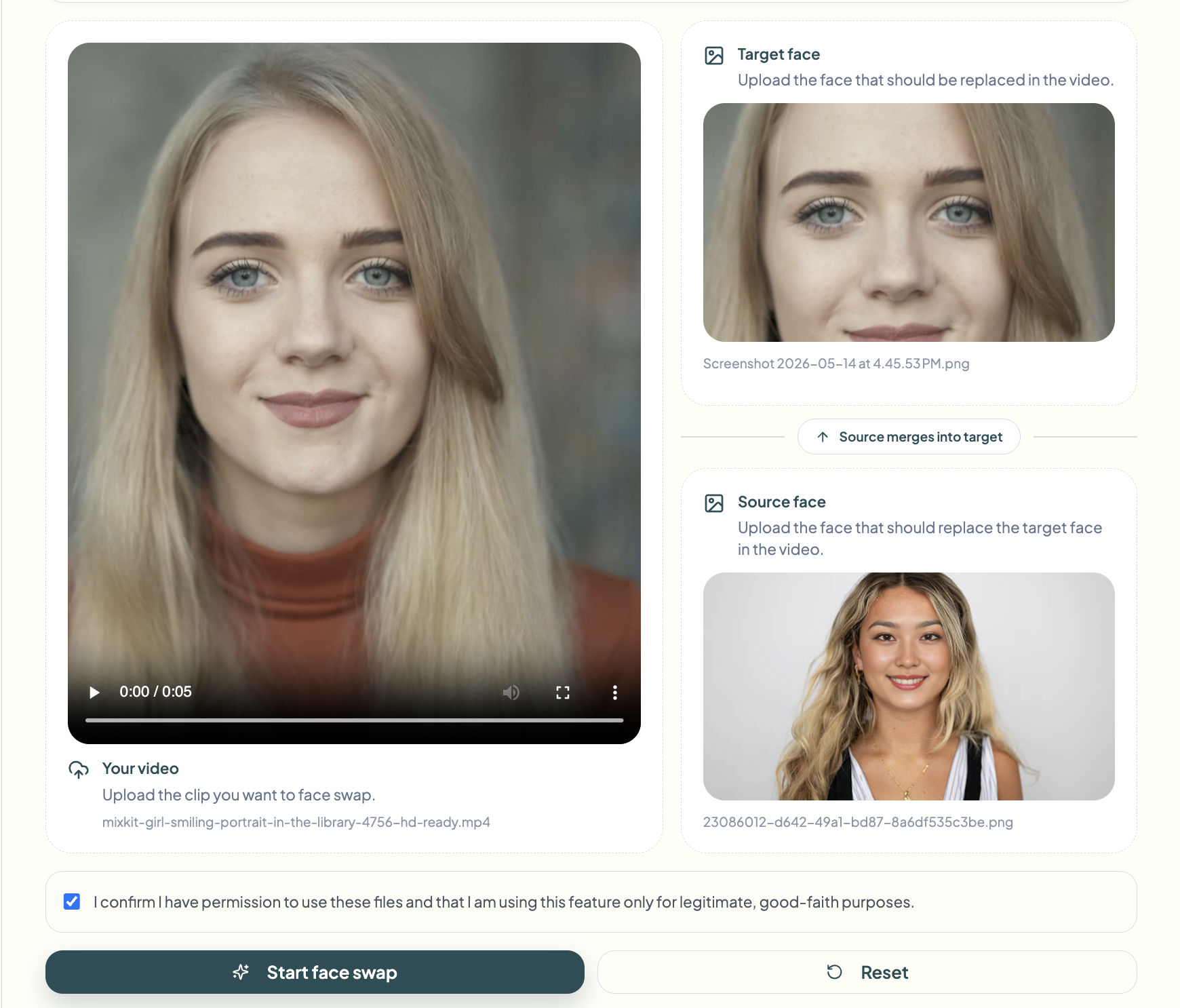
bgblur gives you control over the swap parameters. You can fine-tune face detection sensitivity to make sure the right face is being targeted, particularly useful in multi-person footage. Alignment controls let you manage how tightly the swapped face maps to the original, and you can adjust blending to make skin tone and lighting match more naturally. If your video has multiple people, use the face selection tool to target only the face you intend to replace.
Step 4: Preview the Result
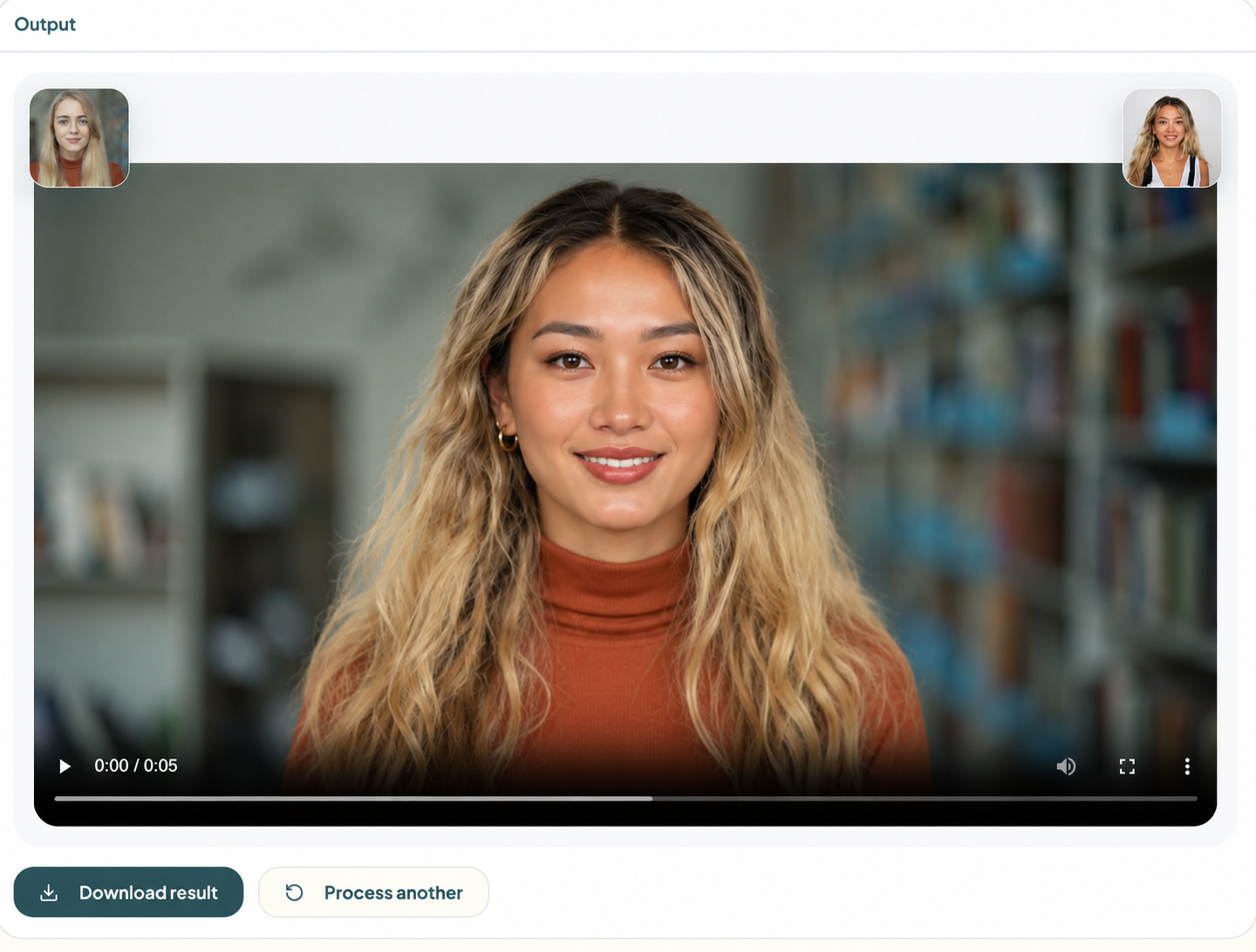
Before committing to a full export, bgblur lets you preview the face swap video result in real time. Scrub through the preview timeline to check consistency across different poses, lighting conditions, and motion sequences. Pay close attention to fast-moving sections and profile angles, these are the hardest frames for any ai faceswap engine. Inspect them carefully in preview before moving forward.
Step 5: Export and Download
Once you're satisfied with the preview, click Export. bgblur processes the full video swap face job in the cloud and delivers a download link when it's ready. Your output video retains the original resolution, frame rate, and audio, with the swapped face composited cleanly throughout. Original audio and timing are always preserved, so any lip sync or voiceover in your video stays perfectly intact after the swap.
How to Choose the Right AI Face Swap Tool for Your Use Case
Not every ai face swap video project is the same, and matching the right tool to your workflow matters. Here's a practical breakdown based on what you're actually trying to accomplish.
If you're changing a spokesperson without reshooting, or creating multiple ad variants with different talent, the video swap face feature in bgblur is exactly what you need, it's designed specifically for full-video face replacement with motion tracking. If you're working on a still photo or thumbnail instead, the face swap image tool handles single-frame swaps more efficiently.
For teams focused on identity protection rather than creative casting, face anonymization replaces faces with neutral representations rather than specific reference faces, ideal for GDPR-compliant content — see our breakdown of face anonymization vs. face blur for how the two approaches differ. If the goal is simply to blur rather than swap, the face blur tool handles that with automatic detection. And for vehicles, license plate blur automates redaction of plate numbers across footage.
For a deeper technical comparison of identity-swap approaches, including synthetic replacement versus traditional blurring, our guide on DNAT face replacement and synthetic identity protection covers the underlying mechanics in more detail.
Enterprise and agency teams processing large volumes of video should also explore bgblur's bulk processing options, uploading and processing multiple clips in one batch with consistent faceswap AI settings applied across all of them.
Common Mistakes to Avoid with AI Face Swap Video
Using a Low-Quality Reference Image
The most common cause of a poor ai face swap video result is a bad source photo. Blurry, side-profile, or poorly lit reference images give the AI model too little information to work with. Always use a high-resolution, front-facing, well-lit photo as your reference face, the swap quality is directly proportional to the input image quality.
Uploading Long Videos Without Trimming First
Uploading a 30-minute raw shoot when you only need a 90-second segment wastes processing time and can introduce inconsistencies in the faceswap AI output. Trim your video to the exact clip you need before uploading.
Ignoring Multi-Face Detection
If your video features multiple people in frame and you only want to swap one, failing to specify which face to target can result in unintended swaps. Always use the face selection feature to confirm the tool is targeting the correct subject in your video swap face project.
Skipping the Preview Step
Exporting directly without reviewing the preview is a time-wasting mistake. Fast motion, profile angles, and complex lighting transitions are potential weak points in any ai face swap video output. Always scrub through the full clip in preview before downloading your final file.
Overlooking Consent and Legality
Using someone's likeness without explicit permission, even with AI, can raise legal and ethical issues. For commercial use, always ensure you have the appropriate talent releases and usage rights before distributing any ai faceswap content.
Conclusion
AI face swap video is no longer a fringe technology, it's a legitimate production tool that saves time, reduces cost, and multiplies creative output. Whether you need to swap a spokesperson, adapt content for a new market, or protect someone's identity, the workflow has never been simpler or more accessible.
For content creators and marketers managing their social media presence alongside video production, tools like those covered in our guide on how to manage and scale your social media agency in 2025 complement an ai faceswap workflow perfectly, helping you produce and distribute more personalized video content at scale. And if you're thinking about how video swap face fits into a broader content automation strategy, check out this breakdown of YouTube automation tricks that boost views for additional context.
bgblur stands out because it runs directly in your browser with no installation, handles face detection and tracking automatically, and delivers clean, export-ready output in minutes. If you've been putting off an ai face swap video project because it felt too technical or expensive, now you have no reason to wait.