Gymnastics Videos with AI Blur and Anonymity [2026]
A guide for gymnastics coaches and parents on using AI face and background blur to protect minor athletes and bystanders in training and competition footage. Covers consent, facility policy, and a step-by-step BGBlur workflow.
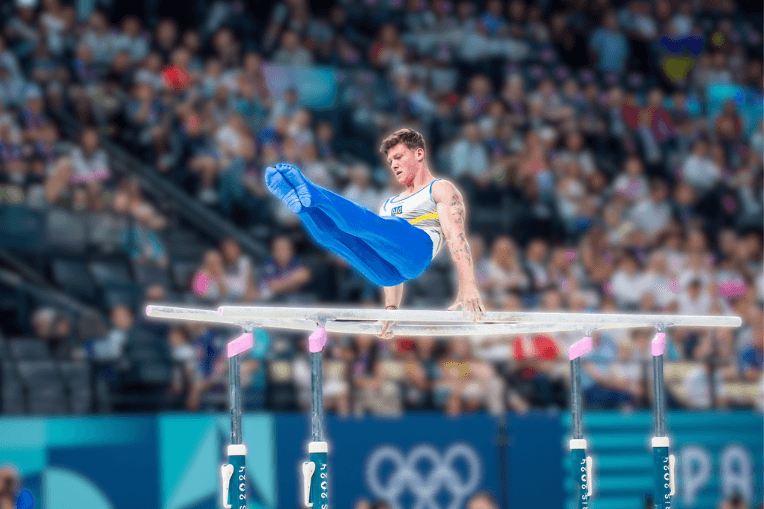
Creating professional-looking gymnastics videos while protecting privacy has never been easier. Whether you're a coach sharing training footage or a parent documenting your child's progress, the right AI blur tool can transform your amateur recordings into polished, privacy-conscious content.
| Question | Answer |
|---|---|
| Do I need consent to post gymnastics video of other kids? | Yes, in most jurisdictions — blur non-consenting minors instead |
| Does blur slow down fast movement like tumbling? | No — BGBlur's motion tracking follows flips and rotations frame by frame |
| Can I keep my own child visible while blurring everyone else? | Yes, selective blur keeps one subject sharp |
| Does it work on gym logos and name banners too? | Yes, via object blur with a text prompt |
| Where do I process footage? | bgblur.com, browser-based, no download |
Why Blur Background in Gymnastics Videos?
Gymnastics facilities are often crowded with other athletes, parents, and personal information visible in the background. A professional video blur tool helps you protect privacy while creating clean, distraction-free content that focuses viewer attention on the main performer.
Privacy Solutions with Face Blur Technology
Privacy concerns are paramount when sharing gymnastics video content online. Modern face blur technology offers comprehensive solutions for various privacy challenges
Protecting Minor Athletes
Youth gymnastics programs require extra privacy considerations. In the US, the Children's Online Privacy Protection Rule restricts how online services may collect information from children under 13, which is one reason many gyms and clubs now require blur or written consent before footage of minors goes online. A reliable background blur tool helps you:
- Automatically detect and blur non-consenting minors in the frame
- Remove identifying features like gym logos or name banners
- Obscure personal items like bags with names or team information
- Protect athletes during vulnerable moments like falls or corrections
Legal Compliance and Consent
Using a pro AI blur tool ensures compliance with privacy regulations:
- Meet facility policies about recording and sharing
- Respect parents' wishes regarding their children's online presence
- Avoid potential legal issues from unauthorized footage
- Maintain professional standards for coaching businesses
Social Media Safety
When posting gymnastics video content online, face blur features provide:
- Protection from unwanted recognition or attention
- Safety for athletes from potential online predators
- Control over who appears in viral or widely-shared content
- Peace of mind for parents concerned about digital footprints
Competition and Training Privacy
Advanced blur tool capabilities allow selective privacy protection:
- Hide coaching techniques or training methods from competitors
- Blur scoreboards or judges' faces during practice competitions
- Remove audio or blur lips to protect verbal coaching cues
- Maintain athlete anonymity in technique demonstration videos
How to Blur a Gymnastics Video with BGBlur
Follow these steps to publish a training or competition clip without exposing other athletes:
Step 1: Upload Your Footage
Go to bgblur.com and drag-drop your gymnastics video. MP4, MOV, and M4V files up to 4K are supported, and processing happens directly in your browser.
Step 2: Choose Face Blur or Object Blur
Select face blur to anonymize every detected face, or object blur to obscure gym logos, name banners, and bag tags with a text prompt instead of manual masking.
Step 3: Mark Your Athlete as the Subject
Use selective blur to keep your child, client, or yourself sharp while every other person in frame is automatically blurred — this stays consistent through flips, tumbling passes, and rotations thanks to motion tracking.
Step 4: Preview and Export
Review the blurred clip, then export as MP4, MOV, or WebM. Processed files are deleted within 24 hours, so raw footage is never stored longer than necessary.
Face Blur vs. Full-Body Anonymization for Gymnastics
| Method | What it hides | Best for |
|---|---|---|
| Face blur | Facial identity only | Standard social sharing, highlight reels |
| Object blur | Logos, banners, bag tags | Facility or team name protection |
| Full-body anonymization | Build, gait, and silhouette | Distinctive routines, maximum-privacy requests |
Coaches building a shared technique library across multiple gymnasts often combine face blur with full-body anonymization so training footage can circulate among staff without exposing individual athletes. For a broader comparison of anonymization approaches, see face anonymization vs. face blur.
Who Needs Gymnastics Video Privacy Tools
Gymnastics coaches: Building a public highlight reel or recruiting tape while dozens of other athletes train in the same gym during filming.
Parents: Documenting a child's progress or meet performance for family, without exposing every other family's child who happens to be in frame.
Gym owners and studios: Posting marketing content from open floor time, where facility policy requires blurring anyone who has not signed a media release.
Meet organizers: Publishing competition highlight videos that include spectators, judges, and athletes from multiple teams who never agreed to appear online.
Studio Policies Coaches Should Set Before Filming
Most privacy problems in gymnastics video come from missing policy, not bad intent. A few written rules prevent the majority of complaints:
Designate a media consent form. Ask every enrolled family to opt in or out of appearing in photos and video at registration, and keep that record with the athlete's file. When a family opts out, their child is the one to blur first, every time.
Restrict filming angles during open floor time. Position cameras to face away from other apparatus stations when possible, so fewer non-consenting athletes end up in frame to begin with — this reduces how much blurring is needed after the fact.
Set a standard export workflow. Require that all footage intended for social media or recruiting reels pass through BGBlur before publishing, regardless of who filmed it. A single step in the workflow is far easier to enforce than relying on every parent volunteer or assistant coach to remember individually.
Review before posting, not after. Watch the final blurred export in full before it goes live rather than spot-checking a few seconds — motion tracking is reliable but a quick review catches any frame where a face reappears briefly, such as a fast head turn at the very edge of the frame.
Common Mistakes When Filming Youth Gymnastics
Coaches and parents new to privacy-conscious filming tend to repeat the same few errors:
- Assuming a public facility means no privacy expectation. Gymnastics gyms are typically private businesses, not public spaces, and most have their own recording and publication policies separate from public-space law.
- Blurring only the primary subject's competitors, not spectators. Parents and siblings sitting near the mat are just as identifiable as other athletes and are often missed in a quick manual edit.
- Relying on distance or camera angle instead of blur. A face captured from across the gym floor is still identifiable at full resolution once uploaded, even if it looks small on a phone screen while filming.
- Skipping the export review step. Fast tumbling passes and beam dismounts are exactly where a manually cropped or manually blurred edit is most likely to slip, which is why motion-tracked AI blur outperforms manual editing for this content type specifically.
Conclusion
With the right AI blur tool, you can create stunning gymnastics content that looks professional while respecting everyone's privacy. Modern technology makes it simple to protect identities in your gymnastics video productions, whether for competition reels, training analysis, or social media sharing. Start using these privacy-focused tools today to elevate your video quality while maintaining a safe environment for all athletes.
Frequently Asked Questions
Do I need parental consent to post gymnastics videos of minors? Yes, in most jurisdictions you need consent from a parent or guardian to publish identifiable video of a minor, and many gymnastics facilities also have their own recording policies. BGBlur lets you capture and share training or competition clips even without consent from every family in frame, by automatically blurring non-consenting minors while keeping your athlete or child clearly visible.
Can AI blur tools keep up with fast gymnastics movement? Yes. BGBlur uses motion tracking that follows faces and bodies through flips, tumbling passes, and beam routines, reapplying blur frame by frame so it does not lag behind fast motion. This differs from basic pixelation filters, which often lose tracking during rapid or rotational movement.
How do I blur other athletes but keep my own child sharp in the video? BGBlur's selective blur lets you mark one subject to stay sharp while every other detected face is automatically blurred throughout the clip. This is the standard workflow for parents filming meets where dozens of other gymnasts and family members are in the background.
Does blurring gym logos and name banners matter for privacy? Yes. Gym names, team banners, and bag tags can indirectly identify a facility, team roster, or a specific child when combined with other public information. BGBlur's object blur mode lets you select and obscure these elements the same way it blurs faces, using a text prompt rather than manual masking.
What is the difference between face blur and full-body anonymization for gymnastics footage? Face blur obscures identity while leaving body movement, leotard color, and gym environment visible, which works for most social sharing. Full-body anonymization goes further, obscuring build and gait as well, and is better suited when a routine is unusually distinctive or a family has requested maximum privacy.
Can I use blurred gymnastics footage for coaching analysis? Yes. Blurring only affects the visual privacy layer, not the underlying movement data — coaches can still review form, timing, and technique frame by frame on blurred footage. This makes it possible to build a shareable technique library without exposing every athlete who appears in the raw clips.