EBU Women’s Athletics Camera Guidelines Explained [2026]
The EBU and European Athletics have published Raising the Bar, a practical guide to filming women’s athletics without turning technical moments into compromising images. This article explains what the guidance changes across high jump, pole vault, horizontal jumps, and running events. It also shows editors how to use BGBlur’s current Blur Anything workflow to obscure sensitive areas in footage that has already been recorded—without treating blur as a substitute for respectful camera work.
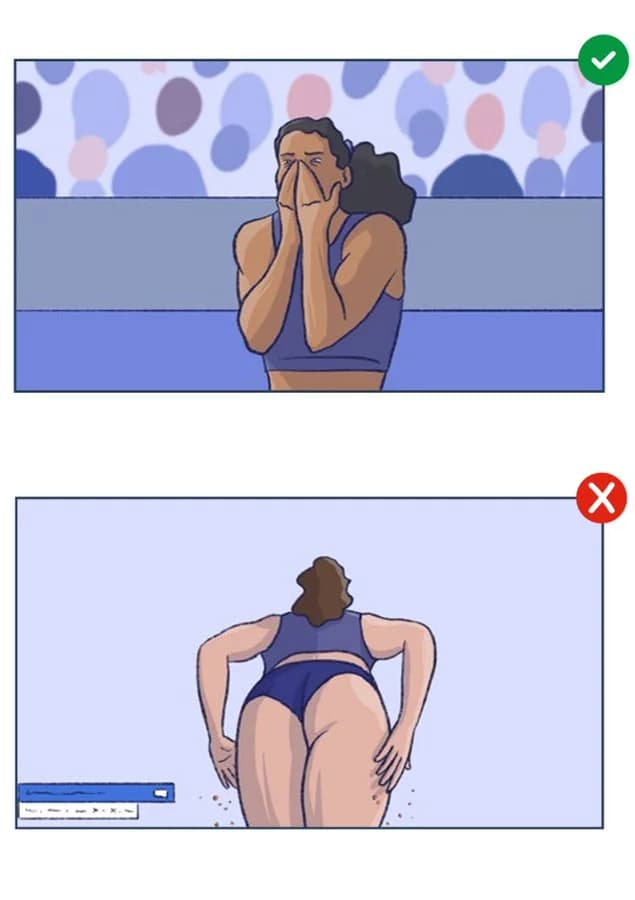
Illustration from the EBU Sport “Raising the Bar” guidance, provided for this article.
A sports camera does more than record a result. Where it is placed, when the director cuts to it, how tightly the operator zooms, and whether an editor repeats the moment in slow motion all decide what the audience is invited to notice. In women’s athletics, those choices can celebrate strength and technique—or turn an athlete’s body into the story.
That is the problem addressed by Raising the Bar, the new EBU guidelines for respectful media coverage in women’s athletics, developed with European Athletics and published in June 2026. The report uses real broadcast situations from high jump, pole vault, horizontal jumps, and running to show that respectful coverage does not require weaker storytelling. In many cases, the angle that protects an athlete’s dignity is also the angle that gives coaches, commentators, and viewers more technical information.
This guide translates those recommendations into a production workflow. It also explains what to do when sensitive footage has already been recorded: cut or reframe it first, then use BGBlur’s Blur Anything editor when selective blur can preserve legitimate editorial value.
| Production question | Best first action |
|---|---|
| Can a different camera show the same action? | Use the wider, front, or side angle |
| Does the replay explain technique? | Keep it only as long as it adds insight |
| Is the sensitive moment unnecessary? | Cut, replace, or end the replay earlier |
| Is the footage important but partially exposing? | Apply selective blur, then review every frame |
| Is the shot exploitative or without editorial value? | Do not publish it |
What the New EBU Guidance Actually Changes
The EBU is not proposing a censor list. Its report sets an editorial-purpose test: does a camera angle help the audience understand athletic performance, competition, or emotion, or does it mainly create a compromising view?
The distinction matters because a technically available shot is not automatically an editorially useful shot. Super-slow-motion lenses, miniature cameras, roaming handheld cameras, and tight crops expand what a production can show—but also what can be isolated, reposted, and stripped of sporting context.
The EBU developed the guidance with European Athletics and input from Olympic competitors Holly Bradshaw, Ivana Španović, and Blanka Vlašić. In the official announcement, the organizations frame the issue as a shared responsibility across camera operation, direction, replay, commentary, and publishing—not a problem athletes should have to manage while competing.
The Harm Continues After the Live Broadcast
Live discomfort is only the first layer. A tight or compromising replay can be clipped into a GIF, looped on a social platform, paired with abusive commentary, or indexed forever outside the context of the event. World Athletics’ Tokyo Olympic online-abuse study found that women received 87% of the abusive posts identified in its sample. Camera and editing choices do not cause every abusive act, but publishers should not create an easy supply of decontextualized material.
The strongest point in Raising the Bar is therefore not “show less.” It is show the sport more intelligently. Run-up rhythm, take-off position, bar clearance, stride pattern, coach interaction, and the athlete’s reaction all offer better storytelling than a crop that lingers on one body area.
Respectful Camera Work by Athletics Event
The guidance becomes most useful when applied event by event. Different disciplines create different risks, but the production logic stays consistent: preserve context, prefer angles with technical value, and avoid tight low views that are likely to become compromising.
High Jump: Explain the Run-Up, Not Just the Landing
For high jump, a wide side view can show the final strides, the curve of the approach, take-off distance, clearance, and immediate outcome in one coherent sequence. That gives commentators something real to analyze. A front-facing shot before the attempt can also show concentration and emotion without intruding on the athlete.
The risk rises when a camera sits underneath the athlete, zooms during bar clearance, or holds through the landing. A technically weak replay may expose more while explaining less. The EBU’s practical answer is to remain wider, favor views of the approach and take-off, and cut away before touchdown when a particular replay angle becomes compromising.
Pole Vault: The Last Six Strides Tell the Story
Pole vault coverage often overemphasizes the inversion and landing because those moments look dramatic in slow motion. Yet the approach, pole plant, penultimate-stride speed, and take-off position explain much of whether a vault succeeds. A runway-adjacent wide camera can keep the entire sequence legible.
Roaming cameras should be especially cautious when positioned low or behind an athlete lifting a pole, preparing, sitting, or recovering after a jump. When an operator cannot predict a movement, the director still has choices: move to a face shot, go wider, switch to the coach, show the result graphic, or leave the replay before the problematic frame.
Horizontal Jumps: Stay Side-On Through the Technical Moment
For long jump and triple jump, the side view reveals stride pattern, board contact, flight, and landing distance. It is also compatible with graphics that explain take-off position and measured result. A low camera beside the pit may create a dramatic sense of height, but holding it through landing or exit can produce images with little analytical value.
The safer edit is not necessarily less exciting. Use the side-on slow motion for foot placement and technique, an aerial or wider view for flight, then cut to the athlete’s face, result, or coach interaction. If a pit-side shot must be used, review it before replay and avoid tight crops as the athlete stands or leaves the sand.
Running: Protect Preparation, Fatigue, and Recovery
Running events produce sensitive moments away from the race itself: athletes adjusting kit at the start, leaning into the blocks, bending after the finish, collapsing from fatigue, or embracing competitors. A camera below the pelvis or a tight crop from behind can turn an ordinary recovery position into an invasive image.
Front and three-quarter views generally retain expression, effort, and competitive context. Wider shots preserve the relationship between athletes. Close-ups should have a clear reason—focus, emotion, injury, celebration—not simply proximity. The same principle applies to small clubs and school sport. NSPCC Sport advises organizations to focus images on the activity and avoid compromising angles, particularly where children or minimal kit are involved.
Capture First, Edit Second, Blur Third
Selective blur is useful, but it belongs near the end of the decision tree. A respectful production workflow has three layers.
1. Prevent the Shot at Capture Time
Map camera positions before the event. Give each operator both a positive brief—what technique or emotion the shot should reveal—and a negative boundary. Flag low cameras, rear positions, landing zones, warm-up areas, and recovery moments. Make sure a safe alternative angle is always available.
For a small crew, “safe alternative” may be one locked wide camera plus a handheld front or side view. The goal is not expensive coverage. It is predictable coverage that does not force an editor to choose between missing the action and using an intrusive angle.
2. Make Replay and Crop Choices Deliberately
Review super-slow-motion footage before airing it whenever the angle is high-risk. Stop a replay once its technical point has been made. Avoid digital crops that remove the runway, bar, board, or other context and leave only a body area in frame.
Ask a simple question in the edit: what would the viewer learn if this replay were removed? If the answer is “nothing,” remove it. If the moment matters, replace it with a side angle, a wider crop, a result graphic, or an athlete reaction.
3. Blur Only When Valuable Footage Still Needs Protection
Blur is appropriate when the clip has legitimate value—news reporting, technical review, safeguarding documentation, a documentary, a club recap—but one region should not remain visible. It is not a permission slip for a voyeuristic angle. For broader privacy decisions, the online video censoring guide explains when blur, pixelation, cropping, or removal is the better choice.
How to Blur Sensitive Parts with BGBlur’s Blur Anything Tool Right Now
BGBlur’s current Blur Anything editor works with videos and still images, but the controls differ slightly between them. The process below reflects the live product available in July 2026.
Step 1: Prepare the Cleanest Useful Edit
Before uploading, remove shots with no editorial purpose. Trim dead time, select the best angle, and keep only the segment that needs repair. This reduces processing time and makes frame-by-frame review easier.
The current editor accepts MP4 and MOV video up to 1 GB and five minutes, plus JPG, PNG, and WebP images up to 20 MB. Credit use for video depends on duration and source resolution. Free video export can include a watermark; a clean export may require more credits.
Step 2: Describe a Visible Target, Not an Abstract Concern
Open Blur Anything, upload the clip, and use short prompts that describe what the model can see. Useful starting points may include:
lower bodyuniformathletepersonlogoorname tagwhen identity details are also visible
The current input supports up to three prompts, each no longer than 30 characters. Add a prompt with Enter or a comma. Be concrete: “sensitive area” expresses your intention, but a visible label such as “lower body” is usually easier for an object model to locate.
If the prompt resembles a dedicated BGBlur workflow—such as face, license plate, or background—the editor may suggest that specialist detector. Use the dedicated option when it matches the privacy problem. For other objects or regions, remain in Blur Anything.
Step 3: Use Draw Mode for Precise Still-Image Redaction
Still images offer an additional Draw mode. You can place up to three boxes or use a brush with adjustable size. Keep AI Auto-detect on when you want BGBlur to find the object inside your selection; turn it off when you want the exact painted or boxed region blurred.
That distinction is useful for a photograph where a prompt selects too much of the athlete or misses a narrow area. Video currently uses the prompt-and-tracking workflow rather than image-style box or brush controls. Our object and region blur guide covers selective redaction patterns in more detail.
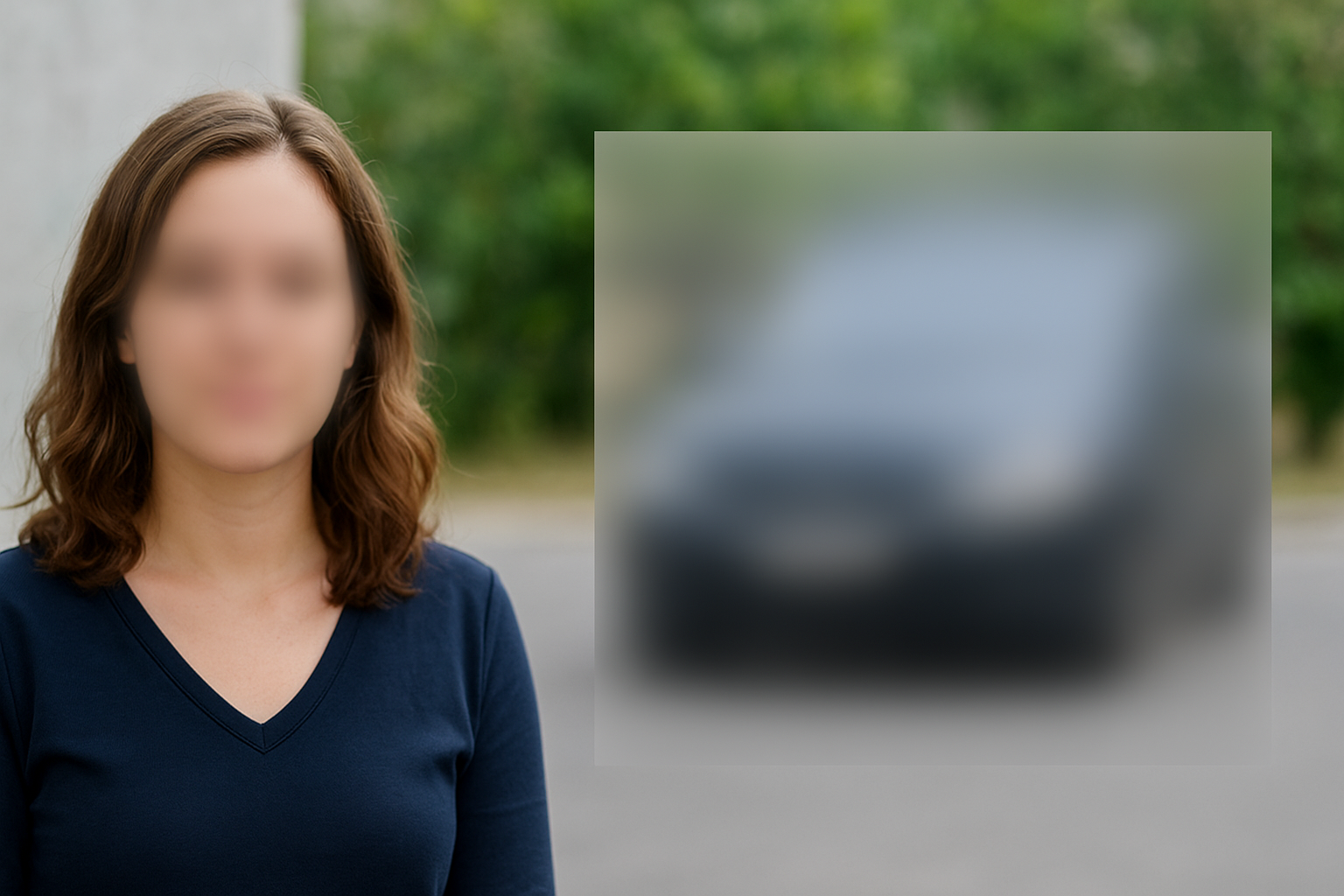
Step 4: Process, Compare, and Watch the Entire Timeline
Start the blur, then compare the input and output when processing finishes. Do not approve a video from a single thumbnail. Watch it at normal speed, then scrub through the sensitive sequence frame by frame.
Check five failure points:
- Entry and exit: Does blur begin before the area becomes visible and remain until it leaves frame?
- Fast movement: Does take-off, rotation, or landing cause the mask to lag?
- Occlusion: Does a pole, bar, another athlete, or overlay interrupt tracking?
- Scale change: Does the blur stay large enough when the camera zooms or the athlete approaches?
- Replay transitions: Does every repeated or slow-motion version receive the same protection?
If the target slips, do not assume “mostly blurred” is good enough. Try a clearer prompt, split the clip into smaller shots, crop the frame, use a different angle, or remove the sequence. The AI video blur privacy guide explains why continuous coverage matters across every frame.
Step 5: Export the Correct Version and Keep an Editorial Record
Download the processed result and verify the downloaded file—not only the browser preview. Record the source clip, edit decision, prompt or draw method, reviewer, and approval date. For a broadcaster or sports body, this creates a repeatable standard instead of relying on one editor’s memory.
Keep access to the unedited master restricted. Publishing a blurred copy does not reduce the sensitivity of the original file. BGBlur says uploaded files are deleted within 24 hours, but your own storage, review links, cloud backups, and messaging tools still need an appropriate retention policy.
A Practical Decision Matrix for Sports Editors
| Situation | Preferred response | Why |
|---|---|---|
| Safe side or front angle exists | Replace the shot | Preserves action without repair |
| Replay adds no technical insight | Remove it | Avoids exposure and improves pacing |
| Landing matters but the end is sensitive | Cut the replay earlier | Keeps the meaningful phase |
| Important clip has one exposed region | Use selective blur and review | Preserves legitimate context |
| Face or identity is the main risk | Use dedicated face blur | Specialist detection is more reliable |
| Prompt cannot isolate the region | Crop, split, replace, or withhold | Prevents a false sense of protection |
| Shot is exploitative by design | Do not publish | Blur cannot create editorial legitimacy |
This sequence also protects teams from overusing blur. Excessive blur can distract viewers, hide technique, and signal that the original camera plan was poor. The cleanest outcome is usually the respectful angle that never needed repair.
Building a Respectful Sports Media Workflow
The EBU guidance is written for broadcast teams, but its principles scale down to a university athletics department, local club, school, independent photographer, or creator posting event highlights.
Before the event, document consent rules, restricted zones, camera positions, storage access, and publication approval. During capture, favor performance and context. During replay, reject angles that add exposure without insight. In post-production, use cropping, shot replacement, and selective blur in that order. Before publishing, have a second person review the output on a large screen and a phone.
For footage involving minors, changing facilities, injuries, or possible harassment, blur is only one safeguard. Follow the organization’s safeguarding and reporting process. Do not edit or distribute evidence in a way that interferes with an investigation. For consent and identity questions in ordinary public footage, read the unauthorized filming and privacy protection guide.
Respectful Coverage Is Better Coverage
The 2026 women athletes camera guidelines make a persuasive production argument: the angles that show run-up, take-off, technique, competition, and emotion are often more respectful and more informative. Avoiding a compromising shot is not a creative loss when the replacement tells the sporting story better.
For footage that has already been recorded, editors still have options. Replace the angle, widen the crop, shorten the replay, or remove the shot. When a valuable clip contains one sensitive region that must be protected, BGBlur’s Blur Anything tool can add prompt-based selective blur to video and precise box or brush blur to still images. The final responsibility remains human: review every frame, preserve context, and withhold anything whose only value comes from exposure.
The best sports media leaves the audience thinking about the athlete’s power, decision-making, and achievement. Camera work starts that story. Thoughtful editing—and selective blur when genuinely necessary—keeps it there.