Blur Faces in KYC Videos for Secure Identity Privacy [2026]
Video KYC captures far more than a face match — biometric data, ID numbers, room backgrounds, and voice. This guide covers when to blur applicant faces on derivative copies, retention policy for liveness footage, and how compliance, fraud, and HR teams de-identify verification video without breaking the original audit trail.
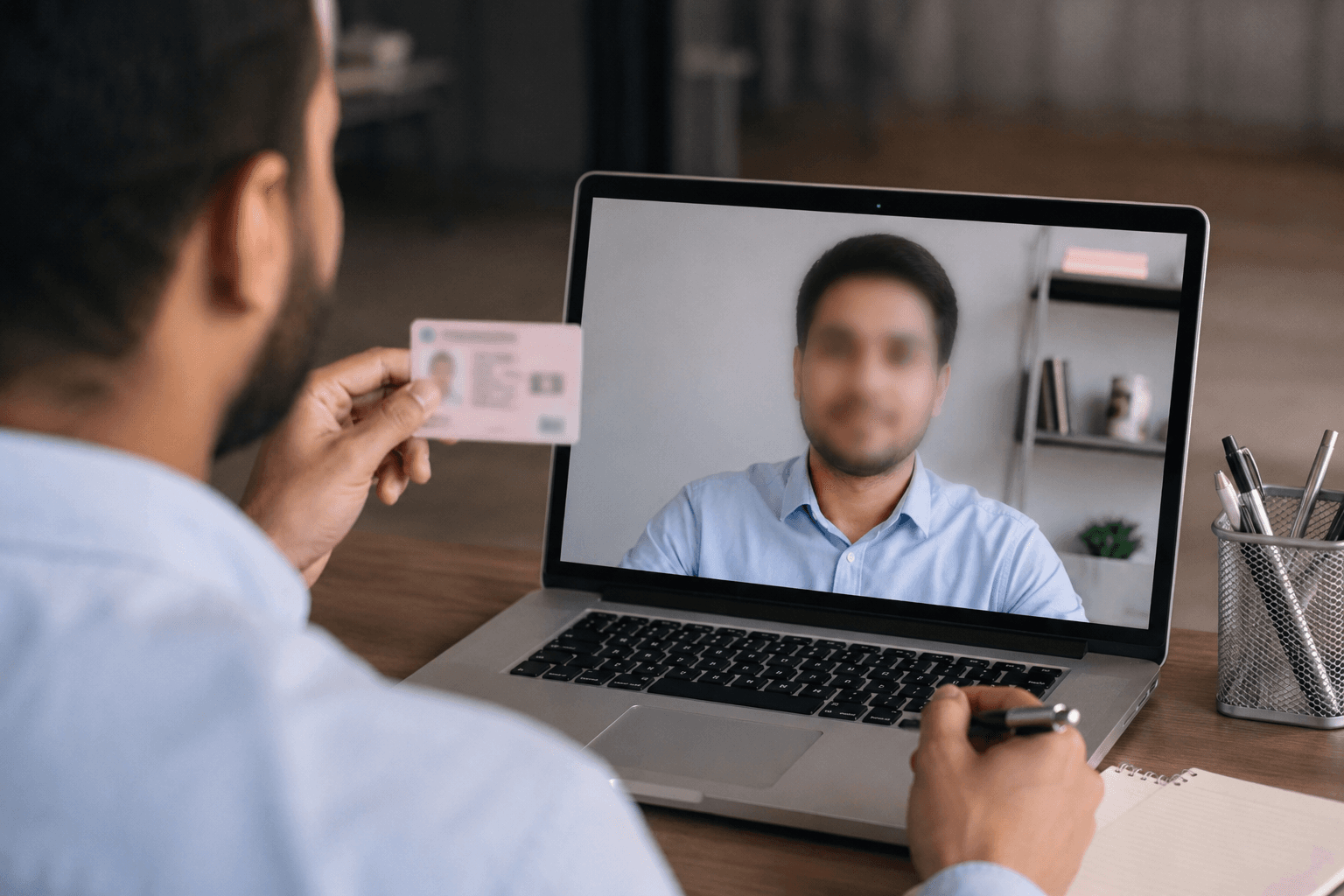
Video KYC is now standard for opening bank accounts, verifying crypto exchange accounts, onboarding remote employees, and completing government identity verification online. A single liveness clip captures your face, voice, document details, and often your entire room.
That makes KYC video privacy one of the highest-stakes workflows in modern fintech. Mishandled footage becomes a permanent biometric leak. Shared internally without controls, it becomes a compliance incident. Stored forever without purpose limitation, it becomes a regulator question.
This guide explains how to blur face in KYC video, when to de-identify liveness recordings, and how teams at banks, neobanks, crypto platforms, and HR departments protect applicants while keeping verification usable.
Why KYC Video Contains More Sensitive Data Than You Think
Know Your Customer (KYC) and video liveness checks are designed to prove you are a real person holding a real document. That requires capturing:
- Facial biometrics (geometry, movement, micro-expressions)
- Government ID numbers and photos
- Home or office backgrounds (layout, family photos, mail)
- Audio (voice biometrics in some flows)
- Device and session metadata
Under GDPR, India's DPDP Act, and similar frameworks, facial images in identifiable context are personal data—often special category or sensitive biometric data depending on jurisdiction.
Who Needs to Blur KYC Video?
| Role | Why blur matters |
|---|---|
| Compliance teams | Share audit samples without re-exposing raw biometrics |
| Fraud analysts | Document suspicious sessions in tickets without PII leaks |
| Vendor QA | Send clips to liveness vendors for debugging safely |
| HR / onboarding | De-identify employee verification archives |
| Applicants (self-service) | Redact your environment before re-uploading practice clips |
Important distinction: You generally should not blur your face in the original submission sent to a licensed KYC provider—that would break verification. Blurring applies to copies, archives, training sets, internal shares, and dispute evidence circulated beyond the secure vault.
The KYC Video Privacy Problem in Plain Language
Problem 1: Internal Sharing Without Controls
Fraud and support teams paste verification clips into Slack, email, or Jira to ask "is this deepfake?" or "does this match?" Every uncontrolled copy multiplies breach risk.
Problem 2: Long Retention Without Purpose
Many platforms retain liveness video for years—for chargebacks, regulatory exams, model retraining. Retention without de-identification increases exposure surface.
Problem 3: Background Over-Capture
Applicants record from bedrooms, kitchens, and open-plan offices. Cameras capture housemates, children, whiteboards with client names, and documents on desks unrelated to the KYC task.
Problem 4: Deepfake and Synthetic Identity Fraud
Attackers now use real-time deepfake filters on video calls pretending to be recruiters, bank officials, or crypto recovery agents. Fraud teams need investigation footage—but must not leak victim biometrics while building cases. (See our deepfake video call scam detection guide for live-call tests.)
How to Blur Face in KYC Video: Step-by-Step
Step 1: Classify the Clip
Ask: Is this the legal record of verification, or a derivative copy?
- Primary verification record → Keep in encrypted vault; restrict access; do not blur if needed for legal proof of identity
- Derivative copy (training, vendor ticket, audit sample, internal wiki) → De-identify before sharing
Step 2: Remove or Mute Identifying Audio
Names spoken on camera ("Hi, I'm Sarah applying for account 8842") turn anonymous-looking video back into PHI/PII. Strip or replace audio on internal copies.
Step 3: Blur Applicant Faces on Internal Copies
Use AI face detection with motion tracking—KYC subjects move, blink, and tilt documents. Manual masking fails on 30-second liveness clips at scale.
BGBlur's KYC video privacy tool auto-detects faces frame-by-frame and exports de-identified MP4/MOV files in minutes.
Step 4: Blur Backgrounds and Incidental Documents
Combine face blur with background blur or selective object blur to hide:
- Family photos and room layout
- Passport numbers at frame edges
- Post-it notes, monitors, and whiteboards
- Other people walking through background
Step 5: Apply Role-Based Access to Exports
Even blurred clips may retain contextual risk. Store exports in access-controlled drives with retention limits—not public links.
Use Cases by Industry
Banks and Neobanks
De-identify liveness samples shared with offshore QA vendors. Prepare regulator examination packs with blurred faces when full biometric replay is not required.
Crypto Exchanges
Document synthetic identity and deepfake liveness attempts for FinCEN/FCA-style reporting without circulating raw applicant video in chat.
HR and Contractor Onboarding
Blur employee verification videos used in internal training ("good vs bad document glare") while keeping document-handling technique visible.
Government and Immigration Portals
When publishing redacted exemplar videos showing citizens how to complete verification, blur demonstrator faces unless actors signed broad media release.
KYC Technology Vendors
Build blur-into-workflow for customer success teams demonstrating issues on real sessions—default to de-identified exports.
Compliance Checklist for KYC Video Handling
- ✅ Separate treatment consent from verification consent where required
- ✅ Minimize retention — delete or de-identify when purpose expires
- ✅ Blur faces on all internal derivative copies by default
- ✅ Blur backgrounds when environment is not necessary for review task
- ✅ Encrypt at rest and in transit
- ✅ Log access to raw biometric vaults
- ✅ Train fraud teams on deepfake detection and PII-safe sharing
- ✅ Document lawful basis (GDPR Art. 6/9, DPDP, CCPA) for each processing step
KYC Video vs Passport Verification Video
Our passport verification background blur guide focuses on applicants protecting their own environment before submission.
This guide focuses on organizations and power users handling verification footage after capture—archives, fraud review, vendor loops, and compliance exports.
Both workflows benefit from the same core tool: AI blur with motion tracking.
Regulatory Landscape: Why KYC Video Retention Is Under Scrutiny
Regulators treat biometric verification footage as high-risk data—not a marketing asset.
European Union (GDPR)
Video KYC captures biometric data (special category under Article 9 when used for identification). Lawful processing requires explicit consent or another Article 9 condition, plus strict minimization. Sharing unblurred clips with offshore support teams without adequacy safeguards is a common audit finding.
India (DPDP Act 2023 + RBI digital lending norms)
Indian fintech and NBFC onboarding flows increasingly use video KYC. The DPDP Act treats digital personal data—including facial images linked to identity—with purpose limitation and security safeguards. Retaining raw liveness video beyond dispute windows without documented reason triggers compliance questions. De-identified copies for training are safer than raw archives.
United States (GLBA, state privacy laws, BSA/AML context)
Banks and crypto exchanges retain verification media for BSA/AML and fraud investigations. That retention is lawful—but access must be role-scoped. Blurring before clips enter case management systems reduces insider threat and vendor exposure.
Singapore, UAE, South Africa
PDPA, PDPL, and POPIA frameworks similarly emphasize security safeguards on biometric processing. Multinational platforms should default to blur-on-export for any clip leaving the primary vault.
Synthetic Identity and Deepfake Pressure on KYC Teams
KYC is no longer just "match face to document." Fraud rings now submit:
- Deepfake liveness attempts (real-time or injected video)
- Stolen identity bundles (document + mismatched live actor)
- Recovery scam callbacks impersonating victims (see our deepfake video call guide)
When analysts investigate suspicious sessions, they need to circulate evidence—blurred faces on every derivative copy—while preserving the secured original for legal escalation.
Retention Policy Template for KYC Video
| Stage | Recommended handling |
|---|---|
| Live verification | Encrypted vault; minimal access; no Slack exports |
| 0–90 days post-onboarding | Full record if required for disputes |
| Training / QA samples | Blurred faces + muted names before leaving vault |
| Vendor debugging | Time-limited signed URLs; blurred by default |
| Regulator request | Unblurred only under legal hold workflow |
| After retention expiry | Delete or irreversibly anonymize |
Document this in your Records of Processing Activities (ROPA) and privacy notices.
Vendor and Offshore QA Workflow
Third-party liveness vendors, BPO review teams, and penetration testers often ask for "sample failed sessions."
Never email raw KYC video. Instead:
- Export session metadata (scores, failure codes, timestamps)
- If video is required, run BGBlur face + background pass
- Watermark internal copies "DE-IDENTIFIED — NOT FOR RE-IDENTIFICATION"
- Log who accessed what and when
This single habit prevents most accidental biometric leaks.
Applicant-Side Privacy (Self-Service)
Individuals recording practice takes before submission should:
- Blur background clutter (family photos, mail, screens) in practice clips shared with friends for help
- Never post raw KYC recordings on social media or forums
- Use official app channels only for final submission
Our passport verification background blur guide covers applicant-side environment protection in detail.
Why BGBlur Fits KYC and Liveness Workflows
Blur face in KYC video with BGBlur is built for teams who need speed and consistency:
- Automatic face detection on moving subjects holding documents
- Background and object blur for environment de-identification
- Browser-based — no NLE license for every analyst
- Batch-friendly for QA teams processing multiple sessions
- Complements fraud detection — pair with live-call deepfake tests
We also build face anonymization technology used in production video pipelines—so we understand the same edge cases fraud teams see: profile angles, lighting shifts, hand-occlusion, and hairline artifacts.
Manual Masking vs Automated Blur: Why Speed Matters for KYC Teams
Fraud and compliance teams that still manually mask faces frame-by-frame in a video editor run into two problems: it does not scale past a handful of clips, and manual boxes drift the moment an applicant tilts their head or moves a document into frame.
Manual masking (drawing a static box or circle over a face) works for a single still frame but breaks down across a 30-second liveness clip where the subject blinks, turns, and repositions a passport. Analysts either re-draw the mask every few frames or accept gaps where the face is briefly exposed — both are slow and both create compliance risk.
Automated AI face detection with motion tracking — the approach BGBlur uses — follows the face across every frame automatically, including partial turns and document occlusion, and exports a de-identified file in minutes rather than hours. For a QA team processing dozens of vendor debugging clips a week, that difference is the gap between a sustainable privacy process and one that gets skipped under deadline pressure. Teams weighing broader redaction tooling for video evidence can also see our best video redaction software comparison for how automated options stack up against enterprise redaction suites.
FAQ: Blur Face in KYC Video
Should I blur my face before submitting KYC to my bank?
No for the official submission to your licensed provider—they need an identifiable liveness match. Yes if you're keeping a personal copy, sharing for help, or posting anywhere outside the secure portal.
Is blurred KYC video still admissible as evidence?
It depends on jurisdiction and case type. Blurred copies support training and internal review; legal disputes over identity may require access to the original secured record under chain-of-custody controls.
Does blurring satisfy GDPR or DPDP?
Blurring is a strong technical measure supporting anonymization/minimization, but full compliance also requires lawful basis, retention policy, access controls, and data subject rights processes.
Can I blur only the background and keep the face clear?
Yes—for internal reviews where identity must remain visible to one authorized analyst, blur background and document edges while restricting access to the unblurred master in vault storage.
How is this related to deepfake fraud?
Fraud teams investigating fake liveness or deepfake video calls should de-identify clips before internal sharing. Detection skills and privacy hygiene go together.
What file formats work for KYC blur exports?
BGBlur supports MP4, MOV, and WebM—the formats most liveness SDKs output. Process in-browser without installing desktop NLE software on analyst laptops.
Can we blur only failed KYC sessions automatically?
Yes—build a post-processing hook: failed session → automated blur job → ticket attachment. Successful sessions stay in vault unmodified until retention expiry.
Does blurring affect ML model retraining?
If you train fraud models on video, blurring may remove signal. Use separate pipelines: production fraud models on secured raw data; human review and vendor demos on blurred exports only.
Conclusion
KYC video privacy is no longer optional. Every liveness clip is a biometric asset. Every internal share is a potential leak. Every retained recording is a compliance commitment.
How to blur face in KYC video the right way: protect the legal verification record, de-identify everything else, blur faces and backgrounds on derivative copies, and train teams to treat footage like credentials—not chat attachments.
Start with BGBlur's blur face in KYC video feature and build privacy into your verification workflow by default.
Update — August 5, 2026: KYC is one of the highest-exposure categories in the current fraud data — see our roundup of 2026 deepfake fraud statistics, including how injected-video and document deepfakes are defeating remote identity verification.