AI Face Anonymization Tools 2026: Blur vs Replacement
Traditional face blur and AI synthetic replacement solve privacy differently. This guide compares both methods across video and photo use cases, legal clarity, and processing speed so you can pick the right one.
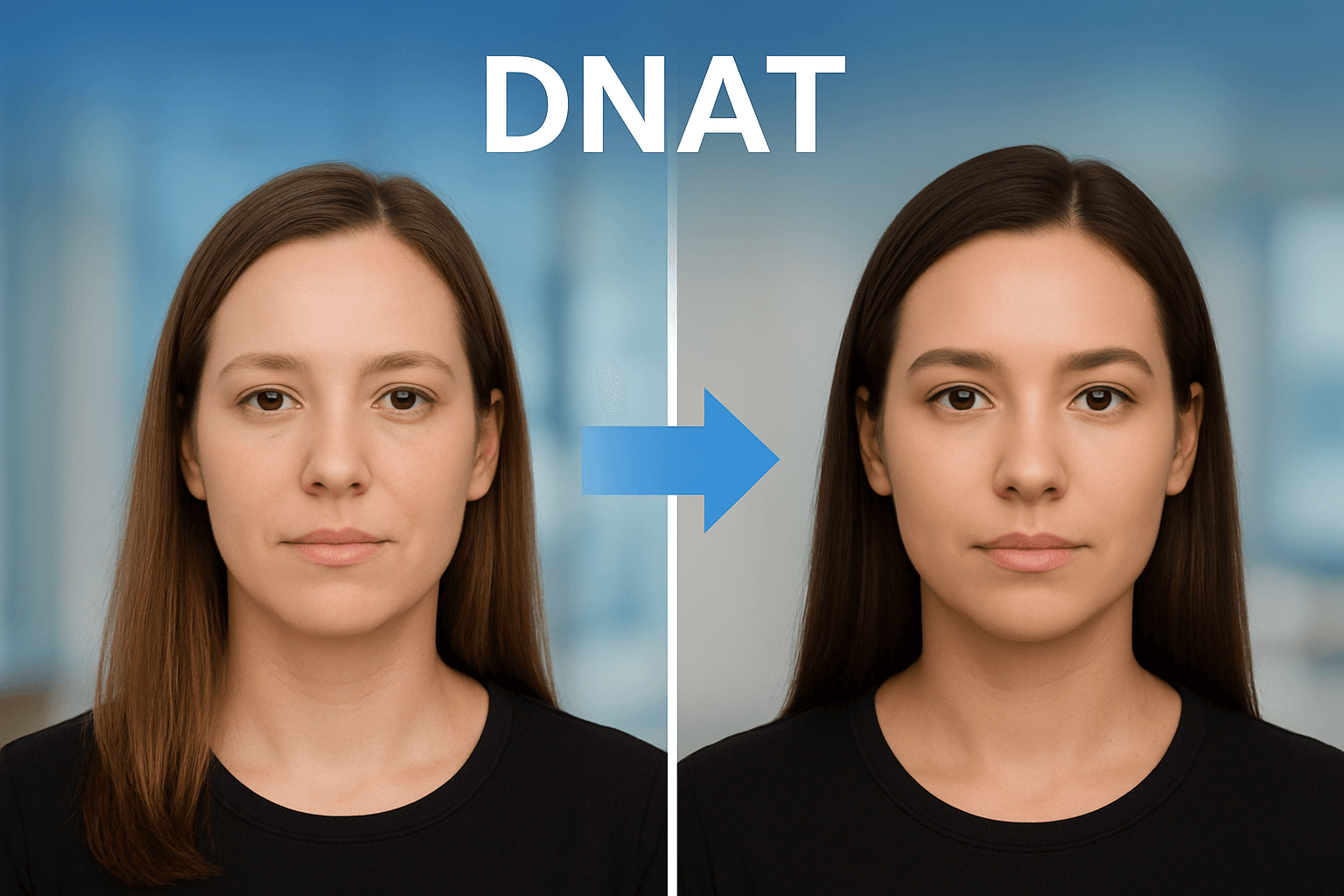
Face anonymization has evolved beyond simple blurring. In 2026, you have two fundamentally different approaches: traditional blur/pixelation that obscures faces, and AI synthetic replacement that generates entirely new faces to replace real ones. Understanding when to use each method—and the legal and ethical implications—is essential for privacy-conscious content creators.
This comprehensive guide compares both approaches, examines leading tools in each category, and helps you choose the right method for your specific needs.
Two Approaches to Face Anonymization
Approach 1: Face Blur/Pixelation
What it does: Obscures the face using blur, pixelation, or masking effects, making the person unrecognizable while clearly indicating that anonymization has occurred.
Visual result: The viewer can see that a face was present but cannot identify the individual.
Best represented by: BGBlur, YouTube Studio, video editing software
Approach 2: Synthetic Face Replacement
What it does: Uses AI to generate an entirely new, synthetic face that matches the original person's general characteristics (skin tone, age, hair) but is completely artificial.
Visual result: The viewer sees what appears to be a real person, but that person doesn't actually exist.
Best represented by: Generated Photos Anonymizer, DeepFake-based tools, AI face swap technologies
Understanding Generated Photos Anonymizer
Website: generated.photos/anonymizer
Generated Photos Anonymizer represents the cutting edge of synthetic face replacement technology.
How It Works
- Upload Photo: Submit a clear, forward-facing photo
- AI Analysis: System analyzes facial characteristics
- Synthetic Generation: AI creates multiple look-alike synthetic faces
- Selection: Choose from generated alternatives
- Download: Use the synthetic face in your content
Key Features
- Characteristic Matching: Generated faces match skin tone, approximate age, gender, and hair characteristics
- Multiple Options: Receive several synthetic alternatives to choose from
- Privacy Processing: Photos processed in RAM, not stored on servers
- No Likeness Rights: Synthetic faces don't involve rights of real individuals
Use Cases
- Profile photos for online accounts
- Social media avatars
- Marketing and design mockups
- Stock photo alternatives
- Anonymous testimonials
Limitations
- Photos Only: Doesn't work for video content
- Single Face: Performs poorly with multiple faces
- Forward-Facing Required: Needs clear, straight-on photos
- Static Output: Can't anonymize moving subjects
When to Use Blur vs Synthetic Replacement
Choose Face Blur When:
1. Working with Video Content
Synthetic face replacement for video is computationally intensive, inconsistent across frames, and can create uncanny valley effects. Face blur remains the standard for video anonymization.
2. Transparency Matters
Blur clearly signals that anonymization has occurred. Viewers understand a real person was present but protected. This transparency is often required for:
- Journalistic content
- Documentary filmmaking
- Legal evidence
- Research publications
- News reporting
3. Processing Multiple Faces
BGBlur and similar tools can automatically detect and blur all faces in a scene. Synthetic replacement typically requires individual processing.
4. Speed and Efficiency
Blur processing is fast—often real-time or faster. Synthetic generation requires more computational resources and time.
5. Legal/Compliance Requirements
Many regulatory frameworks (GDPR, HIPAA, FERPA) specifically reference "anonymization" and "de-identification." Blur meets these standards clearly. Synthetic replacement exists in grayer legal territory.
Choose Synthetic Replacement When:
1. Aesthetic Preservation Matters
For marketing materials, design mockups, or content where visible blur would be distracting, synthetic faces maintain visual polish.
2. Single Photo Applications
Profile pictures, avatars, and static images work well with synthetic replacement.
3. Complete Identity Separation
When you need no visual connection to the original person—not even the silhouette or blur shape—synthetic replacement provides total separation.
4. Creative/Artistic Projects
Some creative applications benefit from the realistic appearance of synthetic faces over obvious anonymization.
Tool Comparison: Leading Face Anonymizers
For Video: BGBlur (Blur Approach)
Website: bgblur.com
Why It's Best for Video:
- AI-Powered Detection: Automatically finds all faces in every frame
- Motion Tracking: Blur follows faces as they move
- Real-Time Processing: Fast turnaround for any video length
- Multiple Subjects: Handles crowds and group scenes
- License Plates Too: Anonymizes vehicles alongside faces
- Quality Preservation: Maintains video resolution
Process:
- Upload video
- AI detects all faces automatically
- Choose blur style and intensity
- Preview results
- Download anonymized video
Best For: Content creators, journalists, businesses, anyone with video anonymization needs.
For Photos: Generated Photos Anonymizer (Synthetic Approach)
Website: generated.photos/anonymizer
Why It Works for Photos:
- Realistic Output: Generated faces look like real people
- Characteristic Matching: Preserves general appearance
- Multiple Options: Choose from several synthetic alternatives
- Clean Results: No visible blur or pixelation
Process:
- Upload clear, forward-facing photo
- AI generates look-alike synthetic faces
- Select preferred option
- Download synthetic result
Best For: Profile photos, marketing materials, design mockups.
Comparison Table
| Feature | BGBlur (Blur) | Generated Photos (Synthetic) |
|---|---|---|
| Video Support | ✅ Full support | ❌ Photos only |
| Multiple Faces | ✅ Automatic detection | ❌ Single face only |
| Processing Speed | ✅ Fast | ⚠️ Slower |
| Transparency | ✅ Clear anonymization | ❌ Appears real |
| Legal Clarity | ✅ Established precedent | ⚠️ Evolving area |
| Motion Tracking | ✅ Automatic | N/A |
| Aesthetic Polish | ⚠️ Visible blur | ✅ Natural appearance |
| Free Tier | ✅ Available | ✅ Personal use |
Legal and Ethical Considerations
Blur/Pixelation: Legal Clarity
Face blurring has clear legal standing:
- GDPR: Recognized de-identification method
- HIPAA: Accepted for PHI protection
- Court Precedent: Established use in evidence
- Media Standards: Industry-accepted practice
- Research Ethics: IRB-approved method
Blur clearly communicates: "A real person was here, but their identity is protected."
Synthetic Replacement: Evolving Territory
Synthetic face replacement raises newer questions:
- Deception Concerns: Generated faces might mislead viewers
- Deepfake Association: Technology shares DNA with problematic applications
- Consent Ambiguity: What consent is needed to generate synthetic alternatives?
- Likeness Rights: Who "owns" a synthetic face based on real characteristics?
- Platform Policies: Some platforms restrict AI-generated faces
Ethical Framework
Consider these questions when choosing your approach:
- Transparency: Would viewers expect to know anonymization occurred?
- Context: Does the content context require visible anonymization?
- Subject Preference: Would the subject prefer obvious blur or synthetic replacement?
- Downstream Use: How might the content be used or misused?
- Platform Requirements: What do distribution platforms allow?
Hybrid Approaches
Some workflows combine both methods:
Photo-to-Video Projects
- Use synthetic faces for static promotional materials
- Use blur for any video content featuring the same subjects
Testimonial Content
- Record video testimonial with face blur
- Create synthetic avatar for accompanying written testimonial
Documentary Work
- Blur faces in documentary footage (ethical/legal requirement)
- Use synthetic faces only for illustrative/educational segments
Future of Face Anonymization
Technology Trends
Real-Time Synthetic Video: Research continues on generating synthetic faces in video, but quality and consistency remain challenging.
On-Device Processing: Privacy-preserving anonymization that never uploads to cloud.
Reversible Anonymization: Encrypted methods where original can be recovered with authorization.
Context-Aware Anonymization: AI that adjusts anonymization method based on content type and purpose.
Regulatory Trends
AI Transparency Laws: Emerging requirements to disclose AI-generated content.
Synthetic Media Labeling: Platform and legal requirements to identify generated content.
Privacy-by-Design Mandates: Requirements for automatic anonymization in certain contexts.
Practical Recommendations
For Content Creators
Use BGBlur for all video content—it's the most practical, legally clear, and efficient approach. Consider synthetic replacement only for specific photo applications where blur would be aesthetically problematic.
For Businesses
Standardize on blur-based anonymization for compliance documentation. The legal clarity and audit trail support outweigh aesthetic concerns in business contexts.
For Researchers
Academic and research contexts almost always require visible anonymization. Blur demonstrates ethical practice in publications and presentations.
For Social Media
Blur is faster, works with video, and clearly communicates privacy protection—all important for social content. Synthetic replacement is overkill for most social applications.
Conclusion
Face anonymization in 2026 offers more options than ever, but the choice is clearer than it might seem:
For video content of any kind: BGBlur and blur-based approaches remain the standard. AI-powered automatic detection, motion tracking, and fast processing make blur practical at any scale. The legal clarity and ethical transparency of blur make it the safe choice.
For specific photo applications: Synthetic face replacement like Generated Photos Anonymizer can serve niche needs—profile pictures, design mockups, and situations where visible blur would be distracting.
Most creators will find that blur handles 95%+ of their anonymization needs efficiently and safely. Synthetic replacement is a specialized tool for specific situations, not a general-purpose solution.
If you want to go deeper on the synthetic-replacement side, see our dedicated guide to DNAT face replacement and synthetic identity protection. For a broader look at how anonymization compares to blur across compliance frameworks, read face anonymization vs face blur and AI tools for face anonymization.
Whatever method you choose, the goal remains the same: protecting privacy while creating valuable content.
Update — August 5, 2026: Since the EU AI Act's deepfake labeling rule took effect on August 2, 2026, the choice between blur and synthetic replacement now has a legal dimension too. See our guide on the EU AI Act deepfake labeling rule for creators and platforms for why plain blur generally sits outside the disclosure requirement while synthetic replacement can trigger it.
Need to anonymize faces in video? BGBlur offers AI-powered face detection and blur with motion tracking—the industry-standard approach to video privacy protection.