BGBlur AI Face Swap for Video - Instant No Reshoots
Replace faces in video instantly with BGBlur AI. No reshoots or manual compositing; preserves expressions and lip sync in a browser workflow.
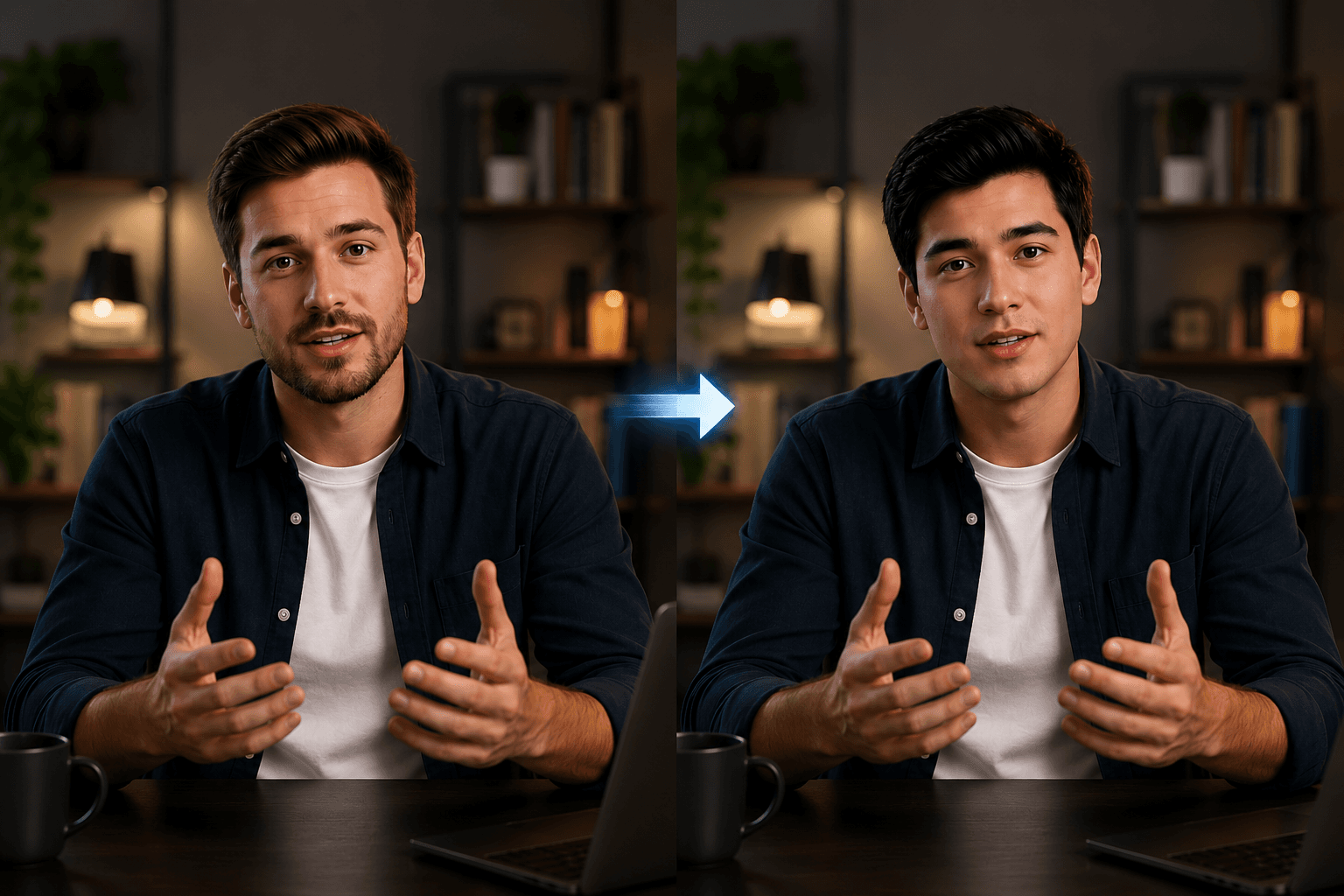
Returning to set with every casting change, every spokesperson departure, or every branding decision in favor of another face can cost thousands of dollars and days of production. AI Video Face Swap technology completely eliminates this bottleneck by allowing you to replace any face in a video clip without touching a camera. Whether you're a content creator, advertising agency, or corporate marketer wondering how to replace faces in videos with AI, this guide covers everything you need to know, from how the technology works to a step-by-step tutorial using one of the cleanest online tools available today.
What is AI Video Face Swap?
AI Video Face Swap is the process of automatically detecting a person's face in a video and replacing it with another face, while preserving the original person's expressions, movements, and lip sync. Unlike manual compositing in editing software, which requires frame-by-frame masking and hours of rotoscoping, faceswap AI automatically handles all the heavy lifting with deep learning models trained on facial geometry and motion data.
Modern AI video face swap systems track key facial landmarks in each frame, eyes, nose, mouth, jaw, and distort the replacement face to match the pose and lighting of the original face. The result is a transparent, temporally consistent exchange that makes it appear as if the new face has always been there. Crucially, the tool preserves timing, expressions and lip sync, so you don't lose any of the energy of the original performance.
If you're wondering "what's the best way to replace a face in a video without going back to set in 2026", the answer is a faceswap AI tool accessible from the browser like bgblur, fast, accurate and without installation.
PH0
Why use AI video face swap?
Use cases for AI video face swap technology have evolved considerably beyond simple novelty. Here's why creative and marketing teams are adopting it at scale.
Eliminate costly returns
When a spokesperson changes or approval comes after production is complete, returning to set is rarely an option. AI Video Face Swap allows you to replace talent without touching the original footage, saving production budget and processing time that can otherwise stretch into weeks.
Create ad variations at scale
A single shoot with one talent can become multiple ad variations targeting different audience segments, simply by replacing faces. For performance marketing teams running A/B testing, it multiplies creative output without multiplying costs. A video face swap workflow that once required full re-production now takes minutes per variation.
Localization and adaptation to markets An ad that works in one market may require a different face, someone who seems local, to resonate in another. faceswap AI makes it trivial to adapt content for regional campaigns without separate productions, which is particularly valuable for global brands deploying campaigns in multiple territories simultaneously.
Protection of privacy and concealment of identity
Sometimes the goal is not to replace a face with a real one, but to swap it with a neutral or anonymized face for privacy compliance, useful in documentary, research, journalism, and healthcare contexts where the identity of the subject needs to be protected. Pair this with face blurring tools for even more robust anonymization workflows.
Casting changes without re-production
If a client changes their mind about talent after production, or a rights deal falls through, faceswap AI means footage isn't wasted. You can re-cast in post-production without a single extra day of filming, something that was simply impossible before deep learning made this technology accessible.
How to replace faces in videos with AI, Step by step
bgblur's video face swap tool works entirely in your browser, no installation, no plugins required. Here is a detailed tutorial of the complete process.
Step 1: Import your video
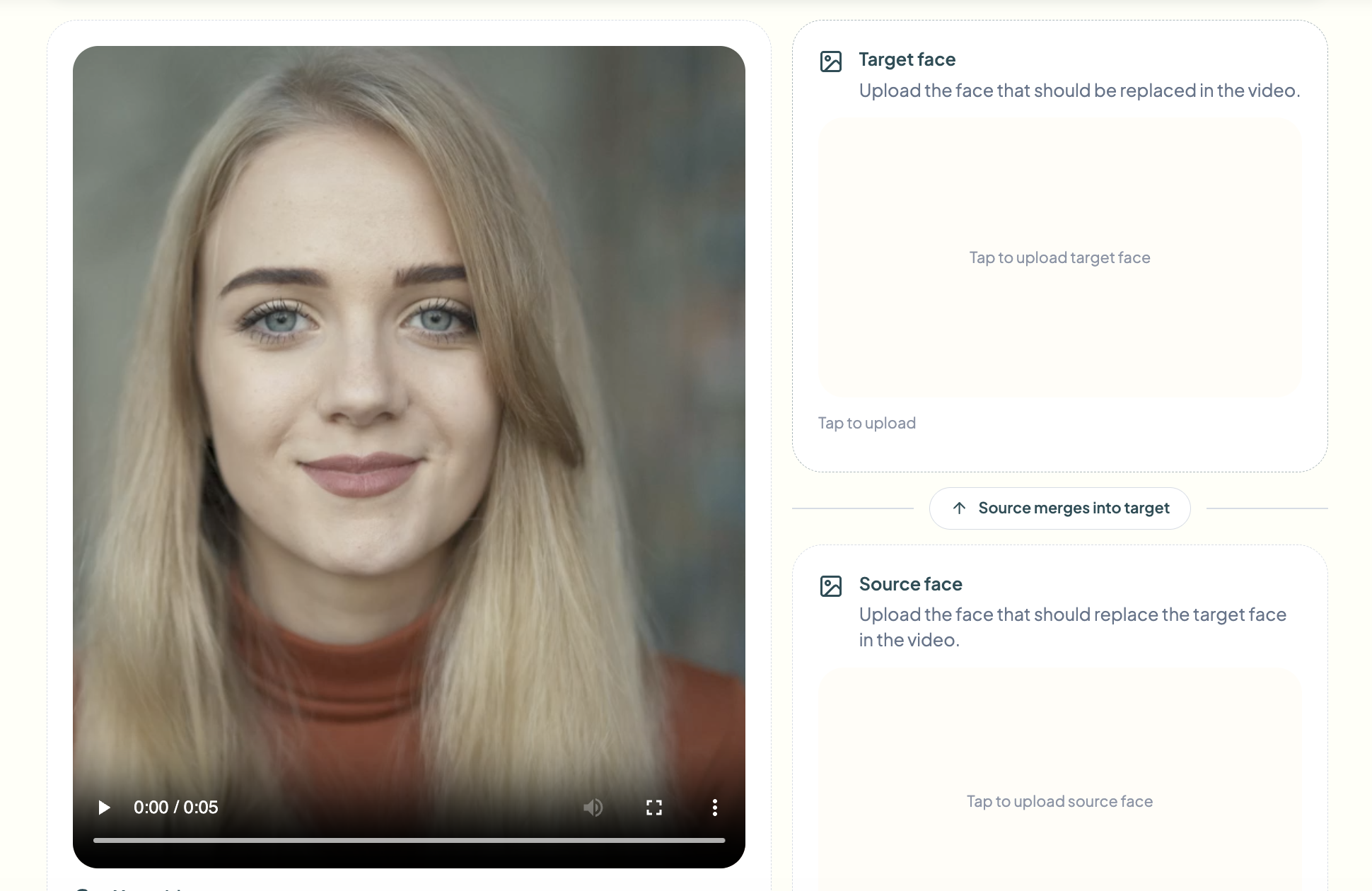
Go to bgblur's face swap tool and click Try Video Face Swap. Drag and drop your video file into the import area, or click to browse. bgblur accepts common formats including MP4, MOV and WebM. Once imported, AI automatically scans your footage for faces and prepares it for replacement. For the fastest AI video face swap results, trim your clip to only the segment you need before importing.
Step 2: Provide the reference image of the face to target
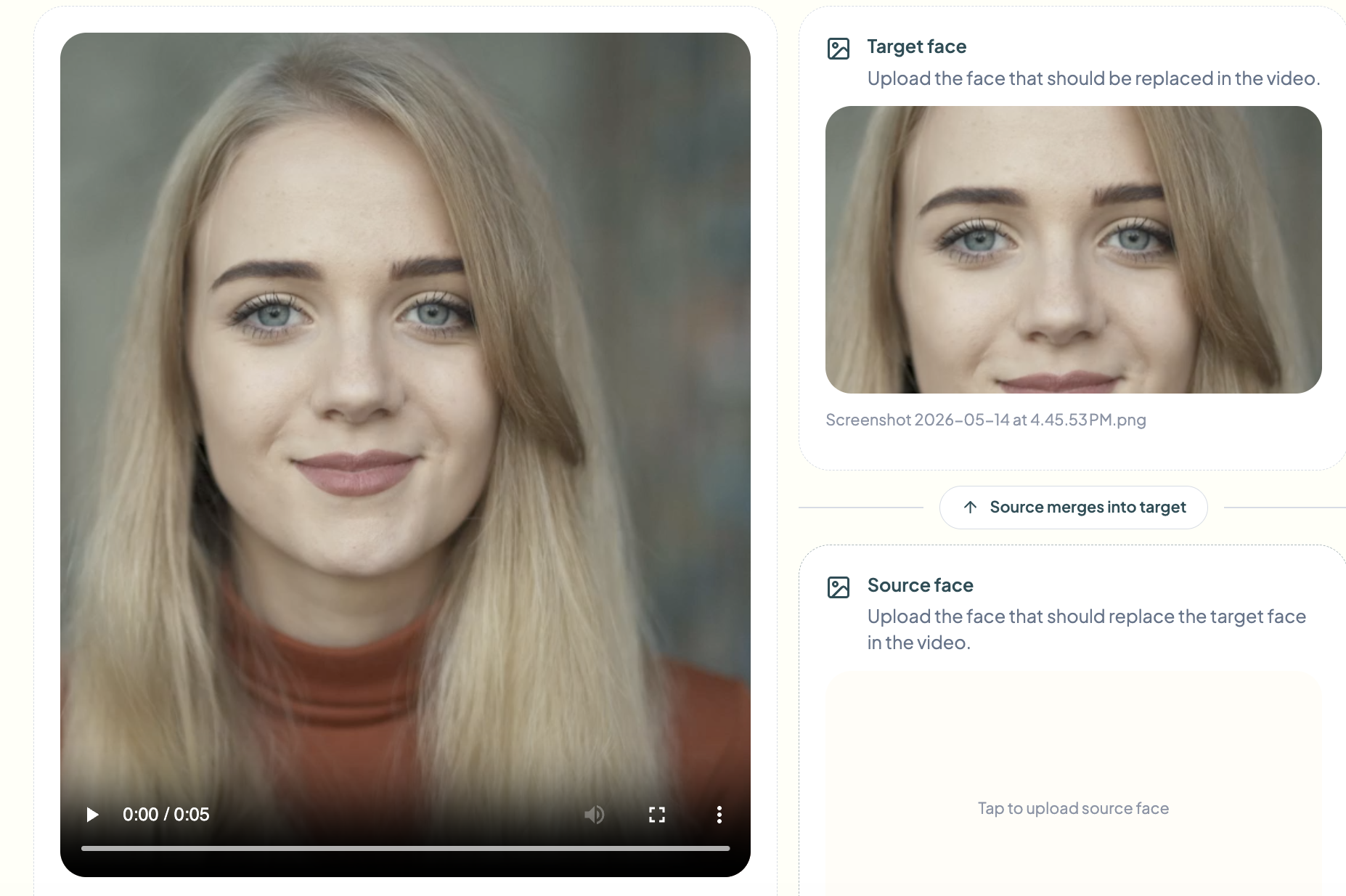
Next, import the reference image of the face you want to target, this is the person already present in your video whose face will be replaced. bgblur's faceswap AI uses this image to lock on to the correct face in footage, which is particularly useful in scenes with multiple people where you need to ensure the correct subject is detected and tracked in each frame.
Step 3: Provide the source image of the face to insert
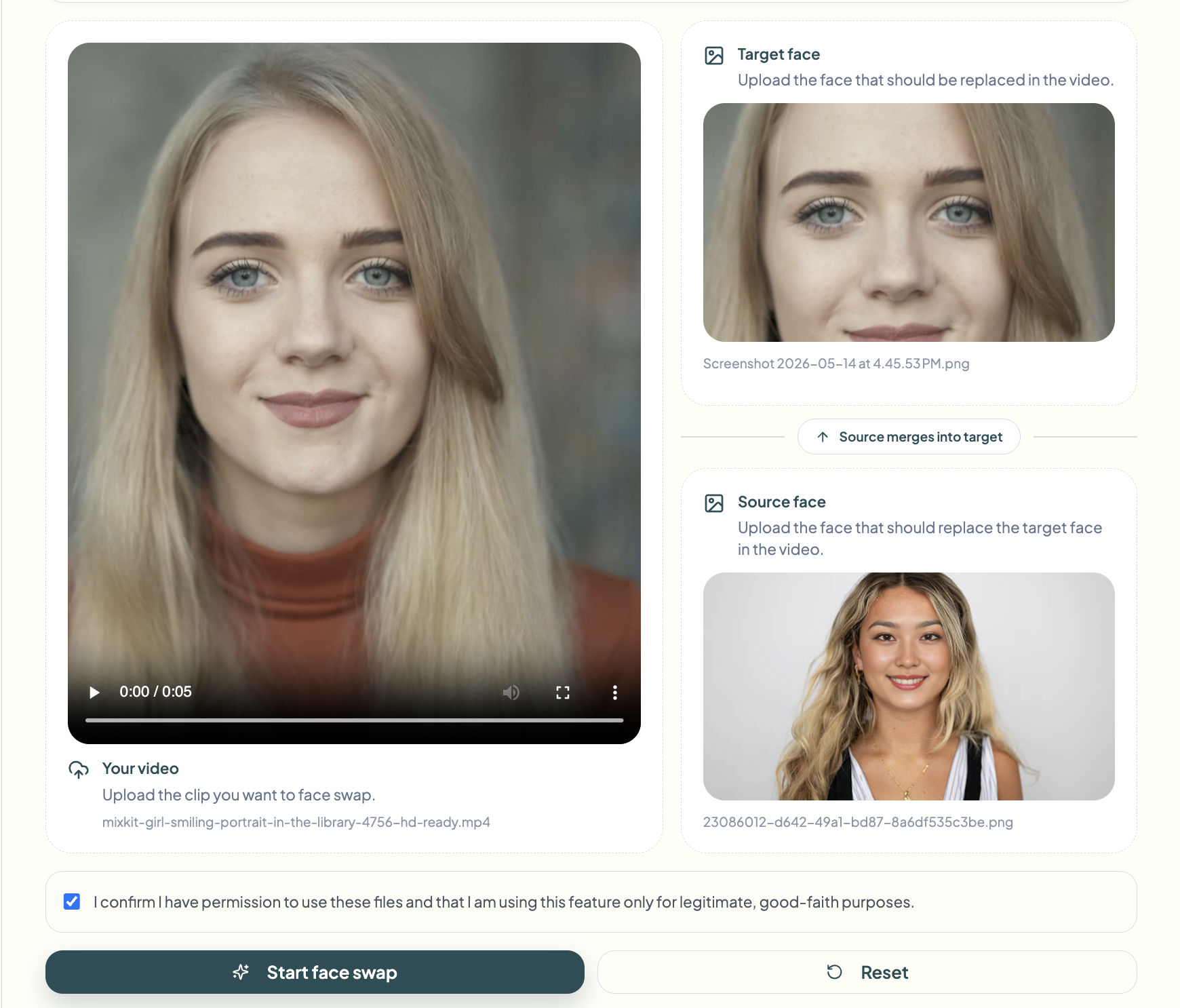
Now import the source image, the face you want to insert as a replacement. Use a clear, front-facing, well-lit photo without obstructions like sunglasses, hats or strong shadows. bgblur's faceswap AI extracts facial geometry and texture from this image and maps it to the targeted face throughout the entire clip. The clearer this photo is, the more consistent the final result of the video face swap will be.
Step 4: Click Start Face Swap and download the result
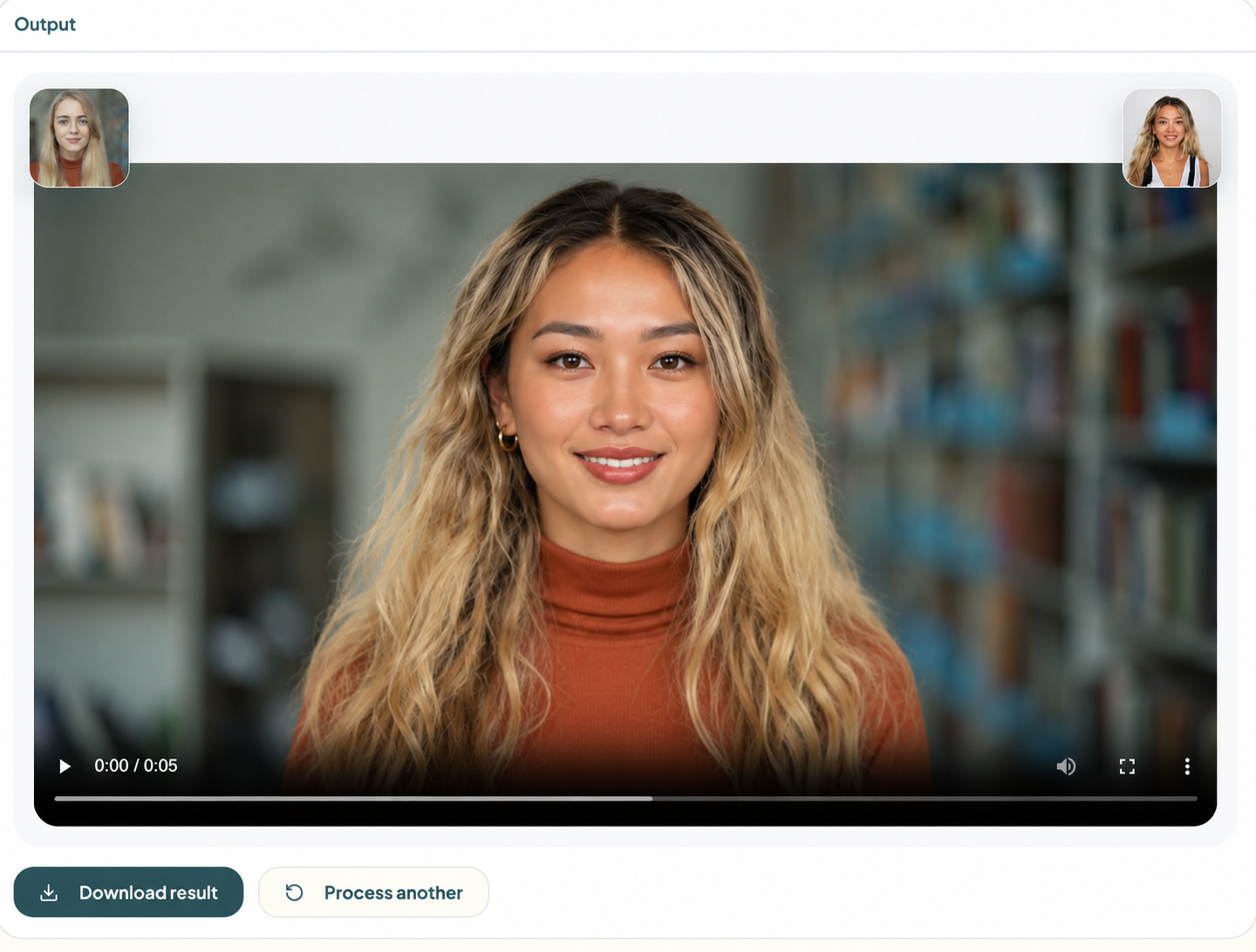 With your video imported, the reference face targeted, and the source face ready, press the Start Face Swap button. bgblur's AI video face swap engine takes over, detecting facial landmarks in each frame, distorting the source face to match the pose, expression, and lighting of the original, and cleanly compositing it throughout the clip. Once processing is complete, click Download to save your final video. The original resolution, frame rate, audio and lip sync are all fully preserved.
How to choose the right AI face swap tool for your use case
Not all AI video face swap projects are the same, and matching the right tool to your workflow is important. Here's a practical analysis depending on what you're actually trying to accomplish.
If you're changing a spokesperson without returning to set, or creating multiple ad variations with different talents, bgblur's video face swap feature is just what you need, designed specifically for full face replacement in motion-tracked video. If you're working on a still photo or thumbnail, the Face Swap Tool handles single-image swaps more efficiently.
For teams focused on identity protection rather than creative casting, face anonymization replaces faces with neutral representations rather than specific reference faces, ideal for GDPR-compliant content. If the goal is simply to blur rather than swap, the face blur tool handles this with automatic detection. And for vehicles, license plate blur automates the obscuration of plate numbers in sequences.
Enterprise and agency teams processing large volumes of video should also explore bgblur's batch processing options, importing and processing multiple clips in a single operation with consistent faceswap AI settings applied across all.
Common Mistakes to Avoid with AI Video Face Swap
Using a poor quality reference image
The most common cause of a poor AI video face swap result is a bad source photo. Blurry, side-on, or poorly lit reference images give the AI model too little information to use. Always use a high-resolution, full-frontal, well-lit photo as a reference face, the quality of the exchange is directly proportional to the quality of the source image.
Import long videos without cutting them first
Importing a 30-minute raw shoot when you only need a 90-second segment wastes processing time and can introduce inconsistencies in the faceswap AI's output. Cut your video to the exact clip you need before importing it.
Ignore multi-face detection
If your video has multiple people on screen and you only want to replace one, not specifying which face to target can lead to unintended swaps. Always use the face selection feature to confirm that the tool is targeting the correct subject in your video face swap project.
Skip preview step Exporting directly without checking the preview is a time-wasting mistake. Fast movements, profile angles, and complex lighting transitions are potential weak points in any AI video face swap result. Always preview the full clip before uploading your final file.
Neglecting consent and legality
Using someone's likeness without explicit permission, even with AI, can raise legal and ethical issues. For commercial use, always ensure you have the appropriate talent permissions and usage rights before distributing any AI faceswap content.
Frequently asked questions
What is AI Face Swap and how does it work?
AI faceswap is the automated process of detecting a face in video footage and replacing it with a different face using deep learning. The AI analyzes the facial landmarks—eyes, nose, mouth, jaw—in each image, then distorts and integrates the replacement face to match the pose, expression, and lighting of the original. Tools like bgblur handle all of this directly in the browser, without requiring manual compositing or technical expertise.
Do I have to go back on set to change the person on screen?
No, this is precisely what video face swap technology is designed to solve. With bgblur, you import your existing footage and a reference photo of the new face, and the AI automatically handles the replacement. No camera crew, no studio, no reshoots necessary. This is one of the most common questions marketers ask: “how do I replace faces in a video without turning everything upside down?” »*
What type of reference image works best for AI video face swap?
For the best AI video face swap results, your reference image should be high-resolution, full-frontal, well-lit with no harsh shadows, free of obstructions like sunglasses or hats, and taken against a relatively neutral background. The more clearly the AI can read facial geometry from the reference, the more realistic and consistent the exchange will be.
Does face swapping preserve original expressions and lip sync?
Yes. Modern faceswap AI systems like bgblur fully preserve the original person's facial expressions, head movements, and lip sync. The swapped face conforms to the movements of the original, it does not replace performance, only identity. Any voiceover or on-screen dialogue remains perfectly synchronized after the exchange.
Is it legal to use face swapping in commercial videos?
It depends on how the swapped face is used and how similar it is. For legitimate commercial use, such as replacing with a consenting talent who has signed a release, AI video face swapping is generally permitted. You should never use someone's likeness without their explicit consent, and distributing face-swapped content featuring real people for deceptive purposes may violate platform policies or local laws. Always consult a legal professional for your specific use case.
Conclusion
AI video face swapping is no longer a niche technology, it is a legitimate production tool that saves time, reduces costs and multiplies creative output. Whether you need to replace a spokesperson, adapt content for a new market, or protect someone's identity, workflow has never been easier or more accessible. bgblur stands out because it works directly in your browser without installation, automatically handles face detection and tracking, and delivers a clean, export-ready result in minutes. If you've been putting off an AI video face swap project because it seemed too technical or too expensive, there's no reason to wait any longer.