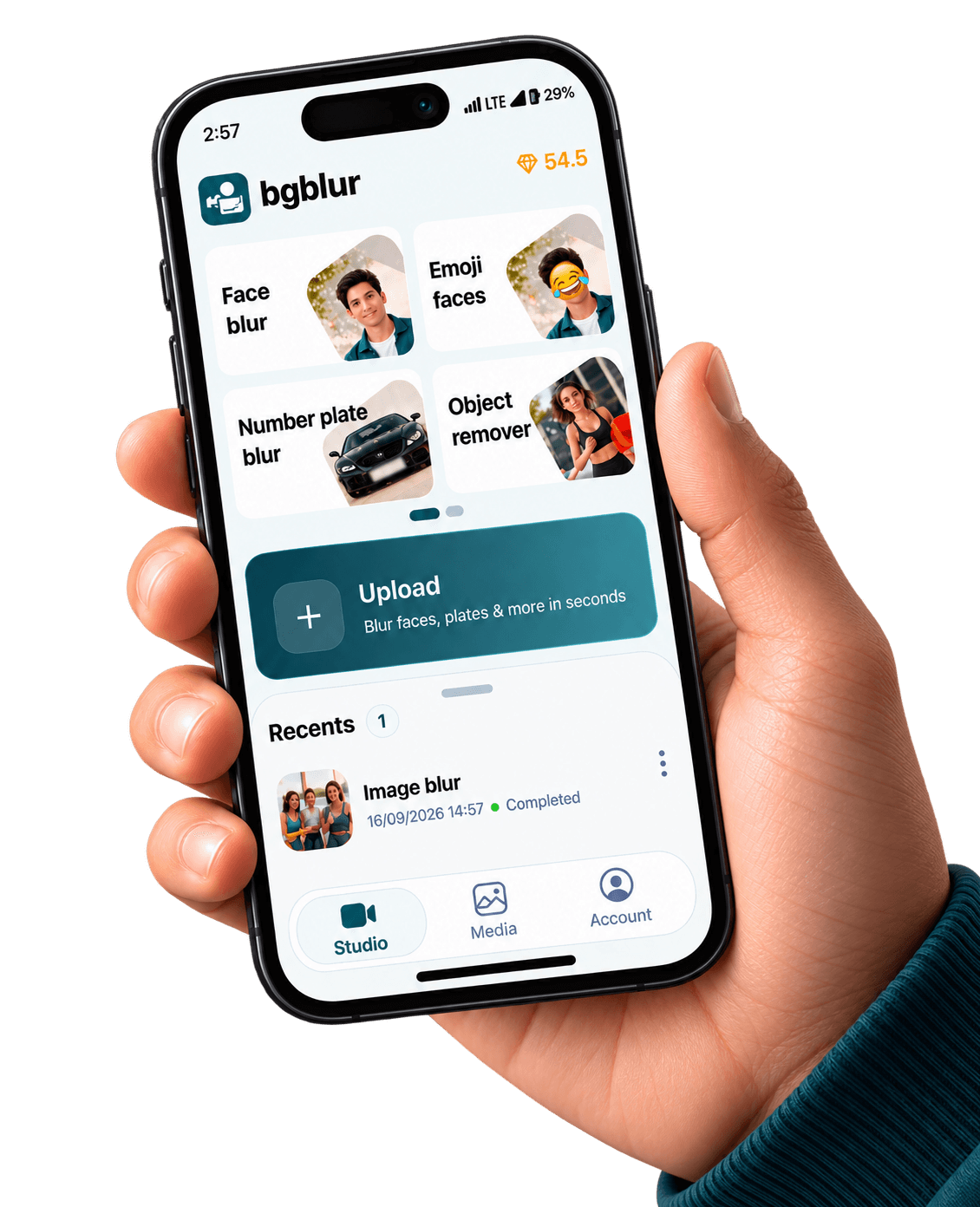
Face Blur for iPhone — App Store

Anonymize faces in vertical video, interviews, and events before publishing. AI-assisted detection reduces frame-by-frame roto for solo creators.

BGBlur iOS face anonymization controls on a portrait clip

iPhone & iPad capture · cloud-grade models

Device renders come from public/images/mobile — the same kit as our Android pages — with App Store badge artwork and CloudFront stills aligned to bgblur.com feature funnels.

Download on the App Store

Face blur on iOS should feel as routine as color correction: upload or record, select privacy mode, confirm detections, export. BGBlur aligns iPhone capture with the same models you trust on the web.

Studies on Generative Engine Optimization (GEO) show that combining fluent explanations with concrete details improves how often sources are cited by AI assistants (Aggarwal et al., 2023, arXiv:2311.09735)—apply the same clarity when documenting your blur workflow for legal or newsroom reviewers. Aggarwal et al., GEO: Generative Engine Optimization (2023).

Also available on Android / Google Play.

When is iPhone face blur mandatory?

School events, protests, hospitals, and workplaces routinely require consent or redaction. Even when local law seems permissive, platform monetization policies may still expect identifiable minors or bystanders to be masked.

Bystander coverage

Wide shots hide dozens of faces—automation beats missing one person in a crowd.

Consistent oval masks

Reduce flicker by letting temporal models stabilize blur boundaries frame to frame.

Journalism workflows

Export evidence-friendly copies for editors while publishing a redacted public cut.

App Store distribution

Managed releases and automatic updates help newsroom freelancers stay on the approved build.

Same visuals as our web product pages

The stills below are pulled from the same CloudFront galleries we use on license blur, face blur, blur anything, and background blur — adapted here to show what your iOS exports can match.

Before and after face blur on subjects in frame
Portrait optics from the face-blur product story — now on iPhone.
Group scene with consistent face redaction
Multi-face timelines: stable ovals beat manual keyframes.
Combined privacy pass showing blurred face adjacent to vehicle context
Pair face blur with plate blur when shoots mix cab and curb.

Built for real mobile video pipelines

Privacy tooling tuned for how iPhone creators shoot, edit, and publish

Multi-face tracking

Keep masks glued to each subject even when people overlap or cross paths.

Portrait & landscape

Handle Shorts-native 9:16 as well as 16:9 interview clips without re-cropping twice.

Hybrid cloud renders

Push long projects to GPU queues when your device thermals need a break.

Audit trail mindset

Name exports with version tags so compliance teams know which pass aired publicly.

What Our Users Say

Join thousands of satisfied users who trust our tools

"We shoot vérité on iPhones. Mobile face blur means our subjects get credibly protected before drives hit the edit bay."
SL
Samira L.
Field producerIndie doc collective
"Arena crowds are chaotic. BGBlur shortens the ‘panic mask’ step after every LAN weekend."
NT
Noah T.
Community managerEsports league
"We teach students to default-blur faces in public demos—it keeps IRB-aligned storytelling scalable."
PK
Priya K.
Comms directorUniversity innovation lab
4.9/5from 3+ reviews

Frequently asked questions

Get answers to the most common questions about our tools and services.

Yes, when the app complies with App Review Guidelines (privacy nutrition labels, accurate descriptions, and no abuse vectors). BGBlur is positioned as a privacy utility—not circumvention ware.

Most real-world shoots need both. Use the face-focused App Store landing page for hero messaging, then stack plate tools from the companion listing or the web dashboard.

Accuracy depends on lighting, codec sharpness, and occlusions. Always spot-check eyes-off moments before publication—automation handles the bulk, humans approve the edge cases.

Get BGBlur for iOS

App Store listing — set NEXT_PUBLIC_IOS_APP_STORE_URL when live

Free to use
Instant results
Face Blur iOS App | App Store Video Privacy | BGBlur