
Free AI Filmmaker Video Background Blur

Create cinematic masterpieces with instant background blur effects. Achieve professional depth-of-field and transform any location into a movie set with studio-quality visuals!

Blur film background now
Create Cinematic Depth Instantly

Create Cinematic Depth Instantly

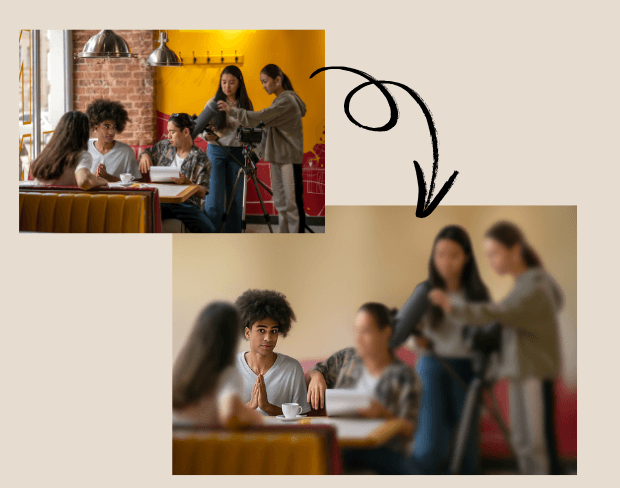
Filmmakers can use AI bg blur to blur video background and achieve a cinematic depth-of-field effect without expensive lenses. Background blur video highlights actors and key visuals, giving indie films, short projects, or promos a polished big-screen look on any budget.
Turn Any Location into a Film Set

No need for elaborate sets. With AI blur background, filmmakers can blur a video background and remove distractions from real-world locations. Blur effect on video allows directors to transform everyday spaces into controlled, studio-like environments while saving time and costs.
Turn Any Location into a Film Set
Batch Blur Multiple Scenes Efficiently

Batch Blur Multiple Scenes Efficiently

Film projects often involve dozens of clips. Our batch video bg blur feature lets editors blur portion of video or entire scenes across multiple files at once. This ensures consistent results throughout the project and speeds up post-production workflows for tight deadlines.

Protect Identities and Sensitive Shots

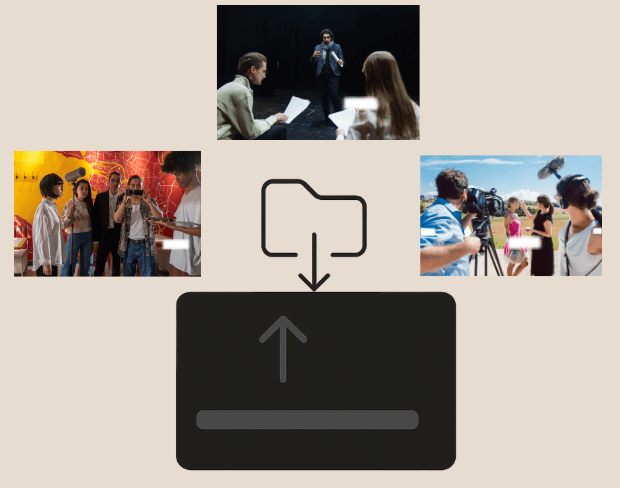
When filming in public, it's often necessary to hide faces, documents, or vehicles. Filmmakers can blur face in video or blur section of video securely with background blur AI, maintaining professionalism while respecting privacy and compliance in their productions.
Protect Identities and Sensitive Shots
Export Blurred Films in Multiple Formats

Export Blurred Films in Multiple Formats

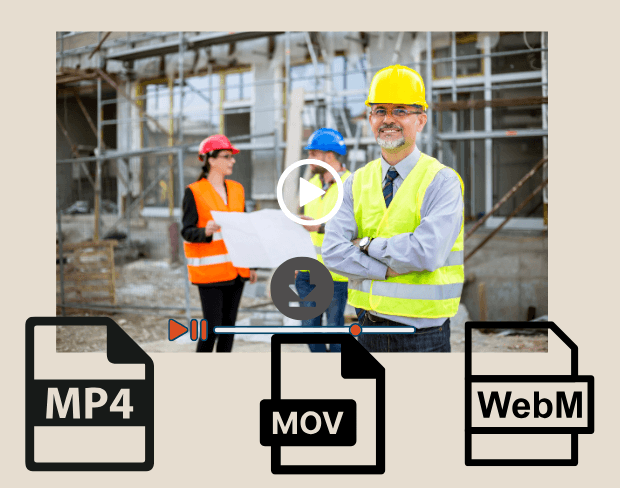
After editing, export film scenes with blurred backgrounds in MP4, MOV, or WebM. Our AI blur background tool ensures HD-ready, platform-ready footage for festivals, streaming platforms, or client screenings, with smooth video bg blur across all formats.

User Reviews

Share your experience and help others make informed decisions

Write a Review

5 stars

Community Score

0.0

/ 5

Based on 0 reviews

All Reviews (0)

No reviews yet

Be the first to share your experience and help others discover this feature!

Frequently Asked Questions

How does BGBlur work?

BGBlur uses AI to automatically detect and blur faces, license plates, backgrounds, and other objects in your videos and images. Simply upload your media, choose what to blur, and export the result.

Is BGBlur free to use?

BGBlur offers free processing for many use cases. Upload your video or image to get started with AI-powered blur tools without signup or watermarks.

What file formats are supported?

BGBlur supports all major video formats (MP4, MOV, AVI, MKV) and image formats (JPG, PNG, JPEG, HEIC) for blur processing.

Can I blur multiple objects in one video?

Yes. BGBlur can detect and blur multiple faces, license plates, or custom objects simultaneously in the same video or image.

Is my data secure?

Yes. Your uploads are processed securely and are not stored permanently. BGBlur is designed with privacy in mind for both you and the subjects in your media.

Blur Your Film Backgrounds Now

Start creating cinematic masterpieces instantly with our free AI-powered background blur tool.

Blur film background now

Trusted by thousands of creators

My favorite video tool

Great app, easy to use. Helps our small business save time and money to create different marketing materials professionally. Thank you.

Shaelyn D.

Best blur tool out there

I need a good blur tool for my work and I've been through them all. This one is the best by far. It's so easy to use and the results always look amazing.

Kira H.

Love it

It's amazingly easy and gives the perfect results for my bags and accessories. It looks like it was done by a professional photographer.

Mary J.

Related platforms

Video intelligence & background removal

Extend your workflow with specialized tools from our ecosystem. Opens in a new tab.