Desktop app for macOS
Blur faces locally. Unlimited. Right on your desktop.
Runs on-device, unlimited on your subscription. Cloud models for the rest, on credits.
Apple Silicon · v0.1.1
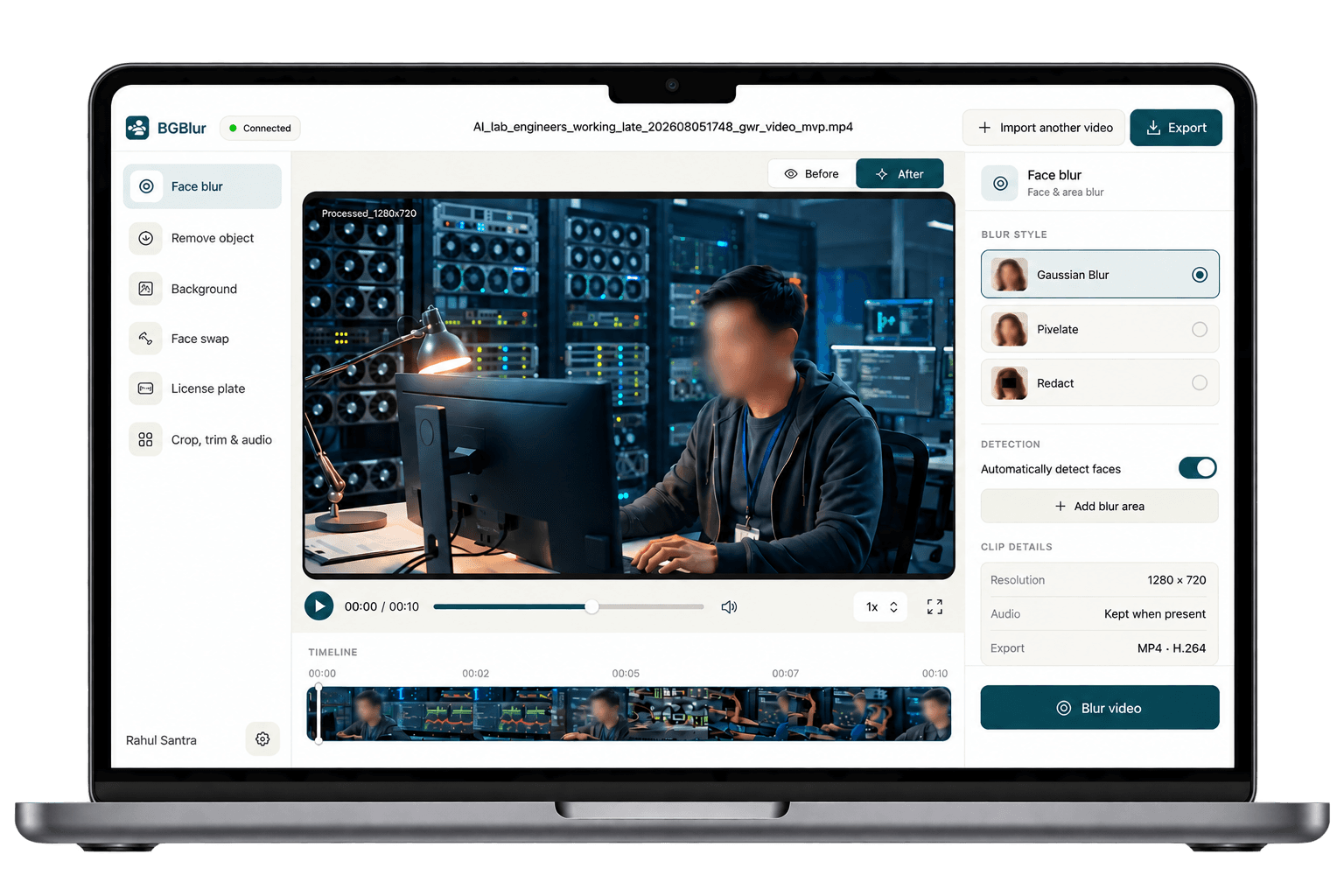
Local face blur
Unlimited videos/month, on-device, included in your subscription.
Cloud models
Background blur, plates & premium models — billed from your plan credits.
Why run BGBlur on desktop
Runs fully on your device
Face blur processing happens locally with on-device models. Nothing about your video leaves your computer for local jobs.
Unlimited local videos, included
Every subscription includes unlimited face-blur processing a month on local models — no per-video credit cost, no upload queue.
Cloud models when you need more
Background blur, license plate redaction, and the highest-quality cloud models run on the credits that come with your plan.
Get set up in 3 steps
Step 1
Download & install
Grab the build for your OS above and open the installer. It takes under a minute.
Step 2
Sign in with BGBlur
Connect your existing BGBlur account so the app knows your plan's local minutes and cloud credits.
Step 3
Drop a video & blur faces
Local face blur runs on-device instantly — process as many videos as your plan allows each month, no upload wait.
System requirements
BGBlur desktop is a lightweight native app. If your platform isn't listed, use the browser uploader instead.
macOS
macOS 12 Monterey or later · Apple Silicon or Intel
Windows
SoonWindows 10 or 11 · 64-bit
Frequently asked questions
Yes — face blur processed with on-device models is unlimited every month on any paid subscription. There's no per-video credit charge for local face-blur jobs.
Cloud-hosted models — used for background blur, license plate detection, and higher-accuracy cloud face models — draw from the credits included with your plan, the same credits used on bgblur.com.
No. When you use the local face-blur models in the desktop app, video frames are processed on your machine and never leave your device.
Yes, sign in with a BGBlur account on an active plan. Local face blur minutes and cloud credits both come from your subscription.
Not on a plan yet?
See plans for local face-blur minutes and cloud credits.