Motovlogs、新闻 B-roll,以及地产驱动的通路,都需要一个没有可辨认板块的环境。这个示例沿用同一份“牌照牌照.mp4”素材作为车队例子,但重点放在街道层级的发布。
把车牌藏在街上——和破烂的影片
在上载到 YouTube 前的理想用途:客户端定位巡演,以及车厢停放的新闻包。
01
上载骑行或街头镜头
包括车牌在运动中出现的弹道——反光与夜间对比。
02
运行车牌模糊
探测器会用逐帧追踪每个区域——这样你就不用把车牌当作NLE里的动画矩形了。
03
点检闪光和导出
刷新夜雨时间戳,然后导出MP4用来发布或存档。

为什么车牌在公共影片里很重要
注册文字可以辨识车主或车队。你在公布停车场、路口和经销商地块时尤其重要。

打破人工口罩的运动
当车辆加速、转弯,或反光街灯出现时,手框嵌入系统会失效。BGBlur 音轨板会绑定框架,所以 Motovlogger 能在拍摄当天把影片上载完成。

混合场景中面部模糊的对应处理
路口的人群镜头通常既需要旁观者的面孔,也需要车牌。用“盘模式”来跑:先做面部模糊,然后在同一个导出路径里完成——不需要再用两个独立的桌面应用。
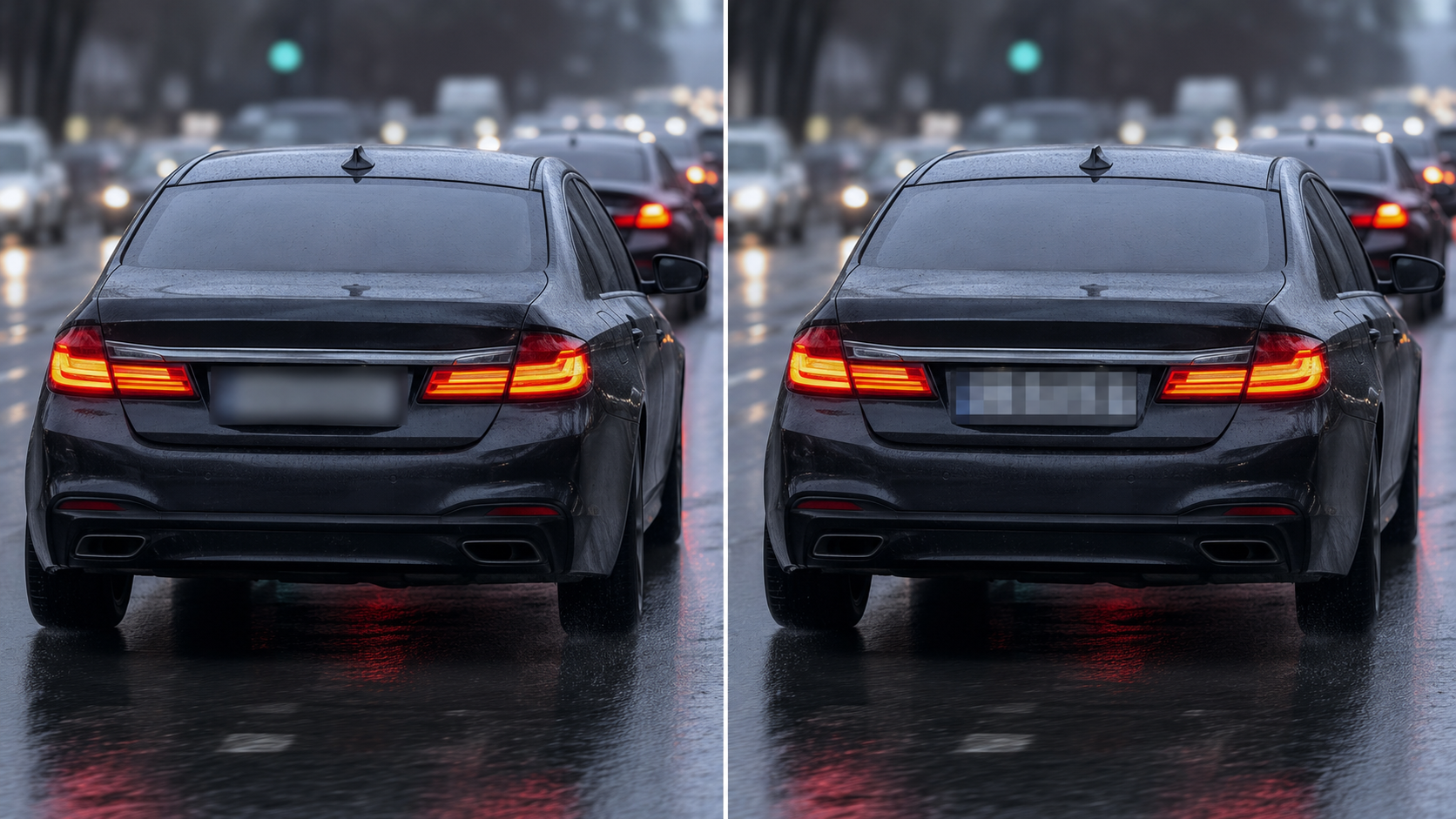
盘子上的模糊物件与像素相互影响
高斯模糊能让电影的动态在车轮与人行道上更柔和;像素读取则带来更积极的档案一致性。在大范围发布之前,选一个你法律团队希望的观感。
使用场景
- 移动与自行车行车镜头
- 房地产通过旅游
- 停车附近的新闻B卷
适用人群
- Moto 自动创建器(A)
- 本地新闻字符串
- 车队和行动小组发布培训影片
常见问题解答与说明
- 盘子是晚上在工作,还是下雨的时候?
- 检测品质取决于对比度和运动模糊程度;总要当场查看那些难以辨认的画面——BGBlur 的用意是减少手工工作量,而不是取代每个边缘状况下的人文审查。
- 我能只把一些盘子模糊掉吗?
- 可选择的工作流程依靠编辑器控制;不少团队会把所有被检测到的牌面都模糊,以达成一致的处理方针。
- 这跟像素化不一样吗?
- 模糊和像素化都是“模糊”类技术;模糊通常在电影影片里看起来更自然,同时还能移除可读性。