テキストとビデオのPIIの反応
Redact addresses, phone numbers, email, credit cards, and readable text from video—GDPR and PII compliance for any footage.
Text leaks are the silent privacy killer: unboxing videos showing shipping labels, tutorials with visible email addresses, walkthroughs capturing ID badges, and b-roll with street signs containing addresses.
Redact readable text and PII in video in three steps
Built for YouTubers, real estate creators, financial educators, and corporate teams publishing footage with sensitive text.
Upload video with readable text
Drop footage containing addresses, phone numbers, emails, or documents that must be hidden.
Select text regions to blur
Paint over addresses, phone numbers, emails, and documents—or use detection to find text regions automatically.
Verify coverage and export
Scrub the timeline to confirm blur holds at every timestamp, then export for publication.
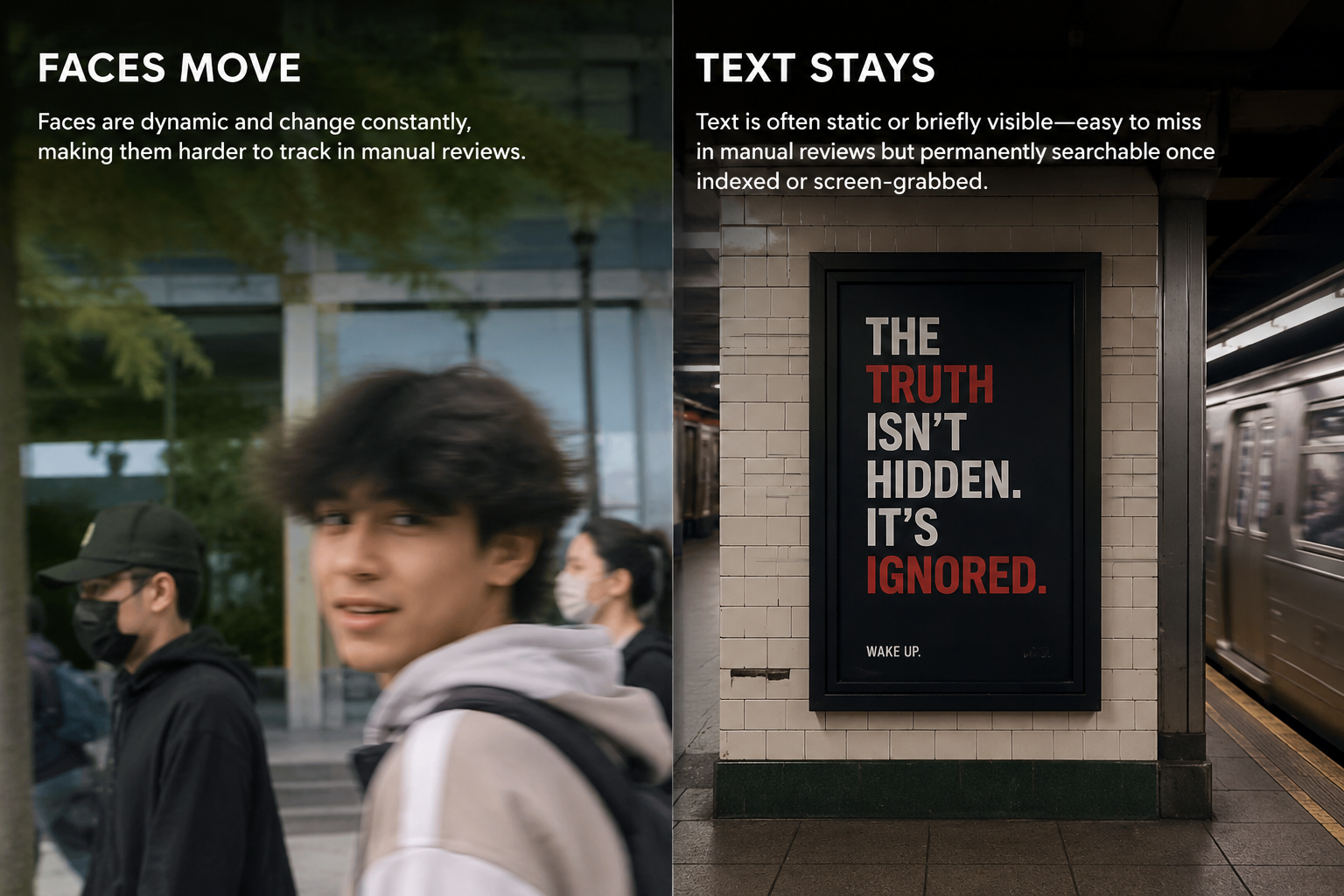
What this example demonstrates
Unlike faces which move, text is often static or briefly visible—making it easy to miss in manual reviews but permanently searchable once indexed by platforms or screen-grabbed by viewers.

Why teams use this pattern
Text blur is essential for GDPR Article 5 compliance (data minimization) and prevents accidental PII disclosure that could trigger regulatory investigations or doxxing.
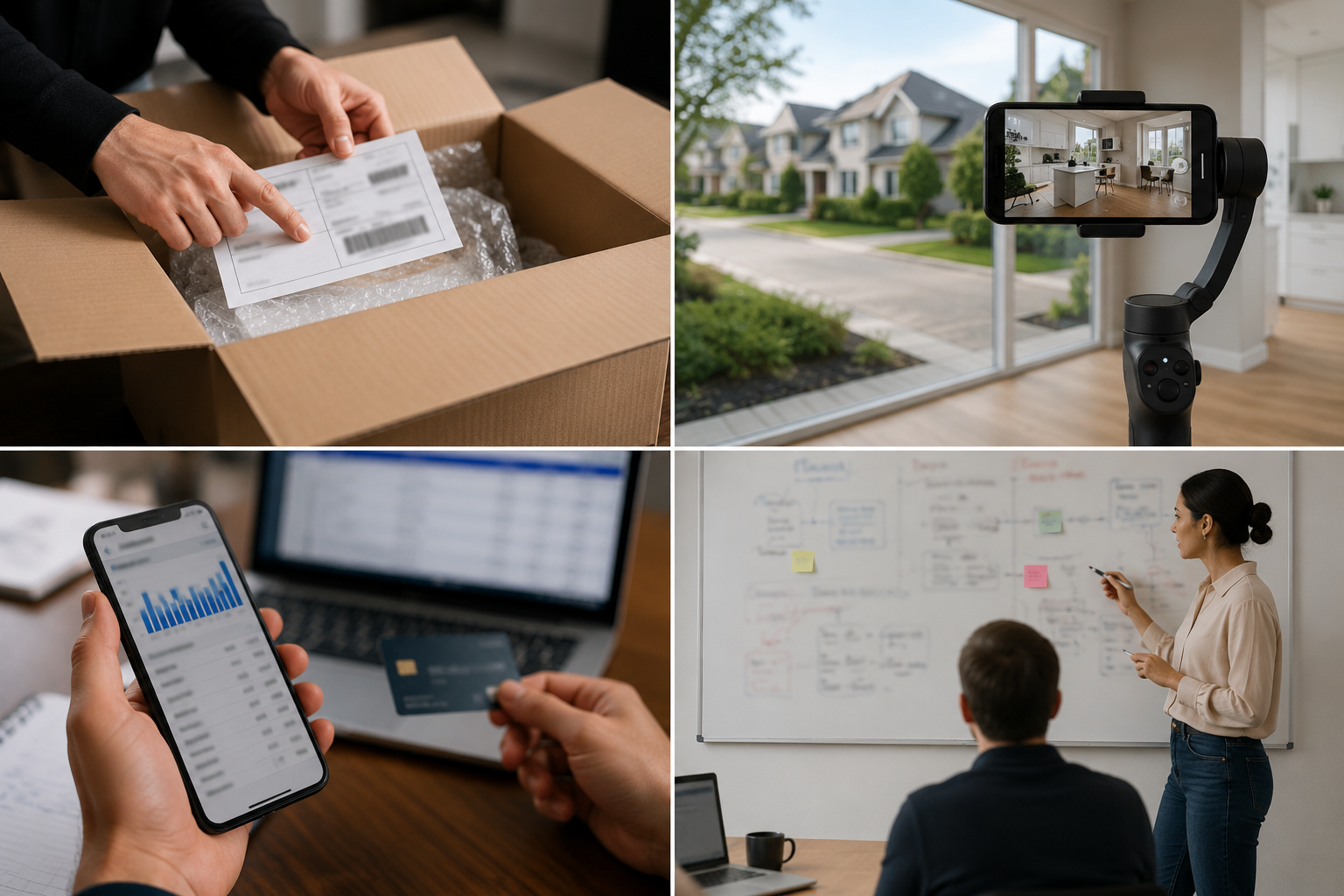
Common use cases
Teams reach for this workflow when unboxing videos with shipping labels and invoices; real estate tours with visible street addresses; financial tutorials showing bank statements or credit cards; office walkthroughs with whiteboards containing strategy or client names. BGBlur automates detection so these scenarios stay publishable without days in a timeline.

Built for YouTubers and unboxers and Real estate video marketers
Ideal audiences include YouTubers and unboxers, Real estate video marketers, Financial educators and advisors, Corporate video producers. Pair this example with your policy review when footage is sensitive or public-facing.
ユースケース
- 出荷ラベルと請求書でビデオをアンボックス化
- 目に見える通りの住所を持つ不動産ツアー
- 銀行の声明やクレジットカードを示す金融チュートリアル
- 戦略やクライアント名を含むホワイトボードを持つオフィスウォークスルー
対象者
- YouTubersとアンボックス
- 不動産ビデオマーケティング
- 金融教育者および顧問
- コーポレートビデオプロデューサー
他のビデオぼかしサンプル
同じデモクリップとステップバイステップのガイダンスで、同様のシナリオを探索します。
よくある質問
- AIが自動的にビデオのすべてのテキストを検出できますか?
- OCRとテキストの検出は、地域を識別するのに役立ちますが、常に手動で検証します。小さなテキスト、手書き、および角度の付けられた兆候は、手動選択を必要とする場合があります.
- PIIとして何のカウントを汚すべきですか?
- 名前、住所、電話番号、Eメール、ID番号、ライセンスプレート、クレジットカード、医療記録、およびGDPRまたはCCPA下にあるすべての識別子(疑わしい場合).
- 誰かがビデオを強化する場合、ぼやけたテキストはまだ読みやすいですか?
- 十分なカーネルサイズの適切なカーネルサイズの適切なブラーは不可逆です。AIのアップスケーリングで逆転させることができる軽いモザイクやピクセル化を避けてください.