Wörter in Video & Audio Auspiepen
Piepse automatisch Wörter aus deinem Video oder Audio aus. Gib die Wörter oder Phrasen ein, die du zensieren möchtest, und BGBlur findet jede Übereinstimmung und fügt automatisch einen präzisen Piepton hinzu. Lade deine Datei hoch, gib bis zu 5 Wörter oder Phrasen ein, und lass die KI den Rest erledigen.
So Piepst du Wörter in einer Video- oder Audiodatei Aus
Starte in drei einfachen Schritten.
Lade deinen Inhalt hoch
Lade die Video- oder Audiodatei mit den Wörtern hoch, die du zensieren möchtest. BGBlur unterstützt gängige Video- und Audioformate, sodass du deinen Inhalt ohne komplizierte Bearbeitungssoftware bereinigen kannst.
Gib die Wörter ein
Tippe bis zu 5 Wörter oder kurze Phrasen ein, die du zensieren möchtest. Du kannst Kraftausdrücke, Namen, Phrasen oder andere Wörter blockieren, die du nicht in deinem endgültigen Inhalt haben möchtest.
Füge einen Piepton hinzu
Klicke auf „Auspiepen“ und BGBlur erkennt automatisch jedes übereinstimmende Wort und setzt einen Zensur-Piepton darüber. Lade dein bereinigtes Video oder Audio herunter, sobald die Verarbeitung abgeschlossen ist.
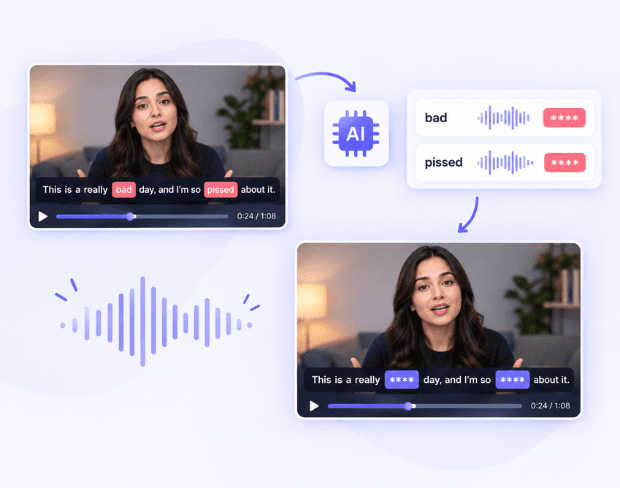
Piepse Automatisch Beliebige Wörter Aus
Hör auf, die Timeline nach jedem unerwünschten Wort zu durchsuchen. BGBlur nutzt KI-Transkription, um die von dir angegebenen Wörter zu finden und Schimpfwörter oder andere Phrasen automatisch auszupiepen. Ob du Audio zensieren, Kraftausdrücke entfernen oder gesprochene Inhalte bereinigen möchtest – BGBlur übernimmt für dich das Abgleichen und Timing.
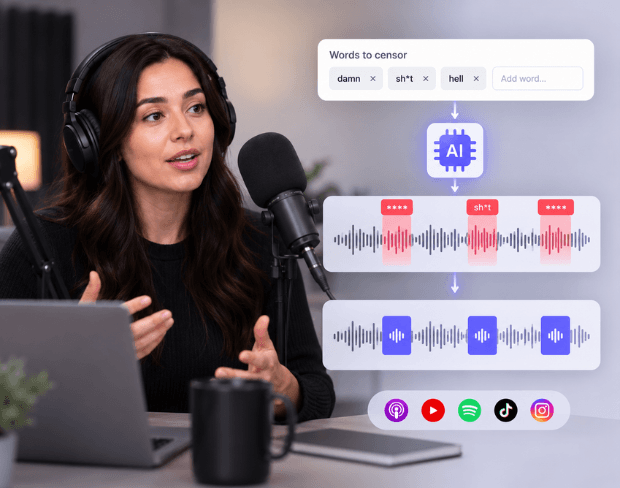
Schimpfwörter mit KI Zensieren
Musst du Kraftausdrücke aus einem Podcast, Video, Interview oder Social-Media-Clip auspiepen? Gib einfach die Wörter ein, die du verbergen möchtest. BGBlur funktioniert als KI-Schimpfwort-Entferner, erkennt die angegebenen Wörter in deinem Audio und setzt präzise einen Zensur-Piepton darüber.
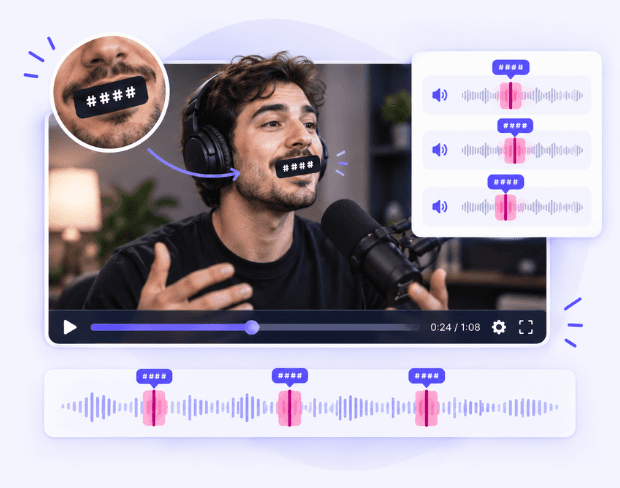
Füge Jedem Zensierten Wort einen Präzisen Piepton Hinzu
BGBlur erkennt den Anfang und das Ende jedes übereinstimmenden Wortes und fügt automatisch einen Piepton genau an dieser Stelle in deinem Video oder Audio hinzu. Der Zensur-Piepton überdeckt das unerwünschte Wort, ohne die umgebende Sprache stummzuschalten, sodass du keine Zeitstempel manuell setzen, Audio schneiden oder jeden Fall einzeln bearbeiten musst.
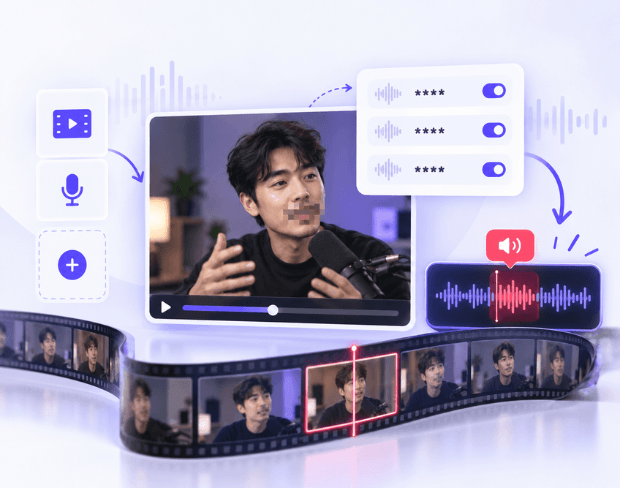
Interaktives Piepen für Video & Audio
Lade eine Video- oder Audiodatei hoch, gib deine Schlüsselwörter ein und lass BGBlur automatisch die Wörter finden, die du zensieren möchtest. Füge einen Piepton hinzu, um Audio zu zensieren, Kraftausdrücke zu blockieren und unerwünschte Sprache zu bereinigen, ohne die Timeline manuell zu durchsuchen.
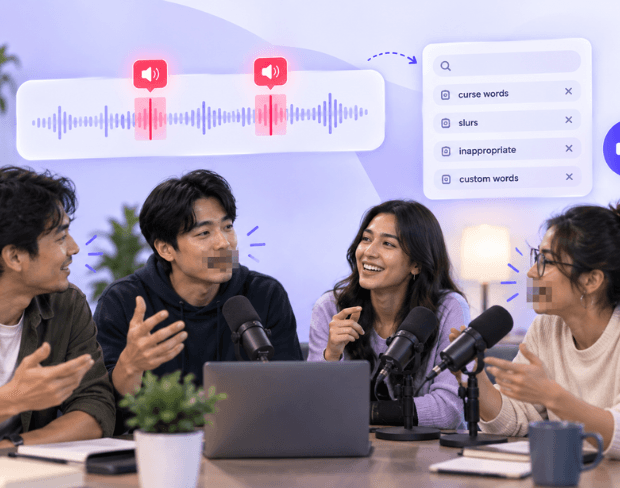
KI-Schimpfwortfilter mit Piepton
Nutze BGBlur als KI-Schimpfwortfilter, um unerwünschte Wörter zu erkennen und einen Piepton darüber zu legen. Gib die Wörter ein, die du blockieren möchtest, und zensiere Audio automatisch, ohne jeden Fall manuell zu bearbeiten. Behalte deine ursprüngliche Sprache bei, während nur die ausgewählten Wörter mit präzisen Zensur-Pieptönen überdeckt werden.
Was macht BGBlur anders?
BGBlur ist für Browser-basierte KI-Videobearbeitung gebaut: laden Sie einen Clip hoch, wählen Sie, was zu verstecken oder zu erweichen, und exportieren Sie datenlesbare Aufnahmen ohne Zeitleiste zu lernen.
KI Video bläst
Automatische Video-Blut-Workflows reduzieren manuelle Maskierung für Gesichter, Platten, Hintergrund, Bildschirme und sensible Objekte.
Browser-basierte
Video online von Desktop oder Mobile bearbeiten, ohne professionelle Videobearbeitungssoftware zu installieren.
Datenschutz
BGBlur ist für sicherere Publishing, Redaction, Anonymisierung und Compliance-Aware-Video-Sharing konzipiert.
Selektive Steuerung
Wählen Sie gezielte Unschärfe, Hintergrundverwischen, Anonymisierung oder Objektverwischen basierend auf dem Footage.
Schneller Workflow
Einfache Upload, Vorschau, Verarbeitung und Export Schritte helfen Entwicklern und Teams bearbeiten schnell.
Mehrere Formate
Verwenden Sie BGBlur über gemeinsame Video- und Bild-Workflows für soziale, rechtliche, Schulungen und Schöpferinhalte.
Piepse Automatisch Jedes Wort aus Video und Audio
BGBlur macht es einfach, unerwünschte Wörter aus deinem Video oder Audio auszupiepen. Gib bis zu 5 Wörter oder Phrasen ein, und die KI findet automatisch jedes Vorkommen und fügt einen präzisen Piepton hinzu.
Zensiere automatisch jede Übereinstimmung. Lade deine Datei hoch, gib die Wörter ein, die du blockieren möchtest, und BGBlur erkennt sie in der gesamten Aufnahme. Piepse Schimpfwörter aus, zensiere unerwünschte Sprache und bereinige deinen Inhalt, ohne die Timeline manuell zu durchsuchen.
Powered by BGBlur
Häufige Fragen zum Wörter-Piepen
Ja. Gib die Schimpfwörter oder Phrasen ein, die du zensieren möchtest, und BGBlur findet und ersetzt ihr Audio automatisch durch einen Piepton.
Ja. BGBlur kann als KI-Schimpfwortfilter für Wörter funktionieren, die du gezielt in deiner Aufnahme zensieren möchtest.
Ja. Lade eine Audiodatei direkt hoch, wenn du nur Audio zensieren möchtest. Bei Videos ändert BGBlur nur das Audio, während der Videostream unverändert bleibt.
Ja. Du kannst bis zu 5 Wörter oder kurze Phrasen pro Datei eingeben.
Ja. BGBlur setzt automatisch einen Piepton über jedes erkannte übereinstimmende Wort, sodass du den Ton nicht manuell hinzufügen musst.
Die ursprüngliche Sprache wird im bearbeiteten Audio durch den Zensur-Piepton überdeckt, wodurch das ausgewählte Wort unhörbar wird, während das umgebende Audio unverändert bleibt.
Nein. BGBlur transkribiert das Audio und erkennt automatisch, wo die ausgewählten Wörter vorkommen.
Ja. Du kannst Wörter-Piepen für Podcasts, Interviews, Social-Media-Videos, Aufnahmen und andere gesprochene Inhalte nutzen, bei denen bestimmte Wörter zensiert werden müssen.
Ja, die KI von BGBlur verfolgt sich bewegende Objekte, Gesichter und Fahrzeuge automatisch. Sie müssen nicht jedes Bild manuell maskieren; der bewegungsadaptive Tracker hält die Weichzeichnung auf dem Motiv fixiert.
BGBlur ist ein vollständig webbasiertes Tool. Sie können jedes Video oder Bild hochladen, das Gesicht-weichzeichnen-Tool auswählen und die Verpixelung oder Weichzeichnung sofort in Ihrem Browser anwenden, ohne Apps oder Plugins herunterzuladen.
Absolut. Unsere KI ist speziell darauf trainiert, Nummernschilder in Fahraufnahmen, Dashcams und Straßenansichts-Videos zu erkennen und weichzuzeichnen, um die Einhaltung von Datenschutzgesetzen zu erleichtern.
Ihre Privatsphäre ist unsere Priorität. BGBlur nutzt fortschrittliche clientseitige Technologien, um Videos sicher zu verarbeiten. Ihre Dateien werden lokal in Ihrem Browser verarbeitet und niemals auf externe Server hochgeladen oder dort dauerhaft gespeichert.
Ja! BGBlur ist vollständig responsiv und für mobile Browser optimiert. Sie können einen Videohintergrund ganz einfach weichzeichnen oder Gesichter direkt auf Ihrem iPhone, iPad oder Android-Handy verpixeln.
Die Grenzen hängen von der Funktion ab. Standard-Videounschärfetools wie Gesichtsunschärfe, Nummernschildunschärfe, Hintergrundunschärfe, Alles verwischen, Bildschirmunschärfe, NSFW-Unschärfe und Gesichtsanonymisierung unterstützen bis zu 500 MB und 5 Minuten im kostenlosen Plan oder bis zu 1 GB und 10 Minuten bei kostenpflichtigen Plänen. Object Remover unterstützt MP4- und MOV-Videos mit bis zu 1 GB und 10 Sekunden pro Clip. Direkte Uploads von Voice Anon unterstützen bis zu 100 MB, während der Upload-/URL-Workflow Audio- oder Videodateien bis zu 500 MB und weniger als 10 Minuten unterstützt.
User Reviews
Share your experience and help others make informed decisions
Write a Review
Community Score
0.0
/ 5
Based on 0 reviews
All Reviews (0)
No reviews yet
Be the first to share your experience and help others make informed decisions!
Bereit, Ihre Videoinhalte zu verwischen?
Beginnen Sie noch heute mit dem Schutz der Privatsphäre und der Erstellung professioneller Video-Verwischungseffekte mit unserem KI-gestützten Tool. Keine Downloads erforderlich - verwischen Sie direkt in Ihrem Browser.
Jetzt mit dem Verwischen beginnen