Blur Food Video Backgrounds Online for Professional Look
A step-by-step guide to blurring food video backgrounds online, covering blur types, common mistakes, and advanced techniques that make dishes the focal point of every shot.
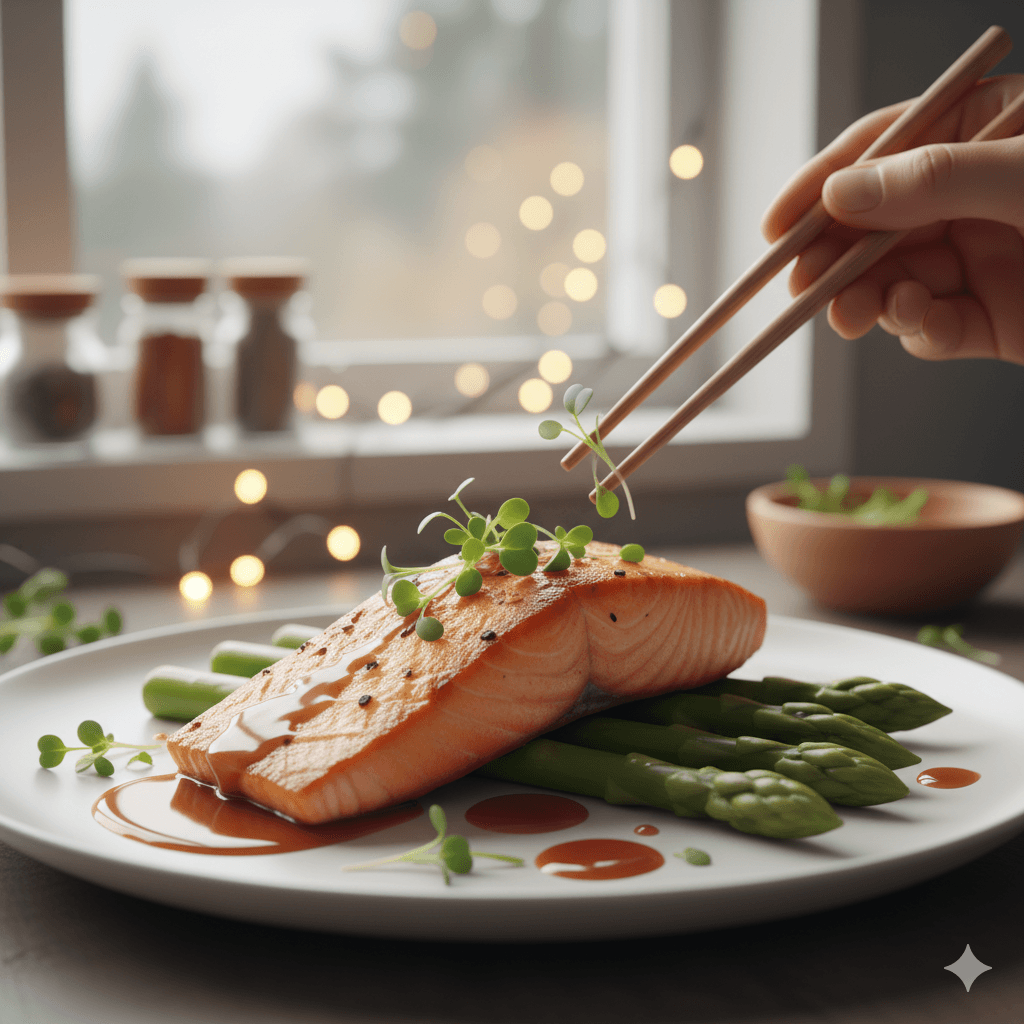
Creating mouth-watering food content has never been more important. Whether you're a food blogger, restaurant owner, or social media influencer, presenting your dishes with professional polish can make all the difference. One of the most effective techniques to make your culinary creations stand out is learning how to blur food video background online using the right tools and methods.
Why Background Blur Matters for Food Videos
When filming food content, a distracting background can pull attention away from your star ingredient—the dish itself. A blur background online approach helps viewers focus on what matters: the texture, colors, and presentation of your food. Professional food videographers use background blur techniques to create that restaurant-quality aesthetic that makes viewers crave what they're watching.
The visual psychology behind this technique is simple yet powerful. When everything except your main subject is softened, the human eye naturally gravitates toward the sharpest element in the frame. This principle has been used in photography and cinematography for decades, and now it's accessible to anyone creating food content online. The blur background online method transforms amateur-looking footage into professional-grade content that commands attention on social media feeds and websites.
Restaurant owners particularly benefit from this technique when showcasing their menu items. A perfectly plated dish loses its impact when competing with busy kitchen backgrounds, dining room clutter, or outdoor distractions. By learning how to blur food video background online, you ensure that every video puts your culinary creation front and center, exactly where it deserves to be.
Best Methods to Blur Background on Video
Online Blur Tools for Food Content
The easiest way to achieve professional results is using a dedicated blur tool designed for video editing. Online platforms allow you to make background blurry without downloading heavy software. Simply upload your food video, select the background area, and apply the blur effect in seconds.
Modern web-based solutions have revolutionized how content creators approach video editing. These platforms eliminate the need for expensive software subscriptions or powerful computers. Whether you're editing on your laptop at a coffee shop or touching up content on your tablet, online blur tool options provide flexibility and convenience that traditional editing software cannot match.
bgblur and similar web-based solutions have made it incredibly simple to enhance your food content. These tools use smart detection to identify your food background and apply selective blurring while keeping your dish crisp and detailed. The artificial intelligence behind these platforms can distinguish between your carefully plated entree and the environment around it, ensuring precision that would take hours to achieve manually with traditional editing software.
What makes these online solutions particularly valuable for food content creators is their speed and efficiency. You can blur background on video in minutes rather than hours, allowing you to maintain a consistent posting schedule without sacrificing quality. This rapid turnaround is essential in the fast-paced world of social media marketing where timely content often performs better than delayed perfection.
Step-by-Step Process
The process of using an online blur tool to enhance your food videos follows a straightforward workflow that even beginners can master quickly:
Step 1: Upload Your Video
Upload your video to an online blur platform. Most modern platforms support all common video formats including MP4, MOV, and AVI. The upload process is typically drag-and-drop simple, with many platforms offering batch processing capabilities for creators who need to edit multiple videos at once.
Step 2: Select the Background Area
Select the background area you want to blur. Advanced platforms offer automatic subject detection that identifies your food item and separates it from the background. For more control, manual selection tools allow you to precisely define which areas should remain sharp and which should receive the video blur background treatment.
Step 3: Adjust Blur Intensity
Adjust blur intensity - from subtle softness to complete pixelated blur. The ability to fine-tune blur strength gives you creative control over the final aesthetic. Light blur creates an elegant, upscale feel perfect for fine dining content, while stronger blur effects work well for casual, fun food videos where you want maximum focus on the dish.
Step 4: Preview and Export
Preview and export your polished food video. Real-time preview functionality lets you see exactly how your edits look before committing to the final render. Once satisfied, export your video in the format and resolution that best suits your platform—whether that's Instagram Stories, YouTube, TikTok, or your restaurant's website.
Similar to techniques used for improving Instagram brand visibility without paid ads, mastering these video editing skills helps you create more engaging content organically.
Types of Blur Effects for Food Videos
Different blur styles create different moods and serve various creative purposes in food videography. Understanding which blur background online effect works best for your specific content helps you develop a signature style that resonates with your audience.
A gentle food blur effect creates an elegant, upscale feel perfect for fine dining establishments, gourmet product launches, or sophisticated food blogs. This subtle approach maintains some environmental context while ensuring the food remains the undisputed focal point. The background remains recognizable but softened, creating depth without distraction—much like the bokeh effect achieved with expensive camera lenses.
A stronger video blur background can completely eliminate distractions, making it ideal for busy environments where you cannot control what appears behind your subject. Food truck owners, home cooks with cluttered kitchens, or bloggers filming in public spaces benefit enormously from this more aggressive approach. When you make background blurry to this degree, location becomes irrelevant, and only your culinary creation matters.
Some creators prefer pixel blur for a modern, artistic touch that adds unique character to their culinary content. This stylized effect works particularly well for trendy cafes, fusion cuisine, or brands targeting younger demographics who appreciate contemporary aesthetics. The pixelated approach can also serve practical purposes when you need to obscure brand names or people in the background for privacy or legal reasons.
Gradient blur effects offer another creative option where the blur intensity increases with distance from your subject. This technique mimics the natural depth of field that expensive cameras create, giving your smartphone footage a professional cinema-quality appearance. The result is food videos that look like they were shot with thousands of dollars worth of equipment when, in reality, you simply learned how to blur food video background online effectively.
Pro Tips for Perfect Food Video Backgrounds
Creating professional-looking food content requires more than just knowing which blur tool to use. These insider tips help you maximize the impact of background blur techniques and elevate your content above the competition.
Keep your subject (the food) in sharp focus while applying video blur to everything else. This contrast draws the eye exactly where you want it. The human brain naturally seeks out the sharpest element in any image, so by creating this stark difference between your dish and its surroundings, you leverage psychology to ensure viewers fixate on your culinary creation.
Experiment with blur levels—sometimes subtle is more effective than extreme. While it might be tempting to crank the blur background online setting to maximum, restraint often produces more sophisticated results. Start with moderate blur and gradually increase until you achieve the perfect balance between background elimination and natural appearance. Your goal is enhancement, not artificial-looking footage that screams "heavily edited."
Natural lighting combined with proper background treatment elevates amateur footage to professional quality. Even the best food blur techniques cannot compensate for poor lighting. Shoot near windows during golden hour, use diffused lighting to minimize harsh shadows, or invest in affordable ring lights designed specifically for food photography. When excellent lighting meets proper background blur, the results rival what professional studios produce.
Consider the color palette of your food background before filming. Backgrounds that contrast with your dish help blur effects work more effectively. A colorful salad pops more dramatically against a blurred neutral background, while chocolate desserts stand out beautifully when surrounded by softened lighter tones. This planning stage, done before you even start filming, significantly impacts how effective your final video blur background will be.
Just as automating Instagram comments requires strategy, creating engaging food videos demands thoughtful planning and execution. The tools are important, but how you use them makes the difference between mediocre and exceptional content.
Common Mistakes to Avoid
Even with powerful online tools at your disposal, certain mistakes can undermine your efforts to create professional food videos. Awareness of these pitfalls helps you avoid them and produce consistently high-quality content.
Don't over-blur to the point where your video looks artificial. The goal of learning how to blur food video background online is to enhance reality, not create something that appears fake or overly processed. When blur becomes too extreme, viewers sense the manipulation and your content loses authenticity. This is particularly problematic for food businesses where trust and appetizing presentation are paramount.
Avoid applying blur to parts of your dish accidentally. This common error occurs when using automatic selection tools without carefully reviewing the boundaries. A perfectly plated entree loses appeal when its garnish or sauce drizzle gets caught in the blur background on video effect. Always zoom in and check the edges of your selection before processing, ensuring every delicious detail of your food remains crisp and clear.
Never use blur tool applications to compensate for fundamentally poor video quality. Blurring cannot fix grainy footage, bad lighting, or shaky camera work—though it can certainly enhance good content that just needs professional polish. Start with the highest quality source material possible, then use background blur to elevate it further rather than attempting to salvage unusable footage.
Consistency matters when building a brand through food content. Avoid the mistake of using different blur intensities or styles across your content library unless intentional for specific creative reasons. Develop a signature food blur aesthetic that becomes recognizable to your audience, making your content instantly identifiable even before they see your logo or read your caption.
Advanced Techniques for Food Content Creators
Once you master basic blur background online techniques, these advanced strategies help you stand out in an increasingly crowded digital food space.
Motion tracking capabilities in premium online blur tool platforms allow you to maintain perfect blur on moving backgrounds while keeping your food in focus. This is invaluable for dynamic shots—following a pizza being pulled from the oven, tracking a burger being assembled, or capturing steam rising from fresh pasta. The video blur background follows the motion automatically, ensuring professional results without manual keyframing.
Selective color retention combined with background blur creates stunning visual effects. Imagine your vibrant red strawberry cheesecake in full color while the background is not only blurred but desaturated to black and white. This technique makes your food video almost impossible to scroll past, demanding attention even in crowded social media feeds.
Depth map editing allows for more sophisticated pixelated blur control, letting you create multiple blur zones at different intensities. The table surface stays sharp, the background blurs moderately, and anything in the far distance receives maximum blur. This graduated effect mimics what expensive cinema cameras achieve naturally, giving your content that premium production quality viewers associate with major brands.
For those managing multiple social media accounts or running a social media agency, batch processing features save tremendous time. Upload dozens of videos, apply consistent blur background on video settings across all of them, and export everything at once—a workflow that would take hours manually now completes in minutes.
Should I Blur Staff or Bystanders in Restaurant Food Videos?
Food videos shot in real kitchens or dining rooms often catch staff, customers, or delivery drivers in the background. Unlike blurring the backdrop for aesthetic reasons, blurring people is also a privacy question—someone who didn't consent to appear in your marketing content shouldn't have to. BGBlur can apply face blur to just the people in frame while leaving your dish and countertop completely sharp, so you don't need to re-shoot a scene just because a coworker walked through it.
If your food content also involves object clutter you'd rather remove entirely—an extra plate, a stray utensil, a visible price tag—rather than just blur it, our guide on object and region blur for video privacy covers the difference between blurring a region and using AI scene fill to erase it. For a broader look at swapping out a distracting backdrop entirely instead of just softening it, see our background removal and replacement guide.
Frequently Asked Questions
Can I blur video background for free online?
Yes, many platforms offer free tools to blur background on video, though premium options provide more control and faster processing. Free tiers typically work well for occasional use or personal projects, while content creators and businesses benefit from paid subscriptions that offer higher quality processing, no watermarks, and priority rendering queues.
Does blurring affect video quality?
When done properly with quality tools, blurring should not significantly reduce your video's resolution or sharpness where it matters—on your food. Modern algorithms intelligently apply blur without degrading the overall video quality. However, starting with high-resolution source footage ensures the best possible results after processing.
What's the best blur intensity for food videos?
Start with medium blur and adjust based on your background's busyness. The more distracting the original background, the more blur you'll need. A cluttered kitchen requires stronger food blur than a simple neutral backdrop. Test different intensities and let engagement metrics guide your decision—track which blur levels generate the most likes, comments, and shares.
How long does it take to blur a food video online?
Processing time varies based on video length and platform, but most online blur tool services process a one-minute video in just a few minutes. Batch processing multiple videos simultaneously saves time for creators producing high volumes of content. Some premium services offer near-instant processing for urgent social media posts.
Can I use blurred food videos for commercial purposes?
Absolutely. Videos you create using online blur tools are yours to use commercially. Whether promoting your restaurant, selling food products, or creating sponsored content, blur background online techniques help you produce professional marketing materials without expensive production costs or complicated licensing issues.
Should I blur staff or customers who appear in the background of restaurant food videos?
Yes, if they haven't explicitly consented to appear in marketing content. BGBlur's face blur can target just the people in frame while leaving your plated dish and countertop sharp, which keeps you clear of consent issues without re-shooting the scene.
Does background blur work on moving shots, like a hand plating a dish or steam rising from food?
Yes. Motion-tracked blur follows the camera and subject movement throughout the clip, so a dynamic shot keeps the background consistently blurred without manual keyframing.
Conclusion
Mastering how to blur food video background online is an essential skill for modern food content creators. With accessible online tools and these proven techniques, you can transform ordinary footage into scroll-stopping content that highlights your culinary creations. Start experimenting with background blur today and watch your engagement soar.
The difference between amateur food content and professional marketing material often comes down to small details like effective background treatment. By implementing the video blur background strategies outlined in this guide, you position yourself ahead of competitors still posting raw, unedited footage. Your dishes deserve presentation that matches their quality, and online blur tools make that level of polish accessible to everyone.
Whether you're building a personal brand as a food blogger, marketing your restaurant, or creating content for clients, the ability to make background blurry efficiently and professionally is now a fundamental skill. The tools are affordable (or free), the learning curve is gentle, and the results speak for themselves in improved engagement metrics and audience growth.
Ready to elevate your food videos? Try an online blur tool and see the difference professional-looking content makes for your brand. Start with a free platform, experiment with different blur intensities and styles, and develop the signature aesthetic that makes your food video content instantly recognizable to your audience.
For creators looking to expand their content strategy beyond video blur techniques, explore our comprehensive guide on getting targeted leads from Instagram with smart commenting and learn about trusted influencer marketing platforms in India to amplify your food content's reach.