Blur Specific Parts of Images Without Photoshop [2026]
A step-by-step guide to blurring faces, license plates, brand logos, and documents in photos without opening Photoshop. Covers browser-based AI tools, privacy compliance basics, and common blur mistakes to avoid.
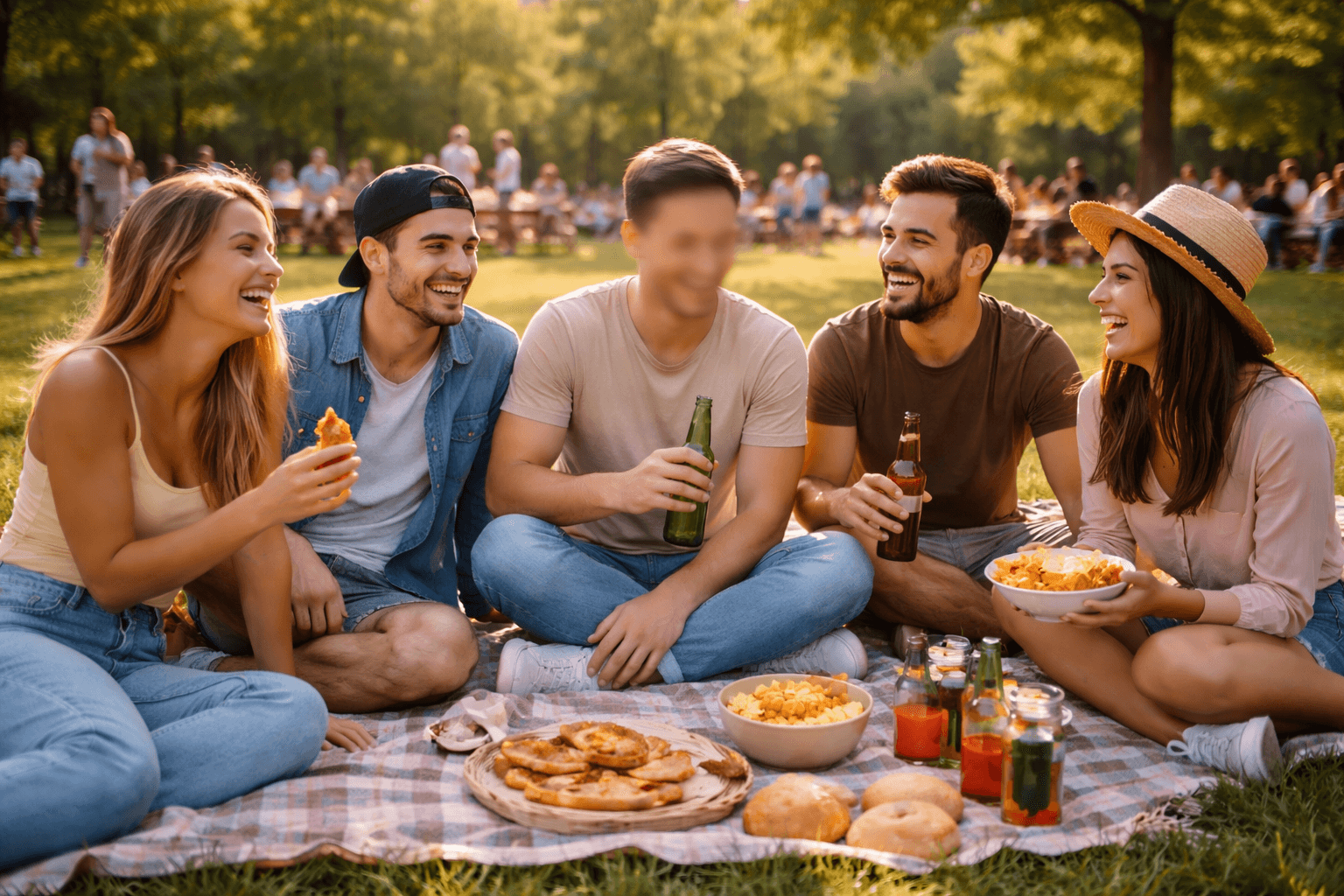
Need to blur specific part of image files but don't want to invest in expensive software? Whether you're protecting privacy, creating professional content, or simply hiding sensitive information, modern AI-powered tools make it incredibly easy to blur face in image, blur background in image, or blur brand name in image without touching Photoshop.
The reality is that most people don't need the complexity of professional editing software just to blur a few elements. With the right approach, you can achieve professional results in seconds rather than hours. This guide will show you exactly how to blur specific part of image files using accessible, user-friendly alternatives that deliver professional results.
Why Image Blurring Has Become Essential for Everyone
The need to blur face in image content and other sensitive elements has grown exponentially with the rise of digital content sharing. Privacy regulations like GDPR and CCPA have made it legally necessary for businesses to protect personal information in visual content. Content creators face constant challenges when they need to blur brand name in image files for copyright compliance or blur license plate in image footage for privacy protection.
Beyond legal compliance, there are practical creative reasons why you might want to blur background in image files. Professional photographers use selective blurring to create depth and direct viewer attention to their subjects. Social media managers regularly need to blur document in image posts to protect confidential client information while sharing behind-the-scenes content.
Real estate professionals often need to blur face of image listings to protect tenant privacy. Journalists must blur license plate in image documentation to protect sources. Educators creating teaching materials frequently need to blur document in image examples to comply with student privacy laws. The applications are endless, making accessible blur tools essential for modern digital work.
The Traditional Photoshop Problem
Adobe Photoshop remains the industry standard for image editing, but it creates significant barriers for average users. The software requires a monthly subscription starting at $31.49, which adds up to nearly $378 annually just for basic editing capabilities. The learning curve is notoriously steep—even simple tasks like learning how to blur specific part of image files require watching multiple tutorials and practicing various techniques.
For users who only occasionally need to blur anything in image files, installing and maintaining professional editing software feels like using a sledgehammer to crack a nut. The interface overwhelms beginners with hundreds of tools and options they'll never use. Many people abandon their editing projects entirely after spending hours trying to figure out layer masks, selection tools, and blur filters.
This complexity has created a gap in the market for simpler solutions that deliver professional results without requiring users to become image editing experts. When you just need to blur face in image quickly for a social media post or blur brand name in image for a presentation, you shouldn't need weeks of training.
Understanding Different Types of Image Blur Needs
Privacy Protection Blurring
Privacy-focused blurring represents the most common use case for selective image editing. When you need to blur face of image content to protect identities, the blur must be thorough enough to prevent facial recognition while maintaining the image's overall composition. Medical professionals sharing case studies need to blur document in image files containing patient information to comply with HIPAA regulations.
Legal professionals working with evidence often need to blur license plate in image documentation before sharing with clients or courts. Financial advisors presenting case studies must blur document in image examples showing account numbers or personal financial data. Each of these scenarios requires precision blurring that completely obscures sensitive information while keeping the rest of the image clear and usable.
Commercial Content Preparation
Content creators and marketers face unique challenges when preparing images for commercial use. They often need to blur brand name in image files to avoid trademark issues or unwanted product placements. Lifestyle bloggers photographing in public spaces might need to blur brand name in image instances appearing on clothing, storefronts, or products in the background.
Product photographers sometimes need to blur background in image shots to create professional catalog imagery that focuses attention on the product itself. This technique helps eliminate distracting elements while maintaining a natural, professional appearance. The ability to quickly blur specific part of image backgrounds without affecting product clarity can dramatically improve conversion rates in e-commerce applications.
Creative and Aesthetic Effects
Professional photographers have long used selective blur to create artistic effects and guide viewer attention. Portrait photographers commonly blur background in image files to create the coveted bokeh effect that separates subjects from their surroundings. This technique, traditionally achieved with expensive camera lenses, can now be applied in post-processing to any image.
Event photographers often need to blur face in image instances where uninvolved bystanders appear in the background. Sports photographers might choose to blur background in image captures to emphasize the action and athleticism of their subjects. These creative applications of selective blur transform ordinary photos into professional-quality images that command attention.
Advanced Blur Techniques and Features
Bulk Processing for Multiple Images
Professional content creators and businesses often need to blur face in image files at scale. Bulk processing capabilities transform what would be hours of manual work into minutes of automated processing. Upload multiple images simultaneously, apply consistent blur settings across all files, and export your entire batch in one operation.
This efficiency proves invaluable for real estate photographers who need to blur license plate in image instances across hundreds of property photos, or event photographers processing large galleries where they must blur face of image instances in backgrounds. Wedding photographers particularly benefit when they need to maintain privacy for guests who didn't sign photo releases.
Social media managers handling multiple client accounts can standardize their approach to privacy protection by creating preset blur configurations. When you regularly need to blur brand name in image instances for specific clients, saved presets ensure consistency across all content while dramatically reducing processing time.
Motion Blur vs. Static Blur
Understanding the difference between blur types helps you achieve better results. Gaussian blur, the most common type, creates smooth, uniform blurring perfect when you need to blur background in image files for aesthetic purposes. This produces natural-looking results that mimic the shallow depth-of-field effect achieved with expensive camera lenses.
Motion blur introduces directional smearing that suggests movement. While less common for privacy protection, motion blur can add dynamic energy when you want to blur specific part of image backgrounds in sports or action photography. This technique works particularly well for automotive photography where you might blur background in image instances to emphasize speed and motion.
Radial blur creates circular blur patterns emanating from a central point, useful for creating dramatic effects where you want to blur anything in image periphery while keeping central subjects sharp. This technique draws viewer attention powerfully to your main subject, perfect for product photography or portrait work.
Smart Object Recognition Technology
Cutting-edge AI blur tools now incorporate smart object recognition that goes beyond simple face detection. These systems can automatically identify and offer to blur license plate in image instances, saving you from manually selecting each occurrence. The technology recognizes text patterns common to license plates across different countries and regions.
Professional Use Cases Across Industries
Marketing and Social Media Management
Social media managers constantly face the challenge of sharing authentic behind-the-scenes content while protecting privacy and avoiding brand conflicts. When creating Instagram stories or LinkedIn posts that show workplace environments, you often need to blur face in image instances of employees who haven't consented to being featured publicly.
Marketing teams preparing case studies must frequently blur document in image examples showing client data or proprietary information. The ability to share compelling visual proof while maintaining confidentiality makes the difference between effective and ineffective case study content. Quick blur tools enable marketers to move fast without compromising on privacy protection.
Influencer marketing campaigns sometimes require creators to blur brand name in image instances of competing products appearing in lifestyle content. A fashion influencer partnering with Nike can't feature prominent Adidas logos in their sponsored posts. The ability to quickly blur specific part of image backgrounds containing competing brands maintains sponsorship agreement compliance without requiring complete photo reshoots.
For additional insights on building effective social media strategies, explore our guide on how to get targeted leads from Instagram with smart commenting and discover proven methods for improving brand visibility across social platforms.
Real Estate and Property Management
Real estate professionals face unique privacy challenges when marketing properties. Tenant-occupied listings require careful attention to privacy, often necessitating the need to blur face of image instances showing current residents. Property photographers must balance showcasing home features with respecting tenant privacy rights.
Healthcare and Medical Documentation
Healthcare professionals regularly use visual documentation for case studies, research publications, and educational materials. HIPAA compliance requires strict privacy protection, making it essential to blur face in image content showing patients. Medical photographers must ensure that identifying features, tattoos, and other distinguishing characteristics are adequately obscured.
Education and Academic Settings
Educational institutions creating promotional content or documenting school activities face increasing privacy requirements. Parents must consent before children's faces appear in public materials, creating challenges for schools wanting to showcase student achievement. The ability to blur face in image instances of students without parental consent allows schools to share authentic content while respecting family privacy preferences.
Privacy and Security Considerations
Data Protection During Processing
When you upload images to blur specific part of image content online, you're temporarily entrusting sensitive information to a third-party service. Understanding how platforms handle your data protects you from privacy breaches. Reputable services encrypt all uploads during transmission using SSL/TLS protocols, preventing interception during transfer.
Legal Compliance and Best Practices
Understanding when you legally must blur face in image content helps avoid liability. In the United States, people generally have no expectation of privacy in public spaces, but state laws vary regarding publication of images. European GDPR regulations take a stricter approach, requiring consent for publication of identifiable individuals in most contexts — see our GDPR video and image privacy compliance guide for the full breakdown.
If you're deciding between blur and a synthetic replacement for identity protection, our comparison of face anonymization versus face blur walks through when each approach makes sense.
Troubleshooting Common Blur Challenges
Dealing with Low-Quality or Small Images
When you need to blur specific part of image files with low resolution, achieving clean blur effects becomes more challenging. Pixelation and artifacts around blur edges become more visible as image quality decreases. If possible, always work with the highest resolution version available when you need to blur face in image or blur background in image content.
Maintaining Natural-Looking Results
Over-blurring creates obvious, artificial-looking results that draw attention to edited areas. When you need to blur background in image content for aesthetic purposes, matching the blur intensity to what would naturally occur with shallow depth-of-field photography creates more believable results. Study professional portrait photography to understand natural background blur characteristics.
Handling Motion and Complex Backgrounds
Blurring moving subjects or objects in front of complex backgrounds requires careful attention to selection accuracy. When you need to blur anything in image files showing dynamic scenes, imprecise selections can create obvious halos or cut-off blur effects that look unnatural. Taking time to refine selection edges prevents these amateur-looking results.
Future Trends in Image Blur Technology
AI-Powered Automatic Recognition
The next generation of blur tools will offer even more sophisticated automatic detection capabilities. Machine learning models continue improving at recognizing complex objects and predicting what users want to blur. Future systems might automatically suggest blur areas based on image context and intended use, learning from user corrections to improve accuracy over time.
Semantic understanding of image content will enable blur tools to intelligently determine when you need to blur brand name in image instances versus when brand visibility serves legitimate editorial purposes. AI will distinguish between incidental brand appearance and intentional product placement, helping content creators navigate complex trademark considerations.
Real-time processing improvements will soon enable instant preview of blur effects as you adjust settings, making it faster and easier to blur specific part of image files with perfect precision. Hardware acceleration and optimized algorithms will process even 4K images in seconds rather than minutes.
Integration with Photography Workflows
Professional blur tools are beginning to integrate directly with photography workflow software, allowing photographers to blur face in image instances without leaving their preferred editing environment. Plugin architectures enable seamless blur functionality within Adobe Lightroom, Capture One, and other professional tools, combining convenience of dedicated blur platforms with familiar workflows.
Cloud-based processing will enable photographers to blur background in image files directly from mobile devices during shoots, providing immediate content ready for social media sharing. This real-time capability transforms how photographers work, enabling faster content delivery without sacrificing privacy protection or creative quality.
If you're working from a phone rather than a desktop, our guide to blurring and pixelating faces directly on your phone covers the mobile-specific workflow, and our step-by-step guide to blurring backgrounds without Photoshop goes deeper on aesthetic background blur specifically.
Frequently Asked Questions
Can I blur part of an image without Photoshop? Yes. AI-powered tools like BGBlur let you blur a specific part of an image directly in your browser — no Photoshop license or download required. Upload the photo, select the area, choose blur or pixelate, and export in seconds.
What is the best free way to blur a face in a photo? Browser-based AI blur tools are the fastest free option. They use face-detection models to find and blur faces automatically, without requiring you to trace a selection by hand. BGBlur offers a free tier for occasional use, with paid plans for higher resolution and unlimited exports.
Does blurring a license plate or face actually protect privacy? Strong blur or pixelation prevents facial recognition and plate-reading software from reconstructing the original detail, but only if the intensity is high enough. Light or partial blurring can sometimes be reversed with enhancement tools, so use maximum intensity for compliance-critical images.
Is it legal to post photos of people without blurring their faces? It depends on jurisdiction. Under GDPR, an identifiable face is personal data, and publishing it without consent or a legal basis can violate the regulation. In the US, rules vary by state and context. When in doubt, blur bystanders' faces before publishing.
Will blurring reduce the quality of the rest of my image? No. A properly built blur tool only affects the selected region — the rest of the photo keeps its original resolution and detail.
Can I blur multiple images at once? Yes, if the tool supports batch processing. BGBlur's bulk upload lets you apply the same blur settings across an entire folder of images.
What is the difference between blur and pixelation for privacy? Blur smooths detail into a soft gradient and looks more natural, but can sometimes be partially reversed with sharpening algorithms. Pixelation breaks the area into large solid blocks, destroying the underlying data more thoroughly, which is why compliance teams often prefer it for faces and license plates.
Conclusion
Learning how to blur specific part of image files without Photoshop opens new possibilities for content creators, business professionals, and anyone concerned with privacy protection. Modern AI-powered blur tools deliver professional results through intuitive interfaces that don't require years of training or expensive software subscriptions.
Whether you need to blur face in image instances for privacy compliance, blur background in image content for creative effects, or blur document in image materials to protect sensitive information, accessible alternatives provide everything you need. The key lies in choosing the right platform that balances ease of use with the specific features your projects require.
As blur technology continues advancing through AI improvements and workflow integrations, the gap between professional software and accessible alternatives narrows further. The ability to quickly and effectively blur anything in image files has become an essential skill in our increasingly privacy-conscious digital world, and the tools to do so have never been more accessible or powerful.
Understanding when and how to blur license plate in image instances, blur brand name in image content, and protect privacy through selective blurring empowers you to share visual content confidently while respecting privacy and legal requirements. Start experimenting with these techniques today to discover how selective blur can transform your content creation process.
For more insights on leveraging AI tools to enhance your digital presence, check out our comprehensive guide on influencer marketing platforms and learn how to find niche influencers using AI to amplify your content strategy.