Blur Brand Logos in Videos: Privacy and Copyright Guide
Brand logos captured on camera can trigger copyright strikes and privacy complaints. This guide explains when logo blurring is legally necessary and how to do it with BGBlur's AI-powered object blur in minutes.
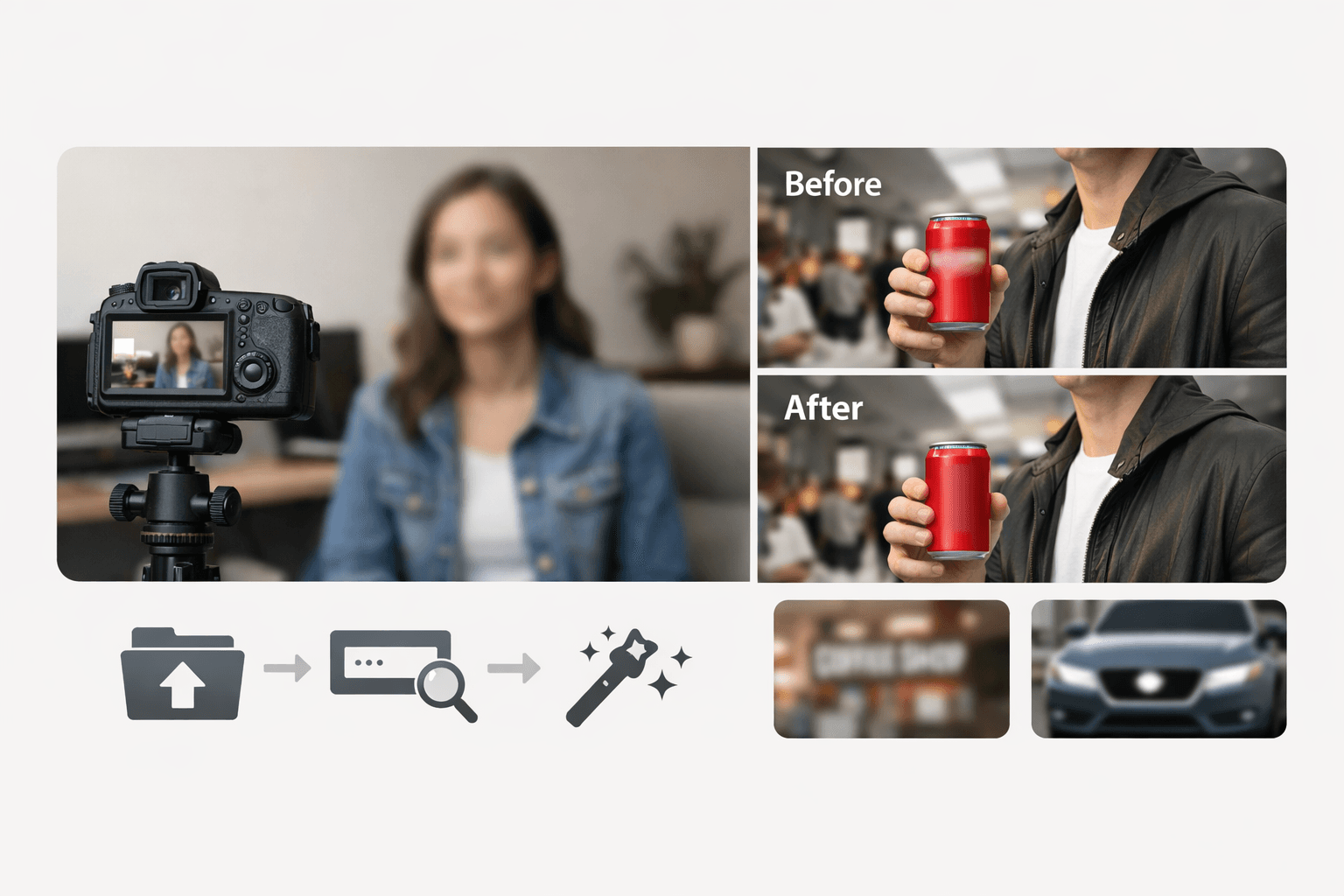
In today's digital landscape, blur logo techniques have become essential for content creators, marketers, and everyday users who want to protect privacy and avoid copyright issues. Whether you're sharing customer testimonials, creating educational content, or posting social media videos, knowing how to blur brands logo and other sensitive elements can save you from legal headaches and privacy violations.
TL;DR
| Question | Answer |
|---|---|
| Is showing a brand logo on camera illegal? | Not automatically — but it can trigger copyright/trademark claims for commercial or monetized content. |
| Does fair use protect me? | Sometimes (commentary, criticism, news), but it's fact-specific and risky without legal advice. |
| Fastest way to blur a logo? | Upload to BGBlur, describe the logo in a text prompt, and let AI motion-tracking do the rest. |
| Does blurring hurt video quality? | No — BGBlur applies blur only to the marked region, leaving the rest of the frame untouched. |
| Is my video stored after processing? | No — files are deleted within 24 hours of upload. |
Why You Need to Blur Logos in Your Videos
Brand logos are protected intellectual property. Using them without permission in your videos can lead to copyright strikes, takedown notices, or even legal action. Beyond copyright concerns, blurring logos helps maintain viewer focus on your content rather than unintended brand endorsements.
Privacy is another critical factor. When filming in public spaces or sharing workplace footage, blur a specific part of video containing identifiable brands, faces, or sensitive information becomes necessary to comply with privacy regulations like GDPR and CCPA.
Common Scenarios That Require Logo Blurring
Commercial Content
If you're monetizing your videos, using recognizable brand logos without permission could violate terms of service on platforms like YouTube, Instagram, or TikTok. Blurring brand elements ensures your content remains compliant.
Customer Testimonials
When featuring real customers in your videos, their clothing, accessories, or surroundings may display logos that require masking for legal protection.
Educational and Tutorial Content
Demonstrating software, products, or services often captures branded interfaces. Apply video background blur or selective blurring to focus attention while avoiding infringement.
Logo blurring is one piece of a broader object-blur workflow. If you also need to obscure other identifiable regions in the same clip — not just logos — see our complete guide to object and region blurring for a breakdown of every selective-blur use case BGBlur supports.
How BGBlur Simplifies Logo Blurring
BGBlur is a powerful tool designed specifically to help you blur anything in video with precision and ease. Unlike complex video editing software that requires extensive training, BGBlur offers an intuitive interface for anyone needing to blur logos quickly.
Key Features of BGBlur:
Selective Area Blurring: Target specific logos or branded elements without affecting the entire frame. This precision ensures your content remains professional while protecting you legally.
AI-Powered Detection: Simply describe what you want to blur, and BGBlur's intelligent system identifies and masks it automatically.
Background Blur Options: Need to blur video background to emphasize your subject? BGBlur provides adjustable blur intensity for both backgrounds and foreground elements.
Quick Processing: Time is valuable. BGBlur processes your videos efficiently, letting you move from raw footage to publishable content in minutes.
Step-by-Step Guide to Blur Logos Using BGBlur
- Upload Your Video: Import your video file into BGBlur's platform
- Add a Prompt: Type a simple description like "blur logo" or specify the brand you want to obscure
- Hit the Blur Object CTA: Click the blur button and let BGBlur's AI do the work
- That's It: Your video is processed automatically with all logos professionally blurred and ready to download
Yes, it's really that simple! BGBlur eliminates the complexity of manual video editing, making logo blurring accessible to everyone.
Best Practices for Logo Blurring
Be Thorough: Don't just blur obvious logos. Check for brand names on packaging, signage in backgrounds, and watermarks on products.
Maintain Quality: While blurring protects you legally, excessive blurring can make videos look unprofessional. Use targeted blurring to preserve video quality.
Consider Context: Sometimes mentioning or showing a brand is fair use (reviews, commentary). Understand when blurring is legally necessary versus optional.
Document Your Process: Keep records of your blurring efforts. This demonstrates good faith compliance if questions arise later.
Who Needs Logo Blurring
YouTubers and reviewers: Product review and unboxing videos routinely capture competitor logos, third-party packaging, and brand marks that were never cleared for reuse. Blurring keeps the video focused on your commentary rather than an unintended endorsement.
Marketing and ad agencies: Client deliverables that reuse stock or user-generated footage often contain background logos on cars, clothing, or signage that fall outside the usage rights the agency actually secured. A quick blur pass avoids a client-side legal review flagging the footage later.
Real estate and property videographers: Walkthrough videos of homes and offices frequently capture branded appliances, signage from neighboring businesses, or vehicles with company logos in driveways. Blurring these elements keeps the listing video focused on the property itself.
Corporate training and internal video teams: Screen recordings and workplace footage used in training material often show internal tools, partner logos, or vendor dashboards that shouldn't be shared outside the organization once the video is repurposed for public use.
Podcasters and interview shows: Guests appearing on camera may be wearing branded apparel or sitting in front of a backdrop with a competitor's or unrelated brand's logo, which can create the appearance of a sponsorship that never happened.
Legal Considerations for Video Content
Copyright law protects brand logos as trademarks. Even incidental appearance of logos in your videos can create liability if the brand owner objects. Video editing for privacy compliance and trademark avoidance isn't just smart—it's often legally required.
Fair use may apply in specific circumstances like criticism, commentary, or news reporting, but relying on fair use is risky without legal counsel. The safer approach is to proactively blur brands logo before publishing.
If your footage also includes bystanders' faces or vehicle license plates alongside branded elements, review our guide on face anonymization tools and our breakdown of face anonymization versus face blur to understand which technique fits which privacy risk. For creators publishing in the EU, logo and trademark exposure is a separate issue from personal data exposure — our GDPR video compliance guide covers the latter in detail.
How to Blur Brand Logos in Videos, Step by Step
Step 1: Upload Your Video File
Start by navigating to the official upload page at https://www.bgblur.com/en/upload. Drag and drop your video file into the designated area or click the upload button to begin the process.
Step 2: Identify the Brand Logo
Once your video is processed, scan the footage to locate the specific brand logos or trademarks you need to hide. Use the interactive preview window to find the exact coordinates where the logo appears.
Step 3: Apply the Blur Effect
Select the logo area by drawing a mask or clicking on the detected object within the bgblur.com interface. Choose your preferred blur intensity to ensure the brand identity is completely obscured while maintaining a natural look.
Step 4: Track the Logo Movement
If the camera is moving or the logo shifts position, use the AI-powered tracking feature to follow the object. This ensures the blur stays locked onto the brand logo throughout the entire duration of the clip.
Step 5: Preview and Download
Review the final result in the player to confirm that all copyright-sensitive elements are properly hidden. Once satisfied, click the download button to save your privacy-compliant video to your device.
Conclusion
Learning to blur logo elements in your videos isn't just about following rules—it's about respecting intellectual property, protecting privacy, and creating professional content that stands the test of time. Whether you need to blur a specific part of video, apply comprehensive background blurring, or mask multiple brand elements, tools like BGBlur make the process accessible to everyone.
By implementing proper logo blurring techniques, you safeguard yourself against copyright issues while maintaining viewer trust through demonstrated privacy awareness. Start protecting your content today by making blur logo practices a standard part of your video production workflow.
Frequently Asked Questions
Q: Do I need to blur all logos in my videos? A: It depends on your usage. For commercial content, testimonials, or monetized videos, yes—blur all recognizable logos. For personal, non-commercial use, you have more flexibility, though privacy concerns may still apply.
Q: How do I blur a moving logo in video? A: BGBlur's AI automatically tracks moving objects throughout your video. Simply upload, add your prompt, and the system handles tracking without manual intervention.
Q: Will blurring affect my video quality? A: Modern blurring tools like BGBlur apply selective blur only to marked areas, preserving overall video quality. The rest of your footage remains crisp and clear.
Q: How long does it take to blur logos in a video? A: With BGBlur's simple three-step process, most videos are ready in minutes. Upload, prompt, and click—that's all it takes to get professional results.
Q: Can I blur multiple different logos in one video? A: Yes! BGBlur allows you to add multiple prompts or describe several objects at once. The AI identifies and blurs all specified elements in a single processing session.