How to Blur Backgrounds in Images Without Photoshop [2026]
A step-by-step guide to blurring image backgrounds without Photoshop using free, browser-based AI tools. Covers bokeh effects, face and license plate privacy blurring, and common editing mistakes to avoid.
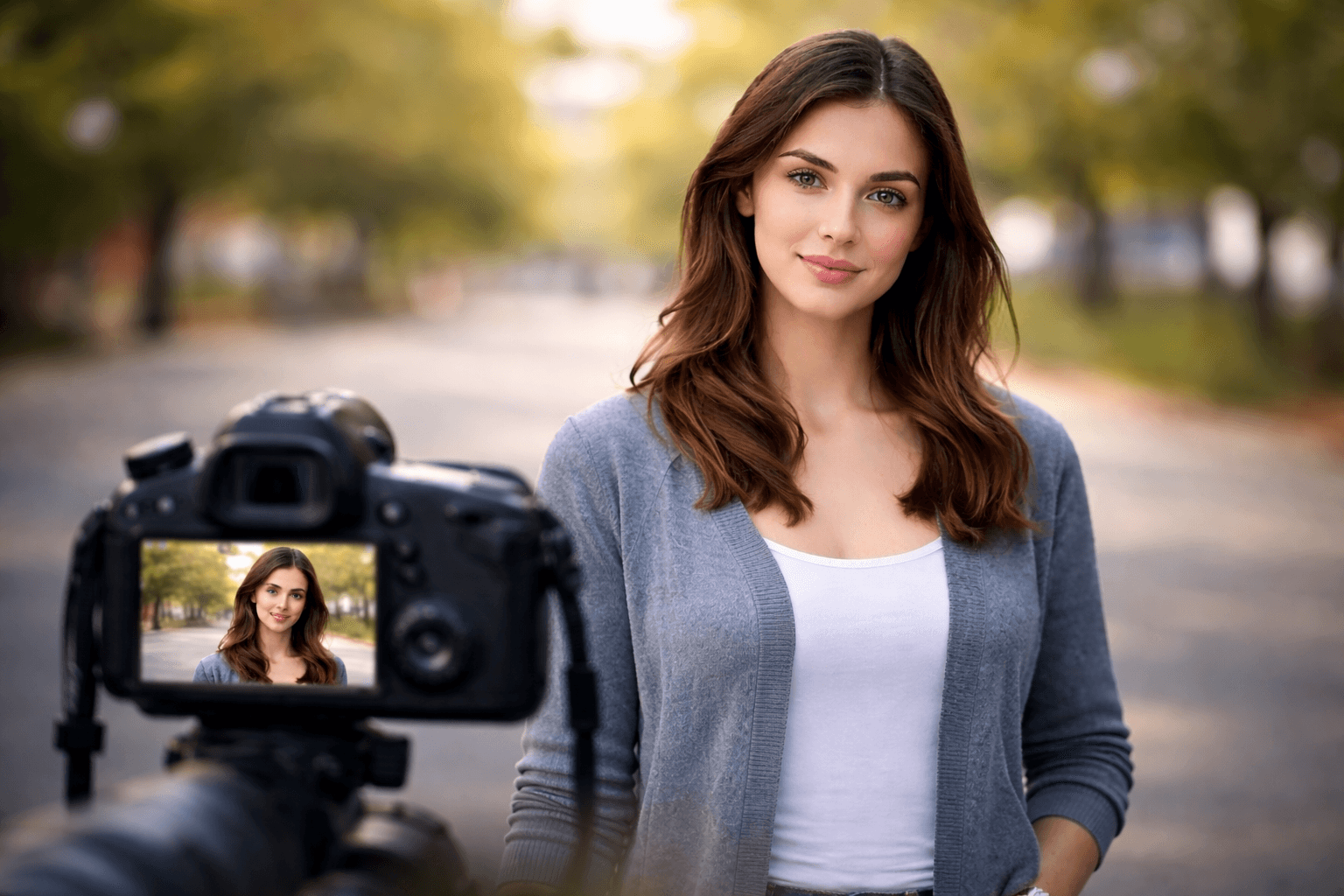
In today's digital world, creating professional-looking images with a blur background effect has become essential for content creators, marketers, and everyday users. Whether you're enhancing product photos, protecting privacy, or creating stunning portraits, you don't need expensive software like Photoshop to achieve professional results. This comprehensive guide will show you how to blur backgrounds effortlessly using free and accessible tools.
Why Blur Background Effects Matter
The background blur technique, also known as the bokeh effect, helps draw attention to your subject by reducing visual distractions. Professional photographers have used this technique for decades, but now anyone can achieve similar results without professional equipment or software skills.
Blurring backgrounds serves multiple purposes:
Visual Focus: Directs viewer attention to the main subject by eliminating distracting elements in the background. This technique is especially valuable for product photography and portraits where you want your subject to stand out prominently.
Privacy Protection: Helps blur face identities or sensitive information when sharing content publicly. Many content creators use this feature to protect bystanders' privacy in vlogs and documentary-style videos.
Professional Aesthetics: Creates depth and a polished look that mimics expensive camera equipment. The bokeh effect adds a professional touch that makes even smartphone photos look like they were taken with high-end DSLR cameras.
Content Safety: Enables you to blur number plate details or blur license plate information in photos and videos before sharing them online. This protects vehicle owners' privacy and prevents potential security risks from publicly visible registration information.
Best Free Tools to Blur Background Online
AI-Powered Background Blur Tools
Modern blur AI technology has revolutionized image editing. These tools use artificial intelligence to automatically detect subjects and apply precise blurring effects. Popular options include Remove.bg, Canva, and Fotor, which offer video background ai free features alongside image editing capabilities.
The bgblur technique has evolved significantly with AI integration. Machine learning algorithms can now distinguish between foreground subjects and backgrounds with remarkable accuracy, making the process faster and more precise than manual editing.
Mobile Apps for Quick Edits
Smartphone applications like Snapseed, PicsArt, and AfterFocus provide powerful blur background in video and image capabilities right from your device. These apps are perfect for social media content creators who need quick, professional results on the go.
Browser-Based Solutions
For those who prefer not to download software, numerous websites offer blur video online services. These platforms allow you to upload your content, apply effects, and download the results without installing anything on your device.
AI Face Blur for Videos
The ai face blur video free technology has become increasingly sophisticated. Whether you're protecting identities in documentary footage or creating artistic effects, AI-powered tools can track and blur faces throughout video sequences automatically.
Privacy Protection: Blurring Sensitive Information
One of the most practical applications of blur technology is privacy protection. Here's how to handle common scenarios:
License Plate and Number Plate Blurring
When sharing videos or images containing vehicles, knowing how to blur number plate information is crucial for privacy and security. Most modern editing tools include specific features for this purpose, allowing you to select and blur rectangular areas where license plates appear. For dashcam or street footage with multiple vehicles, our guide on selective object and region blurring covers how to target specific areas without blurring the entire frame.
Face Blurring for Anonymity
Whether you're creating documentary content or protecting bystander identities, the ability to blur face details has become essential. AI-powered tools can now automatically detect and blur faces throughout entire videos, saving hours of manual editing work. For a full walkthrough of face-blurring workflows, see our guide on how to blur faces in photos and video with AI in 3 seconds. If you're deciding between permanent blur and reversible anonymization, our comparison of face anonymization versus face blur breaks down which approach fits which use case.
Advanced Techniques for Professional Results
Depth Map Blurring
Creating realistic background blur effects requires understanding depth. Advanced tools allow you to create depth maps, which apply varying levels of blur based on distance from the camera, mimicking how professional cameras create natural bokeh.
Selective Focus Effects
Instead of blurring the entire background, selective focus techniques let you blur everything except your chosen subject. This approach works particularly well for product photography and portrait enhancement.
Gradient Blur Transitions
For artistic projects, gradient blurring creates smooth transitions between sharp and blurred areas, offering a more natural and professional appearance than hard-edge selections.
SEO Benefits of Properly Blurred Images
Beyond aesthetics, properly edited images with blur background effects can improve your website's performance:
Faster Loading: Blurred areas compress more efficiently, which helps improve page load times and overall site performance. This technical advantage contributes to better search engine rankings and user experience.
Better Engagement: Professional images increase time-on-page metrics, signaling to search engines that your content is valuable and engaging. When users spend more time viewing your polished, professionally blurred images, it positively impacts your SEO performance.
Accessibility: Clear subject focus helps users with visual impairments navigate your content more easily. By using background blur strategically, you create visual hierarchy that benefits all users, including those using screen readers or assistive technologies.
Privacy Compliance: Protecting identities meets legal requirements across various jurisdictions. Using blur face and blur number platetechniques demonstrates your commitment to privacy standards, which is increasingly important for SEO and user trust.
Future of AI-Powered Blur Technology
The blur ai field continues advancing rapidly. Emerging technologies include:
Real-time Processing: Live blur effects during video recording are becoming more accessible, allowing content creators to apply blur background effects instantly without post-production work.
3D Depth Sensing: More accurate background detection using advanced sensors and machine learning models that understand spatial relationships in images and videos.
Smart Tracking: Automated subject following in videos that maintains perfect blur background effects even with complex camera movements and multiple subjects.
Neural Rendering: AI-generated blur that matches lens characteristics of professional cameras, creating authentic bokeh effects that are indistinguishable from optical blur.
Practical Applications for Content Creators
Social Media Content Enhancement
Creating visually appealing content for platforms like Instagram, TikTok, and LinkedIn requires professional-looking imagery. Using blur background techniques elevates your content quality without requiring expensive equipment. If you're looking to improve your social media strategy further, explore our article on how to improve Instagram brand visibility without paid ads.
E-commerce Product Photography
Online sellers benefit significantly from background blur effects that make products stand out. By isolating products from distracting backgrounds, you create catalog-quality images that increase conversion rates and customer engagement. For video product demos, our complete guide to background removal and replacement covers swapping out backgrounds entirely rather than just blurring them.
YouTube Content Production
Video creators using blur video online tools can achieve professional production values without investing in expensive camera equipment. This democratization of video editing helps smaller creators compete with larger channels that have bigger budgets.
Professional Presentations
Business professionals can use bgblur techniques to enhance presentation materials, making key visual elements stand out while maintaining a polished, corporate aesthetic.
Step-by-Step Guide: Blur Background in Photos
For those new to image editing, here's a simple process to create professional background blur effects:
Choose Your Tool: Select an AI-powered blur background tool that fits your needs. Free options like Remove.bg or Canva work excellently for beginners.
Upload Your Image: Most tools accept common formats like JPG, PNG, and HEIC. Ensure your image has good lighting and a clear subject for best AI detection results.
Let AI Work: Modern blur AI technology automatically detects your subject and separates it from the background. This process typically takes just a few seconds.
Adjust Blur Intensity: Fine-tune the blur strength to match your aesthetic preferences. Subtle blur creates natural-looking depth, while stronger blur produces dramatic bokeh effects.
Refine Edges: Check the edges around your subject and make manual adjustments if needed. Quality tools provide brush or eraser functions for precise editing.
Export and Share: Download your professionally edited image with the perfect background blur effect, ready for social media, websites, or print use.
Common Mistakes to Avoid
When learning to blur background effectively, watch out for these common pitfalls:
Over-Blurring: Excessive blur can look artificial and distract from your subject rather than enhance it. Aim for natural-looking depth that mimics optical camera effects.
Inconsistent Blur Levels: Maintaining consistent blur intensity across similar images in a series creates a more professional, cohesive look for your content portfolio.
Ignoring Edge Quality: Poor edge detection around your subject creates obvious editing artifacts. Take time to refine edges for seamless background blur integration.
Neglecting Lighting Continuity: The blur effect should match the lighting conditions of your original image. Inconsistent lighting between subject and blurred background appears unnatural.
Monetizing Your Blur Skills
As you master blur background techniques, consider these monetization opportunities:
Freelance Editing Services: Offer professional photo and video editing services to e-commerce sellers, content creators, and small businesses who need high-quality background blur effects.
Stock Photography: Create and sell images with professional blur background effects on stock photography platforms, where well-edited images command premium prices.
Tutorial Content: Share your expertise through courses, YouTube tutorials, or blog posts teaching others how to blur video online and create professional imagery.
Social Media Management: Incorporate your blur AI skills into comprehensive social media management services, adding value through superior visual content. Learn more about scaling your services with our guide on how to manage and scale your social media agency in 2025.
Integration with Other Editing Techniques
Background blur works exceptionally well when combined with other editing methods:
Color Grading: Adjust colors and tones to create cohesive visuals where the blurred background complements your subject's color palette.
Text Overlays: Blurred backgrounds provide perfect canvases for text overlays, ensuring readability without visual competition from background elements.
Composite Images: Layer multiple images with strategic blur background application to create complex, professional compositions.
Brand Consistency: Use consistent blur styles across all your content to strengthen brand recognition and visual identity.
Tools Comparison: Finding Your Perfect Match
Different blur background tools excel in various scenarios:
Mobile-First Solutions: Apps like Snapseed and Fotor offer excellent on-the-go editing for social media creators who need quick results directly from their smartphones.
Desktop Powerhouses: Software like GIMP (free) or Affinity Photo (one-time purchase) provide advanced blur AI capabilities for users who want professional-grade control.
Online Platforms: Browser-based tools like Remove.bg and Canva offer convenience and collaboration features, perfect for teams working on shared projects.
Video-Specific Tools: DaVinci Resolve and Kdenlive provide robust blur video online capabilities with precise tracking and masking features for complex video projects.
Frequently Asked Questions
Can I blur backgrounds in videos for free?
Yes, numerous platforms offer blur video online services at no cost. Tools like DaVinci Resolve, OpenShot, and browser-based solutions provide robust video blurring capabilities without subscription fees.
How do I blur a license plate in a video?
To blur license plate information, use video editing software with tracking features. Select the license plate area, apply a blur or pixelation effect, and use motion tracking to follow the plate throughout the footage.
What's the best free AI tool for background blur?
Several video background ai free tools excel at this task. Remove.bg, Canva's background remover, and Unscreen offer excellent AI-powered blurring with user-friendly interfaces and no cost for basic features.
Can I blur multiple faces automatically in videos?
Modern ai face blur video free technology can detect and blur multiple faces simultaneously. Tools like DaVinci Resolve and some online platforms offer automatic face detection and tracking throughout video sequences.
Does blurring reduce image quality?
When done correctly using quality tools, background blur effects should not significantly reduce overall image quality. The subject remains sharp while only the background receives blur treatment, actually drawing more attention to the highest-quality areas.
Conclusion
Mastering the art of blur background effects without Photoshop has never been more accessible. Whether you need to create professional portraits, protect privacy by learning to blur number plate details, or enhance video content with motion blur video online techniques, today's free tools deliver remarkable results.
The combination of AI technology and user-friendly interfaces has democratized professional-level image and video editing. From simple video bg blur applications to sophisticated depth-based effects, these accessible tools empower everyone to create compelling visual content.
Start experimenting with these techniques today, and you'll quickly discover how blur background effects can transform ordinary images and videos into professional, eye-catching content that stands out in our visually-driven digital landscape. For more tips on creating engaging content, explore our resources on automating Instagram comments without sounding spammy and finding niche influencers with AI.