Piep Woorden weg in Video & Audio
Piep automatisch woorden weg uit je video of audio. Voer de woorden of zinnen in die je wilt censureren, en BGBlur vindt elke overeenkomst en voegt automatisch een precieze piep toe. Upload je bestand, voer tot 5 woorden of zinnen in, en laat de AI de rest doen.
Hoe Piep je Woorden weg in een Video- of Audiobestand
Begin in drie eenvoudige stappen.
Upload je Content
Upload het video- of audiobestand met de woorden die je wilt censureren. BGBlur ondersteunt gangbare video- en audioformaten, waardoor je je content eenvoudig kunt opschonen zonder ingewikkelde bewerkingssoftware.
Voer de Woorden In
Typ tot 5 woorden of korte zinnen die je wilt censureren. Je kunt scheldwoorden, namen, zinnen of andere woorden blokkeren die je niet in je uiteindelijke content wilt hebben.
Voeg een Piep Toe
Klik op "Wegpiepen" en BGBlur detecteert automatisch elk overeenkomend woord en plaatst er een censuurpiep overheen. Download je opgeschoonde video of audio zodra de verwerking is voltooid.
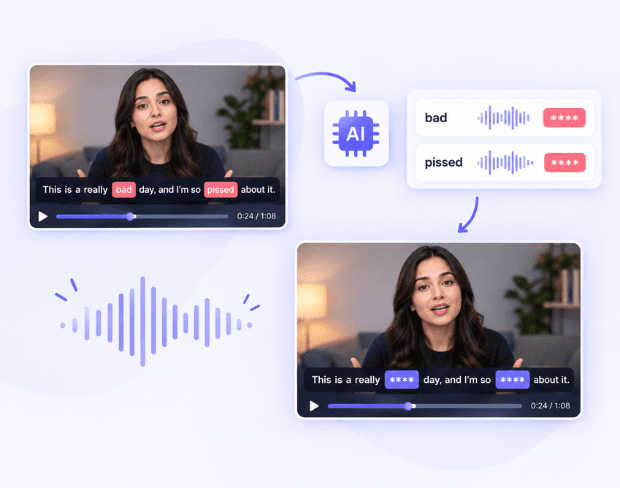
Piep Automatisch Elk Woord Weg
Stop met zoeken in je tijdlijn naar elk ongewenst woord. BGBlur gebruikt AI-transcriptie om de woorden die je opgeeft te vinden en scheldwoorden of andere zinnen automatisch weg te piepen. Of je nu audio wilt censureren, grove taal wilt verwijderen, of gesproken content wilt opschonen, BGBlur regelt de matching en timing voor jou.
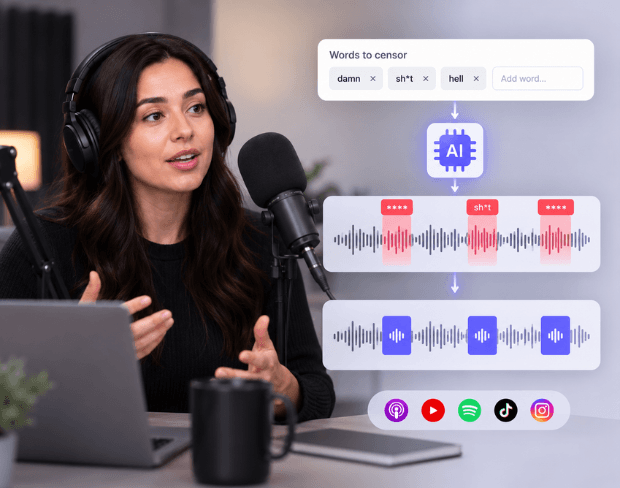
Censureer Scheldwoorden met AI
Moet je scheldwoorden wegpiepen uit een podcast, video, interview of social media-clip? Voer gewoon de woorden in die je wilt verbergen. BGBlur werkt als een AI-scheldwoordverwijderaar, detecteert de opgegeven woorden in je audio en plaatst er precies een censuurpiep overheen.
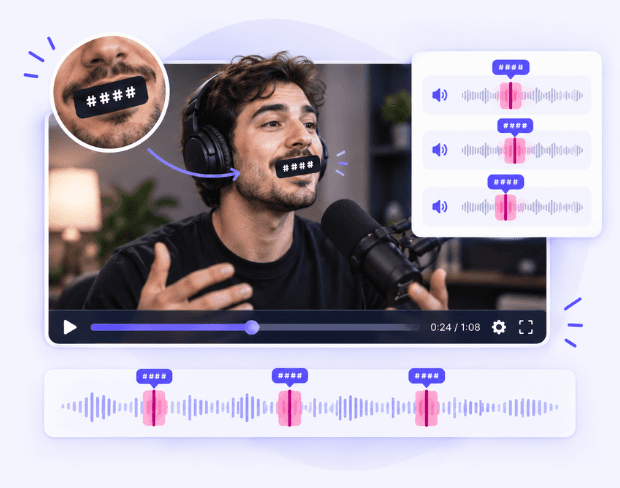
Voeg een Precieze Piep toe aan Elk Gecensureerd Woord
BGBlur identificeert het begin en einde van elk overeenkomend woord en voegt automatisch een piep toe op het exacte punt in je video of audio. De censuurpiep bedekt het ongewenste woord zonder de omliggende spraak te dempen, zodat je geen tijdstempels handmatig hoeft in te stellen, audio hoeft te knippen of elk voorkomen hoeft te bewerken.
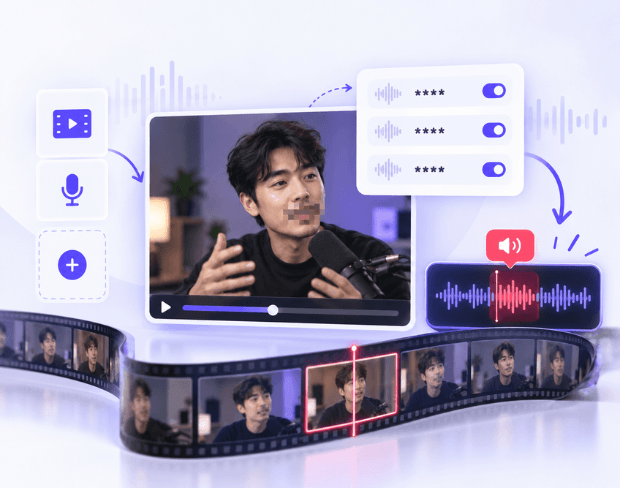
Interactieve Piep voor Video en Audio
Upload een video- of audiobestand, voer je zoekwoorden in, en laat BGBlur automatisch de woorden vinden die je wilt censureren. Voeg een piep toe om audio te censureren, scheldwoorden te blokkeren en ongewenste spraak op te schonen zonder handmatig door de tijdlijn te zoeken.
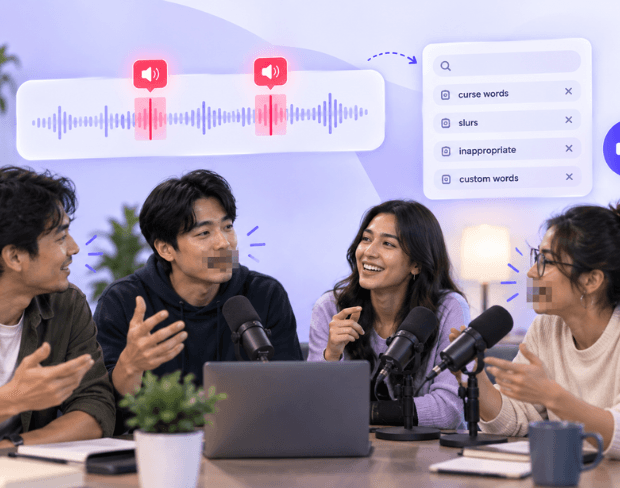
AI-Taalfilter met Piepgeluid
Gebruik BGBlur als AI-taalfilter om ongewenste woorden te detecteren en er een piep overheen te plaatsen. Voer de woorden in die je wilt blokkeren en censureer audio automatisch, zonder elk voorkomen handmatig te bewerken. Houd je originele spraak intact terwijl alleen de geselecteerde woorden worden bedekt met precieze censuurpiepjes.
Wat maakt Bédur anders?
BGBUR is gebouwd voor browser-gebaseerde AI-videobewerking: upload een clip, kies wat te verbergen of te verzachten, en exporteer privacy-ready beelden zonder het leren van tijdlijnsoftware.
AI video wazig
Automatische video wazige workflows verminderen handmatige maskering voor gezichten, platen, achtergronden, schermen en gevoelige objecten.
Browsergebaseerd
Bewerk video online vanaf desktop of mobiel zonder professionele videobewerkingssoftware te installeren.
Privacygericht
BGBLUR is ontworpen voor veiliger publiceren, redactie, anonimisering, en compliance-aware video delen.
Selectieve controle
Kies doelgerichte vervaging, achtergrondvervaging, gezichtsanonimisering of objectvervaging op basis van de beelden.
Snelle workflow
Eenvoudige upload, voorvertoning, verwerking en export stappen helpen makers en teams te voltooien bewerkingen snel.
Meerdere formaten
Gebruik BGBLUR over gemeenschappelijke video- en beeldworkflows voor sociale, juridische, opleiding en maker inhoud.
Piep Automatisch Elk Woord weg uit Video en Audio
BGBlur maakt het eenvoudig om ongewenste woorden uit je video of audio weg te piepen. Voer tot 5 woorden of zinnen in, en AI vindt automatisch elk voorkomen en voegt een precieze piep toe.
Censureer automatisch elke overeenkomst. Upload je bestand, voer de woorden in die je wilt blokkeren, en BGBlur detecteert ze in de hele opname. Piep scheldwoorden weg, censureer ongewenste spraak, en schoon je content op zonder handmatig door de tijdlijn te zoeken.
Mogelijk gemaakt door BGBlur
Veelgestelde Vragen over Woorden Wegpiepen
Ja. Voer de scheldwoorden of zinnen in die je wilt censureren, en BGBlur vindt en vervangt hun audio automatisch door een piep.
Ja. BGBlur kan werken als AI-taalfilter voor woorden die je specifiek wilt censureren in je opname.
Ja. Upload direct een audiobestand als je alleen audio wilt censureren. Bij video's past BGBlur alleen de audio aan, terwijl de videostream ongewijzigd blijft.
Ja. Je kunt tot 5 woorden of korte zinnen per bestand invoeren.
Ja. BGBlur plaatst automatisch een piep over elk gedetecteerd overeenkomend woord, zodat je het geluid niet handmatig hoeft toe te voegen.
De originele spraak wordt in de verwerkte audio bedekt door de censuurpiep, waardoor het geselecteerde woord onhoorbaar wordt terwijl de omliggende audio intact blijft.
Nee. BGBlur transcribeert de audio en identificeert automatisch waar de geselecteerde woorden voorkomen.
Ja. Je kunt Woorden Wegpiepen gebruiken voor podcasts, interviews, social media-video's, opnames en andere gesproken content waarbij bepaalde woorden gecensureerd moeten worden.
Ja, de AI van BGBlur volgt automatisch bewegende objecten, gezichten en voertuigen. Je hoeft niet elk frame handmatig te maskeren; de bewegingsbewuste tracker houdt de vervaging vergrendeld op het onderwerp terwijl het beweegt.
BGBlur is een volledig webgebaseerde tool. Je kunt elke video of afbeelding uploaden, de Gezichtsvervaging-tool selecteren en direct in je browser pixelatie of vervaging toepassen zonder apps of plug-ins te downloaden.
Absoluut. Ons AI is speciaal getraind om kentekenplaten te detecteren en te vervagen in rijbeelden, dashcams en straatvideo's, wat helpt om te voldoen aan de privacywetgeving.
Jouw privacy is onze prioriteit. BGBlur maakt gebruik van geavanceerde technologieën aan de clientzijde om video's veilig te verwerken. Je bestanden worden lokaal in je browser verwerkt en worden nooit geüpload of permanent opgeslagen op externe servers.
Ja! BGBlur is volledig responsief en geoptimaliseerd voor mobiele browsers. Je kunt eenvoudig een video-achtergrond vervagen of gezichten pixeleren direct op je iPhone, iPad of Android-telefoon.
Limieten zijn afhankelijk van de functie. Standaard tools voor videovervaging, zoals gezichtsvervaging, kentekenvervaging, achtergrondvervaging, alles vervagen, schermvervaging, NSFW-vervaging en gezichtsanonimisering ondersteunen tot 500 MB en 5 minuten bij het gratis abonnement, of tot 1 GB en 10 minuten bij betaalde abonnementen. Object Remover ondersteunt MP4- en MOV-video's tot 1 GB en 10 seconden per clip. Directe uploads van Voice Anon ondersteunen tot 100 MB, terwijl de upload/URL-workflow audio- of videobestanden tot 500 MB en minder dan 10 minuten ondersteunt.
User Reviews
Share your experience and help others make informed decisions
Write a Review
Community Score
0.0
/ 5
Based on 0 reviews
All Reviews (0)
No reviews yet
Be the first to share your experience and help others make informed decisions!
Klaar om je videocontent te vervagen?
Begin vandaag met het beschermen van privacy en het creëren van professionele video vervaag-effecten met onze AI-aangedreven tool. Geen downloads nodig - vervaag direct in je browser.
Begin Nu met Vervagen